mirror of
https://github.com/kamranahmedse/developer-roadmap.git
synced 2026-03-14 10:41:57 +08:00
Compare commits
33 Commits
feat/ai-do
...
fix/remove
| Author | SHA1 | Date | |
|---|---|---|---|

|
831b1a6f5d | ||

|
4038681fb5 | ||

|
d0c5e3ba68 | ||

|
bd111db80f | ||

|
774d1ee3b1 | ||

|
fecbde4786 | ||
|
|
79f5f423ab | ||

|
2379ab3640 | ||

|
58d1a790f2 | ||
|
|
89932bc18d | ||

|
469f4ca530 | ||
|
|
7882a91a3d | ||
|
|
0c72a6c36e | ||
|
|
e4183c2f21 | ||
|
|
bcb75c4a9b | ||

|
30761f17f4 | ||
|
|
4b0e48d9e8 | ||
|
|
0a721514fd | ||
|
|
61ae2ce5f3 | ||
|
|
302c4381b2 | ||
|
|
a47e057e48 | ||
|
|
75ce6942d8 | ||
|
|
8e020a90b7 | ||
|
|
3feaabcf0d | ||
|
|
2d98d34f41 | ||
|
|
3048800364 | ||
|
|
77764abdd5 | ||
|
|
12294196d9 | ||
|
|
cedffd7fb0 | ||
|
|
c8b47634ea | ||
|
|
9de76da66f | ||
|
|
2c5ae2d774 | ||
|
|
853a26b6f4 |
@@ -3,6 +3,6 @@
|
||||
"enabled": false
|
||||
},
|
||||
"_variables": {
|
||||
"lastUpdateCheck": 1749494681580
|
||||
"lastUpdateCheck": 1750679157111
|
||||
}
|
||||
}
|
||||
155
.cursor/rules/content-migration.mdc
Normal file
155
.cursor/rules/content-migration.mdc
Normal file
@@ -0,0 +1,155 @@
|
||||
---
|
||||
description: When user requests migrating old roadmap content to new folder from content-old to content folder
|
||||
globs:
|
||||
alwaysApply: false
|
||||
---
|
||||
# Content Migration Rule
|
||||
|
||||
## Rule Name: content-migration
|
||||
|
||||
## Description
|
||||
This rule provides a complete process for migrating roadmap content from old structure to new structure using migration mapping files.
|
||||
|
||||
## When to Use
|
||||
Use this rule when you need to:
|
||||
- Migrate content from content-old directories to content directories
|
||||
- Use a migration-mapping.json file to map topic paths to content IDs
|
||||
- Populate empty content files with existing content from legacy structure
|
||||
|
||||
## Process
|
||||
|
||||
### 1. Prerequisites Check
|
||||
- Verify the roadmap directory has a `migration-mapping.json` file
|
||||
- Confirm `content-old/` directory exists with source content
|
||||
- Confirm `content/` directory exists with target files
|
||||
|
||||
### 2. Migration Script Creation
|
||||
Create a Node.js script with the following functionality:
|
||||
|
||||
```javascript
|
||||
const fs = require('fs');
|
||||
const path = require('path');
|
||||
|
||||
// Load the migration mapping
|
||||
const migrationMapping = JSON.parse(fs.readFileSync('migration-mapping.json', 'utf8'));
|
||||
|
||||
// Function to find old content file based on topic path
|
||||
function findOldContentFile(topicPath) {
|
||||
const parts = topicPath.split(':');
|
||||
|
||||
if (parts.length === 1) {
|
||||
// Top level file like "introduction"
|
||||
return path.join('content-old', parts[0], 'index.md');
|
||||
} else if (parts.length === 2) {
|
||||
// Like "introduction:what-is-rust"
|
||||
const [folder, filename] = parts;
|
||||
return path.join('content-old', folder, `${filename}.md`);
|
||||
} else if (parts.length === 3) {
|
||||
// Like "language-basics:syntax:variables"
|
||||
const [folder, subfolder, filename] = parts;
|
||||
return path.join('content-old', folder, subfolder, `${filename}.md`);
|
||||
}
|
||||
|
||||
return null;
|
||||
}
|
||||
|
||||
// Function to find new content file based on content ID
|
||||
function findNewContentFile(contentId) {
|
||||
const contentDir = 'content';
|
||||
const files = fs.readdirSync(contentDir);
|
||||
|
||||
// Find file that ends with the content ID
|
||||
const matchingFile = files.find(file => file.includes(`@${contentId}.md`));
|
||||
|
||||
if (matchingFile) {
|
||||
return path.join(contentDir, matchingFile);
|
||||
}
|
||||
|
||||
return null;
|
||||
}
|
||||
|
||||
// Process each mapping
|
||||
console.log('Starting content migration...\n');
|
||||
|
||||
let migratedCount = 0;
|
||||
let skippedCount = 0;
|
||||
|
||||
for (const [topicPath, contentId] of Object.entries(migrationMapping)) {
|
||||
const oldFilePath = findOldContentFile(topicPath);
|
||||
const newFilePath = findNewContentFile(contentId);
|
||||
|
||||
if (!oldFilePath) {
|
||||
console.log(`❌ Could not determine old file path for: ${topicPath}`);
|
||||
skippedCount++;
|
||||
continue;
|
||||
}
|
||||
|
||||
if (!newFilePath) {
|
||||
console.log(`❌ Could not find new file for content ID: ${contentId} (topic: ${topicPath})`);
|
||||
skippedCount++;
|
||||
continue;
|
||||
}
|
||||
|
||||
if (!fs.existsSync(oldFilePath)) {
|
||||
console.log(`❌ Old file does not exist: ${oldFilePath} (topic: ${topicPath})`);
|
||||
skippedCount++;
|
||||
continue;
|
||||
}
|
||||
|
||||
try {
|
||||
// Read old content
|
||||
const oldContent = fs.readFileSync(oldFilePath, 'utf8');
|
||||
|
||||
// Write to new file
|
||||
fs.writeFileSync(newFilePath, oldContent);
|
||||
|
||||
console.log(`✅ Migrated: ${topicPath} -> ${path.basename(newFilePath)}`);
|
||||
migratedCount++;
|
||||
} catch (error) {
|
||||
console.log(`❌ Error migrating ${topicPath}: ${error.message}`);
|
||||
skippedCount++;
|
||||
}
|
||||
}
|
||||
|
||||
console.log(`\n📊 Migration complete:`);
|
||||
console.log(` Migrated: ${migratedCount} files`);
|
||||
console.log(` Skipped: ${skippedCount} files`);
|
||||
console.log(` Total: ${Object.keys(migrationMapping).length} mappings`);
|
||||
```
|
||||
|
||||
### 3. Execution Steps
|
||||
1. Navigate to the roadmap directory (e.g., `src/data/roadmaps/[roadmap-name]`)
|
||||
2. Create the migration script as `migrate_content.cjs`
|
||||
3. Run: `node migrate_content.cjs`
|
||||
4. Review the migration results
|
||||
5. Clean up the temporary script file
|
||||
|
||||
### 4. Validation
|
||||
After migration:
|
||||
- Verify a few migrated files have proper content (not just titles)
|
||||
- Check that the content structure matches the old content
|
||||
- Ensure proper markdown formatting is preserved
|
||||
|
||||
## File Structure Expected
|
||||
```
|
||||
roadmap-directory/
|
||||
├── migration-mapping.json
|
||||
├── content/
|
||||
│ ├── file1@contentId1.md
|
||||
│ ├── file2@contentId2.md
|
||||
│ └── ...
|
||||
└── content-old/
|
||||
├── section1/
|
||||
│ ├── index.md
|
||||
│ ├── topic1.md
|
||||
│ └── subsection1/
|
||||
│ └── subtopic1.md
|
||||
└── section2/
|
||||
└── ...
|
||||
```
|
||||
|
||||
## Notes
|
||||
- The migration mapping uses colons (`:`) to separate nested paths
|
||||
- Content files in the new structure use the pattern `filename@contentId.md`
|
||||
- The script handles 1-3 levels of nesting in the old structure
|
||||
- Always create the script with `.cjs` extension to avoid ES module issues
|
||||
89
migrate_content.py
Normal file
89
migrate_content.py
Normal file
@@ -0,0 +1,89 @@
|
||||
#!/usr/bin/env python3
|
||||
|
||||
import json
|
||||
import os
|
||||
import sys
|
||||
|
||||
def migrate_content():
|
||||
"""
|
||||
Migrate content from content folder to content-migrated folder using mapping file
|
||||
"""
|
||||
|
||||
# Read mapping file
|
||||
mapping_file = 'migration-mapping.json'
|
||||
content_dir = 'content'
|
||||
migrated_dir = 'content-migrated'
|
||||
|
||||
try:
|
||||
with open(mapping_file, 'r') as f:
|
||||
mapping = json.load(f)
|
||||
except FileNotFoundError:
|
||||
print(f"Error: {mapping_file} not found")
|
||||
return False
|
||||
except json.JSONDecodeError:
|
||||
print(f"Error: Invalid JSON in {mapping_file}")
|
||||
return False
|
||||
|
||||
migrated_count = 0
|
||||
skipped_count = 0
|
||||
error_count = 0
|
||||
|
||||
print(f"Starting migration of {len(mapping)} files...")
|
||||
|
||||
for source_path, target_id in mapping.items():
|
||||
# Determine source file path
|
||||
if ':' in source_path:
|
||||
# Nested path like "clean-code-principles:be-consistent"
|
||||
parts = source_path.split(':')
|
||||
source_file = os.path.join(content_dir, *parts[:-1], f"{parts[-1]}.md")
|
||||
else:
|
||||
# Top level path like "clean-code-principles"
|
||||
source_file = os.path.join(content_dir, source_path, 'index.md')
|
||||
|
||||
# Determine target file path
|
||||
target_filename = f"{source_path.split(':')[-1]}@{target_id}.md"
|
||||
target_file = os.path.join(migrated_dir, target_filename)
|
||||
|
||||
# Check if target file is empty (needs migration)
|
||||
if os.path.exists(target_file) and os.path.getsize(target_file) > 0:
|
||||
print(f"⏭️ Skipped: {target_filename} (already migrated)")
|
||||
skipped_count += 1
|
||||
continue
|
||||
|
||||
# Check if source file exists
|
||||
if not os.path.exists(source_file):
|
||||
print(f"❌ Error: Source file not found: {source_file}")
|
||||
error_count += 1
|
||||
continue
|
||||
|
||||
try:
|
||||
# Read source content
|
||||
with open(source_file, 'r', encoding='utf-8') as f:
|
||||
content = f.read()
|
||||
|
||||
if not content.strip():
|
||||
print(f"⚠️ Warning: Source file is empty: {source_file}")
|
||||
continue
|
||||
|
||||
# Write to target file
|
||||
with open(target_file, 'w', encoding='utf-8') as f:
|
||||
f.write(content)
|
||||
|
||||
print(f"✅ Migrated: {source_path} -> {target_filename}")
|
||||
migrated_count += 1
|
||||
|
||||
except Exception as e:
|
||||
print(f"❌ Error migrating {source_path}: {str(e)}")
|
||||
error_count += 1
|
||||
|
||||
print(f"\n📊 Migration Summary:")
|
||||
print(f" ✅ Migrated: {migrated_count}")
|
||||
print(f" ⏭️ Skipped: {skipped_count}")
|
||||
print(f" ❌ Errors: {error_count}")
|
||||
print(f" 📁 Total: {len(mapping)}")
|
||||
|
||||
return error_count == 0
|
||||
|
||||
if __name__ == "__main__":
|
||||
success = migrate_content()
|
||||
sys.exit(0 if success else 1)
|
||||
@@ -73,6 +73,7 @@
|
||||
"npm-check-updates": "^18.0.1",
|
||||
"playwright": "^1.52.0",
|
||||
"prismjs": "^1.30.0",
|
||||
"radix-ui": "^1.4.2",
|
||||
"react": "^19.1.0",
|
||||
"react-calendar-heatmap": "^1.10.0",
|
||||
"react-confetti": "^6.4.0",
|
||||
|
||||
974
pnpm-lock.yaml
generated
974
pnpm-lock.yaml
generated
File diff suppressed because it is too large
Load Diff
@@ -3,6 +3,11 @@
|
||||
"title": "Basic Blockchain Knowledge",
|
||||
"description": "A blockchain is a decentralized, distributed, and oftentimes public, digital ledger consisting of records called blocks that is used to record transactions across many computers so that any involved block cannot be altered retroactively, without the alteration of all subsequent blocks.\n\nVisit the following resources to learn more:",
|
||||
"links": [
|
||||
{
|
||||
"title": "Cyfirn Updraft | Blockchain Basics",
|
||||
"url": "https://updraft.cyfrin.io/courses/blockchain-basics",
|
||||
"type": "course"
|
||||
},
|
||||
{
|
||||
"title": "Introduction to Blockchain",
|
||||
"url": "https://chain.link/education-hub/blockchain",
|
||||
@@ -63,6 +68,16 @@
|
||||
"title": "Explore top posts about Blockchain",
|
||||
"url": "https://app.daily.dev/tags/blockchain?ref=roadmapsh",
|
||||
"type": "article"
|
||||
},
|
||||
{
|
||||
"title": "Blockchain Architecture Layers: Guide And Topology",
|
||||
"url": "https://www.cyfrin.io/blog/blockchain-architecture-layers-what-is-it",
|
||||
"type": "article"
|
||||
},
|
||||
{
|
||||
"title": "Cyfirn Updraft | How Do Blockchains Work?",
|
||||
"url": "https://updraft.cyfrin.io/courses/blockchain-basics/basics/how-do-blockchains-work?lesson_format=video",
|
||||
"type": "video"
|
||||
}
|
||||
]
|
||||
},
|
||||
@@ -132,6 +147,11 @@
|
||||
"title": "What is Blockchain",
|
||||
"description": "A blockchain is a decentralized, distributed, and oftentimes public, digital ledger consisting of records called blocks that is used to record transactions across many computers so that any involved block cannot be altered retroactively, without the alteration of all subsequent blocks.\n\nVisit the following resources to learn more:",
|
||||
"links": [
|
||||
{
|
||||
"title": "Cyfirn Updraft | Blockchain Basics",
|
||||
"url": "https://updraft.cyfrin.io/courses/blockchain-basics",
|
||||
"type": "course"
|
||||
},
|
||||
{
|
||||
"title": "Blockchain Explained",
|
||||
"url": "https://www.investopedia.com/terms/b/blockchain.asp",
|
||||
@@ -190,7 +210,7 @@
|
||||
}
|
||||
]
|
||||
},
|
||||
"Nc9AH6L7EqeQxh0m6Hddz": {
|
||||
"why-it-matters@Nc9AH6L7EqeQxh0m6Hddz.md": {
|
||||
"title": "Why it matters?",
|
||||
"description": "",
|
||||
"links": []
|
||||
@@ -199,6 +219,11 @@
|
||||
"title": "General Blockchain Knowledge",
|
||||
"description": "A blockchain is a decentralized, distributed ledger technology that records transactions across many computers in such a way that the registered transactions cannot be altered retroactively. This technology is the backbone of cryptocurrencies like Bitcoin and Ethereum, but its applications extend far beyond digital currencies.\n\nVisit the following resources to learn more:",
|
||||
"links": [
|
||||
{
|
||||
"title": "Cyfirn Updraft | Blockchain Basics",
|
||||
"url": "https://updraft.cyfrin.io/courses/blockchain-basics",
|
||||
"type": "course"
|
||||
},
|
||||
{
|
||||
"title": "The Complete Course On Understanding Blockchain Technology",
|
||||
"url": "https://www.udemy.com/course/understanding-blockchain-technology/",
|
||||
@@ -303,6 +328,11 @@
|
||||
"url": "https://www.nerdwallet.com/article/investing/cryptocurrency",
|
||||
"type": "article"
|
||||
},
|
||||
{
|
||||
"title": "Cyfrin Glossary | Cryptocurrency",
|
||||
"url": "https://www.cyfrin.io/glossary/cryptocurrency",
|
||||
"type": "article"
|
||||
},
|
||||
{
|
||||
"title": "Explore top posts about Crypto",
|
||||
"url": "https://app.daily.dev/tags/crypto?ref=roadmapsh",
|
||||
@@ -330,9 +360,9 @@
|
||||
"type": "article"
|
||||
},
|
||||
{
|
||||
"title": "Choose your wallet - Ethereum",
|
||||
"url": "https://ethereum.org/en/wallets/find-wallet/",
|
||||
"type": "article"
|
||||
"title": "Cyfrin Updraft | Settin Up a Wallet",
|
||||
"url": "https://updraft.cyfrin.io/courses/blockchain-basics/basics/setting-up-your-wallet",
|
||||
"type": "video"
|
||||
}
|
||||
]
|
||||
},
|
||||
@@ -385,6 +415,11 @@
|
||||
"title": "What Is a Consensus Mechanism?",
|
||||
"url": "https://www.coindesk.com/learn/what-is-a-consensus-mechanism/",
|
||||
"type": "article"
|
||||
},
|
||||
{
|
||||
"title": "Consensus Algorithm",
|
||||
"url": "https://www.cyfrin.io/glossary/consensus-algorithm",
|
||||
"type": "article"
|
||||
}
|
||||
]
|
||||
},
|
||||
@@ -833,6 +868,11 @@
|
||||
"title": "Explore top posts about Blockchain",
|
||||
"url": "https://app.daily.dev/tags/blockchain?ref=roadmapsh",
|
||||
"type": "article"
|
||||
},
|
||||
{
|
||||
"title": "Cyfrin Updraft | L1s L2s and Rollups",
|
||||
"url": "https://updraft.cyfrin.io/courses/blockchain-basics/basics/l1s-l2s-and-rollups",
|
||||
"type": "video"
|
||||
}
|
||||
]
|
||||
},
|
||||
@@ -944,6 +984,11 @@
|
||||
"title": "What Is Chainlink in 5 Minutes",
|
||||
"url": "https://www.gemini.com/cryptopedia/what-is-chainlink-and-how-does-it-work",
|
||||
"type": "article"
|
||||
},
|
||||
{
|
||||
"title": "Cyfrin Updraft | Getting real world price data from chainlink",
|
||||
"url": "https://updraft.cyfrin.io/courses/solidity/fund-me/getting-prices-from-chainlink",
|
||||
"type": "video"
|
||||
}
|
||||
]
|
||||
},
|
||||
@@ -970,6 +1015,11 @@
|
||||
"title": "Explore top posts about Oracle",
|
||||
"url": "https://app.daily.dev/tags/oracle?ref=roadmapsh",
|
||||
"type": "article"
|
||||
},
|
||||
{
|
||||
"title": "Cyfrin Updraft | Intro to oracles",
|
||||
"url": "https://updraft.cyfrin.io/courses/solidity/fund-me/real-world-price-data",
|
||||
"type": "video"
|
||||
}
|
||||
]
|
||||
},
|
||||
@@ -977,6 +1027,11 @@
|
||||
"title": "Smart Contracts",
|
||||
"description": "A smart contract is a computer program or a transaction protocol that is intended to automatically execute, control or document legally relevant events and actions according to the terms of a contract or an agreement.\n\nVisit the following resources to learn more:",
|
||||
"links": [
|
||||
{
|
||||
"title": "Cyfirn Updraft | Solidity Smart Contract Development",
|
||||
"url": "https://updraft.cyfrin.io/courses/solidity",
|
||||
"type": "course"
|
||||
},
|
||||
{
|
||||
"title": "Smart Contracts",
|
||||
"url": "https://www.ibm.com/topics/smart-contracts",
|
||||
@@ -1008,6 +1063,11 @@
|
||||
"title": "Solidity",
|
||||
"description": "Solidity is an object-oriented programming language created specifically by Ethereum Network team for constructing smart contracts on various blockchain platforms, most notably, Ethereum. It's used to create smart contracts that implements business logic and generate a chain of transaction records in the blockchain system. It acts as a tool for creating machine-level code and compiling it on the Ethereum Virtual Machine (EVM).\n\nVisit the following resources to learn more:",
|
||||
"links": [
|
||||
{
|
||||
"title": "Cyfirn Updraft | Solidity Smart Contract Development",
|
||||
"url": "https://updraft.cyfrin.io/courses/solidity",
|
||||
"type": "course"
|
||||
},
|
||||
{
|
||||
"title": "Solidity Programming Language",
|
||||
"url": "https://soliditylang.org/",
|
||||
@@ -1044,6 +1104,11 @@
|
||||
"title": "Vyper",
|
||||
"description": "Vyper is a contract-oriented, pythonic programming language that targets the Ethereum Virtual Machine (EVM).\n\nVisit the following resources to learn more:",
|
||||
"links": [
|
||||
{
|
||||
"title": "Vyper Smart Contract Development",
|
||||
"url": "https://updraft.cyfrin.io/courses/intro-python-vyper-smart-contract-development",
|
||||
"type": "course"
|
||||
},
|
||||
{
|
||||
"title": "Vyper Programming Language",
|
||||
"url": "https://vyper.readthedocs.io/en/stable/",
|
||||
@@ -1163,6 +1228,11 @@
|
||||
"title": "Explore top posts about CI/CD",
|
||||
"url": "https://app.daily.dev/tags/cicd?ref=roadmapsh",
|
||||
"type": "article"
|
||||
},
|
||||
{
|
||||
"title": "Cyfrin Updraft | Deploying Your First Smart Contract",
|
||||
"url": "https://updraft.cyfrin.io/courses/solidity/simple-storage/deploying-solidity-smart-contract",
|
||||
"type": "video"
|
||||
}
|
||||
]
|
||||
},
|
||||
@@ -1205,6 +1275,11 @@
|
||||
"title": "Upgrading your Smart Contracts | A Tutorial & Introduction",
|
||||
"url": "https://youtu.be/bdXJmWajZRY",
|
||||
"type": "video"
|
||||
},
|
||||
{
|
||||
"title": "Cyfrin Updraft | Introduction to Upgradable Smart Contracts",
|
||||
"url": "https://updraft.cyfrin.io/courses/advanced-foundry/upgradeable-smart-contracts/introduction-to-upgradeable-smart-contracts",
|
||||
"type": "video"
|
||||
}
|
||||
]
|
||||
},
|
||||
@@ -1231,6 +1306,21 @@
|
||||
"title": "ERC-1155 Token Standard (Multi-Token)",
|
||||
"url": "https://decrypt.co/resources/what-is-erc-1155-ethereums-flexible-token-standard",
|
||||
"type": "article"
|
||||
},
|
||||
{
|
||||
"title": "ERC3675",
|
||||
"url": "https://www.cyfrin.io/glossary/erc-3675",
|
||||
"type": "article"
|
||||
},
|
||||
{
|
||||
"title": "ERC4337",
|
||||
"url": "https://www.cyfrin.io/glossary/erc-4337",
|
||||
"type": "article"
|
||||
},
|
||||
{
|
||||
"title": "Cyfrin Updraft | Introduction To ERC Fundamentals and ERC20",
|
||||
"url": "https://updraft.cyfrin.io/courses/advanced-foundry/How-to-create-an-erc20-crypto-currency/erc-and-erc20-fundamentals",
|
||||
"type": "video"
|
||||
}
|
||||
]
|
||||
},
|
||||
@@ -1238,6 +1328,11 @@
|
||||
"title": "Crypto Wallets",
|
||||
"description": "A cryptocurrency wallet is a device, physical medium, program, or service which stores the public and/or private keys for cryptocurrency transactions. In addition to this basic function of storing the keys, a cryptocurrency wallet more often also offers the functionality of encrypting and/or signing information.\n\nVisit the following resources to learn more:",
|
||||
"links": [
|
||||
{
|
||||
"title": "Cyfrin Updraft | Smart Contract DevOps",
|
||||
"url": "https://updraft.cyfrin.io/courses/wallets",
|
||||
"type": "course"
|
||||
},
|
||||
{
|
||||
"title": "What is a Crypto Wallet?: A Beginner’s Guide",
|
||||
"url": "https://crypto.com/university/crypto-wallets",
|
||||
@@ -1252,11 +1347,6 @@
|
||||
"title": "Choose your wallet - Ethereum",
|
||||
"url": "https://ethereum.org/en/wallets/find-wallet/",
|
||||
"type": "article"
|
||||
},
|
||||
{
|
||||
"title": "Explore top posts about Crypto",
|
||||
"url": "https://app.daily.dev/tags/crypto?ref=roadmapsh",
|
||||
"type": "article"
|
||||
}
|
||||
]
|
||||
},
|
||||
@@ -1320,6 +1410,11 @@
|
||||
"title": "Explore top posts about Decentralized",
|
||||
"url": "https://app.daily.dev/tags/decentralized?ref=roadmapsh",
|
||||
"type": "article"
|
||||
},
|
||||
{
|
||||
"title": "Cyfrin Updraft | Introduction to IPFS",
|
||||
"url": "https://updraft.cyfrin.io/courses/advanced-foundry/how-to-create-an-NFT-collection/what-is-ipfs",
|
||||
"type": "video"
|
||||
}
|
||||
]
|
||||
},
|
||||
@@ -1411,6 +1506,16 @@
|
||||
"title": "Foundry",
|
||||
"description": "Foundry is a smart contract development toolchain. Foundry manages your dependencies, compiles your project, runs tests, deploys, and lets you interact with the chain from the command-line and via Solidity scripts.\n\nVisit the following resources to learn more:",
|
||||
"links": [
|
||||
{
|
||||
"title": "Cyfrin Updraft | Foundry Fundamentals",
|
||||
"url": "https://updraft.cyfrin.io/courses/foundry",
|
||||
"type": "course"
|
||||
},
|
||||
{
|
||||
"title": "Cyfrin Updraft | Foundry Advanced",
|
||||
"url": "https://updraft.cyfrin.io/courses/advanced-foundry",
|
||||
"type": "course"
|
||||
},
|
||||
{
|
||||
"title": "Foundry Overview",
|
||||
"url": "https://book.getfoundry.sh/",
|
||||
@@ -1427,6 +1532,11 @@
|
||||
"title": "Security",
|
||||
"description": "Smart contracts are extremely flexible, capable of both holding large quantities of tokens (often in excess of $1B) and running immutable logic based on previously deployed smart contract code. While this has created a vibrant and creative ecosystem of trustless, interconnected smart contracts, it is also the perfect ecosystem to attract attackers looking to profit by exploiting vulnerabilities\n\nVisit the following resources to learn more:",
|
||||
"links": [
|
||||
{
|
||||
"title": "Cyfrin Updraft | Smart Contract Security",
|
||||
"url": "https://updraft.cyfrin.io/courses/security",
|
||||
"type": "course"
|
||||
},
|
||||
{
|
||||
"title": "Smart Contract Security",
|
||||
"url": "https://ethereum.org/en/developers/docs/smart-contracts/security/",
|
||||
@@ -1448,6 +1558,11 @@
|
||||
"title": "Practices",
|
||||
"description": "Smart contract programming requires a different engineering mindset. The cost of failure can be high, and change can be difficult.\n\nVisit the following resources to learn more:",
|
||||
"links": [
|
||||
{
|
||||
"title": "Cyfrin Updraft | Smart Contract Security",
|
||||
"url": "https://updraft.cyfrin.io/courses/security",
|
||||
"type": "course"
|
||||
},
|
||||
{
|
||||
"title": "Ethereum Smart Contract Security Best Practices",
|
||||
"url": "https://consensys.github.io/smart-contract-best-practices/",
|
||||
@@ -1483,6 +1598,11 @@
|
||||
"title": "Smart Contract Fuzzing",
|
||||
"url": "https://youtu.be/LRyyNzrqgOc",
|
||||
"type": "video"
|
||||
},
|
||||
{
|
||||
"title": "Cyfrin Updraft | Stateful And Stateless Fuzzing",
|
||||
"url": "https://updraft.cyfrin.io/courses/security/tswap/stateful-and-stateless-fuzzing",
|
||||
"type": "video"
|
||||
}
|
||||
]
|
||||
},
|
||||
@@ -1536,6 +1656,11 @@
|
||||
"title": "Top 10 Tools for Blockchain Development",
|
||||
"url": "https://www.blockchain-council.org/blockchain/top-10-tools-for-blockchain-development/",
|
||||
"type": "article"
|
||||
},
|
||||
{
|
||||
"title": "Cyfrin Updraft | Security Tools",
|
||||
"url": "https://updraft.cyfrin.io/courses/security/audit/tools",
|
||||
"type": "video"
|
||||
}
|
||||
]
|
||||
},
|
||||
@@ -1552,6 +1677,11 @@
|
||||
"title": "Slither Framework",
|
||||
"url": "https://blog.trailofbits.com/2018/10/19/slither-a-solidity-static-analysis-framework/",
|
||||
"type": "article"
|
||||
},
|
||||
{
|
||||
"title": "Cyfrin Updraft | Slither Walkthrough",
|
||||
"url": "https://updraft.cyfrin.io/courses/security/puppy-raffle/slither-walkthrough",
|
||||
"type": "video"
|
||||
}
|
||||
]
|
||||
},
|
||||
@@ -1815,6 +1945,11 @@
|
||||
"url": "https://www.coindesk.com/learn/what-is-a-dapp-decentralized-apps-explained/",
|
||||
"type": "article"
|
||||
},
|
||||
{
|
||||
"title": "Cyfrin Glossary | dApp",
|
||||
"url": "https://www.cyfrin.io/glossary/dapp",
|
||||
"type": "article"
|
||||
},
|
||||
{
|
||||
"title": "Explore Top dApps on Ethereum and its Layer 2s",
|
||||
"url": "https://www.ethereum-ecosystem.com/apps",
|
||||
@@ -1918,6 +2053,11 @@
|
||||
"title": "NFT Explained In 5 Minutes | What Is NFT? - Non Fungible Token",
|
||||
"url": "https://youtu.be/NNQLJcJEzv0",
|
||||
"type": "video"
|
||||
},
|
||||
{
|
||||
"title": "Cyfrin Updraft | What is an NFT",
|
||||
"url": "https://updraft.cyfrin.io/courses/advanced-foundry/how-to-create-an-NFT-collection/what-is-a-nft",
|
||||
"type": "video"
|
||||
}
|
||||
]
|
||||
},
|
||||
@@ -1977,6 +2117,11 @@
|
||||
"title": "Alchemy",
|
||||
"url": "https://www.alchemy.com/",
|
||||
"type": "article"
|
||||
},
|
||||
{
|
||||
"title": "Cyfrin Updraft | Introduction to Alchemy",
|
||||
"url": "https://updraft.cyfrin.io/courses/foundry/foundry-simple-storage/introduction-to-alchemy",
|
||||
"type": "video"
|
||||
}
|
||||
]
|
||||
},
|
||||
@@ -2611,6 +2756,11 @@
|
||||
"title": "Introduction to zk-SNARKs",
|
||||
"url": "https://vitalik.eth.limo/general/2021/01/26/snarks.html",
|
||||
"type": "article"
|
||||
},
|
||||
{
|
||||
"title": "What Are zk-SNARKs and zkSTARKs: Full Comparison",
|
||||
"url": "https://www.cyfrin.io/blog/a-full-comparison-what-are-zk-snarks-and-zk-starks",
|
||||
"type": "article"
|
||||
}
|
||||
]
|
||||
},
|
||||
@@ -2712,6 +2862,11 @@
|
||||
"title": "Explore top posts about Blockchain",
|
||||
"url": "https://app.daily.dev/tags/blockchain?ref=roadmapsh",
|
||||
"type": "article"
|
||||
},
|
||||
{
|
||||
"title": "Cyfirn Updraft | The Purpose of Smart Contracts",
|
||||
"url": "https://updraft.cyfrin.io/courses/blockchain-basics/basics/the-purpose-of-smart-contracts",
|
||||
"type": "video"
|
||||
}
|
||||
]
|
||||
},
|
||||
@@ -2734,6 +2889,11 @@
|
||||
"url": "https://docs.ipfs.tech/concepts/how-ipfs-works/",
|
||||
"type": "article"
|
||||
},
|
||||
{
|
||||
"title": "Data Locations - Storage, Memory, and Calldata",
|
||||
"url": "https://www.cyfrin.io/glossary/data-locations-storage-memory-and-calldata-solidity-code-example",
|
||||
"type": "article"
|
||||
},
|
||||
{
|
||||
"title": "Explore top posts about Storage",
|
||||
"url": "https://app.daily.dev/tags/storage?ref=roadmapsh",
|
||||
|
||||
936
public/roadmap-content/linux.json
Normal file
936
public/roadmap-content/linux.json
Normal file
@@ -0,0 +1,936 @@
|
||||
{
|
||||
"y7KjVfSI6CAduyHd4mBFT": {
|
||||
"title": "Navigation Basics",
|
||||
"description": "In Linux, navigation between directories and files is a fundamental, yet essential function that allows you to exploit the power of the command-line interface (CLI). Mastering the basic Linux navigation commands such as `cd`, `pwd`, `ls`, and `tree` enables you to flawlessly move from one point to another within the filesystem, display the list of files & directories, and understand your position relative to other system components.\n\nHere is how you use these commands:\n\n* To change directories, use the `cd` command:\n\n cd /path/to/directory\n \n\n* To list the contents of a directory, use the `ls` command:\n\n ls\n \n\nVisit the following resources to learn more:",
|
||||
"links": [
|
||||
{
|
||||
"title": "Linux for Noobs (Hands-on)",
|
||||
"url": "https://labex.io/courses/linux-for-noobs",
|
||||
"type": "course"
|
||||
},
|
||||
{
|
||||
"title": "Intro to Linux",
|
||||
"url": "https://www.linkedin.com/pulse/intro-linux-fundamentals-what-hillary-nyakundi-4u7af/",
|
||||
"type": "article"
|
||||
},
|
||||
{
|
||||
"title": "Practice on Linux fundamentals",
|
||||
"url": "https://linuxjourney.com/",
|
||||
"type": "article"
|
||||
},
|
||||
{
|
||||
"title": "Linux fundamentals",
|
||||
"url": "https://www.youtube.com/watch?v=kPylihJRG70&t=1381s&ab_channel=TryHackMe",
|
||||
"type": "video"
|
||||
}
|
||||
]
|
||||
},
|
||||
"qLeEEwBvlGt1fP5Qcreah": {
|
||||
"title": "Basic Commands",
|
||||
"description": "Linux Navigation Basics is about using simple commands to move around and manage files on your computer. For example, cd lets you go into different folders, ls shows you what files and folders are inside, and pwd tells you where you are currently. These commands help you easily find and organize your files.\n\n # Change directory\n cd /path/to/directory \n \n # Lists files and directories in the current directory.\n ls \n \n # View current working directory\n pwd \n \n # Displays the mannual page for a command\n man ls\n \n\nIn this brief introduction, we will discuss and explore these basic commands and how they aid us in navigation around the Linux environment.\n\nLearn more from the following resources:",
|
||||
"links": [
|
||||
{
|
||||
"title": "Linux pwd Command: Directory Displaying",
|
||||
"url": "https://labex.io/tutorials/linux-file-and-directory-operations-17997",
|
||||
"type": "article"
|
||||
}
|
||||
]
|
||||
},
|
||||
"q-Ky0ietZGpyUcBQfh-BJ": {
|
||||
"title": "Moving Files / Directories",
|
||||
"description": "The `mv` command moves files and directories between locations and can also rename them. Use syntax `mv [options] source destination` where source is the file/directory to move and destination is the target location. This versatile command is essential for file organization and management in Linux systems.\n\nLearn more from the following resources:",
|
||||
"links": [
|
||||
{
|
||||
"title": "Linux mv Command: File Moving and Renaming",
|
||||
"url": "https://labex.io/tutorials/linux-linux-mv-command-file-moving-and-renaming-209743",
|
||||
"type": "article"
|
||||
}
|
||||
]
|
||||
},
|
||||
"9oo2fxTM2_p0VYPBroqxa": {
|
||||
"title": "Creating & Deleting Files / Dirs",
|
||||
"description": "Linux file operations include creating files with `touch` (empty files) or `cat > filename` (with content) and deleting with `rm filename`. Use `rm -i` for confirmation prompts and `rmdir` for empty directories. File deletion is permanent - no recycle bin. Essential commands for basic file management and system administration.\n\nLearn more from the following resources:",
|
||||
"links": [
|
||||
{
|
||||
"title": "Linux rm Command: File Removing",
|
||||
"url": "https://labex.io/tutorials/linux-linux-rm-command-file-removing-209741",
|
||||
"type": "article"
|
||||
}
|
||||
]
|
||||
},
|
||||
"3fzuXKH7az_LVnmnoXB1p": {
|
||||
"title": "Directory Hierarchy Overview",
|
||||
"description": "In Linux, understanding the directory hierarchy is crucial for efficient navigation and file management. A Linux system's directory structure, also known as the Filesystem Hierarchy Standard (FHS), is a defined tree structure that helps to prevent files from being scattered all over the system and instead organise them in a logical and easy-to-navigate manner.\n\n* `/`: Root directory, the top level of the file system.\n* `/home`: User home directories.\n* `/bin`: Essential binary executables.\n* `/sbin`: System administration binaries.\n* `/etc`: Configuration files.\n* `/var`: Variable data (logs, spool files).\n* `/usr`: User programs and data.\n* `/lib`: Shared libraries.\n* `/tmp`: Temporary files.\n* `/opt`: Third-party applications.\n\nVisit the following resources to learn more:",
|
||||
"links": [
|
||||
{
|
||||
"title": "Overview of File System Hierarchy Standard (FHS)",
|
||||
"url": "https://access.redhat.com/documentation/ru-ru/red_hat_enterprise_linux/4/html/reference_guide/s1-filesystem-fhs#s3-filesystem-usr",
|
||||
"type": "article"
|
||||
},
|
||||
{
|
||||
"title": "The Linux File System explained in 1,233 seconds",
|
||||
"url": "https://youtu.be/A3G-3hp88mo?si=sTJTSzubdb0Vizjr",
|
||||
"type": "video"
|
||||
}
|
||||
]
|
||||
},
|
||||
"HGmeYvRf7_XusZl_K4x9k": {
|
||||
"title": "Editing Files",
|
||||
"description": "Linux, like other operating systems, allows file editing for numerous purposes, whether you need to configure some system functionality or writing scripts. There's a variety of text editors available in Linux by default, these include: `nano`, `vi/vim`, `emacs`, and `gedit`. Each of these has its own learning curve and set of commands.\n\nFor instance, `nano` is a basic text editor, which is easy to use and perfect for simple text file editing. `Vi/vim`, on the other hand, is more advanced and offers a wide range of features and commands.\n\nTo edit a file you first need to open it using a command like:\n\n nano [filename]\n \n\n vi [filename] or vim [filename]\n \n\n gedit [filename]\n \n\nVisit the following resources to learn more:",
|
||||
"links": [
|
||||
{
|
||||
"title": "How to edit a file",
|
||||
"url": "https://www.scaler.com/topics/how-to-edit-a-file-in-linux/",
|
||||
"type": "article"
|
||||
}
|
||||
]
|
||||
},
|
||||
"8QBMyL8D5jPovxN8jyZW9": {
|
||||
"title": "Shell and Other Basics",
|
||||
"description": "The Linux shell is a command-line interface that acts as an intermediary between users and the system kernel. Common shells include Bash, sh, and csh. Basic operations involve navigating directories, creating/deleting files, and executing commands. Shell knowledge is fundamental for Linux administration, scripting, and automation tasks.\n\nThis is a follow up exercise to make your first bash script. Please run the commands in the terminal one by one and try to understand what they do:\n\n touch my_first_script.sh\n chmod +x my_first_script.sh\n echo \"date\" > my_first_script.sh\n ./my_first_script.sh",
|
||||
"links": []
|
||||
},
|
||||
"XiZz7EFIey1XKS292GN4t": {
|
||||
"title": "Vim",
|
||||
"description": "Vim (Vi Improved) is a powerful and flexible text editor used in Unix-like systems. It builds on the original Vi editor with additional features and improvements, including multi-level undo, syntax highlighting, and an extensive set of commands for text manipulation.\n\nVim operates primarily in three modes:\n\n* Normal (for navigation and manipulation).\n* Insert (for editing text).\n* Command (for executing commands).\n\nA simple use of Vim to edit a 'example.txt' file would look like this:\n\n vim example.txt\n \n\nTo insert new content, press 'i' for 'insert mode'. After editing, press 'ESC' to go back to 'command mode', and type ':wq' to save and quit.\n\nTo learn more, visit this:\n\nCheck out this [Github repo](https://github.com/iggredible/Learn-Vim?tab=readme-ov-file) on Vim from basic to advanced.",
|
||||
"links": [
|
||||
{
|
||||
"title": "Learn Vimscript The Hard Way",
|
||||
"url": "https://learnvimscriptthehardway.stevelosh.com/",
|
||||
"type": "course"
|
||||
},
|
||||
{
|
||||
"title": "Learn Vim Progressively",
|
||||
"url": "https://yannesposito.com/Scratch/en/blog/Learn-Vim-Progressively/",
|
||||
"type": "article"
|
||||
},
|
||||
{
|
||||
"title": "Platform to practice Vim",
|
||||
"url": "https://vim-adventures.com/",
|
||||
"type": "article"
|
||||
},
|
||||
{
|
||||
"title": "Vim Cheat Sheet",
|
||||
"url": "https://vim.rtorr.com/",
|
||||
"type": "article"
|
||||
},
|
||||
{
|
||||
"title": "Vim basics",
|
||||
"url": "https://www.youtube.com/watch?v=wACD8WEnImo&list=PLT98CRl2KxKHy4A5N70jMRYAROzzC2a6x&ab_channel=LearnLinuxTV",
|
||||
"type": "video"
|
||||
}
|
||||
]
|
||||
},
|
||||
"yqRwmcZThjQuqh2ao0dWK": {
|
||||
"title": "Nano",
|
||||
"description": "Nano is a popular, user-friendly text editor used for creating and editing files directly within the Linux command line interface (CLI). It is an alternative to editors like `Vi` and `Emacs` and is considered more straightforward for beginners due to its simple and intuitive interface.\n\nNano comes pre-installed with many Linux distributions but if it's not installed, here's how to do it for popular Linux distributions.\n\n # Ubuntu based distributions\n sudo apt update\n sudo apt install nano\n \n\n # Arch Linux \n sudo pacman -S nano\n \n\nTo use Nano to edit or create files in Linux, the following command can be used:\n\n nano filename\n \n\nVisit the following resources to learn more:",
|
||||
"links": [
|
||||
{
|
||||
"title": "Blog on nano",
|
||||
"url": "https://ioflood.com/blog/nano-linux-command/",
|
||||
"type": "article"
|
||||
},
|
||||
{
|
||||
"title": "Nano editor fundamentals",
|
||||
"url": "https://www.youtube.com/watch?v=gyKiDczLIZ4&ab_channel=HackerSploit",
|
||||
"type": "video"
|
||||
}
|
||||
]
|
||||
},
|
||||
"moGMHNR58wFlzhS7je1wc": {
|
||||
"title": "Command Path",
|
||||
"description": "In Linux, the command path is an important concept under shell basics. Simply put, command path is a variable that is used by the shell to determine where to look for the executable files to run. Linux commands are nothing but programs residing in particular directories. But, one does not have to navigate to these directories every time to run these programs. The command path comes to the rescue!\n\nUsually, when you type a command in the terminal, the shell needs to know the absolute path of the command's executable to run it. Instead of typing the full path each time, command paths allow the shell to automatically search the indicated directories in the correct order. These paths are stored in the $PATH environment variable.\n\n echo $PATH\n \n\nRunning this command in a Linux terminal will return all the directories that the shell will search, in order, to find the command it has to run. The directories are separated by a colon.\n\nThis feature makes using Linux command-line interface convenient and efficient.",
|
||||
"links": []
|
||||
},
|
||||
"zwXEmpPYjA7_msS43z7I0": {
|
||||
"title": "Environment Variables",
|
||||
"description": "In Linux, environment variables are dynamic named values that can affect the behavior of running processes in a shell. They exist in every shell session. A shell session's environment includes, but is not limited to, the user's home directory, command search path, terminal type, and program preferences.\n\nEnvironment variables help to contribute to the fantastic and customizable flexibility you see in Unix systems. They provide a simple way to share configuration settings between multiple applications and processes in Linux.\n\nYou can use the 'env' command to list all the environment variables in a shell session. If you want to print a particular variable, such as the PATH variable, you can use the 'echo $PATH' command.\n\nHere's an example of how you would do that:\n\n # List all environment variables\n $ env\n \n # Print a particular variable like PATH\n $ echo $PATH\n \n\nRemember, every shell, such as Bourne shell, C shell, or Korn shell in Unix or Linux has different syntax and semantics to define and use environment variables.\n\nLearn more from the following resources:",
|
||||
"links": [
|
||||
{
|
||||
"title": "Environment Variables in Linux",
|
||||
"url": "https://labex.io/tutorials/linux-environment-variables-in-linux-385274",
|
||||
"type": "article"
|
||||
}
|
||||
]
|
||||
},
|
||||
"KaMSsQnJzNqGHg0Oia4uy": {
|
||||
"title": "Command Help",
|
||||
"description": "Linux command help provides documentation and usage information for shell commands. Use `man command` for detailed manuals, `help command` for shell built-ins, `command --help` for quick options, and `tldr command` for practical examples. Essential for learning command syntax, parameters, and functionality in Linux terminal environments.\n\nLearn more from the following resources:",
|
||||
"links": [
|
||||
{
|
||||
"title": "tldr-pages/tldr",
|
||||
"url": "https://github.com/tldr-pages/tldr",
|
||||
"type": "opensource"
|
||||
},
|
||||
{
|
||||
"title": "How to use the man page",
|
||||
"url": "https://www.baeldung.com/linux/man-command",
|
||||
"type": "article"
|
||||
},
|
||||
{
|
||||
"title": "Get Help on Linux Commands",
|
||||
"url": "https://labex.io/tutorials/linux-get-help-on-linux-commands-18000",
|
||||
"type": "article"
|
||||
}
|
||||
]
|
||||
},
|
||||
"JgoZzx4BfK7tmosgpZOsf": {
|
||||
"title": "Redirects",
|
||||
"description": "The shell in Linux provides a robust way of managing input and output streams of a command or program, this mechanism is known as Redirection. Linux being a multi-user and multi-tasking operating system, every process typically has 3 streams opened:\n\n* Standard Input (stdin) - This is where the process reads its input from. The default is the keyboard.\n* Standard Output (stdout) - The process writes its output to stdout. By default, this means the terminal.\n* Standard Error (stderr) - The process writes error messages to stderr. This also goes to the terminal by default.\n\nRedirection in Linux allows us to manipulate these streams, advancing the flexibility with which commands or programs are run. Besides the default devices (keyboard for input and terminal for output), the I/O streams can be redirected to files or other devices.\n\nFor example, if you want to store the output of a command into a file instead of printing it to the console, we can use the '>' operator.\n\n ls -al > file_list.txt\n \n\nThis command will write the output of 'ls -al' into 'file\\_list.txt', whether or not the file initially existed. It will be created if necessary, and if it already exists – it will be overwritten.\n\nLearn more from the following resources:",
|
||||
"links": [
|
||||
{
|
||||
"title": "Logical Commands and Redirection",
|
||||
"url": "https://labex.io/tutorials/linux-logical-commands-and-redirection-387332",
|
||||
"type": "article"
|
||||
}
|
||||
]
|
||||
},
|
||||
"NIBSZGE9PskVrluJpdom0": {
|
||||
"title": "Super User",
|
||||
"description": "The Super User, also known as \"root user\", represents a user account in Linux with extensive powers, privileges, and capabilities. This user has complete control over the system and can access any data stored on it. This includes the ability to modify system configurations, change other user's passwords, install software, and perform more administrative tasks in the shell environment.\n\nThe usage of super user is critical to operating a Linux system properly and safely as it can potentially cause serious damage. The super user can be accessed through the `sudo` or `su` commands.\n\nSpecifically, `su` switches the current user to the root, whereas `sudo` allows you to run a command as another user, default being root. However, they also have a key difference which is `sudo` will log the commands and its arguments which can be a handy audit trail.\n\n # This would prompt for root password and switch you to root usermode\n $ su -\n \n # To perform a command as superuser (if allowed in sudoers list)\n $ sudo <command>\n \n\nNote that super user privileges should be handled with care due to their potential to disrupt the system's functionality. Mistaken changes to key system files or unauthorized access can lead to severe issues.",
|
||||
"links": []
|
||||
},
|
||||
"RsOTPZPZGTEIt1Lk41bQV": {
|
||||
"title": "Working with Files",
|
||||
"description": "Working with files is an essential part of Linux and it's a skill every Linux user must have. In Linux, everything is considered a file: texts, images, systems, devices, and directories. Linux provides multiple command-line utilities to create, view, move or search files. Some of the basic commands for file handling in Linux terminal include `touch` for creating files, `mv` for moving files, `cp` for copying files, `rm` for removing files, and `ls` for listing files and directories.\n\nFor instance, to create a file named \"example.txt\", we use the command:\n\n touch example.txt\n \n\nTo list files in the current directory, we use the command:\n\n ls\n \n\nKnowing how to effectively manage and manipulate files in Linux is crucial for administering and running a successful Linux machine.\n\nLearn more from the following resources:",
|
||||
"links": [
|
||||
{
|
||||
"title": "Linux Basic Files Operations",
|
||||
"url": "https://labex.io/tutorials/linux-basic-files-operations-270248",
|
||||
"type": "article"
|
||||
}
|
||||
]
|
||||
},
|
||||
"TnrT-cqMA8urew9nLv0Ns": {
|
||||
"title": "File Permissions",
|
||||
"description": "Linux file permissions control read (r), write (w), and execute (x) access for owner, group, and others using octal or symbolic notation. Format `-rwxr--r--` shows file type and permissions. Use `chmod` to change permissions, `chown` for ownership, `chgrp` for group ownership. Essential for system security and proper access control.\n\nLearn more from the following resources:",
|
||||
"links": [
|
||||
{
|
||||
"title": "Linux File Permissions",
|
||||
"url": "https://linuxhandbook.com/linux-file-permissions/",
|
||||
"type": "article"
|
||||
},
|
||||
{
|
||||
"title": "Linux Permissions of Files",
|
||||
"url": "https://labex.io/tutorials/linux-permissions-of-files-270252",
|
||||
"type": "article"
|
||||
},
|
||||
{
|
||||
"title": "Linux File Permissions in 5 Minutes",
|
||||
"url": "https://www.youtube.com/watch?v=LnKoncbQBsM",
|
||||
"type": "video"
|
||||
}
|
||||
]
|
||||
},
|
||||
"iD073xTmpzvQFfXwcwXcY": {
|
||||
"title": "Archiving and Compressing",
|
||||
"description": "Linux archiving combines multiple files into single archives using `tar`, while compression reduces file sizes with `gzip` and `bzip2`. Use `tar cvf` to create archives, `tar xvf` to extract, and `tar cvzf` for gzip-compressed archives. These separate processes are often combined for efficient backup and distribution, with `tar.gz` and `tar.bz2` being common formats.\n\nLearn more from the following resources:",
|
||||
"links": [
|
||||
{
|
||||
"title": "Linux File Packaging and Compression",
|
||||
"url": "https://labex.io/tutorials/linux-file-packaging-and-compression-385413",
|
||||
"type": "article"
|
||||
}
|
||||
]
|
||||
},
|
||||
"abKO6KuuIfl9ruVxBw6t_": {
|
||||
"title": "Copying and Renaming",
|
||||
"description": "Essential Linux file operations use `cp` to copy files and `mv` to move/rename them. The `cp` command copies files from source to destination, while `mv` moves or renames files/directories. Both commands use the syntax `command source destination`. These case-sensitive commands are fundamental for daily file management tasks in Linux systems.\n\nLearn more from the following resources:",
|
||||
"links": [
|
||||
{
|
||||
"title": "Linux cp Command: File Copying",
|
||||
"url": "https://labex.io/tutorials/linux-linux-cp-command-file-copying-209744",
|
||||
"type": "article"
|
||||
},
|
||||
{
|
||||
"title": "Linux mv Command: File Moving and Renaming",
|
||||
"url": "https://labex.io/tutorials/linux-linux-mv-command-file-moving-and-renaming-209743",
|
||||
"type": "article"
|
||||
}
|
||||
]
|
||||
},
|
||||
"KaXHG_EKxI5PUXmcvlJt6": {
|
||||
"title": "Soft Links / Hard Links",
|
||||
"description": "Linux supports two types of file links. Hard links share the same inode and data as the original file - if the original is deleted, data remains accessible. Soft links (symbolic links) are shortcuts pointing to the original file path - they break if the original is removed. Create with `ln` for hard links and `ln -s` for soft links.\n\nBelow is an example of how to create a soft link and a hard link in Linux:\n\n # Create a hard link\n ln source_file.txt hard_link.txt\n \n # Create a soft link\n ln -s source_file.txt soft_link.txt\n \n\nPlease, understand that `source_file.txt` is the original file and `hard_link.txt` & `soft_link.txt` are the hard and soft links respectively.\n\nLearn more from the following resources:",
|
||||
"links": [
|
||||
{
|
||||
"title": "How to understand the difference between hard and symbolic links in Linux",
|
||||
"url": "https://labex.io/tutorials/linux-how-to-understand-the-difference-between-hard-and-symbolic-links-in-linux-409929",
|
||||
"type": "article"
|
||||
}
|
||||
]
|
||||
},
|
||||
"-B2Dvz7160Er0OBHzS6ro": {
|
||||
"title": "Text Processing",
|
||||
"description": "Text processing is an essential task for system administrators and developers. Linux, being a robust operating system, provides powerful tools for text searching, manipulation, and processing.\n\nUsers can utilize commands like `awk`, `sed`, `grep`, and `cut` for text filtering, substitution, and handling regular expressions. Additionally, the shell scripting and programming languages such as Python and Perl also provide remarkable text processing capabilities in Linux.\n\nAlthough being primarily a command-line operating system, Linux also offers numerous GUI-based text editors including `gedit`, `nano`, and `vim`, which make text editing convenient for both beginners and advanced users.\n\nBelow is a simple example using `grep` command to search for the term \"Linux\" in a file named \"sample.txt\".\n\n grep 'Linux' sample.txt\n \n\nThis command will display all the lines in the sample.txt file which contain the word \"Linux\".\n\nOverall, the proficiency in text processing is crucial for Linux users as it allows them to automate tasks, parse files, and mine data efficiently.\n\nVisit the following resources to learn more:",
|
||||
"links": [
|
||||
{
|
||||
"title": "Linux Filters",
|
||||
"url": "https://ryanstutorials.net/linuxtutorial/filters.php",
|
||||
"type": "article"
|
||||
},
|
||||
{
|
||||
"title": "Linux Text Processing Command",
|
||||
"url": "https://earthly.dev/blog/linux-text-processing-commands/",
|
||||
"type": "article"
|
||||
},
|
||||
{
|
||||
"title": "Master Linux Text Processing Commands",
|
||||
"url": "https://everythingdevops.dev/linux-text-processing-commands/",
|
||||
"type": "article"
|
||||
}
|
||||
]
|
||||
},
|
||||
"t3fxSgCgtxuMtHjclPHA6": {
|
||||
"title": "stdout / stdin / stderr",
|
||||
"description": "Linux processes use three standard data streams: STDIN (input), STDOUT (output), and STDERR (error messages). STDOUT handles normal command output while STDERR specifically handles error messages. You can redirect these streams using operators like `>` for stdout and `2>` for stderr, allowing separate handling of normal output and errors for better scripting and debugging.\n\nHere is an example code snippet showing how these channels are used:\n\n $ command > stdout.txt 2>stderr.txt\n \n\nIn this example, the \">\" operator redirects the standard output (stdout) into a text file named stdout.txt, while \"2>\" redirects the standard error (stderr) into stderr.txt. This way, normal output and error messages are separately stored in distinct files for further examination or processing.",
|
||||
"links": []
|
||||
},
|
||||
"Z5Mf_e5G24IkmxEHgYBe2": {
|
||||
"title": "cut",
|
||||
"description": "The `cut` command is a text processing utility that allows you to cut out sections of each line from a file or output, and display it on the standard output (usually, the terminal). It's commonly used in scripts and pipelines, especially for file operations and text manipulation.\n\nThis command is extremely helpful when you only need certain parts of the file, such as a column, a range of columns, or a specific field. For example, with Linux system logs or CSV files, you might only be interested in certain bits of information.\n\nA basic syntax of `cut` command is:\n\n cut OPTION... [FILE]...\n \n\nHere's an example of how you might use the `cut` command in Linux:\n\n echo \"one,two,three,four\" | cut -d \",\" -f 2\n \n\nThis command will output the second field (`two`) by using the comma as a field delimiter (`-d \",\"`).\n\nLearn more from the following resources:",
|
||||
"links": [
|
||||
{
|
||||
"title": "Linux cut Command: Text Cutting",
|
||||
"url": "https://labex.io/tutorials/linux-linux-cut-command-text-cutting-219187",
|
||||
"type": "article"
|
||||
}
|
||||
]
|
||||
},
|
||||
"5658kdqJw-pIOyyhll80a": {
|
||||
"title": "paste",
|
||||
"description": "In Linux, paste is a powerful text processing utility that is primarily used for merging lines from multiple files. It allows users to combine data by columns rather than rows, adding immense flexibility to textual data manipulation. Users can choose a specific delimiter for separating columns, providing a range of ways to format the output.\n\nA common use case of the paste command in Linux is the combination of two text files into one, like shown in the example snippet below.\n\n paste file1.txt file2.txt > combined.txt\n \n\nOver the years, this command has proved to be critical in Linux file processing tasks due to its efficiency, and simplicity.",
|
||||
"links": []
|
||||
},
|
||||
"1WRIy3xHtQfiQFZrprobP": {
|
||||
"title": "sort",
|
||||
"description": "Linux provides a variety of tools for processing and manipulating text files, one of which is the sort command. The `sort` command in Linux is used to sort the contents of a text file, line by line. The command uses ASCII values to sort files. You can use this command to sort the data in a file in a number of different ways such as alphabetically, numerically, reverse order, or even monthly. The sort command takes a file as input and prints the sorted content on the standard output (screen).\n\nHere is a basic usage of the `sort` command:\n\n sort filename.txt\n \n\nThis command prints the sorted content of the filename.txt file. The original file content remains unchanged. In order to save the sorted contents back into the file, you can use redirection:\n\n sort filename.txt > sorted_filename.txt\n \n\nThis command sorts the content of filename.txt and redirects the sorted content into sorted\\_filename.txt.\n\nLearn more from the following resources:",
|
||||
"links": [
|
||||
{
|
||||
"title": "Linux sort Command: Text Sorting",
|
||||
"url": "https://labex.io/tutorials/linux-linux-sort-command-text-sorting-219196",
|
||||
"type": "article"
|
||||
}
|
||||
]
|
||||
},
|
||||
"6xdkFk_GT93MigeTSSGCp": {
|
||||
"title": "head",
|
||||
"description": "The `head` command in Linux is a text processing utility that allows a user to output the first part (or the \"head\") of files. It is commonly used for previewing the start of a file without loading the entire document into memory, which can act as an efficient way of quickly examining the data in very large files. By default, the `head` command prints the first 10 lines of each file to standard output, which is the terminal in most systems.\n\n head file.txt\n \n\nThe number of output lines can be customized using an option. For example, to display first 5 lines, we use `-n` option followed by the number of lines:\n\n head -n 5 file.txt\n \n\nLearn more from the following resources:",
|
||||
"links": [
|
||||
{
|
||||
"title": "Linux head Command: File Beginning Display",
|
||||
"url": "https://labex.io/tutorials/linux-linux-head-command-file-beginning-display-214302",
|
||||
"type": "article"
|
||||
}
|
||||
]
|
||||
},
|
||||
"O9Vci_WpUY-79AkA4HDx3": {
|
||||
"title": "tr",
|
||||
"description": "The `tr` command in Linux is a command-line utility that translates or substitutes characters. It reads from the standard input and writes to the standard output. Although commonly used for translation applications, `tr` has versatile functionality in the text processing aspect of Linux. Ranging from replacing a list of characters, to deleting or squeezing character repetitions, `tr` presents a robust tool for stream-based text manipulations.\n\nHere's a basic usage example:\n\n echo 'hello' | tr 'a-z' 'A-Z'\n \n\nIn this example, `tr` is used to convert the lowercase 'hello' to uppercase 'HELLO'. It's an essential tool for text processing tasks in the Linux environment.\n\nLearn more from the following resources:",
|
||||
"links": [
|
||||
{
|
||||
"title": "Linux tr Command: Character Translating",
|
||||
"url": "https://labex.io/tutorials/linux-linux-tr-command-character-translating-388064",
|
||||
"type": "article"
|
||||
}
|
||||
]
|
||||
},
|
||||
"Yyk28H6TiteZEGv6Aps1h": {
|
||||
"title": "tail",
|
||||
"description": "The `tail` command in Linux is a utility used in text processing. Fundamentally, it's used to output the last part of the files. The command reads data from standard input or from a file and outputs the last `N` bytes, lines, blocks, characters or words to the standard output (or a different file). By default, `tail` returns the last 10 lines of each file to the standard output. This command is common in situations where the user is interested in the most recent entries in a text file, such as log files.\n\nHere is an example of tail command usage:\n\n tail /var/log/syslog\n \n\nIn the above example, the `tail` command will print the last 10 lines of the `/var/log/syslog` file. This is particularly useful in checking the most recent system log entries.\n\nLearn more from the following resources:",
|
||||
"links": [
|
||||
{
|
||||
"title": "Linux tail Command: File End Display",
|
||||
"url": "https://labex.io/tutorials/linux-linux-tail-command-file-end-display-214303",
|
||||
"type": "article"
|
||||
}
|
||||
]
|
||||
},
|
||||
"vfcCS1GoyKpU1rQaE8I5r": {
|
||||
"title": "join",
|
||||
"description": "`join` is a powerful text processing command in Linux. It lets you combine lines of two files on a common field, which works similar to the 'Join' operation in SQL. It's particularly useful when you're dealing with large volumes of data. Specifically, `join` uses the lines from two files to form lines that contain pairs of lines related in a meaningful way.\n\nFor instance, if you have two files that have a list of items, one with costs and the other with quantities, you can use `join` to combine these two files so each item has a cost and quantity on the same line.\n\n # Syntax\n join file1.txt file2.txt\n \n\nPlease note that `join` command works properly only when the files are sorted. It's crucial to understand all the provided options and flags to use `join` effectively in text processing tasks.\n\nLearn more from the following resources:",
|
||||
"links": [
|
||||
{
|
||||
"title": "Linux join Command: File Joining",
|
||||
"url": "https://labex.io/tutorials/linux-linux-join-command-file-joining-219193",
|
||||
"type": "article"
|
||||
}
|
||||
]
|
||||
},
|
||||
"Pl9s2ti25hsSEljXJvBTj": {
|
||||
"title": "split",
|
||||
"description": "Linux provides an extensive set of tools for manipulating text data. One of such utilities is the `split` command that is used, as the name suggests, to split large files into smaller files. The `split` command in Linux divides a file into multiple equal parts, based on the lines or bytes specified by the user.\n\nIt's a useful command because of its practical applicability. For instance, if you have a large data file that can't be used efficiently because of its size, then the split command can be used to break up the file into more manageable pieces.\n\nThe basic syntax of the `split` command is:\n\n split [options] [input [prefix]]\n \n\nBy default, the `split` command divides the file into smaller files of 1000 lines each. If no input file is provided, or if it is given as -, it reads from standard input.\n\nFor example, to split a file named 'bigfile.txt' into files of 500 lines each, the command would be:\n\n split -l 500 bigfile.txt",
|
||||
"links": []
|
||||
},
|
||||
"v32PJl4fzIFTOirOm6G44": {
|
||||
"title": "pipe",
|
||||
"description": "The pipe (`|`) is a powerful feature in Linux used to connect two or more commands together. This mechanism allows output of one command to be \"piped\" as input to another. With regards to text processing, using pipe is especially helpful since it allows you to manipulate, analyze, and transform text data without the need to create intermediary files or programs.\n\nHere is a simple example of piping two commands, `ls` and `grep`, to list all the text files in the current directory:\n\n ls | grep '\\.txt$'\n \n\nIn this example, `ls` lists the files in the current directory and `grep '\\.txt$'` filters out any files that don't end with `.txt`. The pipe command, `|`, takes the output from `ls` and uses it as the input to `grep '\\.txt$'`. The output of the entire command is the list of text files in the current directory.\n\nVisit the following resources to learn more:",
|
||||
"links": [
|
||||
{
|
||||
"title": "Piping and Redirection",
|
||||
"url": "https://ryanstutorials.net/linuxtutorial/piping.php#piping",
|
||||
"type": "article"
|
||||
}
|
||||
]
|
||||
},
|
||||
"Bo9CdrGJej-QcNmw46k9t": {
|
||||
"title": "tee",
|
||||
"description": "The `tee` command reads from standard input and writes to both standard output and files simultaneously, like a T-splitter in plumbing. It enables users to view results in the terminal while saving output to files concurrently. Syntax: `command | tee file`. Extremely useful for documenting terminal activities and preserving command outputs for later analysis.",
|
||||
"links": []
|
||||
},
|
||||
"YSfGrmT795miIeIZrtC3D": {
|
||||
"title": "nl",
|
||||
"description": "The `nl` command numbers lines in text files, providing an overview of line locations. By default, it numbers only non-empty lines, but this behavior can be modified. Syntax: `nl [options] [file_name]`. If no file is specified, nl reads from stdin. Valuable for text processing when line numbers are needed for reference or debugging purposes.\n\nLearn more from the following resources:",
|
||||
"links": [
|
||||
{
|
||||
"title": "Linux nl Command: Line Numbering",
|
||||
"url": "https://labex.io/tutorials/linux-linux-nl-command-line-numbering-210988",
|
||||
"type": "article"
|
||||
}
|
||||
]
|
||||
},
|
||||
"LIGOJwrXexnIcPyHVlhQ8": {
|
||||
"title": "wc",
|
||||
"description": "The `wc` command is a commonly used tool in Unix or Linux that allows users to count the number of bytes, characters, words, and lines in a file or in data piped from standard input. The name `wc` stands for 'word count', but it can do much more than just count words. Common usage of `wc` includes tracking program output, counting code lines, and more. It's an invaluable tool for analyzing text at both granular and larger scales.\n\nBelow is a basic usage example for `wc` in Linux:\n\n wc myfile.txt\n \n\nThis command would output the number of lines, words, and characters in `myfile.txt`. The output is displayed in the following order: line count, word count, character count, followed by the filename.\n\nLearn more from the following resources:",
|
||||
"links": [
|
||||
{
|
||||
"title": "Linux wc Command: Text Counting",
|
||||
"url": "https://labex.io/tutorials/linux-linux-wc-command-text-counting-219200",
|
||||
"type": "article"
|
||||
}
|
||||
]
|
||||
},
|
||||
"TZuDVFS7DZFBgaSYYXoGe": {
|
||||
"title": "expand",
|
||||
"description": "The `expand` command converts tabs to spaces in text files, useful for consistent formatting across different systems and editors. Default conversion is 8 spaces per tab. Use `expand filename` for basic conversion or `expand -t 4 filename` to specify 4 spaces per tab. Essential for maintaining code readability and consistent indentation in shell scripts.",
|
||||
"links": []
|
||||
},
|
||||
"sKduFaX6xZaUUBdXRMKCL": {
|
||||
"title": "unexpand",
|
||||
"description": "The `unexpand` command converts spaces to tabs in text files, making documents more coherent and neat. Commonly used in programming scripts where tab indentation is preferred. Use `unexpand -t 4 file.txt` to replace every four spaces with a tab. Opposite of `expand` command, useful for standardizing indentation formatting in code files.\n\nAn example of using the `unexpand` command:\n\n unexpand -t 4 file.txt",
|
||||
"links": []
|
||||
},
|
||||
"qnBbzphImflQbEbtFub9x": {
|
||||
"title": "uniq",
|
||||
"description": "In Linux, `uniq` is an extremely useful command-line program for text processing. It aids in the examination and manipulation of text files by comparing or filtering out repeated lines that are adjacent. Whether you're dealing with a list of data or a large text document, the `uniq` command allows you to find and filter out duplicate lines, or even provide a count of each unique line in a file. It's important to remember that `uniq` only removes duplicates that are next to each other, so to get the most out of this command, data is often sorted using the `sort` command first.\n\nAn example of using `uniq` would be:\n\n sort names.txt | uniq\n \n\nIn this example, `names.txt` is a file containing a list of names. The `sort` command sorts all the lines in the file, and then the `uniq` command removes all the duplicate lines. The resulting output would be a list of unique names from `names.txt`.\n\nLearn more from the following resources:",
|
||||
"links": [
|
||||
{
|
||||
"title": "Linux uniq Command: Duplicate Filtering",
|
||||
"url": "https://labex.io/tutorials/linux-linux-uniq-command-duplicate-filtering-219199",
|
||||
"type": "article"
|
||||
}
|
||||
]
|
||||
},
|
||||
"umlhxidsvtZG9k40Ca0Ac": {
|
||||
"title": "grep",
|
||||
"description": "GREP (Global Regular Expression Print) is a powerful text search utility that finds and filters text matching specific patterns in files. It searches line by line and prints matching lines to the screen. Essential for shell scripts and command-line operations. Example: `grep \"pattern\" fileName` searches for specified patterns. Alternative: `ripgrep` offers enhanced performance and features.\n\nVisit the following resources to learn more:",
|
||||
"links": [
|
||||
{
|
||||
"title": "Ripgrep: Github Repository",
|
||||
"url": "https://github.com/BurntSushi/ripgrep",
|
||||
"type": "opensource"
|
||||
},
|
||||
{
|
||||
"title": "Grep and Regular Expressions for Beginners",
|
||||
"url": "https://ryanstutorials.net/linuxtutorial/grep.php",
|
||||
"type": "article"
|
||||
},
|
||||
{
|
||||
"title": "bgsu.edu: Advanced Grep Topics",
|
||||
"url": "https://caspar.bgsu.edu/~courses/Stats/Labs/Handouts/grepadvanced.htm",
|
||||
"type": "article"
|
||||
},
|
||||
{
|
||||
"title": "Linux grep Command: Pattern Searching",
|
||||
"url": "https://labex.io/tutorials/linux-linux-grep-command-pattern-searching-219192",
|
||||
"type": "article"
|
||||
}
|
||||
]
|
||||
},
|
||||
"QTmECqpRVMjNgQU70uCF8": {
|
||||
"title": "awk",
|
||||
"description": "AWK is a powerful text-processing language for Unix-like systems, named after its creators Aho, Weinberger, and Kernighan. It reads files line by line, identifies patterns, and executes actions on matches. Commonly used in bash scripts for sorting, filtering, and report generation. Example: `awk '{print $1,$2}' filename` prints first two fields of each line.\n\nVisit the following resources to learn more:",
|
||||
"links": [
|
||||
{
|
||||
"title": "IBM.com: Awk by Example",
|
||||
"url": "https://developer.ibm.com/tutorials/l-awk1/",
|
||||
"type": "article"
|
||||
},
|
||||
{
|
||||
"title": "Linux Handbook: Awk",
|
||||
"url": "https://linuxhandbook.com/awk-command-tutorial/",
|
||||
"type": "article"
|
||||
},
|
||||
{
|
||||
"title": "Explore top posts about Bash",
|
||||
"url": "https://app.daily.dev/tags/bash?ref=roadmapsh",
|
||||
"type": "article"
|
||||
},
|
||||
{
|
||||
"title": "Linux awk Command: Text Processing",
|
||||
"url": "https://labex.io/tutorials/linux-linux-awk-command-text-processing-388493",
|
||||
"type": "article"
|
||||
},
|
||||
{
|
||||
"title": "YouTube",
|
||||
"url": "https://www.youtube.com/watch?v=9YOZmI-zWok",
|
||||
"type": "video"
|
||||
}
|
||||
]
|
||||
},
|
||||
"jSzfQf0MlnXtWHCc-HYvr": {
|
||||
"title": "Server Review",
|
||||
"description": "Server review in Linux involves assessing performance, security, and configuration to identify improvements and issues. Check security enhancements, log files, user accounts, network configuration, and software versions. Common commands: `free -m` for memory, `df -h` for disk usage, `uptime` for CPU load. Critical task for system administrators and DevOps professionals to ensure optimal performance, security, and reliability.\n\nLinux, known for its stability and security, has become a staple on the back-end of many networks and servers worldwide. Depending on the distribution you are using, Linux offers multiple tools and commands to perform comprehensive server reviews.\n\n # A command often used for showing memory information\n free -m\n \n # A command for showing disk usage\n df -h\n \n # A command for showing CPU load\n uptime",
|
||||
"links": []
|
||||
},
|
||||
"19lTWqAvZFT2CDlhLlPSq": {
|
||||
"title": "Uptime and Load",
|
||||
"description": "The `uptime` command shows how long a Linux system has been running and the system load average. Load average indicates computational work and CPU queue length, displayed for 1, 5, and 15-minute intervals. High load averages suggest resource constraints or performance issues. Regular monitoring helps identify usage patterns and plan capacity.\n\nHere is an example of the `uptime` command and its output:\n\n $ uptime\n 10:58:35 up 2 days, 20 min, 1 user, load average: 0.00, 0.01, 0.05\n \n\nIn the output above, \"2 days, 20 min\" tells us how long the system has been up, while \"0.00, 0.01, 0.05\" shows the system's load average over the last one, five, and fifteen minutes, respectively.\n\nLearn more from the following resources:",
|
||||
"links": [
|
||||
{
|
||||
"title": "Linux Load Average: What is Load Average in Linux?",
|
||||
"url": "https://www.digitalocean.com/community/tutorials/load-average-in-linux",
|
||||
"type": "article"
|
||||
}
|
||||
]
|
||||
},
|
||||
"WwybfdKuP9ogCGpT7d3NU": {
|
||||
"title": "Authentication Logs",
|
||||
"description": "Authentication logs in Linux record all auth-related events like logins, password changes, and sudo commands. Located at `/var/log/auth.log` (Debian) or `/var/log/secure` (RHEL/CentOS), these logs help detect brute force attacks and unauthorized access attempts. Use `tail /var/log/auth.log` to view recent entries. Regular log analysis is essential for server security monitoring.\n\nHere is an example of how you can use the `tail` command to view the last few entries of the authentication log:\n\n tail /var/log/auth.log\n \n\nGet yourself familiar with reading and understanding auth logs, as it's one essential way to keep your server secure.",
|
||||
"links": []
|
||||
},
|
||||
"ewUuI_x-YhOQIYd3MTgJJ": {
|
||||
"title": "Services Running",
|
||||
"description": "Linux servers run various services including web, database, DNS, and mail servers. System administrators use tools like `systemctl`, `service`, `netstat`, `ss`, and `lsof` to manage and monitor services. Use `systemctl --type=service` to list all active services with their status. Essential for server management, resource monitoring, and troubleshooting.\n\nLinux has a variety of tools to achieve this, such as: `systemctl`, `service`, `netstat`, `ss` and \\`",
|
||||
"links": []
|
||||
},
|
||||
"tx0nh6cbBjVxwNlyrBNYm": {
|
||||
"title": "Available Memory / Disk",
|
||||
"description": "Linux provides tools like `free`, `vmstat`, and `top` to monitor system memory usage and performance. The `free -h` command shows total, used, free, shared, buffer/cache, and available memory in human-readable format. Regular memory monitoring helps maintain optimal server performance, prevent overload, and troubleshoot resource issues effectively.\n\nThe `free` command, for instance, gives a summary of the overall memory usage including total used and free memory, swap memory and buffer/cache memory. Here's an example:\n\n $ free -h\n total used free shared buff/cache available\n Mem: 15Gi 10Gi 256Mi 690Mi 5.3Gi 4.2Gi\n Swap: 8.0Gi 1.3Gi 6.7Gi\n \n\nIn this output, the '-h' option is used to present the results in a human-readable format. Understanding the state of memory usage in your Linux server can help maintain optimal server performance and troubleshoot any potential issues.",
|
||||
"links": []
|
||||
},
|
||||
"h01Y6dW09ChidlM2HYoav": {
|
||||
"title": "Process Management",
|
||||
"description": "Linux treats every running program as a process. Process management commands help view, control, and manipulate these processes. Key commands: `ps aux` shows running processes, `top` provides live system view, `kill -SIGTERM pid` gracefully stops processes, `kill -SIGKILL pid` forcefully terminates processes. Essential for understanding and controlling Linux system operations effectively.",
|
||||
"links": []
|
||||
},
|
||||
"mUKoiGUTpIaUgQNF3BND_": {
|
||||
"title": "Background / Foreground Processes",
|
||||
"description": "Linux processes run in foreground (fg) taking direct user input or background (bg) running independently. Start background processes with `command &` or use `Ctrl+Z` then `bg` to pause and resume in background. Use `fg` to bring background processes to foreground. These job control commands enable managing multiple tasks from a single terminal efficiently.\n\nHere's how you can send a running process to background:\n\n command &\n \n\nOr if a process is already running:\n\n CTRL + Z # This will pause the process\n bg # This resumes the paused process in the background\n \n\nAnd to bring it back to the foreground:\n\n fg\n \n\nThese commands, `bg` and `fg` are part of job control in Unix-like operating systems, which lets you manage multiple tasks simultaneously from a single terminal.",
|
||||
"links": []
|
||||
},
|
||||
"lf3_CRyOI2ZXGzz5ff451": {
|
||||
"title": "Listing / Finding Processes",
|
||||
"description": "Linux provides several tools to list and monitor running processes. The `/proc` filesystem contains process information accessible via PID directories. Commands like `ps -ef` show process snapshots, while `top` and `htop` provide real-time process monitoring. Use `cat /proc/{PID}/status` to view specific process details. These tools are essential for system monitoring and troubleshooting.\n\n # list all running processes\n ps -ef \n \n # display ongoing list of running processes \n top\n \n # alternatively, for a more user-friendly interface\n htop\n \n\nExploring the proc directory (`/proc`), we dive even deeper, enabling us to view the system's kernel parameters and each process's specific system details.\n\n # view specifics of a particular PID\n cat /proc/{PID}/status\n \n\nIn short, 'Finding and Listing Processes (proc)' in Linux is not just a core aspect of process management, but also a necessary skill for enhancing system performance and resolution of issues.\n\nVisit the following resources to learn more:",
|
||||
"links": [
|
||||
{
|
||||
"title": "The /proc File System",
|
||||
"url": "https://www.kernel.org/doc/html/latest/filesystems/proc.html",
|
||||
"type": "article"
|
||||
}
|
||||
]
|
||||
},
|
||||
"VkLWTvKnRXzvLGWza2v45": {
|
||||
"title": "Process Signals",
|
||||
"description": "Process signals are communication mechanisms in Linux that notify processes of synchronous or asynchronous events. Common signals include SIGINT, SIGSTOP, SIGKILL for interrupting, pausing, or terminating processes. Use the `kill` command to send signals to processes by PID. Understanding signals is essential for effective process management and system control.\n\nFor instance, to send a SIGSTOP signal to a process with a PID of 12345 you would use `kill` command in terminal as follows:\n\n kill -SIGSTOP 12345\n \n\nThis will suspend the execution of the process until a SIGCONT signal is received.\n\nUnderstanding proc signals is essential for comprehensive process management and resource allocation in Linux.",
|
||||
"links": []
|
||||
},
|
||||
"0FLUI9r7znMqi6YKReLzD": {
|
||||
"title": "Killing Processes",
|
||||
"description": "The `kill` command terminates processes in Linux by sending signals to specific Process IDs (PIDs). Use `kill [signal] PID` to terminate processes manually. Different signals provide various termination methods - SIGTERM for graceful shutdown, SIGKILL for forced termination. Process termination is essential for managing unresponsive or unwanted processes.\n\n'Kill' in Linux is a built-in command that is used to terminate processes manually. You can use the `kill` command to send a specific signal to a process. When we use the `kill` command, we basically request a process to stop, pause, or terminate.\n\nHere's a basic illustration on how to use the `kill` command in Linux:\n\n kill [signal or option] PID(s)\n \n\nIn practice, you would identify the Process ID (PID) of the process you want to terminate and replace PID(s) in the above command. The signal or option part is optional, but very powerful allowing for specific termination actions.",
|
||||
"links": []
|
||||
},
|
||||
"5anSYRhaKIs3dCLWlvZfT": {
|
||||
"title": "Process Priorities",
|
||||
"description": "Linux assigns priority levels to processes, affecting execution timing and resource allocation. Process priorities use \"nice\" values ranging from -20 (highest priority) to +19 (lowest priority). The `/proc` filesystem contains process information including priorities. You can view priorities with `ps -eo pid,pri,user,comm` and modify them using `renice` command.\n\nHere's a simple command in the Linux terminal to display the process ID, priority, and user for all processes:",
|
||||
"links": []
|
||||
},
|
||||
"Rib7h9lh_ndiXkwNbftz_": {
|
||||
"title": "Process Forking",
|
||||
"description": "Process forking allows a running process (parent) to create a copy of itself (child) using the `fork()` system call. The child process is nearly identical to the parent except for process ID and parent process ID. Both processes execute concurrently and independently - changes in one don't affect the other. This mechanism is fundamental for Linux process creation.\n\nHere's a basic code snippet of proc forking in C:\n\n #include<sys/types.h>\n #include<unistd.h>\n #include<stdio.h>\n \n int main()\n {\n pid_t child_pid;\n \n // Try creating a child process\n child_pid = fork();\n \n // If a child is successfully created\n if(child_pid >= 0)\n printf(\"Child created with PID: %d\\n\", child_pid);\n else\n printf(\"Fork failed\\n\");\n return 0;\n }\n \n\nIn this snippet, `fork()` is used to created a new child process. If the process creation is successful, fork() returns the process ID of the child process. If unsuccessful, it returns a negative value.",
|
||||
"links": []
|
||||
},
|
||||
"g6n7f1Qi0BPr_BGvisWuz": {
|
||||
"title": "User Management",
|
||||
"description": "Linux user management allows multiple users to interact with the system in isolation. Includes creating, deleting, modifying users and groups, assigning permissions and ownership. Key commands: `adduser`/`useradd` creates users, `deluser`/`userdel` removes users, `passwd` manages passwords, `su` switches users. Essential for providing proper accessibility and maintaining Linux system security.\n\nLearn more from the following resources:",
|
||||
"links": [
|
||||
{
|
||||
"title": "User Account Management",
|
||||
"url": "https://labex.io/tutorials/linux-user-account-management-49",
|
||||
"type": "article"
|
||||
}
|
||||
]
|
||||
},
|
||||
"R9TZfkgVUQNLnMpDhovJa": {
|
||||
"title": "Create / Delete / Update",
|
||||
"description": "Linux user management involves creating, updating, and deleting user accounts for system security and resource management. Use `useradd` or `adduser` to create users, `usermod` to update user details like home directory or shell, and `userdel` to delete users. Effective user management maintains system security and organization in multi-user environments.\n\nLearn more from the following resources:",
|
||||
"links": [
|
||||
{
|
||||
"title": "How to create, update, and delete users account on Linux",
|
||||
"url": "https://linuxconfig.org/how-to-create-modify-and-delete-users-account-on-linux",
|
||||
"type": "article"
|
||||
},
|
||||
{
|
||||
"title": "How to manage users in Linux",
|
||||
"url": "https://www.freecodecamp.org/news/how-to-manage-users-in-linux/",
|
||||
"type": "article"
|
||||
}
|
||||
]
|
||||
},
|
||||
"h8wc8XEwWYHErna68w7Mg": {
|
||||
"title": "Users and Groups",
|
||||
"description": "User management in Linux uses groups to organize users and manage permissions efficiently. Groups are collections of users that simplify system administration by controlling access to resources like files and directories. Users can belong to multiple groups, enabling precise privilege management. Commands like `groupadd`, `groupdel`, `groupmod`, `usermod`, and `gpasswd` manage groups effectively. Proper group management is crucial for a secure and organized system environment. For detailed instructions, refer to resources on managing Linux groups.\n\nLearn more from the following resources:",
|
||||
"links": [
|
||||
{
|
||||
"title": "How to create, delete, and modify groups in Linux",
|
||||
"url": "https://www.redhat.com/sysadmin/linux-groups",
|
||||
"type": "article"
|
||||
},
|
||||
{
|
||||
"title": "How to manage groups on Linux",
|
||||
"url": "https://linuxconfig.org/how-to-manage-groups-on-linux",
|
||||
"type": "article"
|
||||
}
|
||||
]
|
||||
},
|
||||
"L6RMExeqi9501y-eCHDt1": {
|
||||
"title": "Managing Permissions",
|
||||
"description": "Linux file permissions control access to files and directories using read, write, and execute rights for user, group, and others. Use `chmod` to change permissions, `chown` to change ownership, and `chgrp` to change group ownership. Proper permission management is essential for system security and prevents unauthorized access to sensitive files and directories.\n\nLearn more from the following resources:",
|
||||
"links": [
|
||||
{
|
||||
"title": "Linux file permissions explained",
|
||||
"url": "https://www.redhat.com/sysadmin/linux-file-permissions-explained",
|
||||
"type": "article"
|
||||
},
|
||||
{
|
||||
"title": "Linux file permissions in 5 minutes",
|
||||
"url": "https://www.youtube.com/watch?v=LnKoncbQBsM",
|
||||
"type": "video"
|
||||
}
|
||||
]
|
||||
},
|
||||
"F1sU3O1ouxTOvpidDfN3k": {
|
||||
"title": "Service Management (systemd)",
|
||||
"description": "Service management in Linux controls system daemons during boot/shutdown processes. Modern Linux distributions use systemd for service management with commands like `systemctl start/stop/restart/status/enable/disable`. Services perform various background functions independent of user interfaces. Effective service management is essential for system stability and security.\n\nLearn more from the following resources:",
|
||||
"links": [
|
||||
{
|
||||
"title": "How to Master Linux Service Management with Systemctl",
|
||||
"url": "https://labex.io/tutorials/linux-how-to-master-linux-service-management-with-systemctl-392864",
|
||||
"type": "article"
|
||||
}
|
||||
]
|
||||
},
|
||||
"34UUrc8Yjc_8lvTL8itc3": {
|
||||
"title": "Creating New Services",
|
||||
"description": "Creating custom services in Linux involves writing systemd service unit files that define how processes should start, stop, and restart. Service files are placed in `/etc/systemd/system/` and contain sections like \\[Unit\\], \\[Service\\], and \\[Install\\]. Use `systemctl enable` to enable services at boot and `systemctl start` to run them. Custom services allow automation of background processes.",
|
||||
"links": []
|
||||
},
|
||||
"FStz-bftQBK0M6zz2Bxl4": {
|
||||
"title": "Checking Service Logs",
|
||||
"description": "Linux service management involves controlling system services like databases, web servers, and network services. Use `systemctl start service_name` to start services, `systemctl stop service_name` to stop them, and `systemctl restart service_name` to restart. These commands require root permissions via sudo and are essential for system administration and configuration management.\n\nHere is a simple example:\n\n # To start a service\n sudo systemctl start service_name \n \n # To stop a service\n sudo systemctl stop service_name \n \n # To restart a service\n sudo systemctl restart service_name \n \n\nReplace `service_name` with the name of the service you want to start, stop or restart. Always make sure to use sudo to execute these commands as they require root permissions. Please note, these commands will vary based on the specific Linux distribution and the init system it uses.",
|
||||
"links": []
|
||||
},
|
||||
"DuEfJNrm4Jfmp8-8Pggrf": {
|
||||
"title": "Starting / Stopping Services",
|
||||
"description": "System logs are essential for troubleshooting and monitoring Linux systems. Most logs are stored in `/var/log` directory and managed by systemd. Use `journalctl` to view system logs and `journalctl -u service_name` for specific service logs. The `dmesg` command displays kernel messages. Regular log monitoring is crucial for system administration.\n\n journalctl\n \n\nThis command will show the entire system log from the boot to the moment you're calling the journal.\n\nTo display logs for a specific service, the `-u` option can be used followed by the service's name.\n\n journalctl -u service_name\n \n\nRemember, understanding and monitoring your system logs will provide you a clear view of what's going on in your Linux environment. It is a vital skill worth developing to effectively manage and troubleshoot systems.",
|
||||
"links": []
|
||||
},
|
||||
"xk5Xgi797HlVjdZJRfwX1": {
|
||||
"title": "Checking Service Status",
|
||||
"description": "Checking service status in Linux helps monitor system health and troubleshoot issues. Use `systemctl status service_name` to view detailed service information including active state, process ID, and recent log entries. Commands like `systemctl is-active` and `systemctl is-enabled` provide quick status checks. Service status monitoring is crucial for maintaining system reliability and performance.",
|
||||
"links": []
|
||||
},
|
||||
"4eINX8jYMJxfYh7ZV47YI": {
|
||||
"title": "Package Management",
|
||||
"description": "Package management handles software installation, updates, configuration, and removal in Linux. It manages collections of files and tracks software prerequisites automatically. Common package managers include `apt` (Debian-based), `yum`/`dnf` (Red Hat-based), and `pacman` (Arch). Example: `sudo apt install <package-name>` installs packages. Essential for efficient application management.\n\nLearn more from the following resources:",
|
||||
"links": [
|
||||
{
|
||||
"title": "Software Installation on Linux",
|
||||
"url": "https://labex.io/tutorials/linux-software-installation-on-linux-18005",
|
||||
"type": "article"
|
||||
}
|
||||
]
|
||||
},
|
||||
"2oQiuQ2j02SCt9t5eV6hg": {
|
||||
"title": "Package Repositories",
|
||||
"description": "Package repositories are storage locations containing software packages for Linux distributions. They enable easy installation, updates, and dependency management through package managers like apt, yum, or dnf. Each distribution has pre-configured repositories with tested, secure packages. Use commands like `apt update` or `yum update` to sync with repositories.\n\n sudo apt update # command to update the repository in Ubuntu\n sudo yum update # command to update the repository in CentOS or Fedora\n raco pkg update # command in Racket to update all installed packages\n \n\nThese repositories are what make Linux a force to reckon with when it comes to software management with an element of security ensuring that the users only install software that is secure and reliable.",
|
||||
"links": []
|
||||
},
|
||||
"Z23eJZjmWoeXQuezR9AhG": {
|
||||
"title": "Finding & Installing Packages",
|
||||
"description": "Linux package managers like `apt`, `yum`, and `dnf` automate software installation, updates, and removal. Use `apt-get update && apt-get install package-name` on Debian/Ubuntu systems or `dnf install package-name` on Fedora/CentOS. Package management eliminates manual compilation from source code and requires appropriate permissions (usually root access).\n\nFor example, on a Debian-based system like Ubuntu you would use `apt` or `apt-get` to install a new package like so:\n\n sudo apt-get update\n sudo apt-get install package-name\n \n\nWhile in a Fedora or CentOS you would use `dnf` or `yum`:\n\n sudo dnf update\n sudo dnf install package-name\n \n\nNote that you should replace `package-name` with the name of the package you want to install. Remember that you will need appropriate permissions (often root) to install packages in a Linux system.",
|
||||
"links": []
|
||||
},
|
||||
"48wAoAAlCNt3j5mBpKTWC": {
|
||||
"title": "Listing Installed Packages",
|
||||
"description": "Linux distributions use different package managers: `apt` (Debian-based), `dnf` (Fedora), `zypper` (OpenSUSE), `pacman` (Arch). Listing installed packages helps with auditing software and deployment automation. Commands: `sudo apt list --installed` for apt systems, `dnf list installed` for dnf systems. Each distribution has its own syntax for this command.\n\nBelow is the command for listing installed packages in an `apt` package manager:\n\n sudo apt list --installed\n \n\nFor `dnf` package manager, you would use:\n\n dnf list installed\n \n\nRemember, different distributions will have their own syntax for this command.",
|
||||
"links": []
|
||||
},
|
||||
"xEHiB-egkkcBuZmgMoqHT": {
|
||||
"title": "Install / Remove / Upgrade Packages",
|
||||
"description": "Package management in Linux involves installing, removing, and upgrading software using distribution-specific tools. Use `apt` for Debian/Ubuntu, `yum`/`dnf` for Fedora/RHEL/CentOS, and `zypper` for SUSE. Common operations include `install package-name`, `remove package-name`, and `upgrade` commands. Each package manager has specific syntax but similar functionality for software lifecycle management.\n\nA typical package management task such as installing a new package using `apt` would involve executing a command like:\n\n sudo apt-get install packagename\n \n\nHowever, the exact command varies depending on the package manager in use. Similarly, removing and upgrading packages also utilize command-line instructions specific to each package manager. Detailed understanding of these tasks is crucial for effective Linux system administration.",
|
||||
"links": []
|
||||
},
|
||||
"eKyMZn30UxQeBZQ7FxFbF": {
|
||||
"title": "Snap",
|
||||
"description": "Snap is a modern Linux package management system by Canonical providing self-contained packages with all dependencies included. Snaps run consistently across different Linux distributions, install from Snapcraft store, and update automatically. Updates are transactional with automatic rollback on failure. Install packages using `sudo snap install [package-name]` command.\n\nHere is a simple example of a snap command:\n\n sudo snap install [package-name]",
|
||||
"links": []
|
||||
},
|
||||
"Fn_uYKigJRgb7r_iYGVBr": {
|
||||
"title": "Disks and Filesystems",
|
||||
"description": "Linux supports various filesystems like EXT4, FAT32, NTFS, and Btrfs for organizing data on storage devices. Each filesystem has specific advantages - EXT4 for Linux systems, FAT32 for compatibility across operating systems. The `df -T` command displays mounted filesystems with their types, sizes, and available space information.\n\nHere's an example of how to display the type of filesystems of your mounted devices with the \"df\" command in Linux:\n\n df -T\n \n\nThe output shows the names of your disks, their filesystem types, and other additional information such as total space, used space, and available space on the disks.",
|
||||
"links": []
|
||||
},
|
||||
"AwQJYL60NNbA5_z7iLcM7": {
|
||||
"title": "Inodes",
|
||||
"description": "An inode (index node) is a data structure in Linux filesystems that stores metadata about files and directories except their names and actual data. Contains file size, owner, permissions, timestamps, and more. Each file has a unique inode number for identification. Understanding inodes helps with advanced operations like linking and file recovery. Use `ls -i filename` to view inode numbers.\n\n # Retrieve the inode of a file\n ls -i filename\n \n\nLearn more from the following resources:",
|
||||
"links": [
|
||||
{
|
||||
"title": "Introduction to Inodes",
|
||||
"url": "https://linuxjourney.com/lesson/inodes",
|
||||
"type": "article"
|
||||
}
|
||||
]
|
||||
},
|
||||
"LFPhSHOhUqM98fUxMjQUw": {
|
||||
"title": "Filesystems",
|
||||
"description": "Filesystems define how files are stored and organized on Linux storage disks, ensuring data integrity, reliability, and efficient access. Linux supports various types like EXT4, XFS, BTRFS with different performance and recovery capabilities. All files start from root directory '/'. Use `df -T` to display filesystem types and disk usage status. Essential for Linux administration tasks.\n\nA disk installed in a Linux system can be divided into multiple partitions, each with its own filesystem. Linux supports various types of filesystems, such as EXT4, XFS, BTRFS, etc. Each one of them has their own advantages regarding performance, data integrity and recovery options.\n\nConfiguration of these filesystems relies on a defined hierarchical structure. All the files and directories start from the root directory, presented by '/'.\n\nUnderstanding the concept and management of filesystems is key for the successful administration of Linux systems, as it involves routine tasks like mounting/unmounting drives, checking disk space, managing file permissions, and repairing corrupted filesystems.\n\nCode snippet to display the file system in Linux:\n\n df -T\n \n\nThis command will display the type of filesystem, along with the disk usage status.",
|
||||
"links": []
|
||||
},
|
||||
"AWosNs2nvDGV8r6WvgBI1": {
|
||||
"title": "Swap",
|
||||
"description": "Swap space extends physical memory by using disk storage when RAM is full. Inactive memory pages move to swap, freeing RAM but with performance impact due to slower disk access. Swap can exist as dedicated partitions or regular files. Create with `fallocate`, `mkswap`, and `swapon` commands. Critical for memory management and system stability optimization.",
|
||||
"links": [
|
||||
{
|
||||
"title": "Swap - Arch Wiki",
|
||||
"url": "https://wiki.archlinux.org/title/Swap",
|
||||
"type": "article"
|
||||
},
|
||||
{
|
||||
"title": "zram (alternative) - Arch Wiki",
|
||||
"url": "https://wiki.archlinux.org/title/Zram",
|
||||
"type": "article"
|
||||
}
|
||||
]
|
||||
},
|
||||
"zmb5lK_EGMAChPoPvP9E0": {
|
||||
"title": "Mounts",
|
||||
"description": "Mounting in Linux attaches filesystems to specific directories (mount points) in the directory tree, allowing the OS to access data on storage devices. The `mount` command performs this operation. Example: `mount /dev/sdb1 /mnt` mounts second partition to `/mnt` directory. The `/mnt` directory is conventionally used for temporary mounting operations. Essential for Linux disk and filesystem management.\n\nVisit the following resources to learn more:",
|
||||
"links": [
|
||||
{
|
||||
"title": "Mounting, unmounting and the /mnt directory - The Linux Documentation Project",
|
||||
"url": "https://tldp.org/LDP/Linux-Filesystem-Hierarchy/html/mnt.html",
|
||||
"type": "article"
|
||||
},
|
||||
{
|
||||
"title": "Linux mount command with Examples",
|
||||
"url": "https://phoenixnap.com/kb/linux-mount-command",
|
||||
"type": "article"
|
||||
},
|
||||
{
|
||||
"title": "The mount command manual page",
|
||||
"url": "https://man7.org/linux/man-pages/man8/mount.8.html",
|
||||
"type": "article"
|
||||
}
|
||||
]
|
||||
},
|
||||
"4xBaZPk0eSsWG1vK3e2yW": {
|
||||
"title": "Adding Disks",
|
||||
"description": "Adding disks in Linux involves partitioning, creating filesystems, and mounting. Use `lsblk` to list devices, `fdisk /dev/sdX` to create partitions, `mkfs.ext4 /dev/sdX1` to create filesystems, and `mount /dev/sdX1 /mount/point` to mount. This process prepares new storage devices for seamless integration into the Linux filesystem hierarchy.",
|
||||
"links": []
|
||||
},
|
||||
"I3LNa1cM_zRkBy8wKdz3g": {
|
||||
"title": "LVM",
|
||||
"description": "LVM provides logical volume management through device mapper framework, offering flexible disk management with resizing, mirroring, and moving capabilities. Three levels: Physical Volumes (PVs - actual disks), Volume Groups (VGs - storage pools), and Logical Volumes (LVs - carved portions). Create with `pvcreate`, `vgcreate`, and `lvcreate` commands. Essential for enterprise storage systems.",
|
||||
"links": []
|
||||
},
|
||||
"DQEa8LrJ9TVW4ULBE4aHJ": {
|
||||
"title": "Booting Linux",
|
||||
"description": "Linux booting involves several stages: POST, MBR, GRUB, Kernel, Init, and GUI/CLI. The bootloader loads the kernel into memory, which detects hardware, loads drivers, mounts filesystems, starts system processes, and presents login prompts. GRUB configuration is managed through `/etc/default/grub` with settings like timeout and default boot options.",
|
||||
"links": []
|
||||
},
|
||||
"ru7mpLQZKE1QxAdiA1sS3": {
|
||||
"title": "Logs",
|
||||
"description": "Linux maintains logs documenting system activities, errors, and kernel messages. Boot logs record all operations during system startup for troubleshooting. Use `dmesg` to view kernel ring buffer messages in real-time, or access logs in `/var/log`. Systemd uses `journalctl` for logging. Log levels range from emergency (system unusable) to debug messages.",
|
||||
"links": []
|
||||
},
|
||||
"o5lSQFW-V_PqndGqo1mp3": {
|
||||
"title": "Boot Loaders",
|
||||
"description": "Boot loaders load the OS kernel into memory when systems start. Common Linux boot loaders include GRUB (modern, feature-rich with graphical interface) and LILO (older, broader hardware support). Boot loaders initialize hardware, load drivers, start schedulers, and execute init processes. Use `sudo update-grub` to update GRUB configuration. Enable multi-OS booting on single machines.\n\nVisit the following resources to learn more:",
|
||||
"links": [
|
||||
{
|
||||
"title": "comprehensive documentation of Bootloader - archlinux wiki",
|
||||
"url": "https://wiki.archlinux.org/title/Arch_boot_process#Boot_loader",
|
||||
"type": "article"
|
||||
},
|
||||
{
|
||||
"title": "What Is GRUB Bootloader in Linux?",
|
||||
"url": "https://phoenixnap.com/kb/what-is-grub",
|
||||
"type": "article"
|
||||
},
|
||||
{
|
||||
"title": "The GNU GRUB website",
|
||||
"url": "https://www.gnu.org/software/grub/",
|
||||
"type": "article"
|
||||
}
|
||||
]
|
||||
},
|
||||
"Mb42VFjCzMZn_PovKIfKx": {
|
||||
"title": "Networking",
|
||||
"description": "Linux networking enables system connections and resource sharing across platforms with robust management tools. Network configurations stored in `/etc/network/interfaces`. Key commands include `ifconfig` (deprecated) and `ip` for interface management. Supports various protocols with excellent scalability. Essential for system connectivity and network troubleshooting.\n\nLinux adopts a file-based approach for network configuration, storing network-related settings and configurations in standard files, such as /etc/network/interfaces or /etc/sysconfig/network-scripts/, depending on the Linux distribution.\n\nPerhaps one of the most popular commands related to networking on a Linux system is the `ifconfig` command:\n\n ifconfig\n \n\nThis will output information about all network interfaces currently active on the system. However, please note that `ifconfig` is becoming obsolete and being replaced by `ip`, which offers more features and capabilities.",
|
||||
"links": []
|
||||
},
|
||||
"0pciSsiQqIGJh3x8465_s": {
|
||||
"title": "TCP/IP Stack",
|
||||
"description": "TCP/IP (Transmission Control Protocol/Internet Protocol) is the foundational networking protocol suite that enables computer communication over networks. It consists of four layers: Network Interface, Internet, Transport, and Application. In Linux, TCP/IP is integral to the OS functionality, allowing hosts to connect and transfer data across same or different networks.\n\nBelow is a basic command using TCP/IP protocol in Linux:\n\n # To view all active TCP/IP network connections\n netstat -at",
|
||||
"links": []
|
||||
},
|
||||
"Xszo9vXuwwXZo26seHehD": {
|
||||
"title": "Subnetting",
|
||||
"description": "Subnetting divides networks into smaller subnets to improve performance and security in Linux networking. It organizes IP addresses within IP addressing schemes, preventing conflicts and efficiently utilizing address ranges. Use `route -n` to view routing tables and `route add -net xxx.xxx.xxx.x/xx gw yyy.yyy.yyy.y` to add subnets. Essential for complex networking environments.",
|
||||
"links": []
|
||||
},
|
||||
"4ees23q281J1DPVAc7iXd": {
|
||||
"title": "Ethernet & arp/rarp",
|
||||
"description": "Key networking protocols in Linux include Ethernet (LAN communication standard), ARP (Address Resolution Protocol - converts IP to MAC addresses), and RARP (Reverse ARP - converts MAC to IP addresses). These protocols enable local network communication and address resolution, essential for network troubleshooting and management in Linux systems.\n\nVisit the following resources to learn more:",
|
||||
"links": [
|
||||
{
|
||||
"title": "ARP Explained - Address Resolution Protocol",
|
||||
"url": "https://www.youtube.com/watch?v=cn8Zxh9bPio",
|
||||
"type": "video"
|
||||
},
|
||||
{
|
||||
"title": "What is Ethernet?",
|
||||
"url": "https://www.youtube.com/watch?v=HLziLmaYsO0",
|
||||
"type": "video"
|
||||
}
|
||||
]
|
||||
},
|
||||
"X6Jw95kbyPgsDNRhvkQP9": {
|
||||
"title": "DHCP",
|
||||
"description": "DHCP (Dynamic Host Configuration Protocol) automatically allocates IP addresses and network configuration to clients, ensuring unique addresses for each machine. In Linux, install with `sudo apt-get install isc-dhcp-server` and configure via `/etc/dhcp/dhcpd.conf`. DHCP servers require static IPs for effective management and can handle DNS and network data.\n\nThe DHCP server effectively manages the IP addresses and information related to them, making sure that each client machine gets a unique IP and all the correct network information.\n\nIn Linux, DHCP can be configured and managed using terminal commands. This involves the installation of the DHCP server software, editing the configuration files, and managing the server's services.\n\nA traditional DHCP server should have a static IP address to manage the IP distribution effectively. The DHCP in Linux also handles DNS and other related data that your network might require.\n\nHere is an example of a basic command to install a DHCP server in a Debian-based Linux:\n\n sudo apt-get install isc-dhcp-server\n \n\nAfter the installation process, all configurations of the DHCP server are done in the configuration file located at `/etc/dhcp/dhcpd.conf` which can be edited using any text editor.",
|
||||
"links": []
|
||||
},
|
||||
"D0yUzzaJsfhtdBWMtquAj": {
|
||||
"title": "IP Routing",
|
||||
"description": "IP routing in Linux involves configuring routing tables and network routes for packet forwarding across networks. The kernel handles route selection to send packets to their destinations. Use the `ip` command (replacing deprecated `ifconfig`) for network configuration. Example: `ip route show` displays all kernel-known routes for network troubleshooting and management.",
|
||||
"links": []
|
||||
},
|
||||
"f5oQYhmjNM2_FD7Qe1zGK": {
|
||||
"title": "DNS Resolution",
|
||||
"description": "DNS (Domain Name System) converts hostnames to IP addresses, enabling users to access websites without remembering numeric addresses. Linux systems use `/etc/resolv.conf` to configure DNS resolution. Applications consult the DNS resolver, which communicates with DNS servers for address translation. Use `nslookup` or `dig` commands to query DNS and troubleshoot network connectivity issues.",
|
||||
"links": []
|
||||
},
|
||||
"bZ8Yj6QfBeDdh8hRM_aZs": {
|
||||
"title": "Netfilter",
|
||||
"description": "Netfilter is a Linux kernel framework for manipulating and filtering network packets with hooks at various stages (prerouting, input, forward, output, postrouting). Used for firewalls and NAT management with iptables configuration. Essential for traffic control, packet modification, logging, and intrusion detection in Linux networking systems.",
|
||||
"links": []
|
||||
},
|
||||
"uk6UMuI8Uhf02TBAGVeLS": {
|
||||
"title": "SSH",
|
||||
"description": "SSH (Secure Shell) is a cryptographic network protocol providing secure remote access, command execution, and data communication between networked computers. Replaces insecure protocols like Telnet with confidentiality, integrity, and security. Use `ssh username@server_ip_address` to connect to remote Linux servers. Essential for secure system administration and remote management.",
|
||||
"links": []
|
||||
},
|
||||
"tVrbVcNEfc11FbEUoO2Dk": {
|
||||
"title": "File Transfer",
|
||||
"description": "Linux file transfer involves copying or moving files between systems over networks. Command-line tools support protocols like FTP, HTTP, SCP, SFTP, and NFS. Common commands include `scp`, `rsync`, and `wget`. Example: `scp /local/file username@remote:/destination` copies files to remote systems. These tools make network file sharing streamlined, easier, and more secure.",
|
||||
"links": []
|
||||
},
|
||||
"4tFZ1PLpz50bddf7zSFrW": {
|
||||
"title": "Shell Programming",
|
||||
"description": "Shell programming (scripting) automates administrative tasks, repetitive operations, and system monitoring in Linux. Bash is the default shell and scripting language in most distributions. Scripts are text files executed by the shell, excellent for system automation. Example: `#!/bin/bash echo \"Hello, World!\"` creates a simple script that prints output to terminal.\n\nVisit the following resources to learn more:",
|
||||
"links": [
|
||||
{
|
||||
"title": "Bash Scripting on Linux - YT Playlist",
|
||||
"url": "https://youtube.com/playlist?list=PLT98CRl2KxKGj-VKtApD8-zCqSaN2mD4w&si=MSehStqnhSqgoMSj",
|
||||
"type": "video"
|
||||
}
|
||||
]
|
||||
},
|
||||
"-pW7R76yNIeGf7TQoX4QL": {
|
||||
"title": "Literals",
|
||||
"description": "Shell literals are fixed values in source code including string literals (enclosed in quotes), numeric literals (sequences of digits), and boolean literals (1=true, 0=false). String examples: 'Hello, world!' or \"Hello, world!\". Numeric examples: 25, 100, 1234. Understanding literals is fundamental for shell scripting readability and functionality in Linux programming.",
|
||||
"links": []
|
||||
},
|
||||
"JyxvZOb7iusOSUYSlniGl": {
|
||||
"title": "Variables",
|
||||
"description": "Shell variables store system or user-defined data that can change during script execution. Two categories exist: System Variables (PATH, HOME, PWD) created by Linux, and User-Defined Variables created by users. Define variables with `=` operator and retrieve values with `$` prefix. Example: `MY_VARIABLE=\"Hello World\"` then `echo $MY_VARIABLE` prints the value.",
|
||||
"links": []
|
||||
},
|
||||
"WJT-yrMq8cEI87RHWA2jY": {
|
||||
"title": "Loops",
|
||||
"description": "Shell loops automate repetitive tasks with three types: `for` (iterates over lists), `while` (executes while condition true), `until` (runs until condition true). Example: `for i in 1 2 3; do echo \"$i\"; done` outputs each number. Essential for script efficiency, automation, and effective Linux shell programming.",
|
||||
"links": []
|
||||
},
|
||||
"rQxfp7UWqN72iqewZhOdc": {
|
||||
"title": "Conditionals",
|
||||
"description": "Shell conditionals allow scripts to make decisions based on conditions using `if`, `elif`, and `else` statements. These control process flow by evaluating string variables, arithmetic tests, or process status. Conditions are checked sequentially - if true, the corresponding code block executes; otherwise, it moves to the next condition until finding a match or reaching `else`.",
|
||||
"links": []
|
||||
},
|
||||
"rOGnHbGIr3xPCFdpkqoeK": {
|
||||
"title": "Debugging",
|
||||
"description": "Shell script debugging in Linux uses tools like bash's `-x` option for execution traces, `trap`, `set` commands, and external tools like `shellcheck`. Use `#!/bin/bash -x` in scripts or `bash -x script.sh` from command line for tracing. These debugging options help detect, trace, and fix errors to make scripts more efficient and error-proof.\n\nVisit the following sources to learn more:",
|
||||
"links": [
|
||||
{
|
||||
"title": "Official Bashdb Documentation",
|
||||
"url": "https://bashdb.readthedocs.io/en/latest/",
|
||||
"type": "article"
|
||||
}
|
||||
]
|
||||
},
|
||||
"bdQNcr1sj94aX_gjwf2Fa": {
|
||||
"title": "Troubleshooting",
|
||||
"description": "Linux troubleshooting involves identifying and resolving system errors, hardware/software issues, network problems, and resource management challenges. Key skills include using command-line tools, inspecting log files, understanding processes, and interpreting error messages. Tools like `top` provide real-time process monitoring to identify resource-heavy processes causing performance issues efficiently.",
|
||||
"links": []
|
||||
},
|
||||
"Ymf3u_sG1dyt8ZR_LbwqJ": {
|
||||
"title": "ICMP",
|
||||
"description": "Internet Control Message Protocol (ICMP) is a supportive protocol used by network devices to communicate error messages and operational information. Essential for Linux network troubleshooting, ICMP enables tools like `ping` and `traceroute` to diagnose network connectivity and routing issues. Use `ping www.google.com` to send ICMP echo requests and test network reachability effectively.",
|
||||
"links": []
|
||||
},
|
||||
"Uc36t92UAlILgM3_XxcMG": {
|
||||
"title": "ping",
|
||||
"description": "The `ping` command is essential for Linux network troubleshooting, checking connectivity between your host and target machines. It sends ICMP ECHO\\_REQUEST packets and listens for ECHO\\_RESPONSE returns, providing insights into connection health and speed. Use `ping <target IP or hostname>` to diagnose network connectivity issues and identify reachability problems efficiently.",
|
||||
"links": []
|
||||
},
|
||||
"BnB3Rirh4R7a7LW7-k-95": {
|
||||
"title": "traceroute",
|
||||
"description": "Traceroute is a Linux network diagnostic tool that displays the path packets take from your system to a destination. It identifies routing problems, measures latency, and reveals network structure as packets traverse the internet. Each hop is tested multiple times with round-trip times displayed. Use `traceroute www.example.com` to discover packet routes and diagnose failures.",
|
||||
"links": []
|
||||
},
|
||||
"yrxNYMluJ9OAQCKuM5W1u": {
|
||||
"title": "netstat",
|
||||
"description": "Netstat is a command-line tool for network troubleshooting and performance measurement in Linux. It provides network statistics, open ports, routing table information, and protocol details. Use options like `-n` for numerical addresses, `-c` for continuous monitoring, and `-t`/`-u` for specific protocols. Example: `netstat -n` lists all connections with numerical values.",
|
||||
"links": []
|
||||
},
|
||||
"7seneb4TWts4v1_x8xlcZ": {
|
||||
"title": "Packet Analysis",
|
||||
"description": "Packet analysis is a key Linux network troubleshooting skill involving capturing and analyzing network traffic to identify performance issues, connectivity problems, and security vulnerabilities. Tools like tcpdump and Wireshark provide packet-level details for network diagnostics. Use `sudo tcpdump -i eth0` to capture packets on the eth0 interface for debugging network protocols.",
|
||||
"links": []
|
||||
},
|
||||
"3OpGaQhyNtk1n1MLp-tlb": {
|
||||
"title": "Containerization",
|
||||
"description": "Containerization is a virtualization method that encapsulates applications in containers with isolated operating environments, enabling reliable deployment across computing environments. Unlike VMs requiring full operating systems, containers share the host system's user space, making them lightweight and faster. Docker is a popular Linux containerization tool for managing complex applications.",
|
||||
"links": []
|
||||
},
|
||||
"QgfenmhMc18cU_JngQ1n0": {
|
||||
"title": "ulimits",
|
||||
"description": "Ulimits (user limits) are Linux kernel features that restrict resources like file handles and memory that processes can consume. In containerization, ulimits prevent rogue processes from exhausting server resources and creating denial-of-service situations. Use `ulimit -a` to view current limits and `ulimit -n 1024` to set specific limits for optimal container performance and security.\n\n # To see current ulimits:\n ulimit -a\n \n # To set a specific ulimit (soft limit), for example file handles:\n ulimit -n 1024\n \n\nProperly configuring and understanding ulimits – especially in containerized environments – is an essential part of system administration in Linux.",
|
||||
"links": []
|
||||
},
|
||||
"23lsrUw8ux6ZP9JlDNNu2": {
|
||||
"title": "cgroups",
|
||||
"description": "Cgroups (control groups) are a Linux kernel feature that organizes processes into hierarchical groups and limits their resource usage (CPU, memory, disk I/O). Essential for containerization, cgroups prevent containers from monopolizing host resources, ensuring system stability and performance. Use `cgcreate` to create groups, assign processes, and set resource limits effectively.\n\nHere's an example of how you might create a new cgroup for a container:\n\n # Create a new cgroup for a container;\n sudo cgcreate -g cpu:/my_new_container\n \n # Assign the current shell's process to the new cgroup;\n echo $$ | sudo tee /sys/fs/cgroup/cpu/my_new_container/tasks\n \n # Limit the CPU usage of the cgroup to 20%;\n echo 200000 | sudo tee /sys/fs/cgroup/cpu/my_new_container/cpu.cfs_quota_us\n \n\nIn this snippet, we are using `cgcreate` to create a new cgroup, then adding the current process to it, and finally setting a CPU limit.",
|
||||
"links": []
|
||||
},
|
||||
"bVCwRoFsYb3HD8X4xuKOo": {
|
||||
"title": "Container Runtime",
|
||||
"description": "Container runtime is software responsible for running containers in Linux, providing image transport, storage, execution, and network interactions. Popular options include Docker (comprehensive ecosystem), Containerd (lightweight standalone), and CRI-O (Kubernetes-optimized). Each runtime offers specific features and benefits for different use cases in containerized application deployment and management.",
|
||||
"links": []
|
||||
},
|
||||
"MfengY3ouz6sSOx3PXYf8": {
|
||||
"title": "Docker",
|
||||
"description": "Docker is an open-source containerization platform that uses OS-level virtualization to package applications with dependencies into lightweight containers. In Linux, Docker containers share the kernel and use features like namespaces and cgroups for isolation. This provides less overhead than traditional VMs while enabling consistent deployment across environments.\n\nHere's a basic example of running an application (for example, hello-world) with Docker on Linux:\n\n # Pull the Docker image from Docker Hub\n sudo docker pull hello-world\n \n # Run the Docker container\n sudo docker run hello-world\n \n\nThe above commands allow you to download a Docker image and run it on your Linux system, providing the foundation for deploying containers in development, testing, and production environments.",
|
||||
"links": []
|
||||
}
|
||||
}
|
||||
1321
public/roadmap-content/rust.json
Normal file
1321
public/roadmap-content/rust.json
Normal file
File diff suppressed because it is too large
Load Diff
1329
public/roadmap-content/software-design-architecture.json
Normal file
1329
public/roadmap-content/software-design-architecture.json
Normal file
File diff suppressed because it is too large
Load Diff
@@ -241,19 +241,19 @@ async function generateGuideOpenGraph() {
|
||||
const image =
|
||||
author?.imageUrl || 'https://roadmap.sh/images/default-avatar.png';
|
||||
const isExternalImage = image?.startsWith('http');
|
||||
let authorImageExtention = '';
|
||||
let authorImageExtension = '';
|
||||
let authorAvatar;
|
||||
if (!isExternalImage) {
|
||||
authorAvatar = await fs.readFile(path.join(ALL_AUTHOR_IMAGE_DIR, image));
|
||||
authorImageExtention = image?.split('.')[1];
|
||||
authorImageExtension = image?.split('.')[1];
|
||||
}
|
||||
|
||||
const template = getGuideTemplate({
|
||||
let template = getGuideTemplate({
|
||||
...guide,
|
||||
authorName: author.name,
|
||||
authorAvatar: isExternalImage
|
||||
? image
|
||||
: `data:image/${authorImageExtention};base64,${authorAvatar.toString('base64')}`,
|
||||
: `data:image/${authorImageExtension};base64,${authorAvatar.toString('base64')}`,
|
||||
});
|
||||
if (
|
||||
hasSpecialCharacters(guide.title) ||
|
||||
|
||||
@@ -219,7 +219,7 @@ export function AIChat(props: AIChatProps) {
|
||||
credentials: 'include',
|
||||
body: JSON.stringify({
|
||||
chatHistoryId: defaultChatHistoryId,
|
||||
messages: messages.slice(-10),
|
||||
messages,
|
||||
force,
|
||||
}),
|
||||
});
|
||||
@@ -283,8 +283,7 @@ export function AIChat(props: AIChatProps) {
|
||||
});
|
||||
},
|
||||
onDetails: (details) => {
|
||||
const detailsJson = JSON.parse(details);
|
||||
const chatHistoryId = detailsJson?.chatHistoryId;
|
||||
const chatHistoryId = details?.chatHistoryId;
|
||||
if (!chatHistoryId) {
|
||||
return;
|
||||
}
|
||||
|
||||
@@ -33,7 +33,7 @@ export function AIChatCourse(props: AIChatCourseProps) {
|
||||
return null;
|
||||
}
|
||||
|
||||
const courseSearchUrl = `/ai/search?term=${course?.keyword}&difficulty=${course?.difficulty}`;
|
||||
const courseSearchUrl = `/ai/course?term=${course?.keyword}&difficulty=${course?.difficulty}`;
|
||||
|
||||
return (
|
||||
<div className="relative my-6 flex flex-wrap gap-1 first:mt-0 last:mb-0">
|
||||
|
||||
116
src/components/AIGuide/AIGuideActions.tsx
Normal file
116
src/components/AIGuide/AIGuideActions.tsx
Normal file
@@ -0,0 +1,116 @@
|
||||
import { ArrowUpRightIcon, MoreVertical, Play, Trash2 } from 'lucide-react';
|
||||
import { useRef, useState } from 'react';
|
||||
import { useOutsideClick } from '../../hooks/use-outside-click';
|
||||
import { useKeydown } from '../../hooks/use-keydown';
|
||||
import { useToast } from '../../hooks/use-toast';
|
||||
import { useMutation } from '@tanstack/react-query';
|
||||
import { queryClient } from '../../stores/query-client';
|
||||
import { httpDelete } from '../../lib/query-http';
|
||||
|
||||
type AIGuideActionsType = {
|
||||
guideSlug: string;
|
||||
onDeleted?: () => void;
|
||||
};
|
||||
|
||||
export function AIGuideActions(props: AIGuideActionsType) {
|
||||
const { guideSlug, onDeleted } = props;
|
||||
|
||||
const toast = useToast();
|
||||
const dropdownRef = useRef<HTMLDivElement>(null);
|
||||
|
||||
const [isOpen, setIsOpen] = useState(false);
|
||||
const [isConfirming, setIsConfirming] = useState(false);
|
||||
|
||||
const { mutate: deleteCourse, isPending: isDeleting } = useMutation(
|
||||
{
|
||||
mutationFn: async () => {
|
||||
return httpDelete(`/v1-delete-ai-guide/${guideSlug}`);
|
||||
},
|
||||
onSuccess: () => {
|
||||
toast.success('Guide deleted');
|
||||
queryClient.invalidateQueries({
|
||||
predicate: (query) => query.queryKey?.[0] === 'user-ai-guides',
|
||||
});
|
||||
onDeleted?.();
|
||||
},
|
||||
onError: (error) => {
|
||||
toast.error(error?.message || 'Failed to delete guide');
|
||||
},
|
||||
},
|
||||
queryClient,
|
||||
);
|
||||
|
||||
useOutsideClick(dropdownRef, () => {
|
||||
setIsOpen(false);
|
||||
});
|
||||
|
||||
useKeydown('Escape', () => {
|
||||
setIsOpen(false);
|
||||
});
|
||||
|
||||
return (
|
||||
<div className="relative h-full" ref={dropdownRef}>
|
||||
<button
|
||||
className="h-full text-gray-400 hover:text-gray-700"
|
||||
onClick={(e) => {
|
||||
e.stopPropagation();
|
||||
setIsOpen(!isOpen);
|
||||
}}
|
||||
>
|
||||
<MoreVertical size={16} />
|
||||
</button>
|
||||
|
||||
{isOpen && (
|
||||
<div className="absolute top-8 right-0 z-10 w-48 overflow-hidden rounded-md border border-gray-200 bg-white shadow-lg">
|
||||
<a
|
||||
href={`/ai/guide/${guideSlug}`}
|
||||
className="flex w-full items-center gap-1.5 p-2 text-sm font-medium text-gray-500 hover:bg-gray-100 hover:text-black disabled:cursor-not-allowed disabled:opacity-70"
|
||||
>
|
||||
<ArrowUpRightIcon className="h-3.5 w-3.5" />
|
||||
View Guide
|
||||
</a>
|
||||
{!isConfirming && (
|
||||
<button
|
||||
className="flex w-full items-center gap-1.5 p-2 text-sm font-medium text-gray-500 hover:bg-gray-100 hover:text-black disabled:cursor-not-allowed disabled:opacity-70"
|
||||
onClick={() => setIsConfirming(true)}
|
||||
disabled={isDeleting}
|
||||
>
|
||||
{!isDeleting ? (
|
||||
<>
|
||||
<Trash2 className="h-3.5 w-3.5" />
|
||||
Delete Guide
|
||||
</>
|
||||
) : (
|
||||
'Deleting...'
|
||||
)}
|
||||
</button>
|
||||
)}
|
||||
|
||||
{isConfirming && (
|
||||
<span className="flex w-full items-center justify-between gap-1.5 p-2 text-sm font-medium text-gray-500 hover:bg-gray-100 hover:text-black disabled:cursor-not-allowed disabled:opacity-70">
|
||||
Are you sure?
|
||||
<div className="flex items-center gap-2">
|
||||
<button
|
||||
onClick={() => {
|
||||
setIsConfirming(false);
|
||||
deleteCourse();
|
||||
}}
|
||||
disabled={isDeleting}
|
||||
className="text-red-500 underline hover:text-red-800"
|
||||
>
|
||||
Yes
|
||||
</button>
|
||||
<button
|
||||
onClick={() => setIsConfirming(false)}
|
||||
className="text-red-500 underline hover:text-red-800"
|
||||
>
|
||||
No
|
||||
</button>
|
||||
</div>
|
||||
</span>
|
||||
)}
|
||||
</div>
|
||||
)}
|
||||
</div>
|
||||
);
|
||||
}
|
||||
52
src/components/AIGuide/AIGuideCard.tsx
Normal file
52
src/components/AIGuide/AIGuideCard.tsx
Normal file
@@ -0,0 +1,52 @@
|
||||
import type { ListUserAIGuidesResponse } from '../../queries/ai-guide';
|
||||
import { AIGuideActions } from './AIGuideActions';
|
||||
|
||||
type AIGuideCardProps = {
|
||||
guide: ListUserAIGuidesResponse['data'][number] & {
|
||||
html: string;
|
||||
};
|
||||
showActions?: boolean;
|
||||
};
|
||||
|
||||
export function AIGuideCard(props: AIGuideCardProps) {
|
||||
const { guide, showActions = true } = props;
|
||||
|
||||
const guideDepthColor =
|
||||
{
|
||||
essentials: 'text-green-700',
|
||||
detailed: 'text-blue-700',
|
||||
complete: 'text-purple-700',
|
||||
}[guide.depth] || 'text-gray-700';
|
||||
|
||||
return (
|
||||
<div className="relative flex flex-grow flex-col">
|
||||
<a
|
||||
href={`/ai/guide/${guide.slug}`}
|
||||
className="group relative flex h-full min-h-[120px] w-full flex-col overflow-hidden rounded-lg border border-gray-200 bg-white p-3 text-left hover:border-gray-300 hover:bg-gray-50 sm:p-4"
|
||||
>
|
||||
<div className="mb-2 flex items-center justify-between sm:mb-3">
|
||||
<span
|
||||
className={`rounded-full text-xs font-medium capitalize opacity-80 ${guideDepthColor}`}
|
||||
>
|
||||
{guide.depth}
|
||||
</span>
|
||||
</div>
|
||||
|
||||
<div className="relative max-h-[180px] min-h-[140px] overflow-y-hidden sm:max-h-[200px] sm:min-h-[160px]">
|
||||
<div
|
||||
className="prose prose-sm prose-pre:bg-gray-100 [&_h1]:hidden [&_h1:first-child]:block [&_h1:first-child]:text-base [&_h1:first-child]:font-bold [&_h1:first-child]:leading-[1.35] [&_h1:first-child]:text-pretty sm:[&_h1:first-child]:text-lg [&_h2]:hidden [&_h3]:hidden [&_h4]:hidden [&_h5]:hidden [&_h6]:hidden"
|
||||
dangerouslySetInnerHTML={{ __html: guide.html }}
|
||||
/>
|
||||
|
||||
<div className="absolute inset-x-0 bottom-0 h-12 bg-gradient-to-t from-white to-transparent group-hover:from-gray-50 sm:h-16" />
|
||||
</div>
|
||||
</a>
|
||||
|
||||
{showActions && guide.slug && (
|
||||
<div className="absolute top-2 right-2">
|
||||
<AIGuideActions guideSlug={guide.slug} />
|
||||
</div>
|
||||
)}
|
||||
</div>
|
||||
);
|
||||
}
|
||||
34
src/components/AIGuide/AILibraryLayout.tsx
Normal file
34
src/components/AIGuide/AILibraryLayout.tsx
Normal file
@@ -0,0 +1,34 @@
|
||||
import { useState } from 'react';
|
||||
import { AITutorHeader } from '../AITutor/AITutorHeader';
|
||||
import { AITutorLayout } from '../AITutor/AITutorLayout';
|
||||
import { UpgradeAccountModal } from '../Billing/UpgradeAccountModal';
|
||||
import { LibraryTabs } from '../Library/LibraryTab';
|
||||
|
||||
type AILibraryLayoutProps = {
|
||||
activeTab: 'courses' | 'guides';
|
||||
children: React.ReactNode;
|
||||
};
|
||||
|
||||
export function AILibraryLayout(props: AILibraryLayoutProps) {
|
||||
const { activeTab, children } = props;
|
||||
|
||||
const [showUpgradePopup, setShowUpgradePopup] = useState(false);
|
||||
|
||||
return (
|
||||
<AITutorLayout activeTab="library">
|
||||
{showUpgradePopup && (
|
||||
<UpgradeAccountModal onClose={() => setShowUpgradePopup(false)} />
|
||||
)}
|
||||
<div className="mx-auto flex w-full max-w-6xl flex-grow flex-col p-2">
|
||||
<AITutorHeader
|
||||
title="Library"
|
||||
subtitle="Explore your AI-generated guides and courses"
|
||||
onUpgradeClick={() => setShowUpgradePopup(true)}
|
||||
/>
|
||||
|
||||
<LibraryTabs activeTab={activeTab} />
|
||||
{children}
|
||||
</div>
|
||||
</AITutorLayout>
|
||||
);
|
||||
}
|
||||
@@ -1,7 +1,6 @@
|
||||
import { useQuery } from '@tanstack/react-query';
|
||||
import { useEffect, useState } from 'react';
|
||||
import { AICourseCard } from '../GenerateCourse/AICourseCard';
|
||||
import { AILoadingState } from './AILoadingState';
|
||||
import { AITutorHeader } from './AITutorHeader';
|
||||
import { UpgradeAccountModal } from '../Billing/UpgradeAccountModal';
|
||||
import {
|
||||
@@ -13,14 +12,15 @@ import { deleteUrlParam, getUrlParams, setUrlParams } from '../../lib/browser';
|
||||
import { Pagination } from '../Pagination/Pagination';
|
||||
import { AICourseSearch } from '../GenerateCourse/AICourseSearch';
|
||||
import { AITutorTallMessage } from './AITutorTallMessage';
|
||||
import { BookOpen } from 'lucide-react';
|
||||
import { BookOpen, Loader2 } from 'lucide-react';
|
||||
import { humanizeNumber } from '../../lib/number';
|
||||
|
||||
export function AIExploreCourseListing() {
|
||||
const [isInitialLoading, setIsInitialLoading] = useState(true);
|
||||
const [showUpgradePopup, setShowUpgradePopup] = useState(false);
|
||||
|
||||
const [pageState, setPageState] = useState<ListExploreAiCoursesQuery>({
|
||||
perPage: '21',
|
||||
perPage: '42',
|
||||
currPage: '1',
|
||||
query: '',
|
||||
});
|
||||
@@ -36,6 +36,7 @@ export function AIExploreCourseListing() {
|
||||
}, [exploreAiCourses]);
|
||||
|
||||
const courses = exploreAiCourses?.data ?? [];
|
||||
const isAnyLoading = isExploreAiCoursesLoading || isInitialLoading;
|
||||
|
||||
useEffect(() => {
|
||||
const queryParams = getUrlParams();
|
||||
@@ -63,66 +64,91 @@ export function AIExploreCourseListing() {
|
||||
|
||||
<AITutorHeader
|
||||
title="Explore Courses"
|
||||
subtitle="Explore the AI courses created by community"
|
||||
onUpgradeClick={() => setShowUpgradePopup(true)}
|
||||
>
|
||||
<AICourseSearch
|
||||
value={pageState?.query || ''}
|
||||
onChange={(value) => {
|
||||
setPageState({
|
||||
...pageState,
|
||||
query: value,
|
||||
currPage: '1',
|
||||
});
|
||||
}}
|
||||
/>
|
||||
</AITutorHeader>
|
||||
/>
|
||||
<AICourseSearch
|
||||
value={pageState?.query || ''}
|
||||
onChange={(value) => {
|
||||
setPageState({
|
||||
...pageState,
|
||||
query: value,
|
||||
currPage: '1',
|
||||
});
|
||||
}}
|
||||
disabled={isAnyLoading}
|
||||
/>
|
||||
|
||||
{(isInitialLoading || isExploreAiCoursesLoading) && (
|
||||
<AILoadingState
|
||||
title="Loading courses"
|
||||
subtitle="This may take a moment..."
|
||||
/>
|
||||
{isAnyLoading && (
|
||||
<p className="mb-4 flex flex-row items-center gap-2 text-sm text-gray-500">
|
||||
<Loader2 className="h-4 w-4 animate-spin" />
|
||||
Loading courses...
|
||||
</p>
|
||||
)}
|
||||
|
||||
{!isExploreAiCoursesLoading && courses && courses.length > 0 && (
|
||||
<div className="flex flex-col gap-2">
|
||||
<div className="grid grid-cols-1 gap-2 md:grid-cols-2 lg:grid-cols-3">
|
||||
{courses.map((course) => (
|
||||
<AICourseCard
|
||||
key={course._id}
|
||||
course={course}
|
||||
showActions={false}
|
||||
showProgress={false}
|
||||
{!isAnyLoading && (
|
||||
<>
|
||||
<div className="mb-4 flex items-center justify-between">
|
||||
<p className="text-sm text-gray-500">
|
||||
Community has generated{' '}
|
||||
{humanizeNumber(exploreAiCourses?.totalCount || 0)} courses
|
||||
</p>
|
||||
|
||||
<div className="hidden lg:block">
|
||||
<Pagination
|
||||
variant="minimal"
|
||||
totalCount={exploreAiCourses?.totalCount || 0}
|
||||
totalPages={exploreAiCourses?.totalPages || 0}
|
||||
currPage={Number(exploreAiCourses?.currPage || 1)}
|
||||
perPage={Number(exploreAiCourses?.perPage || 21)}
|
||||
onPageChange={(page) => {
|
||||
setPageState({ ...pageState, currPage: String(page) });
|
||||
}}
|
||||
className=""
|
||||
/>
|
||||
))}
|
||||
</div>
|
||||
</div>
|
||||
|
||||
<Pagination
|
||||
totalCount={exploreAiCourses?.totalCount || 0}
|
||||
totalPages={exploreAiCourses?.totalPages || 0}
|
||||
currPage={Number(exploreAiCourses?.currPage || 1)}
|
||||
perPage={Number(exploreAiCourses?.perPage || 21)}
|
||||
onPageChange={(page) => {
|
||||
setPageState({ ...pageState, currPage: String(page) });
|
||||
}}
|
||||
className="rounded-lg border border-gray-200 bg-white p-4"
|
||||
/>
|
||||
</div>
|
||||
)}
|
||||
{courses && courses.length > 0 && (
|
||||
<div className="flex flex-col gap-2">
|
||||
<div className="grid grid-cols-1 gap-2 md:grid-cols-2 lg:grid-cols-3">
|
||||
{courses.map((course) => (
|
||||
<AICourseCard
|
||||
key={course._id}
|
||||
course={course}
|
||||
showActions={false}
|
||||
showProgress={false}
|
||||
variant="column"
|
||||
/>
|
||||
))}
|
||||
</div>
|
||||
|
||||
{!isInitialLoading &&
|
||||
!isExploreAiCoursesLoading &&
|
||||
courses.length === 0 && (
|
||||
<AITutorTallMessage
|
||||
title="No courses found"
|
||||
subtitle="Try a different search or check back later."
|
||||
icon={BookOpen}
|
||||
buttonText="Create your first course"
|
||||
onButtonClick={() => {
|
||||
window.location.href = '/ai';
|
||||
}}
|
||||
/>
|
||||
)}
|
||||
<Pagination
|
||||
totalCount={exploreAiCourses?.totalCount || 0}
|
||||
totalPages={exploreAiCourses?.totalPages || 0}
|
||||
currPage={Number(exploreAiCourses?.currPage || 1)}
|
||||
perPage={Number(exploreAiCourses?.perPage || 21)}
|
||||
onPageChange={(page) => {
|
||||
setPageState({ ...pageState, currPage: String(page) });
|
||||
}}
|
||||
className="rounded-lg border border-gray-200 bg-white p-4"
|
||||
/>
|
||||
</div>
|
||||
)}
|
||||
|
||||
{courses.length === 0 && (
|
||||
<AITutorTallMessage
|
||||
title="No courses found"
|
||||
subtitle="Try a different search or check back later."
|
||||
icon={BookOpen}
|
||||
buttonText="Create your first course"
|
||||
onButtonClick={() => {
|
||||
window.location.href = '/ai';
|
||||
}}
|
||||
/>
|
||||
)}
|
||||
</>
|
||||
)}
|
||||
</>
|
||||
);
|
||||
}
|
||||
|
||||
@@ -20,7 +20,7 @@ export function AIFeaturedCoursesListing() {
|
||||
const [showUpgradePopup, setShowUpgradePopup] = useState(false);
|
||||
|
||||
const [pageState, setPageState] = useState<ListUserAiCoursesQuery>({
|
||||
perPage: '21',
|
||||
perPage: '42',
|
||||
currPage: '1',
|
||||
query: '',
|
||||
});
|
||||
@@ -63,7 +63,8 @@ export function AIFeaturedCoursesListing() {
|
||||
)}
|
||||
|
||||
<AITutorHeader
|
||||
title="Featured Courses"
|
||||
title="Staff Picks"
|
||||
subtitle="Explore our hand-picked courses generated by AI"
|
||||
onUpgradeClick={() => setShowUpgradePopup(true)}
|
||||
>
|
||||
<AICourseSearch
|
||||
@@ -96,6 +97,7 @@ export function AIFeaturedCoursesListing() {
|
||||
course={course}
|
||||
showActions={false}
|
||||
showProgress={false}
|
||||
variant="column"
|
||||
/>
|
||||
))}
|
||||
</div>
|
||||
|
||||
@@ -1,17 +1,18 @@
|
||||
import { useQuery } from '@tanstack/react-query';
|
||||
import { AITutorLimits } from './AITutorLimits';
|
||||
import { getAiCourseLimitOptions } from '../../queries/ai-course';
|
||||
import { queryClient } from '../../stores/query-client';
|
||||
import { useIsPaidUser } from '../../queries/billing';
|
||||
import { PlusIcon } from 'lucide-react';
|
||||
|
||||
type AITutorHeaderProps = {
|
||||
title: string;
|
||||
subtitle?: string;
|
||||
onUpgradeClick: () => void;
|
||||
children?: React.ReactNode;
|
||||
};
|
||||
|
||||
export function AITutorHeader(props: AITutorHeaderProps) {
|
||||
const { title, onUpgradeClick, children } = props;
|
||||
const { title, subtitle, onUpgradeClick, children } = props;
|
||||
|
||||
const { data: limits } = useQuery(getAiCourseLimitOptions(), queryClient);
|
||||
const { isPaidUser, isLoading: isPaidUserLoading } = useIsPaidUser();
|
||||
@@ -20,20 +21,22 @@ export function AITutorHeader(props: AITutorHeaderProps) {
|
||||
|
||||
return (
|
||||
<div className="mb-3 flex min-h-[35px] items-center justify-between max-sm:mb-1">
|
||||
<div className="flex items-center gap-2">
|
||||
<h2 className="relative flex-shrink-0 top-0 lg:top-1 text-lg font-semibold">{title}</h2>
|
||||
</div>
|
||||
|
||||
<div className="flex items-center gap-2">
|
||||
<AITutorLimits
|
||||
used={used}
|
||||
limit={limit}
|
||||
isPaidUser={isPaidUser}
|
||||
isPaidUserLoading={isPaidUserLoading}
|
||||
onUpgradeClick={onUpgradeClick}
|
||||
/>
|
||||
|
||||
{children}
|
||||
<div className="flex w-full flex-row items-center justify-between gap-2">
|
||||
<div className="gap-2">
|
||||
<h2 className="relative top-0 mb-1 sm:mb-3 flex-shrink-0 text-2xl sm:text-3xl font-semibold lg:top-1">
|
||||
{title}
|
||||
</h2>
|
||||
{subtitle && <p className="mb-4 text-sm text-gray-500">{subtitle}</p>}
|
||||
</div>
|
||||
<div className="flex flex-row items-center gap-2">
|
||||
<a
|
||||
href="/ai"
|
||||
className="flex max-sm:hidden flex-row items-center gap-2 rounded-lg bg-black px-4 py-1.5 text-sm font-medium text-white"
|
||||
>
|
||||
<PlusIcon className="h-4 w-4" />
|
||||
New
|
||||
</a>
|
||||
</div>
|
||||
</div>
|
||||
</div>
|
||||
);
|
||||
|
||||
@@ -6,7 +6,7 @@ import { cn } from '../../lib/classname';
|
||||
|
||||
type AITutorLayoutProps = {
|
||||
children: React.ReactNode;
|
||||
activeTab: AITutorTab;
|
||||
activeTab?: AITutorTab;
|
||||
wrapperClassName?: string;
|
||||
containerClassName?: string;
|
||||
};
|
||||
|
||||
@@ -14,20 +14,20 @@ import { UserDropdown } from './UserDropdown';
|
||||
|
||||
type AITutorSidebarProps = {
|
||||
isFloating: boolean;
|
||||
activeTab: AITutorTab;
|
||||
activeTab?: AITutorTab;
|
||||
onClose: () => void;
|
||||
};
|
||||
|
||||
const sidebarItems = [
|
||||
{
|
||||
key: 'new',
|
||||
label: 'New Course',
|
||||
label: 'New',
|
||||
href: '/ai',
|
||||
icon: Plus,
|
||||
},
|
||||
{
|
||||
key: 'courses',
|
||||
label: 'My Courses',
|
||||
key: 'library',
|
||||
label: 'Library',
|
||||
href: '/ai/courses',
|
||||
icon: BookOpen,
|
||||
},
|
||||
|
||||
75
src/components/AITutor/BaseDropdown.tsx
Normal file
75
src/components/AITutor/BaseDropdown.tsx
Normal file
@@ -0,0 +1,75 @@
|
||||
import { ChevronDown } from 'lucide-react';
|
||||
import { useState, useRef, useEffect } from 'react';
|
||||
import { cn } from '../../lib/classname';
|
||||
import type { LucideIcon } from 'lucide-react';
|
||||
|
||||
type BaseDropdownProps<T extends string> = {
|
||||
value: T;
|
||||
options: readonly T[];
|
||||
onChange: (value: T) => void;
|
||||
icons?: Record<T, LucideIcon>;
|
||||
};
|
||||
|
||||
export function BaseDropdown<T extends string>(props: BaseDropdownProps<T>) {
|
||||
const { value, options, onChange, icons } = props;
|
||||
|
||||
const [isOpen, setIsOpen] = useState(false);
|
||||
const dropdownRef = useRef<HTMLDivElement>(null);
|
||||
|
||||
useEffect(() => {
|
||||
function handleClickOutside(event: MouseEvent) {
|
||||
if (
|
||||
dropdownRef.current &&
|
||||
!dropdownRef.current.contains(event.target as Node)
|
||||
) {
|
||||
setIsOpen(false);
|
||||
}
|
||||
}
|
||||
|
||||
document.addEventListener('mousedown', handleClickOutside);
|
||||
return () => document.removeEventListener('mousedown', handleClickOutside);
|
||||
}, []);
|
||||
|
||||
const Icon = icons?.[value];
|
||||
|
||||
return (
|
||||
<div className="relative" ref={dropdownRef}>
|
||||
<button
|
||||
type="button"
|
||||
onClick={() => setIsOpen(!isOpen)}
|
||||
className={cn(
|
||||
'flex items-center gap-2 rounded-full bg-gray-100 px-3 py-1 text-sm text-gray-700 hover:bg-gray-200 hover:text-black',
|
||||
)}
|
||||
>
|
||||
{Icon && <Icon size={16} />}
|
||||
<span className="capitalize">{value}</span>
|
||||
<ChevronDown size={16} className={cn(isOpen && 'rotate-180')} />
|
||||
</button>
|
||||
|
||||
{isOpen && (
|
||||
<div className="absolute z-10 mt-1 flex flex-col overflow-hidden rounded-md border border-gray-200 bg-white shadow-lg">
|
||||
{options.map((option) => {
|
||||
const OptionIcon = icons?.[option];
|
||||
return (
|
||||
<button
|
||||
key={option}
|
||||
type="button"
|
||||
onClick={() => {
|
||||
onChange(option);
|
||||
setIsOpen(false);
|
||||
}}
|
||||
className={cn(
|
||||
'flex items-center gap-2 px-5 py-2 text-left text-sm capitalize hover:bg-gray-100',
|
||||
value === option && 'bg-gray-200 font-medium hover:bg-gray-200',
|
||||
)}
|
||||
>
|
||||
{OptionIcon && <OptionIcon size={16} />}
|
||||
{option}
|
||||
</button>
|
||||
);
|
||||
})}
|
||||
</div>
|
||||
)}
|
||||
</div>
|
||||
);
|
||||
}
|
||||
@@ -1,9 +1,7 @@
|
||||
import { ChevronDown } from 'lucide-react';
|
||||
import { useState, useRef, useEffect } from 'react';
|
||||
import { cn } from '../../lib/classname';
|
||||
import { BaseDropdown } from './BaseDropdown';
|
||||
import {
|
||||
difficultyLevels,
|
||||
type DifficultyLevel,
|
||||
difficultyLevels,
|
||||
type DifficultyLevel,
|
||||
} from '../GenerateCourse/AICourse';
|
||||
|
||||
type DifficultyDropdownProps = {
|
||||
@@ -14,56 +12,11 @@ type DifficultyDropdownProps = {
|
||||
export function DifficultyDropdown(props: DifficultyDropdownProps) {
|
||||
const { value, onChange } = props;
|
||||
|
||||
const [isOpen, setIsOpen] = useState(false);
|
||||
const dropdownRef = useRef<HTMLDivElement>(null);
|
||||
|
||||
useEffect(() => {
|
||||
function handleClickOutside(event: MouseEvent) {
|
||||
if (
|
||||
dropdownRef.current &&
|
||||
!dropdownRef.current.contains(event.target as Node)
|
||||
) {
|
||||
setIsOpen(false);
|
||||
}
|
||||
}
|
||||
|
||||
document.addEventListener('mousedown', handleClickOutside);
|
||||
return () => document.removeEventListener('mousedown', handleClickOutside);
|
||||
}, []);
|
||||
|
||||
return (
|
||||
<div className="relative" ref={dropdownRef}>
|
||||
<button
|
||||
type="button"
|
||||
onClick={() => setIsOpen(!isOpen)}
|
||||
className={cn(
|
||||
'flex items-center gap-2 rounded-full bg-gray-100 px-3 py-1 text-sm text-gray-700 hover:bg-gray-200 hover:text-black',
|
||||
)}
|
||||
>
|
||||
<span className="capitalize">{value}</span>
|
||||
<ChevronDown size={16} className={cn(isOpen && 'rotate-180')} />
|
||||
</button>
|
||||
|
||||
{isOpen && (
|
||||
<div className="absolute z-10 mt-1 flex flex-col overflow-hidden rounded-md border border-gray-200 bg-white shadow-lg">
|
||||
{difficultyLevels.map((level) => (
|
||||
<button
|
||||
key={level}
|
||||
type="button"
|
||||
onClick={() => {
|
||||
onChange(level);
|
||||
setIsOpen(false);
|
||||
}}
|
||||
className={cn(
|
||||
'px-5 py-2 text-left text-sm capitalize hover:bg-gray-100',
|
||||
value === level && 'bg-gray-200 font-medium hover:bg-gray-200',
|
||||
)}
|
||||
>
|
||||
{level}
|
||||
</button>
|
||||
))}
|
||||
</div>
|
||||
)}
|
||||
</div>
|
||||
<BaseDropdown
|
||||
value={value}
|
||||
options={difficultyLevels}
|
||||
onChange={onChange}
|
||||
/>
|
||||
);
|
||||
}
|
||||
|
||||
28
src/components/AITutor/NatureDropdown.tsx
Normal file
28
src/components/AITutor/NatureDropdown.tsx
Normal file
@@ -0,0 +1,28 @@
|
||||
import { BaseDropdown } from './BaseDropdown';
|
||||
import { BookOpen, FileText } from 'lucide-react';
|
||||
|
||||
export const natureTypes = ['course', 'document'] as const;
|
||||
export type NatureType = (typeof natureTypes)[number];
|
||||
|
||||
const natureIcons = {
|
||||
course: BookOpen,
|
||||
document: FileText,
|
||||
} as const;
|
||||
|
||||
type NatureDropdownProps = {
|
||||
value: NatureType;
|
||||
onChange: (value: NatureType) => void;
|
||||
};
|
||||
|
||||
export function NatureDropdown(props: NatureDropdownProps) {
|
||||
const { value, onChange } = props;
|
||||
|
||||
return (
|
||||
<BaseDropdown
|
||||
value={value}
|
||||
options={natureTypes}
|
||||
onChange={onChange}
|
||||
icons={natureIcons}
|
||||
/>
|
||||
);
|
||||
}
|
||||
10
src/components/Analytics/OneTrust.astro
Normal file
10
src/components/Analytics/OneTrust.astro
Normal file
@@ -0,0 +1,10 @@
|
||||
<!-- OneTrust Cookies Consent Notice start for roadmap.sh -->
|
||||
<script
|
||||
src='https://cdn.cookielaw.org/scripttemplates/otSDKStub.js'
|
||||
type='text/javascript'
|
||||
charset='UTF-8'
|
||||
data-domain-script='01977e0e-9a37-7b4a-aad2-8cf9247d94b6'></script>
|
||||
<script type='text/javascript'>
|
||||
function OptanonWrapper() {}
|
||||
</script>
|
||||
<!-- OneTrust Cookies Consent Notice end for roadmap.sh -->
|
||||
@@ -35,6 +35,8 @@ window.fireEvent = (props) => {
|
||||
url.searchParams.set('event_id', eventId);
|
||||
|
||||
httpPost(url.toString(), {}).catch(console.error);
|
||||
|
||||
return;
|
||||
}
|
||||
|
||||
if (!window.gtag) {
|
||||
|
||||
229
src/components/ContentGenerator/ContentGenerator.tsx
Normal file
229
src/components/ContentGenerator/ContentGenerator.tsx
Normal file
@@ -0,0 +1,229 @@
|
||||
import {
|
||||
BookOpenIcon,
|
||||
FileTextIcon,
|
||||
SparklesIcon,
|
||||
type LucideIcon,
|
||||
} from 'lucide-react';
|
||||
import { useEffect, useId, useState, type FormEvent } from 'react';
|
||||
import { FormatItem } from './FormatItem';
|
||||
import { GuideOptions } from './GuideOptions';
|
||||
import { FineTuneCourse } from '../GenerateCourse/FineTuneCourse';
|
||||
import { CourseOptions } from './CourseOptions';
|
||||
import {
|
||||
clearFineTuneData,
|
||||
getCourseFineTuneData,
|
||||
getLastSessionId,
|
||||
storeFineTuneData,
|
||||
} from '../../lib/ai';
|
||||
import { isLoggedIn } from '../../lib/jwt';
|
||||
import { showLoginPopup } from '../../lib/popup';
|
||||
import { UpgradeAccountModal } from '../Billing/UpgradeAccountModal';
|
||||
import { useIsPaidUser } from '../../queries/billing';
|
||||
import { cn } from '../../lib/classname';
|
||||
|
||||
const allowedFormats = ['course', 'guide', 'roadmap'] as const;
|
||||
type AllowedFormat = (typeof allowedFormats)[number];
|
||||
|
||||
export function ContentGenerator() {
|
||||
const [isUpgradeModalOpen, setIsUpgradeModalOpen] = useState(false);
|
||||
const { isPaidUser, isLoading: isPaidUserLoading } = useIsPaidUser();
|
||||
|
||||
const [title, setTitle] = useState('');
|
||||
const [selectedFormat, setSelectedFormat] = useState<AllowedFormat>('course');
|
||||
|
||||
// guide options
|
||||
const [depth, setDepth] = useState('essentials');
|
||||
// course options
|
||||
const [difficulty, setDifficulty] = useState('beginner');
|
||||
|
||||
// fine-tune options
|
||||
const [showFineTuneOptions, setShowFineTuneOptions] = useState(false);
|
||||
const [about, setAbout] = useState('');
|
||||
const [goal, setGoal] = useState('');
|
||||
const [customInstructions, setCustomInstructions] = useState('');
|
||||
|
||||
const titleFieldId = useId();
|
||||
const fineTuneOptionsId = useId();
|
||||
|
||||
const allowedFormats: {
|
||||
label: string;
|
||||
icon: LucideIcon;
|
||||
value: AllowedFormat;
|
||||
}[] = [
|
||||
{
|
||||
label: 'Course',
|
||||
icon: BookOpenIcon,
|
||||
value: 'course',
|
||||
},
|
||||
{
|
||||
label: 'Guide',
|
||||
icon: FileTextIcon,
|
||||
value: 'guide',
|
||||
},
|
||||
];
|
||||
|
||||
const handleSubmit = (e: FormEvent<HTMLFormElement>) => {
|
||||
e.preventDefault();
|
||||
if (!isLoggedIn()) {
|
||||
showLoginPopup();
|
||||
return;
|
||||
}
|
||||
|
||||
let sessionId = '';
|
||||
if (showFineTuneOptions) {
|
||||
clearFineTuneData();
|
||||
sessionId = storeFineTuneData({
|
||||
about,
|
||||
goal,
|
||||
customInstructions,
|
||||
});
|
||||
}
|
||||
|
||||
if (selectedFormat === 'course') {
|
||||
window.location.href = `/ai/course?term=${encodeURIComponent(title)}&difficulty=${difficulty}&id=${sessionId}&format=${selectedFormat}`;
|
||||
} else if (selectedFormat === 'guide') {
|
||||
window.location.href = `/ai/guide?term=${encodeURIComponent(title)}&depth=${depth}&id=${sessionId}&format=${selectedFormat}`;
|
||||
}
|
||||
};
|
||||
|
||||
useEffect(() => {
|
||||
window?.fireEvent({
|
||||
action: 'tutor_user',
|
||||
category: 'ai_tutor',
|
||||
label: 'Visited AI Course Page',
|
||||
});
|
||||
}, []);
|
||||
|
||||
useEffect(() => {
|
||||
const lastSessionId = getLastSessionId();
|
||||
if (!lastSessionId) {
|
||||
return;
|
||||
}
|
||||
|
||||
const fineTuneData = getCourseFineTuneData(lastSessionId);
|
||||
if (!fineTuneData) {
|
||||
return;
|
||||
}
|
||||
|
||||
setAbout(fineTuneData.about);
|
||||
setGoal(fineTuneData.goal);
|
||||
setCustomInstructions(fineTuneData.customInstructions);
|
||||
}, []);
|
||||
|
||||
return (
|
||||
<div className="mx-auto flex w-full max-w-2xl flex-grow flex-col pt-4 md:justify-center md:pt-10 lg:pt-4">
|
||||
<div className="relative">
|
||||
{isUpgradeModalOpen && (
|
||||
<UpgradeAccountModal onClose={() => setIsUpgradeModalOpen(false)} />
|
||||
)}
|
||||
{!isPaidUser && !isPaidUserLoading && isLoggedIn() && (
|
||||
<div className="absolute bottom-full left-1/2 -translate-x-1/2 -translate-y-8 text-gray-500 max-md:hidden">
|
||||
You are on the free plan
|
||||
<button
|
||||
onClick={() => setIsUpgradeModalOpen(true)}
|
||||
className="ml-2 rounded-xl bg-yellow-600 px-2 py-1 text-sm text-white hover:opacity-80"
|
||||
>
|
||||
Upgrade to Pro
|
||||
</button>
|
||||
</div>
|
||||
)}
|
||||
<h1 className="mb-0.5 text-center text-4xl font-semibold max-md:text-left max-md:text-xl lg:mb-3">
|
||||
What can I help you learn?
|
||||
</h1>
|
||||
<p className="text-center text-lg text-balance text-gray-600 max-md:text-left max-md:text-sm">
|
||||
Enter a topic below to generate a personalized course for it
|
||||
</p>
|
||||
</div>
|
||||
|
||||
<form className="mt-10 space-y-4" onSubmit={handleSubmit}>
|
||||
<div className="flex flex-col gap-2">
|
||||
<label htmlFor={titleFieldId} className="inline-block text-gray-500">
|
||||
What can I help you learn?
|
||||
</label>
|
||||
<input
|
||||
type="text"
|
||||
id={titleFieldId}
|
||||
placeholder="Enter a topic"
|
||||
value={title}
|
||||
onChange={(e) => setTitle(e.target.value)}
|
||||
className="block w-full rounded-xl border border-gray-200 bg-white p-4 outline-none placeholder:text-gray-500 focus:border-gray-500"
|
||||
required
|
||||
minLength={3}
|
||||
/>
|
||||
</div>
|
||||
<div className="flex flex-col gap-2">
|
||||
<label className="inline-block text-gray-500">
|
||||
Choose the format
|
||||
</label>
|
||||
<div className="grid grid-cols-2 gap-3">
|
||||
{allowedFormats.map((format) => {
|
||||
const isSelected = format.value === selectedFormat;
|
||||
|
||||
return (
|
||||
<FormatItem
|
||||
key={format.value}
|
||||
label={format.label}
|
||||
onClick={() => setSelectedFormat(format.value)}
|
||||
icon={format.icon}
|
||||
isSelected={isSelected}
|
||||
/>
|
||||
);
|
||||
})}
|
||||
</div>
|
||||
</div>
|
||||
|
||||
{selectedFormat === 'guide' && (
|
||||
<GuideOptions depth={depth} setDepth={setDepth} />
|
||||
)}
|
||||
|
||||
{selectedFormat === 'course' && (
|
||||
<CourseOptions
|
||||
difficulty={difficulty}
|
||||
setDifficulty={setDifficulty}
|
||||
/>
|
||||
)}
|
||||
|
||||
{selectedFormat !== 'roadmap' && (
|
||||
<>
|
||||
<label
|
||||
className={cn(
|
||||
'flex items-center gap-2 border border-gray-200 bg-white p-4',
|
||||
showFineTuneOptions && 'rounded-t-xl',
|
||||
!showFineTuneOptions && 'rounded-xl',
|
||||
)}
|
||||
htmlFor={fineTuneOptionsId}
|
||||
>
|
||||
<input
|
||||
type="checkbox"
|
||||
id={fineTuneOptionsId}
|
||||
checked={showFineTuneOptions}
|
||||
onChange={(e) => setShowFineTuneOptions(e.target.checked)}
|
||||
/>
|
||||
Explain more for a better result
|
||||
</label>
|
||||
{showFineTuneOptions && (
|
||||
<FineTuneCourse
|
||||
hasFineTuneData={showFineTuneOptions}
|
||||
about={about}
|
||||
goal={goal}
|
||||
customInstructions={customInstructions}
|
||||
setAbout={setAbout}
|
||||
setGoal={setGoal}
|
||||
setCustomInstructions={setCustomInstructions}
|
||||
className="-mt-4.5 overflow-hidden rounded-b-xl border border-gray-200 bg-white [&_div:first-child_label]:border-t-0"
|
||||
/>
|
||||
)}
|
||||
</>
|
||||
)}
|
||||
|
||||
<button
|
||||
type="submit"
|
||||
className="flex w-full items-center justify-center gap-2 rounded-xl bg-black p-4 text-white focus:outline-none"
|
||||
>
|
||||
<SparklesIcon className="size-4" />
|
||||
Generate
|
||||
</button>
|
||||
</form>
|
||||
</div>
|
||||
);
|
||||
}
|
||||
79
src/components/ContentGenerator/CourseOptions.tsx
Normal file
79
src/components/ContentGenerator/CourseOptions.tsx
Normal file
@@ -0,0 +1,79 @@
|
||||
import { useId, useState } from 'react';
|
||||
import {
|
||||
Select,
|
||||
SelectContent,
|
||||
SelectItem,
|
||||
SelectTrigger,
|
||||
SelectValue,
|
||||
} from '../Select';
|
||||
|
||||
type CourseOptionsProps = {
|
||||
difficulty: string;
|
||||
setDifficulty: (difficulty: string) => void;
|
||||
};
|
||||
|
||||
export function CourseOptions(props: CourseOptionsProps) {
|
||||
const { difficulty, setDifficulty } = props;
|
||||
const difficultySelectId = useId();
|
||||
|
||||
const difficultyOptions = [
|
||||
{
|
||||
label: 'Beginner',
|
||||
value: 'beginner',
|
||||
description: 'Covers fundamental concepts',
|
||||
},
|
||||
{
|
||||
label: 'Intermediate',
|
||||
value: 'intermediate',
|
||||
description: 'Explore advanced topics',
|
||||
},
|
||||
{
|
||||
label: 'Advanced',
|
||||
value: 'advanced',
|
||||
description: 'Deep dives into complex concepts',
|
||||
},
|
||||
];
|
||||
|
||||
const selectedDifficulty = difficultyOptions.find(
|
||||
(option) => option.value === difficulty,
|
||||
);
|
||||
|
||||
return (
|
||||
<div className="flex flex-col gap-2">
|
||||
<label
|
||||
htmlFor={difficultySelectId}
|
||||
className="inline-block text-gray-500"
|
||||
>
|
||||
Choose difficulty level
|
||||
</label>
|
||||
<Select value={difficulty} onValueChange={setDifficulty}>
|
||||
<SelectTrigger
|
||||
id={difficultySelectId}
|
||||
className="h-auto rounded-xl bg-white p-4 text-base"
|
||||
>
|
||||
{selectedDifficulty && (
|
||||
<div className="flex flex-col gap-1">
|
||||
<span>{selectedDifficulty.label}</span>
|
||||
</div>
|
||||
)}
|
||||
|
||||
{!selectedDifficulty && (
|
||||
<SelectValue placeholder="Select a difficulty" />
|
||||
)}
|
||||
</SelectTrigger>
|
||||
<SelectContent className="rounded-xl bg-white">
|
||||
{difficultyOptions.map((option) => (
|
||||
<SelectItem key={option.value} value={option.value}>
|
||||
<div className="flex flex-col gap-1">
|
||||
<span>{option.label}</span>
|
||||
<span className="text-xs text-gray-500">
|
||||
{option.description}
|
||||
</span>
|
||||
</div>
|
||||
</SelectItem>
|
||||
))}
|
||||
</SelectContent>
|
||||
</Select>
|
||||
</div>
|
||||
);
|
||||
}
|
||||
29
src/components/ContentGenerator/FormatItem.tsx
Normal file
29
src/components/ContentGenerator/FormatItem.tsx
Normal file
@@ -0,0 +1,29 @@
|
||||
import { type LucideIcon } from 'lucide-react';
|
||||
import { cn } from '../../lib/classname';
|
||||
|
||||
type FormatItemProps = {
|
||||
label: string;
|
||||
onClick: () => void;
|
||||
icon: LucideIcon;
|
||||
isSelected: boolean;
|
||||
};
|
||||
|
||||
export function FormatItem(props: FormatItemProps) {
|
||||
const { label, onClick, icon: Icon, isSelected } = props;
|
||||
|
||||
return (
|
||||
<button
|
||||
type="button"
|
||||
className={cn(
|
||||
'flex w-full flex-col items-center justify-center gap-2.5 rounded-xl border border-gray-200 p-2 py-8',
|
||||
isSelected
|
||||
? 'border-gray-400 font-medium bg-white'
|
||||
: 'bg-white text-gray-400 hover:bg-white hover:border-gray-300',
|
||||
)}
|
||||
onClick={onClick}
|
||||
>
|
||||
<Icon className="size-6" />
|
||||
<span>{label}</span>
|
||||
</button>
|
||||
);
|
||||
}
|
||||
72
src/components/ContentGenerator/GuideOptions.tsx
Normal file
72
src/components/ContentGenerator/GuideOptions.tsx
Normal file
@@ -0,0 +1,72 @@
|
||||
import { useId } from 'react';
|
||||
import {
|
||||
Select,
|
||||
SelectContent,
|
||||
SelectItem,
|
||||
SelectTrigger,
|
||||
SelectValue,
|
||||
} from '../Select';
|
||||
|
||||
type GuideOptionsProps = {
|
||||
depth: string;
|
||||
setDepth: (depth: string) => void;
|
||||
};
|
||||
|
||||
export function GuideOptions(props: GuideOptionsProps) {
|
||||
const { depth, setDepth } = props;
|
||||
const depthSelectId = useId();
|
||||
|
||||
const depthOptions = [
|
||||
{
|
||||
label: 'Essentials',
|
||||
value: 'essentials',
|
||||
description: 'Just the core concepts',
|
||||
},
|
||||
{
|
||||
label: 'Detailed',
|
||||
value: 'detailed',
|
||||
description: 'In-depth explanation',
|
||||
},
|
||||
{
|
||||
label: 'Complete',
|
||||
value: 'complete',
|
||||
description: 'Cover the topic fully',
|
||||
},
|
||||
];
|
||||
|
||||
const selectedDepth = depthOptions.find((option) => option.value === depth);
|
||||
|
||||
return (
|
||||
<div className="flex flex-col gap-2">
|
||||
<label htmlFor={depthSelectId} className="inline-block text-gray-500">
|
||||
Choose depth of content
|
||||
</label>
|
||||
<Select value={depth} onValueChange={setDepth}>
|
||||
<SelectTrigger
|
||||
id={depthSelectId}
|
||||
className="h-auto rounded-xl bg-white p-4 text-base"
|
||||
>
|
||||
{selectedDepth && (
|
||||
<div className="flex flex-col gap-1">
|
||||
<span>{selectedDepth.label}</span>
|
||||
</div>
|
||||
)}
|
||||
|
||||
{!selectedDepth && <SelectValue placeholder="Select a depth" />}
|
||||
</SelectTrigger>
|
||||
<SelectContent className="rounded-xl bg-white">
|
||||
{depthOptions.map((option) => (
|
||||
<SelectItem key={option.value} value={option.value}>
|
||||
<div className="flex flex-col gap-1">
|
||||
<span>{option.label}</span>
|
||||
<span className="text-xs text-gray-500">
|
||||
{option.description}
|
||||
</span>
|
||||
</div>
|
||||
</SelectItem>
|
||||
))}
|
||||
</SelectContent>
|
||||
</Select>
|
||||
</div>
|
||||
);
|
||||
}
|
||||
31
src/components/CookieSettingsButton.tsx
Normal file
31
src/components/CookieSettingsButton.tsx
Normal file
@@ -0,0 +1,31 @@
|
||||
import { cn } from '../lib/classname';
|
||||
import { Cookie } from 'lucide-react';
|
||||
|
||||
export function CookieSettingsButton() {
|
||||
return (
|
||||
<div className="mt-12 flex items-center justify-start">
|
||||
<button
|
||||
onClick={() => {
|
||||
// @ts-ignore
|
||||
const ot: any = window.OneTrust;
|
||||
// @ts-ignore
|
||||
const optanon: any = window.Optanon;
|
||||
|
||||
if (ot) {
|
||||
ot.ToggleInfoDisplay();
|
||||
} else if (optanon) {
|
||||
optanon.ToggleInfoDisplay();
|
||||
} else {
|
||||
console.warn('OneTrust/Optanon SDK not found or not loaded yet.');
|
||||
}
|
||||
}}
|
||||
className={cn(
|
||||
'flex items-center gap-2 rounded-md bg-slate-800/80 px-3 py-1.5 text-sm text-gray-400 transition-colors hover:bg-slate-700 hover:text-white',
|
||||
)}
|
||||
>
|
||||
<Cookie className="h-4 w-4" />
|
||||
Cookie Settings
|
||||
</button>
|
||||
</div>
|
||||
);
|
||||
}
|
||||
@@ -1,6 +1,7 @@
|
||||
---
|
||||
import AstroIcon from './AstroIcon.astro';
|
||||
import Icon from './AstroIcon.astro';
|
||||
import { CookieSettingsButton } from './CookieSettingsButton';
|
||||
---
|
||||
|
||||
<div class='bg-slate-900 py-6 pb-10 text-white sm:py-16'>
|
||||
@@ -35,7 +36,7 @@ import Icon from './AstroIcon.astro';
|
||||
>
|
||||
</p>
|
||||
|
||||
<div class='flex flex-col justify-between gap-8 lg:gap-2 lg:flex-row'>
|
||||
<div class='flex flex-col justify-between gap-8 lg:flex-row lg:gap-2'>
|
||||
<div class='max-w-[425px]'>
|
||||
<p class='text-md flex items-center'>
|
||||
<a
|
||||
@@ -56,8 +57,9 @@ import Icon from './AstroIcon.astro';
|
||||
</a>
|
||||
</p>
|
||||
<p class='my-4 text-slate-300/60'>
|
||||
Community created roadmaps, best practices, projects, articles, resources and journeys to help
|
||||
you choose your path and grow in your career.
|
||||
Community created roadmaps, best practices, projects, articles,
|
||||
resources and journeys to help you choose your path and grow in your
|
||||
career.
|
||||
</p>
|
||||
<div class='text-sm text-gray-400'>
|
||||
<p>
|
||||
@@ -73,7 +75,10 @@ import Icon from './AstroIcon.astro';
|
||||
class='hover:text-white'
|
||||
target='_blank'
|
||||
>
|
||||
<AstroIcon icon='linkedin-2' class='inline-block h-5 w-5 fill-current' />
|
||||
<AstroIcon
|
||||
icon='linkedin-2'
|
||||
class='inline-block h-5 w-5 fill-current'
|
||||
/>
|
||||
</a>
|
||||
<a
|
||||
aria-label='Subscribe to YouTube channel'
|
||||
@@ -114,14 +119,15 @@ import Icon from './AstroIcon.astro';
|
||||
<img
|
||||
src='/images/tns-sm.png'
|
||||
alt='ThewNewStack'
|
||||
class='my-1.5 mr-auto lg:ml-auto lg:mr-0'
|
||||
class='my-1.5 mr-auto lg:mr-0 lg:ml-auto'
|
||||
width='200'
|
||||
height='24.8'
|
||||
loading="lazy"
|
||||
loading='lazy'
|
||||
/>
|
||||
</a>
|
||||
<p class='my-4 text-slate-300/60'>
|
||||
The top DevOps resource for Kubernetes, cloud-native computing, and large-scale development and deployment.
|
||||
The top DevOps resource for Kubernetes, cloud-native computing, and
|
||||
large-scale development and deployment.
|
||||
</p>
|
||||
<div class='text-sm text-gray-400'>
|
||||
<p>
|
||||
@@ -146,5 +152,7 @@ import Icon from './AstroIcon.astro';
|
||||
</div>
|
||||
</div>
|
||||
</div>
|
||||
|
||||
<CookieSettingsButton client:load />
|
||||
</div>
|
||||
</div>
|
||||
|
||||
@@ -47,7 +47,7 @@ type ChatHeaderButtonProps = {
|
||||
target?: string;
|
||||
};
|
||||
|
||||
function ChatHeaderButton(props: ChatHeaderButtonProps) {
|
||||
export function ChatHeaderButton(props: ChatHeaderButtonProps) {
|
||||
const { onClick, href, icon, children, className, target } = props;
|
||||
|
||||
const classNames = cn(
|
||||
@@ -371,8 +371,8 @@ export function RoadmapFloatingChat(props: RoadmapChatProps) {
|
||||
|
||||
<div
|
||||
className={cn(
|
||||
'animate-fade-slide-up fixed bottom-5 left-1/2 z-91 max-h-[95vh] max-w-[968px] -translate-x-1/4 transform flex-col gap-1.5 overflow-hidden px-4 transition-all duration-300 sm:max-h-[50vh] lg:flex',
|
||||
isOpen ? 'h-full w-full' : 'w-auto',
|
||||
'animate-fade-slide-up fixed bottom-5 left-1/2 max-h-[95vh] max-w-[968px] -translate-x-1/4 transform flex-col gap-1.5 overflow-hidden px-4 duration-300 sm:max-h-[50vh] lg:flex',
|
||||
isOpen ? 'z-91 h-full w-full' : 'z-40 w-auto',
|
||||
)}
|
||||
>
|
||||
{isOpen && (
|
||||
|
||||
@@ -4,6 +4,7 @@ import { isLoggedIn } from '../../lib/jwt';
|
||||
import { showLoginPopup } from '../../lib/popup';
|
||||
import { FineTuneCourse } from './FineTuneCourse';
|
||||
import { DifficultyDropdown } from '../AITutor/DifficultyDropdown';
|
||||
import { NatureDropdown, type NatureType } from '../AITutor/NatureDropdown';
|
||||
import {
|
||||
clearFineTuneData,
|
||||
getCourseFineTuneData,
|
||||
@@ -26,6 +27,7 @@ type AICourseProps = {};
|
||||
export function AICourse(props: AICourseProps) {
|
||||
const [keyword, setKeyword] = useState('');
|
||||
const [difficulty, setDifficulty] = useState<DifficultyLevel>('beginner');
|
||||
const [nature, setNature] = useState<NatureType>('course');
|
||||
|
||||
const [hasFineTuneData, setHasFineTuneData] = useState(false);
|
||||
const [about, setAbout] = useState('');
|
||||
@@ -81,7 +83,11 @@ export function AICourse(props: AICourseProps) {
|
||||
});
|
||||
}
|
||||
|
||||
window.location.href = `/ai/search?term=${encodeURIComponent(keyword)}&difficulty=${difficulty}&id=${sessionId}`;
|
||||
if (nature === 'course') {
|
||||
window.location.href = `/ai/course?term=${encodeURIComponent(keyword)}&difficulty=${difficulty}&id=${sessionId}&nature=${nature}`;
|
||||
} else {
|
||||
window.location.href = `/ai/document?term=${encodeURIComponent(keyword)}&difficulty=${difficulty}&id=${sessionId}&nature=${nature}`;
|
||||
}
|
||||
}
|
||||
|
||||
return (
|
||||
@@ -131,6 +137,7 @@ export function AICourse(props: AICourseProps) {
|
||||
<div className="flex flex-col items-start justify-between gap-2 px-4 pb-4 md:flex-row md:items-center">
|
||||
<div className="flex flex-row items-center gap-2">
|
||||
<div className="flex flex-row gap-2">
|
||||
<NatureDropdown value={nature} onChange={setNature} />
|
||||
<DifficultyDropdown
|
||||
value={difficulty}
|
||||
onChange={setDifficulty}
|
||||
@@ -148,7 +155,6 @@ export function AICourse(props: AICourseProps) {
|
||||
id="fine-tune-checkbox"
|
||||
/>
|
||||
Explain more
|
||||
<span className="hidden md:inline"> for a better course</span>
|
||||
</label>
|
||||
</div>
|
||||
|
||||
@@ -169,7 +175,6 @@ export function AICourse(props: AICourseProps) {
|
||||
|
||||
<FineTuneCourse
|
||||
hasFineTuneData={hasFineTuneData}
|
||||
setHasFineTuneData={setHasFineTuneData}
|
||||
about={about}
|
||||
goal={goal}
|
||||
customInstructions={customInstructions}
|
||||
|
||||
@@ -2,17 +2,24 @@ import type { AICourseWithLessonCount } from '../../queries/ai-course';
|
||||
import type { DifficultyLevel } from './AICourse';
|
||||
import { BookOpen } from 'lucide-react';
|
||||
import { AICourseActions } from './AICourseActions';
|
||||
import { getRelativeTimeString } from '../../lib/date';
|
||||
import { cn } from '../../lib/classname';
|
||||
|
||||
type AICourseCardProps = {
|
||||
course: AICourseWithLessonCount;
|
||||
showActions?: boolean;
|
||||
showProgress?: boolean;
|
||||
variant?: 'row' | 'column';
|
||||
};
|
||||
|
||||
export function AICourseCard(props: AICourseCardProps) {
|
||||
const { course, showActions = true, showProgress = true } = props;
|
||||
const {
|
||||
course,
|
||||
showActions = true,
|
||||
showProgress = true,
|
||||
variant = 'row',
|
||||
} = props;
|
||||
|
||||
// Map difficulty to color
|
||||
const difficultyColor =
|
||||
{
|
||||
beginner: 'text-green-700',
|
||||
@@ -20,49 +27,65 @@ export function AICourseCard(props: AICourseCardProps) {
|
||||
advanced: 'text-purple-700',
|
||||
}[course.difficulty as DifficultyLevel] || 'text-gray-700';
|
||||
|
||||
// Calculate progress percentage
|
||||
const modulesCount = course.modules?.length || 0;
|
||||
const totalTopics = course.lessonCount || 0;
|
||||
const completedTopics = course.done?.length || 0;
|
||||
const progressPercentage =
|
||||
totalTopics > 0 ? Math.round((completedTopics / totalTopics) * 100) : 0;
|
||||
const updatedAgo = getRelativeTimeString(course?.updatedAt);
|
||||
|
||||
return (
|
||||
<div className="relative flex flex-grow flex-col">
|
||||
<div className="relative flex flex-grow">
|
||||
<a
|
||||
href={`/ai/${course.slug}`}
|
||||
className="hover:border-gray-3 00 group relative flex h-full min-h-[140px] w-full flex-col overflow-hidden rounded-lg border border-gray-200 bg-white p-4 text-left transition-all hover:bg-gray-50"
|
||||
className={cn(
|
||||
'group relative flex h-full w-full gap-3 overflow-hidden rounded-lg border border-gray-200 bg-white p-4 text-left transition-all hover:border-gray-300 hover:bg-gray-50 sm:gap-4',
|
||||
variant === 'column' && 'flex-col',
|
||||
variant === 'row' && 'flex-row sm:flex-row sm:items-center',
|
||||
)}
|
||||
>
|
||||
<div className="flex items-center justify-between">
|
||||
<span
|
||||
className={`rounded-full text-xs font-medium capitalize opacity-80 ${difficultyColor}`}
|
||||
>
|
||||
{course.difficulty}
|
||||
</span>
|
||||
</div>
|
||||
|
||||
<h3 className="my-2 text-base font-semibold text-gray-900">
|
||||
{course.title}
|
||||
</h3>
|
||||
|
||||
<div className="mt-auto flex items-center justify-between pt-2">
|
||||
<div className="flex items-center text-xs text-gray-600">
|
||||
<BookOpen className="mr-1 h-3.5 w-3.5" />
|
||||
<span>{totalTopics} lessons</span>
|
||||
{/* Title and difficulty section */}
|
||||
<div className="min-w-0 flex-1">
|
||||
<div className="mb-1 flex items-center gap-2">
|
||||
<span
|
||||
className={`rounded-full text-xs font-medium capitalize opacity-80 ${difficultyColor}`}
|
||||
>
|
||||
{course.difficulty}
|
||||
</span>
|
||||
</div>
|
||||
|
||||
{showProgress && totalTopics > 0 && (
|
||||
<h3 className="line-clamp-2 text-base font-semibold text-balance text-gray-900">
|
||||
{course.title
|
||||
?.replace(": A Beginner's Guide", '')
|
||||
?.replace(' for beginners', '')
|
||||
?.replace(': A Comprehensive Guide', '')}
|
||||
</h3>
|
||||
</div>
|
||||
|
||||
{/* Course stats section */}
|
||||
<div className="mt-7 flex items-center gap-4 sm:gap-4">
|
||||
<div className="hidden items-center text-xs text-gray-600 sm:flex">
|
||||
<BookOpen className="mr-1 h-3.5 w-3.5" />
|
||||
<span>{modulesCount} modules</span>
|
||||
</div>
|
||||
|
||||
<div className="flex items-center gap-2 text-xs text-gray-600">
|
||||
<div className="flex items-center">
|
||||
<div className="mr-2 h-1.5 w-16 overflow-hidden rounded-full bg-gray-200">
|
||||
<div
|
||||
className="h-full rounded-full bg-blue-600"
|
||||
style={{ width: `${progressPercentage}%` }}
|
||||
/>
|
||||
</div>
|
||||
<span className="text-xs font-medium text-gray-700">
|
||||
{progressPercentage}%
|
||||
</span>
|
||||
<BookOpen className="mr-1 h-3.5 w-3.5" />
|
||||
<span>{totalTopics} lessons</span>
|
||||
</div>
|
||||
)}
|
||||
|
||||
{showProgress && totalTopics > 0 && (
|
||||
<>
|
||||
<span className="hidden text-gray-400 sm:inline">•</span>
|
||||
<div className="flex items-center">
|
||||
<span className="flex items-center text-xs font-medium text-gray-700">
|
||||
{progressPercentage}% complete
|
||||
</span>
|
||||
</div>
|
||||
</>
|
||||
)}
|
||||
</div>
|
||||
</div>
|
||||
</a>
|
||||
|
||||
|
||||
@@ -5,10 +5,12 @@ import { useDebounceValue } from '../../hooks/use-debounce';
|
||||
type AICourseSearchProps = {
|
||||
value: string;
|
||||
onChange: (value: string) => void;
|
||||
placeholder?: string;
|
||||
disabled?: boolean;
|
||||
};
|
||||
|
||||
export function AICourseSearch(props: AICourseSearchProps) {
|
||||
const { value: defaultValue, onChange } = props;
|
||||
const { value: defaultValue, onChange, placeholder, disabled } = props;
|
||||
|
||||
const [searchTerm, setSearchTerm] = useState(defaultValue);
|
||||
const debouncedSearchTerm = useDebounceValue(searchTerm, 500);
|
||||
@@ -30,16 +32,17 @@ export function AICourseSearch(props: AICourseSearchProps) {
|
||||
}, [debouncedSearchTerm]);
|
||||
|
||||
return (
|
||||
<div className="relative w-64 max-sm:hidden">
|
||||
<div className="relative mb-4">
|
||||
<div className="pointer-events-none absolute inset-y-0 left-0 flex items-center pl-3">
|
||||
<SearchIcon className="h-4 w-4 text-gray-400" />
|
||||
</div>
|
||||
<input
|
||||
type="text"
|
||||
className="block w-full rounded-md border border-gray-200 bg-white py-1.5 pl-10 pr-3 leading-5 placeholder-gray-500 focus:border-gray-300 focus:outline-hidden focus:ring-blue-500 disabled:opacity-70 sm:text-sm"
|
||||
placeholder="Search courses..."
|
||||
className="block w-full rounded-lg border border-gray-200 bg-white py-3 pr-3 pl-10 leading-5 placeholder-gray-500 focus:border-gray-300 focus:ring-blue-500 focus:outline-hidden disabled:opacity-70 sm:text-sm"
|
||||
placeholder={placeholder || 'Search courses...'}
|
||||
value={searchTerm}
|
||||
onChange={(e) => setSearchTerm(e.target.value)}
|
||||
disabled={disabled}
|
||||
/>
|
||||
</div>
|
||||
);
|
||||
|
||||
@@ -1,3 +1,6 @@
|
||||
import { useId } from 'react';
|
||||
import { cn } from '../../lib/classname';
|
||||
|
||||
type QuestionProps = {
|
||||
label: string;
|
||||
placeholder: string;
|
||||
@@ -8,13 +11,18 @@ type QuestionProps = {
|
||||
|
||||
function Question(props: QuestionProps) {
|
||||
const { label, placeholder, value, onChange, autoFocus = false } = props;
|
||||
const questionId = useId();
|
||||
|
||||
return (
|
||||
<div className="flex flex-col">
|
||||
<label className="border-y bg-gray-100 px-4 py-2.5 text-sm font-medium text-gray-700">
|
||||
<label
|
||||
htmlFor={questionId}
|
||||
className="border-y bg-gray-50 px-4 py-2.5 text-sm font-medium text-gray-700"
|
||||
>
|
||||
{label}
|
||||
</label>
|
||||
<textarea
|
||||
id={questionId}
|
||||
placeholder={placeholder}
|
||||
className="min-h-[80px] w-full resize-none px-4 py-3 text-gray-700 placeholder:text-gray-400 focus:outline-hidden"
|
||||
value={value}
|
||||
@@ -31,10 +39,10 @@ type FineTuneCourseProps = {
|
||||
goal: string;
|
||||
customInstructions: string;
|
||||
|
||||
setHasFineTuneData: (hasMetadata: boolean) => void;
|
||||
setAbout: (about: string) => void;
|
||||
setGoal: (goal: string) => void;
|
||||
setCustomInstructions: (customInstructions: string) => void;
|
||||
className?: string;
|
||||
};
|
||||
|
||||
export function FineTuneCourse(props: FineTuneCourseProps) {
|
||||
@@ -46,7 +54,7 @@ export function FineTuneCourse(props: FineTuneCourseProps) {
|
||||
setAbout,
|
||||
setGoal,
|
||||
setCustomInstructions,
|
||||
setHasFineTuneData,
|
||||
className,
|
||||
} = props;
|
||||
|
||||
if (!hasFineTuneData) {
|
||||
@@ -54,7 +62,7 @@ export function FineTuneCourse(props: FineTuneCourseProps) {
|
||||
}
|
||||
|
||||
return (
|
||||
<div className="mt-0 flex flex-col">
|
||||
<div className={cn('mt-0 flex flex-col', className)}>
|
||||
<Question
|
||||
label="Tell us about yourself"
|
||||
placeholder="e.g. I am a frontend developer and have good knowledge of HTML, CSS, and JavaScript."
|
||||
|
||||
@@ -1,21 +1,19 @@
|
||||
import { useQuery } from '@tanstack/react-query';
|
||||
import { BookOpen } from 'lucide-react';
|
||||
import { BookOpen, Loader2 } from 'lucide-react';
|
||||
import { useEffect, useState } from 'react';
|
||||
import { deleteUrlParam, getUrlParams, setUrlParams } from '../../lib/browser';
|
||||
import { isLoggedIn } from '../../lib/jwt';
|
||||
import { showLoginPopup } from '../../lib/popup';
|
||||
import {
|
||||
listUserAiCoursesOptions,
|
||||
type ListUserAiCoursesQuery,
|
||||
} from '../../queries/ai-course';
|
||||
import { queryClient } from '../../stores/query-client';
|
||||
import { AITutorHeader } from '../AITutor/AITutorHeader';
|
||||
import { AITutorTallMessage } from '../AITutor/AITutorTallMessage';
|
||||
import { UpgradeAccountModal } from '../Billing/UpgradeAccountModal';
|
||||
import { Pagination } from '../Pagination/Pagination';
|
||||
import { AICourseCard } from './AICourseCard';
|
||||
import { AICourseSearch } from './AICourseSearch';
|
||||
import { AILoadingState } from '../AITutor/AILoadingState';
|
||||
import { isLoggedIn } from '../../lib/jwt';
|
||||
import { showLoginPopup } from '../../lib/popup';
|
||||
|
||||
export function UserCoursesList() {
|
||||
const [isInitialLoading, setIsInitialLoading] = useState(true);
|
||||
@@ -60,28 +58,8 @@ export function UserCoursesList() {
|
||||
}
|
||||
}, [pageState]);
|
||||
|
||||
if (isUserAiCoursesLoading || isInitialLoading) {
|
||||
return (
|
||||
<AILoadingState
|
||||
title="Loading your courses"
|
||||
subtitle="This may take a moment..."
|
||||
/>
|
||||
);
|
||||
}
|
||||
|
||||
if (!isLoggedIn()) {
|
||||
return (
|
||||
<AITutorTallMessage
|
||||
title="Sign up or login"
|
||||
subtitle="Takes 2s to sign up and generate your first course."
|
||||
icon={BookOpen}
|
||||
buttonText="Sign up or Login"
|
||||
onButtonClick={() => {
|
||||
showLoginPopup();
|
||||
}}
|
||||
/>
|
||||
);
|
||||
}
|
||||
const isUserAuthenticated = isLoggedIn();
|
||||
const isAnyLoading = isUserAiCoursesLoading || isInitialLoading;
|
||||
|
||||
return (
|
||||
<>
|
||||
@@ -89,60 +67,78 @@ export function UserCoursesList() {
|
||||
<UpgradeAccountModal onClose={() => setShowUpgradePopup(false)} />
|
||||
)}
|
||||
|
||||
<AITutorHeader
|
||||
title="Your Courses"
|
||||
onUpgradeClick={() => setShowUpgradePopup(true)}
|
||||
>
|
||||
<AICourseSearch
|
||||
value={pageState?.query || ''}
|
||||
onChange={(value) => {
|
||||
setPageState({
|
||||
...pageState,
|
||||
query: value,
|
||||
currPage: '1',
|
||||
});
|
||||
}}
|
||||
/>
|
||||
</AITutorHeader>
|
||||
<AICourseSearch
|
||||
value={pageState?.query || ''}
|
||||
onChange={(value) => {
|
||||
setPageState({
|
||||
...pageState,
|
||||
query: value,
|
||||
currPage: '1',
|
||||
});
|
||||
}}
|
||||
disabled={isAnyLoading}
|
||||
/>
|
||||
|
||||
{(isUserAiCoursesLoading || isInitialLoading) && (
|
||||
<AILoadingState
|
||||
title="Loading your courses"
|
||||
subtitle="This may take a moment..."
|
||||
/>
|
||||
{isAnyLoading && (
|
||||
<p className="mb-4 flex flex-row items-center gap-2 text-sm text-gray-500">
|
||||
<Loader2 className="h-4 w-4 animate-spin" />
|
||||
Loading your courses...
|
||||
</p>
|
||||
)}
|
||||
|
||||
{!isUserAiCoursesLoading && !isInitialLoading && courses.length > 0 && (
|
||||
<div className="flex flex-col gap-2">
|
||||
<div className="grid grid-cols-1 gap-2 md:grid-cols-2 xl:grid-cols-3">
|
||||
{courses.map((course) => (
|
||||
<AICourseCard key={course._id} course={course} />
|
||||
))}
|
||||
</div>
|
||||
{!isAnyLoading && (
|
||||
<>
|
||||
<p className="mb-4 text-sm text-gray-500">
|
||||
{isUserAuthenticated
|
||||
? `You have generated ${userAiCourses?.totalCount} courses so far.`
|
||||
: 'Sign up or login to generate your first course. Takes 2s to do so.'}
|
||||
</p>
|
||||
|
||||
<Pagination
|
||||
totalCount={userAiCourses?.totalCount || 0}
|
||||
totalPages={userAiCourses?.totalPages || 0}
|
||||
currPage={Number(userAiCourses?.currPage || 1)}
|
||||
perPage={Number(userAiCourses?.perPage || 10)}
|
||||
onPageChange={(page) => {
|
||||
setPageState({ ...pageState, currPage: String(page) });
|
||||
}}
|
||||
className="rounded-lg border border-gray-200 bg-white p-4"
|
||||
/>
|
||||
</div>
|
||||
)}
|
||||
{isUserAuthenticated && !isAnyLoading && courses.length > 0 && (
|
||||
<div className="flex flex-col gap-2">
|
||||
{courses.map((course) => (
|
||||
<AICourseCard key={course._id} course={course} />
|
||||
))}
|
||||
|
||||
{!isUserAiCoursesLoading && !isInitialLoading && courses.length === 0 && (
|
||||
<AITutorTallMessage
|
||||
title="No courses found"
|
||||
subtitle="You haven't generated any courses yet."
|
||||
icon={BookOpen}
|
||||
buttonText="Create your first course"
|
||||
onButtonClick={() => {
|
||||
window.location.href = '/ai';
|
||||
}}
|
||||
/>
|
||||
<Pagination
|
||||
totalCount={userAiCourses?.totalCount || 0}
|
||||
totalPages={userAiCourses?.totalPages || 0}
|
||||
currPage={Number(userAiCourses?.currPage || 1)}
|
||||
perPage={Number(userAiCourses?.perPage || 10)}
|
||||
onPageChange={(page) => {
|
||||
setPageState({ ...pageState, currPage: String(page) });
|
||||
}}
|
||||
className="rounded-lg border border-gray-200 bg-white p-4"
|
||||
/>
|
||||
</div>
|
||||
)}
|
||||
|
||||
{!isAnyLoading && courses.length === 0 && (
|
||||
<AITutorTallMessage
|
||||
title={
|
||||
isUserAuthenticated ? 'No courses found' : 'Sign up or login'
|
||||
}
|
||||
subtitle={
|
||||
isUserAuthenticated
|
||||
? "You haven't generated any courses yet."
|
||||
: 'Takes 2s to sign up and generate your first course.'
|
||||
}
|
||||
icon={BookOpen}
|
||||
buttonText={
|
||||
isUserAuthenticated
|
||||
? 'Create your first course'
|
||||
: 'Sign up or login'
|
||||
}
|
||||
onButtonClick={() => {
|
||||
if (isUserAuthenticated) {
|
||||
window.location.href = '/ai';
|
||||
} else {
|
||||
showLoginPopup();
|
||||
}
|
||||
}}
|
||||
/>
|
||||
)}
|
||||
</>
|
||||
)}
|
||||
</>
|
||||
);
|
||||
|
||||
231
src/components/GenerateGuide/AIGuide.tsx
Normal file
231
src/components/GenerateGuide/AIGuide.tsx
Normal file
@@ -0,0 +1,231 @@
|
||||
import { useQuery } from '@tanstack/react-query';
|
||||
import { ExternalLink } from 'lucide-react';
|
||||
import { useMemo, useState } from 'react';
|
||||
import { flushSync } from 'react-dom';
|
||||
import { generateGuide } from '../../helper/generate-ai-guide';
|
||||
import { shuffle } from '../../helper/shuffle';
|
||||
import { useToast } from '../../hooks/use-toast';
|
||||
import { isLoggedIn } from '../../lib/jwt';
|
||||
import {
|
||||
aiGuideSuggestionsOptions,
|
||||
getAiGuideOptions,
|
||||
} from '../../queries/ai-guide';
|
||||
import { queryClient } from '../../stores/query-client';
|
||||
import { AITutorLayout } from '../AITutor/AITutorLayout';
|
||||
import { UpgradeAccountModal } from '../Billing/UpgradeAccountModal';
|
||||
import { AIGuideChat } from './AIGuideChat';
|
||||
import { AIGuideContent } from './AIGuideContent';
|
||||
import { GenerateAIGuide } from './GenerateAIGuide';
|
||||
|
||||
type AIGuideProps = {
|
||||
guideSlug?: string;
|
||||
};
|
||||
|
||||
export function AIGuide(props: AIGuideProps) {
|
||||
const { guideSlug: defaultGuideSlug } = props;
|
||||
const [guideSlug, setGuideSlug] = useState(defaultGuideSlug);
|
||||
|
||||
const toast = useToast();
|
||||
const [showUpgradeModal, setShowUpgradeModal] = useState(false);
|
||||
const [isRegenerating, setIsRegenerating] = useState(false);
|
||||
const [regeneratedHtml, setRegeneratedHtml] = useState<string | null>(null);
|
||||
|
||||
// only fetch the guide if the guideSlug is provided
|
||||
// otherwise we are still generating the guide
|
||||
const { data: aiGuide, isLoading: isLoadingBySlug } = useQuery(
|
||||
getAiGuideOptions(guideSlug),
|
||||
queryClient,
|
||||
);
|
||||
|
||||
const { data: aiGuideSuggestions, isLoading: isAiGuideSuggestionsLoading } =
|
||||
useQuery(
|
||||
{
|
||||
...aiGuideSuggestionsOptions(guideSlug),
|
||||
enabled: !!guideSlug && !!isLoggedIn(),
|
||||
},
|
||||
queryClient,
|
||||
);
|
||||
|
||||
const randomQuestions = useMemo(() => {
|
||||
return shuffle(aiGuideSuggestions?.questions || []).slice(0, 4);
|
||||
}, [aiGuideSuggestions]);
|
||||
const relatedTopics = useMemo(() => {
|
||||
return shuffle(aiGuideSuggestions?.relatedTopics || []).slice(0, 2);
|
||||
}, [aiGuideSuggestions]);
|
||||
const deepDiveTopics = useMemo(() => {
|
||||
return shuffle(aiGuideSuggestions?.deepDiveTopics || []).slice(0, 2);
|
||||
}, [aiGuideSuggestions]);
|
||||
|
||||
const handleRegenerate = async (prompt?: string) => {
|
||||
flushSync(() => {
|
||||
setIsRegenerating(true);
|
||||
setRegeneratedHtml(null);
|
||||
});
|
||||
|
||||
queryClient.cancelQueries(getAiGuideOptions(guideSlug));
|
||||
queryClient.setQueryData(getAiGuideOptions(guideSlug).queryKey, (old) => {
|
||||
if (!old) {
|
||||
return old;
|
||||
}
|
||||
|
||||
return {
|
||||
...old,
|
||||
content: '',
|
||||
html: '',
|
||||
};
|
||||
});
|
||||
|
||||
await generateGuide({
|
||||
slug: aiGuide?.slug || '',
|
||||
term: aiGuide?.keyword || '',
|
||||
depth: aiGuide?.depth || '',
|
||||
prompt,
|
||||
onStreamingChange: setIsRegenerating,
|
||||
onHtmlChange: setRegeneratedHtml,
|
||||
onFinish: () => {
|
||||
setIsRegenerating(false);
|
||||
queryClient.invalidateQueries(getAiGuideOptions(guideSlug));
|
||||
},
|
||||
isForce: true,
|
||||
onError: (error) => {
|
||||
toast.error(error);
|
||||
},
|
||||
});
|
||||
};
|
||||
|
||||
return (
|
||||
<AITutorLayout
|
||||
wrapperClassName="flex-row p-0 lg:p-0 overflow-hidden bg-white"
|
||||
containerClassName="h-[calc(100vh-49px)] overflow-hidden relative"
|
||||
>
|
||||
{showUpgradeModal && (
|
||||
<UpgradeAccountModal onClose={() => setShowUpgradeModal(false)} />
|
||||
)}
|
||||
|
||||
<div className="grow overflow-y-auto p-4 pt-0">
|
||||
{guideSlug && (
|
||||
<AIGuideContent
|
||||
html={regeneratedHtml || aiGuide?.html || ''}
|
||||
onRegenerate={handleRegenerate}
|
||||
isLoading={isLoadingBySlug || isRegenerating}
|
||||
/>
|
||||
)}
|
||||
{!guideSlug && <GenerateAIGuide onGuideSlugChange={setGuideSlug} />}
|
||||
|
||||
{aiGuide && !isRegenerating && (
|
||||
<div className="mx-auto mt-12 mb-12 max-w-4xl">
|
||||
<div className="grid grid-cols-1 gap-6 sm:grid-cols-2">
|
||||
<ListSuggestions
|
||||
title="Related Topics"
|
||||
suggestions={relatedTopics}
|
||||
depth="essentials"
|
||||
isLoading={isAiGuideSuggestionsLoading}
|
||||
currentGuideTitle={aiGuide.title}
|
||||
/>
|
||||
|
||||
<ListSuggestions
|
||||
title="Dive Deeper"
|
||||
suggestions={deepDiveTopics}
|
||||
depth="detailed"
|
||||
isLoading={isAiGuideSuggestionsLoading}
|
||||
currentGuideTitle={aiGuide.title}
|
||||
/>
|
||||
</div>
|
||||
</div>
|
||||
)}
|
||||
</div>
|
||||
<AIGuideChat
|
||||
guideSlug={guideSlug}
|
||||
isGuideLoading={!aiGuide}
|
||||
onUpgrade={() => setShowUpgradeModal(true)}
|
||||
randomQuestions={randomQuestions}
|
||||
isQuestionsLoading={isAiGuideSuggestionsLoading}
|
||||
/>
|
||||
</AITutorLayout>
|
||||
);
|
||||
}
|
||||
|
||||
type ListSuggestionsProps = {
|
||||
currentGuideTitle?: string;
|
||||
title: string;
|
||||
suggestions: string[];
|
||||
depth: string;
|
||||
isLoading: boolean;
|
||||
};
|
||||
|
||||
export function ListSuggestions(props: ListSuggestionsProps) {
|
||||
const { title, suggestions, depth, isLoading, currentGuideTitle } = props;
|
||||
|
||||
return (
|
||||
<div className="group relative overflow-hidden rounded-xl border border-gray-300 bg-linear-to-br from-gray-100 to-gray-50 shadow-xs transition-all duration-200">
|
||||
<div className="border-b border-gray-200 bg-white px-5 py-4">
|
||||
<h2 className="text-lg font-semibold text-gray-900">{title}</h2>
|
||||
<p className="mt-1 text-sm text-gray-600">
|
||||
{depth === 'essentials'
|
||||
? 'Explore related concepts to expand your knowledge'
|
||||
: 'Take a deeper dive into specific areas'}
|
||||
</p>
|
||||
</div>
|
||||
|
||||
<div className="p-5">
|
||||
{isLoading && (
|
||||
<div className="space-y-3">
|
||||
{[1, 2].map((i) => (
|
||||
<div
|
||||
key={i}
|
||||
className="h-10 w-full animate-pulse rounded-lg bg-white"
|
||||
></div>
|
||||
))}
|
||||
</div>
|
||||
)}
|
||||
|
||||
{!isLoading && suggestions?.length > 0 && (
|
||||
<div className="space-y-2">
|
||||
{suggestions.map((topic) => {
|
||||
const topicTerm =
|
||||
depth === 'essentials'
|
||||
? `I have covered the basics of ${currentGuideTitle} and want to learn more about ${topic}`
|
||||
: `I have covered the basics of ${currentGuideTitle} and want to dive deeper into ${topic}`;
|
||||
const url = `/ai/guide?term=${encodeURIComponent(topicTerm)}&depth=${depth}&id=&format=guide`;
|
||||
|
||||
return (
|
||||
<a
|
||||
key={topic}
|
||||
href={url}
|
||||
target="_blank"
|
||||
className="group/item flex items-center justify-between rounded-lg border border-gray-200 bg-white px-4 py-3 text-sm font-medium text-gray-700 transition-all duration-200 hover:border-gray-300 hover:bg-gray-50"
|
||||
>
|
||||
<span className="flex-1 truncate group-hover/item:text-gray-900">
|
||||
{topic}
|
||||
</span>
|
||||
<ExternalLink className="ml-2 size-4 text-gray-400 group-hover/item:text-gray-600" />
|
||||
</a>
|
||||
);
|
||||
})}
|
||||
</div>
|
||||
)}
|
||||
|
||||
{!isLoading && suggestions?.length === 0 && (
|
||||
<div className="flex flex-col items-center justify-center py-8 text-center">
|
||||
<div className="mb-3 rounded-full bg-gray-100 p-3">
|
||||
<svg
|
||||
className="h-6 w-6 text-gray-400"
|
||||
fill="none"
|
||||
viewBox="0 0 24 24"
|
||||
stroke="currentColor"
|
||||
>
|
||||
<path
|
||||
strokeLinecap="round"
|
||||
strokeLinejoin="round"
|
||||
strokeWidth={2}
|
||||
d="M9.663 17h4.673M12 3v1m6.364 1.636l-.707.707M21 12h-1M4 12H3m3.343-5.657l-.707-.707m2.828 9.9a5 5 0 117.072 0l-.548.547A3.374 3.374 0 0014 18.469V19a2 2 0 11-4 0v-.531c0-.895-.356-1.754-.988-2.386l-.548-.547z"
|
||||
/>
|
||||
</svg>
|
||||
</div>
|
||||
<p className="text-sm text-gray-500">No suggestions available</p>
|
||||
</div>
|
||||
)}
|
||||
</div>
|
||||
</div>
|
||||
);
|
||||
}
|
||||
381
src/components/GenerateGuide/AIGuideChat.tsx
Normal file
381
src/components/GenerateGuide/AIGuideChat.tsx
Normal file
@@ -0,0 +1,381 @@
|
||||
import {
|
||||
useCallback,
|
||||
useEffect,
|
||||
useLayoutEffect,
|
||||
useRef,
|
||||
useState,
|
||||
} from 'react';
|
||||
import { useChat, type ChatMessage } from '../../hooks/use-chat';
|
||||
import { RoadmapAIChatCard } from '../RoadmapAIChat/RoadmapAIChatCard';
|
||||
import {
|
||||
ArrowDownIcon,
|
||||
BotIcon,
|
||||
LockIcon,
|
||||
MessageCircleIcon,
|
||||
PauseCircleIcon,
|
||||
SendIcon,
|
||||
Trash2Icon,
|
||||
XIcon,
|
||||
} from 'lucide-react';
|
||||
import { ChatHeaderButton } from '../FrameRenderer/RoadmapFloatingChat';
|
||||
import { isLoggedIn } from '../../lib/jwt';
|
||||
import { showLoginPopup } from '../../lib/popup';
|
||||
import { flushSync } from 'react-dom';
|
||||
import { markdownToHtml } from '../../lib/markdown';
|
||||
import { getAiCourseLimitOptions } from '../../queries/ai-course';
|
||||
import { useQuery } from '@tanstack/react-query';
|
||||
import { queryClient } from '../../stores/query-client';
|
||||
import { billingDetailsOptions } from '../../queries/billing';
|
||||
import { LoadingChip } from '../LoadingChip';
|
||||
import { getTailwindScreenDimension } from '../../lib/is-mobile';
|
||||
|
||||
type AIGuideChatProps = {
|
||||
guideSlug?: string;
|
||||
isGuideLoading?: boolean;
|
||||
onUpgrade?: () => void;
|
||||
isQuestionsLoading?: boolean;
|
||||
randomQuestions?: string[];
|
||||
};
|
||||
|
||||
export function AIGuideChat(props: AIGuideChatProps) {
|
||||
const {
|
||||
guideSlug,
|
||||
isGuideLoading,
|
||||
onUpgrade,
|
||||
randomQuestions,
|
||||
isQuestionsLoading,
|
||||
} = props;
|
||||
|
||||
const scrollareaRef = useRef<HTMLDivElement>(null);
|
||||
const inputRef = useRef<HTMLInputElement>(null);
|
||||
|
||||
const [inputValue, setInputValue] = useState('');
|
||||
const [showScrollToBottom, setShowScrollToBottom] = useState(false);
|
||||
const [isChatOpen, setIsChatOpen] = useState(true);
|
||||
const [isMobile, setIsMobile] = useState(false);
|
||||
|
||||
const {
|
||||
data: tokenUsage,
|
||||
isLoading: isTokenUsageLoading,
|
||||
refetch: refetchTokenUsage,
|
||||
} = useQuery(getAiCourseLimitOptions(), queryClient);
|
||||
|
||||
const {
|
||||
data: userBillingDetails,
|
||||
isLoading: isBillingDetailsLoading,
|
||||
refetch: refetchBillingDetails,
|
||||
} = useQuery(billingDetailsOptions(), queryClient);
|
||||
|
||||
const isLimitExceeded = (tokenUsage?.used || 0) >= (tokenUsage?.limit || 0);
|
||||
const isPaidUser = userBillingDetails?.status === 'active';
|
||||
|
||||
const {
|
||||
messages,
|
||||
status,
|
||||
streamedMessageHtml,
|
||||
sendMessages,
|
||||
setMessages,
|
||||
stop,
|
||||
} = useChat({
|
||||
endpoint: `${import.meta.env.PUBLIC_API_URL}/v1-ai-guide-chat`,
|
||||
onError: (error) => {
|
||||
console.error(error);
|
||||
},
|
||||
data: {
|
||||
guideSlug,
|
||||
},
|
||||
onFinish: () => {
|
||||
refetchTokenUsage();
|
||||
},
|
||||
});
|
||||
|
||||
const scrollToBottom = useCallback(
|
||||
(behavior: 'smooth' | 'instant' = 'smooth') => {
|
||||
scrollareaRef.current?.scrollTo({
|
||||
top: scrollareaRef.current.scrollHeight,
|
||||
behavior,
|
||||
});
|
||||
},
|
||||
[scrollareaRef],
|
||||
);
|
||||
|
||||
const isStreamingMessage = status === 'streaming';
|
||||
const hasMessages = messages.length > 0;
|
||||
|
||||
const handleSubmitInput = useCallback(
|
||||
(defaultInputValue?: string) => {
|
||||
const message = defaultInputValue || inputValue;
|
||||
if (!isLoggedIn()) {
|
||||
showLoginPopup();
|
||||
return;
|
||||
}
|
||||
|
||||
if (isStreamingMessage) {
|
||||
return;
|
||||
}
|
||||
|
||||
const newMessages: ChatMessage[] = [
|
||||
...messages,
|
||||
{
|
||||
role: 'user',
|
||||
content: message,
|
||||
html: markdownToHtml(message),
|
||||
},
|
||||
];
|
||||
flushSync(() => {
|
||||
setMessages(newMessages);
|
||||
});
|
||||
sendMessages(newMessages);
|
||||
setInputValue('');
|
||||
},
|
||||
[inputValue, isStreamingMessage, messages, sendMessages, setMessages],
|
||||
);
|
||||
|
||||
const checkScrollPosition = useCallback(() => {
|
||||
const scrollArea = scrollareaRef.current;
|
||||
if (!scrollArea) {
|
||||
return;
|
||||
}
|
||||
|
||||
const { scrollTop, scrollHeight, clientHeight } = scrollArea;
|
||||
const isAtBottom = scrollTop + clientHeight >= scrollHeight - 50; // 50px threshold
|
||||
setShowScrollToBottom(!isAtBottom && messages.length > 0);
|
||||
}, [messages.length]);
|
||||
|
||||
useEffect(() => {
|
||||
const scrollArea = scrollareaRef.current;
|
||||
if (!scrollArea) {
|
||||
return;
|
||||
}
|
||||
|
||||
scrollArea.addEventListener('scroll', checkScrollPosition);
|
||||
return () => scrollArea.removeEventListener('scroll', checkScrollPosition);
|
||||
}, [checkScrollPosition]);
|
||||
|
||||
const isLoading =
|
||||
isGuideLoading || isTokenUsageLoading || isBillingDetailsLoading;
|
||||
|
||||
useLayoutEffect(() => {
|
||||
const deviceType = getTailwindScreenDimension();
|
||||
const isMediumSize = ['sm', 'md'].includes(deviceType);
|
||||
|
||||
if (!isMediumSize) {
|
||||
const storedState = localStorage.getItem('chat-history-sidebar-open');
|
||||
setIsChatOpen(storedState === null ? true : storedState === 'true');
|
||||
} else {
|
||||
setIsChatOpen(!isMediumSize);
|
||||
}
|
||||
|
||||
setIsMobile(isMediumSize);
|
||||
}, []);
|
||||
|
||||
useEffect(() => {
|
||||
if (!isMobile) {
|
||||
localStorage.setItem('chat-history-sidebar-open', isChatOpen.toString());
|
||||
}
|
||||
}, [isChatOpen, isMobile]);
|
||||
|
||||
if (!isChatOpen) {
|
||||
return (
|
||||
<div className="absolute inset-x-0 bottom-0 flex justify-center p-2">
|
||||
<button
|
||||
className="flex items-center justify-center gap-2 rounded-full bg-black px-4 py-2 text-white shadow"
|
||||
onClick={() => {
|
||||
setIsChatOpen(true);
|
||||
}}
|
||||
>
|
||||
<MessageCircleIcon className="h-4 w-4" />
|
||||
<span className="text-sm">Open Chat</span>
|
||||
</button>
|
||||
</div>
|
||||
);
|
||||
}
|
||||
|
||||
return (
|
||||
<div className="absolute inset-0 flex h-full w-full max-w-full flex-col overflow-hidden border-l border-gray-200 bg-white md:relative md:max-w-[40%]">
|
||||
<div className="flex items-center justify-between gap-2 border-b border-gray-200 bg-white p-2">
|
||||
<h2 className="flex items-center gap-2 text-sm font-medium">
|
||||
<BotIcon className="h-4 w-4" />
|
||||
AI Guide
|
||||
</h2>
|
||||
|
||||
<button
|
||||
className="mr-2 flex size-5 items-center justify-center rounded-md text-gray-500 hover:bg-gray-300 md:hidden"
|
||||
onClick={() => {
|
||||
setIsChatOpen(false);
|
||||
}}
|
||||
>
|
||||
<XIcon className="h-3.5 w-3.5" />
|
||||
</button>
|
||||
</div>
|
||||
|
||||
{isLoading && (
|
||||
<div className="absolute inset-0 flex items-center justify-center bg-gray-100">
|
||||
<LoadingChip message="Loading..." />
|
||||
</div>
|
||||
)}
|
||||
|
||||
{!isLoading && (
|
||||
<>
|
||||
<div className="relative grow overflow-y-auto" ref={scrollareaRef}>
|
||||
<div className="absolute inset-0 flex flex-col">
|
||||
<div className="relative flex grow flex-col justify-end">
|
||||
<div className="flex flex-col justify-end gap-2 px-3 py-2">
|
||||
<RoadmapAIChatCard
|
||||
role="assistant"
|
||||
html="Hello, how can I help you today?"
|
||||
isIntro
|
||||
/>
|
||||
{isQuestionsLoading && (
|
||||
<div className="flex flex-col gap-2">
|
||||
{[1, 2, 3, 4].map((i) => (
|
||||
<div
|
||||
key={i}
|
||||
className="h-[48px] w-full animate-pulse rounded-lg bg-gray-200"
|
||||
></div>
|
||||
))}
|
||||
</div>
|
||||
)}
|
||||
{!isQuestionsLoading &&
|
||||
randomQuestions &&
|
||||
randomQuestions.length > 0 &&
|
||||
messages.length === 0 && (
|
||||
<div className="space-y-2">
|
||||
<p className="mb-2 text-xs font-normal text-gray-500">
|
||||
Some questions you might have about this lesson.
|
||||
</p>
|
||||
<div className="space-y-1">
|
||||
{randomQuestions?.map((question) => {
|
||||
return (
|
||||
<button
|
||||
key={`chat-${question}`}
|
||||
className="flex h-full self-start rounded-md bg-yellow-500/10 px-3 py-2 text-left text-sm text-black hover:bg-yellow-500/20"
|
||||
onClick={() => {
|
||||
handleSubmitInput(question);
|
||||
}}
|
||||
>
|
||||
{question}
|
||||
</button>
|
||||
);
|
||||
})}
|
||||
</div>
|
||||
</div>
|
||||
)}
|
||||
|
||||
{messages.map((chat, index) => {
|
||||
return (
|
||||
<RoadmapAIChatCard key={`chat-${index}`} {...chat} />
|
||||
);
|
||||
})}
|
||||
|
||||
{status === 'streaming' && !streamedMessageHtml && (
|
||||
<RoadmapAIChatCard role="assistant" html="Thinking..." />
|
||||
)}
|
||||
|
||||
{status === 'streaming' && streamedMessageHtml && (
|
||||
<RoadmapAIChatCard
|
||||
role="assistant"
|
||||
html={streamedMessageHtml}
|
||||
/>
|
||||
)}
|
||||
</div>
|
||||
</div>
|
||||
</div>
|
||||
</div>
|
||||
|
||||
{(hasMessages || showScrollToBottom) && (
|
||||
<div className="flex flex-row justify-between gap-2 border-t border-gray-200 px-3 py-2">
|
||||
<ChatHeaderButton
|
||||
icon={<Trash2Icon className="h-3.5 w-3.5" />}
|
||||
className="rounded-md bg-gray-200 py-1 pr-2 pl-1.5 text-gray-500 hover:bg-gray-300"
|
||||
onClick={() => {
|
||||
setMessages([]);
|
||||
}}
|
||||
>
|
||||
Clear
|
||||
</ChatHeaderButton>
|
||||
{showScrollToBottom && (
|
||||
<ChatHeaderButton
|
||||
icon={<ArrowDownIcon className="h-3.5 w-3.5" />}
|
||||
className="rounded-md bg-gray-200 py-1 pr-2 pl-1.5 text-gray-500 hover:bg-gray-300"
|
||||
onClick={() => {
|
||||
scrollToBottom('smooth');
|
||||
}}
|
||||
>
|
||||
Scroll to bottom
|
||||
</ChatHeaderButton>
|
||||
)}
|
||||
</div>
|
||||
)}
|
||||
|
||||
<div className="relative flex items-center border-t border-gray-200 text-sm">
|
||||
{isLimitExceeded && isLoggedIn() && (
|
||||
<div className="absolute inset-0 z-10 flex items-center justify-center gap-2 bg-black text-white">
|
||||
<LockIcon
|
||||
className="size-4 cursor-not-allowed"
|
||||
strokeWidth={2.5}
|
||||
/>
|
||||
<p className="cursor-not-allowed">
|
||||
Limit reached for today
|
||||
{isPaidUser ? '. Please wait until tomorrow.' : ''}
|
||||
</p>
|
||||
{!isPaidUser && (
|
||||
<button
|
||||
onClick={() => {
|
||||
onUpgrade?.();
|
||||
}}
|
||||
className="rounded-md bg-white px-2 py-1 text-xs font-medium text-black hover:bg-gray-300"
|
||||
>
|
||||
Upgrade for more
|
||||
</button>
|
||||
)}
|
||||
</div>
|
||||
)}
|
||||
|
||||
<input
|
||||
ref={inputRef}
|
||||
type="text"
|
||||
value={inputValue}
|
||||
onChange={(e) => setInputValue(e.target.value)}
|
||||
autoFocus
|
||||
onKeyDown={(e) => {
|
||||
if (e.key === 'Enter') {
|
||||
e.preventDefault();
|
||||
if (isStreamingMessage) {
|
||||
return;
|
||||
}
|
||||
handleSubmitInput();
|
||||
}
|
||||
}}
|
||||
placeholder="Ask me anything about this guide..."
|
||||
className="w-full resize-none px-3 py-4 outline-none"
|
||||
/>
|
||||
|
||||
<button
|
||||
className="absolute top-1/2 right-2 -translate-y-1/2 p-1 text-zinc-500 hover:text-black disabled:opacity-50"
|
||||
onClick={() => {
|
||||
if (!isLoggedIn()) {
|
||||
showLoginPopup();
|
||||
return;
|
||||
}
|
||||
|
||||
if (status !== 'idle') {
|
||||
stop();
|
||||
return;
|
||||
}
|
||||
|
||||
handleSubmitInput();
|
||||
}}
|
||||
>
|
||||
{isStreamingMessage ? (
|
||||
<PauseCircleIcon className="h-4 w-4" />
|
||||
) : (
|
||||
<SendIcon className="h-4 w-4" />
|
||||
)}
|
||||
</button>
|
||||
</div>
|
||||
</>
|
||||
)}
|
||||
</div>
|
||||
);
|
||||
}
|
||||
131
src/components/GenerateGuide/AIGuideContent.css
Normal file
131
src/components/GenerateGuide/AIGuideContent.css
Normal file
@@ -0,0 +1,131 @@
|
||||
.prose ul li > code,
|
||||
.prose ol li > code,
|
||||
p code,
|
||||
a > code,
|
||||
strong > code,
|
||||
em > code,
|
||||
h1 > code,
|
||||
h2 > code,
|
||||
h3 > code {
|
||||
background: #ebebeb !important;
|
||||
color: currentColor !important;
|
||||
font-size: 14px;
|
||||
font-weight: normal !important;
|
||||
}
|
||||
|
||||
.course-ai-content.course-content.prose ul li > code,
|
||||
.course-ai-content.course-content.prose ol li > code,
|
||||
.course-ai-content.course-content.prose p code,
|
||||
.course-ai-content.course-content.prose a > code,
|
||||
.course-ai-content.course-content.prose strong > code,
|
||||
.course-ai-content.course-content.prose em > code,
|
||||
.course-ai-content.course-content.prose h1 > code,
|
||||
.course-ai-content.course-content.prose h2 > code,
|
||||
.course-ai-content.course-content.prose h3 > code,
|
||||
.course-notes-content.prose ul li > code,
|
||||
.course-notes-content.prose ol li > code,
|
||||
.course-notes-content.prose p code,
|
||||
.course-notes-content.prose a > code,
|
||||
.course-notes-content.prose strong > code,
|
||||
.course-notes-content.prose em > code,
|
||||
.course-notes-content.prose h1 > code,
|
||||
.course-notes-content.prose h2 > code,
|
||||
.course-notes-content.prose h3 > code {
|
||||
font-size: 12px !important;
|
||||
}
|
||||
|
||||
.course-ai-content pre {
|
||||
-ms-overflow-style: none;
|
||||
scrollbar-width: none;
|
||||
}
|
||||
|
||||
.course-ai-content pre::-webkit-scrollbar {
|
||||
display: none;
|
||||
}
|
||||
|
||||
.course-ai-content pre,
|
||||
.course-notes-content pre {
|
||||
overflow: scroll;
|
||||
font-size: 15px;
|
||||
margin: 10px 0;
|
||||
}
|
||||
|
||||
.prose ul li > code:before,
|
||||
p > code:before,
|
||||
.prose ul li > code:after,
|
||||
.prose ol li > code:before,
|
||||
p > code:before,
|
||||
.prose ol li > code:after,
|
||||
.course-content h1 > code:after,
|
||||
.course-content h1 > code:before,
|
||||
.course-content h2 > code:after,
|
||||
.course-content h2 > code:before,
|
||||
.course-content h3 > code:after,
|
||||
.course-content h3 > code:before,
|
||||
.course-content h4 > code:after,
|
||||
.course-content h4 > code:before,
|
||||
p > code:after,
|
||||
a > code:after,
|
||||
a > code:before {
|
||||
content: '' !important;
|
||||
}
|
||||
|
||||
.course-content.prose ul li > code,
|
||||
.course-content.prose ol li > code,
|
||||
.course-content p code,
|
||||
.course-content a > code,
|
||||
.course-content strong > code,
|
||||
.course-content em > code,
|
||||
.course-content h1 > code,
|
||||
.course-content h2 > code,
|
||||
.course-content h3 > code,
|
||||
.course-content table code {
|
||||
background: #f4f4f5 !important;
|
||||
border: 1px solid #282a36 !important;
|
||||
color: #282a36 !important;
|
||||
padding: 2px 4px;
|
||||
border-radius: 5px;
|
||||
font-size: 16px !important;
|
||||
white-space: pre;
|
||||
font-weight: normal;
|
||||
}
|
||||
|
||||
.course-content blockquote {
|
||||
font-style: normal;
|
||||
}
|
||||
|
||||
.course-content.prose blockquote h1,
|
||||
.course-content.prose blockquote h2,
|
||||
.course-content.prose blockquote h3,
|
||||
.course-content.prose blockquote h4 {
|
||||
font-style: normal;
|
||||
margin-bottom: 8px;
|
||||
}
|
||||
|
||||
.course-content.prose ul li > code:before,
|
||||
.course-content p > code:before,
|
||||
.course-content.prose ul li > code:after,
|
||||
.course-content p > code:after,
|
||||
.course-content h2 > code:after,
|
||||
.course-content h2 > code:before,
|
||||
.course-content table code:before,
|
||||
.course-content table code:after,
|
||||
.course-content a > code:after,
|
||||
.course-content a > code:before,
|
||||
.course-content h2 code:after,
|
||||
.course-content h2 code:before,
|
||||
.course-content h2 code:after,
|
||||
.course-content h2 code:before {
|
||||
content: '' !important;
|
||||
}
|
||||
|
||||
.course-content table {
|
||||
border-collapse: collapse;
|
||||
border: 1px solid black;
|
||||
border-radius: 5px;
|
||||
}
|
||||
|
||||
.course-content table td,
|
||||
.course-content table th {
|
||||
padding: 5px 10px;
|
||||
}
|
||||
40
src/components/GenerateGuide/AIGuideContent.tsx
Normal file
40
src/components/GenerateGuide/AIGuideContent.tsx
Normal file
@@ -0,0 +1,40 @@
|
||||
import './AIGuideContent.css';
|
||||
import { AIGuideRegenerate } from './AIGuideRegenerate';
|
||||
import { cn } from '../../lib/classname';
|
||||
import { LoadingChip } from '../LoadingChip';
|
||||
|
||||
type AIGuideContentProps = {
|
||||
html: string;
|
||||
onRegenerate?: (prompt?: string) => void;
|
||||
isLoading?: boolean;
|
||||
};
|
||||
|
||||
export function AIGuideContent(props: AIGuideContentProps) {
|
||||
const { html, onRegenerate, isLoading } = props;
|
||||
|
||||
return (
|
||||
<div
|
||||
className={cn(
|
||||
'relative mx-auto w-full max-w-4xl',
|
||||
isLoading && 'min-h-full',
|
||||
)}
|
||||
>
|
||||
<div
|
||||
className="course-content prose-h1:leading-[1.15] prose prose-lg prose-headings:mb-3 prose-headings:mt-8 prose-blockquote:font-normal prose-pre:rounded-2xl prose-pre:text-lg prose-li:my-1 prose-thead:border-zinc-800 prose-tr:border-zinc-800 max-lg:prose-h2:mt-3 max-lg:prose-h2:text-lg max-lg:prose-h3:text-base max-lg:prose-pre:px-3 max-lg:prose-pre:text-sm mt-8 max-w-full text-black max-lg:mt-4 max-lg:text-base [&>h1]:text-balance"
|
||||
dangerouslySetInnerHTML={{ __html: html }}
|
||||
/>
|
||||
|
||||
{isLoading && !html && (
|
||||
<div className="absolute inset-0 flex items-center justify-center">
|
||||
<LoadingChip message="Please wait..." />
|
||||
</div>
|
||||
)}
|
||||
|
||||
{onRegenerate && !isLoading && (
|
||||
<div className="absolute top-4 right-4">
|
||||
<AIGuideRegenerate onRegenerate={onRegenerate} />
|
||||
</div>
|
||||
)}
|
||||
</div>
|
||||
);
|
||||
}
|
||||
88
src/components/GenerateGuide/AIGuideRegenerate.tsx
Normal file
88
src/components/GenerateGuide/AIGuideRegenerate.tsx
Normal file
@@ -0,0 +1,88 @@
|
||||
import { PenSquare, RefreshCcw } from 'lucide-react';
|
||||
import { useRef, useState } from 'react';
|
||||
import { useOutsideClick } from '../../hooks/use-outside-click';
|
||||
import { cn } from '../../lib/classname';
|
||||
import { UpgradeAccountModal } from '../Billing/UpgradeAccountModal';
|
||||
import { ModifyCoursePrompt } from '../GenerateCourse/ModifyCoursePrompt';
|
||||
|
||||
type AIGuideRegenerateProps = {
|
||||
onRegenerate: (prompt?: string) => void;
|
||||
};
|
||||
|
||||
export function AIGuideRegenerate(props: AIGuideRegenerateProps) {
|
||||
const { onRegenerate } = props;
|
||||
|
||||
const [isDropdownVisible, setIsDropdownVisible] = useState(false);
|
||||
const [showUpgradeModal, setShowUpgradeModal] = useState(false);
|
||||
const [showPromptModal, setShowPromptModal] = useState(false);
|
||||
|
||||
const ref = useRef<HTMLDivElement>(null);
|
||||
|
||||
useOutsideClick(ref, () => setIsDropdownVisible(false));
|
||||
|
||||
return (
|
||||
<>
|
||||
{showUpgradeModal && (
|
||||
<UpgradeAccountModal
|
||||
onClose={() => {
|
||||
setShowUpgradeModal(false);
|
||||
}}
|
||||
/>
|
||||
)}
|
||||
|
||||
{showPromptModal && (
|
||||
<ModifyCoursePrompt
|
||||
description="Pass additional information to the AI to generate a guide."
|
||||
onClose={() => setShowPromptModal(false)}
|
||||
onSubmit={(prompt) => {
|
||||
setShowPromptModal(false);
|
||||
onRegenerate(prompt);
|
||||
}}
|
||||
/>
|
||||
)}
|
||||
|
||||
<div ref={ref} className="relative flex items-stretch">
|
||||
<button
|
||||
className={cn('rounded-md px-2.5 text-gray-400 hover:text-black', {
|
||||
'text-black': isDropdownVisible,
|
||||
})}
|
||||
onClick={() => setIsDropdownVisible(!isDropdownVisible)}
|
||||
>
|
||||
<PenSquare className="text-current" size={16} strokeWidth={2.5} />
|
||||
</button>
|
||||
{isDropdownVisible && (
|
||||
<div className="absolute top-full right-0 min-w-[170px] translate-y-1 overflow-hidden rounded-md border border-gray-200 bg-white shadow-md">
|
||||
<button
|
||||
onClick={() => {
|
||||
setIsDropdownVisible(false);
|
||||
onRegenerate();
|
||||
}}
|
||||
className="flex w-full items-center gap-2.5 px-3 py-2 text-left text-sm text-gray-600 hover:bg-gray-100"
|
||||
>
|
||||
<RefreshCcw
|
||||
size={16}
|
||||
className="text-gray-400"
|
||||
strokeWidth={2.5}
|
||||
/>
|
||||
Regenerate
|
||||
</button>
|
||||
<button
|
||||
onClick={() => {
|
||||
setIsDropdownVisible(false);
|
||||
setShowPromptModal(true);
|
||||
}}
|
||||
className="flex w-full items-center gap-2.5 px-3 py-2 text-left text-sm text-gray-600 hover:bg-gray-100"
|
||||
>
|
||||
<PenSquare
|
||||
size={16}
|
||||
className="text-gray-400"
|
||||
strokeWidth={2.5}
|
||||
/>
|
||||
Modify Prompt
|
||||
</button>
|
||||
</div>
|
||||
)}
|
||||
</div>
|
||||
</>
|
||||
);
|
||||
}
|
||||
142
src/components/GenerateGuide/GenerateAIGuide.tsx
Normal file
142
src/components/GenerateGuide/GenerateAIGuide.tsx
Normal file
@@ -0,0 +1,142 @@
|
||||
import { useEffect, useRef, useState } from 'react';
|
||||
import { generateGuide } from '../../helper/generate-ai-guide';
|
||||
import { getCourseFineTuneData } from '../../lib/ai';
|
||||
import { getUrlParams } from '../../lib/browser';
|
||||
import { isLoggedIn } from '../../lib/jwt';
|
||||
import { AIGuideContent } from './AIGuideContent';
|
||||
import { queryClient } from '../../stores/query-client';
|
||||
import { getAiGuideOptions } from '../../queries/ai-guide';
|
||||
import { LoadingChip } from '../LoadingChip';
|
||||
|
||||
type GenerateAIGuideProps = {
|
||||
onGuideSlugChange?: (guideSlug: string) => void;
|
||||
};
|
||||
|
||||
export function GenerateAIGuide(props: GenerateAIGuideProps) {
|
||||
const { onGuideSlugChange } = props;
|
||||
|
||||
const [isLoading, setIsLoading] = useState(true);
|
||||
const [isStreaming, setIsStreaming] = useState(false);
|
||||
const [error, setError] = useState('');
|
||||
|
||||
const [content, setContent] = useState('');
|
||||
const [html, setHtml] = useState('');
|
||||
const htmlRef = useRef<string>('');
|
||||
|
||||
useEffect(() => {
|
||||
const params = getUrlParams();
|
||||
const paramsTerm = params?.term;
|
||||
const paramsDepth = params?.depth;
|
||||
const paramsSrc = params?.src || 'search';
|
||||
if (!paramsTerm || !paramsDepth) {
|
||||
return;
|
||||
}
|
||||
|
||||
let paramsGoal = '';
|
||||
let paramsAbout = '';
|
||||
let paramsCustomInstructions = '';
|
||||
|
||||
const sessionId = params?.id;
|
||||
if (sessionId) {
|
||||
const fineTuneData = getCourseFineTuneData(sessionId);
|
||||
if (fineTuneData) {
|
||||
paramsGoal = fineTuneData.goal;
|
||||
paramsAbout = fineTuneData.about;
|
||||
paramsCustomInstructions = fineTuneData.customInstructions;
|
||||
}
|
||||
}
|
||||
|
||||
handleGenerateDocument({
|
||||
term: paramsTerm,
|
||||
depth: paramsDepth,
|
||||
instructions: paramsCustomInstructions,
|
||||
goal: paramsGoal,
|
||||
about: paramsAbout,
|
||||
src: paramsSrc,
|
||||
});
|
||||
}, []);
|
||||
|
||||
const handleGenerateDocument = async (options: {
|
||||
term: string;
|
||||
depth: string;
|
||||
instructions?: string;
|
||||
goal?: string;
|
||||
about?: string;
|
||||
isForce?: boolean;
|
||||
prompt?: string;
|
||||
src?: string;
|
||||
}) => {
|
||||
const { term, depth, isForce, prompt, instructions, goal, about, src } =
|
||||
options;
|
||||
|
||||
if (!isLoggedIn()) {
|
||||
window.location.href = '/ai';
|
||||
return;
|
||||
}
|
||||
|
||||
await generateGuide({
|
||||
term,
|
||||
depth,
|
||||
onDetailsChange: (details) => {
|
||||
const { guideId, guideSlug, creatorId, title } = details;
|
||||
|
||||
const guideData = {
|
||||
_id: guideId,
|
||||
userId: creatorId,
|
||||
title,
|
||||
html: htmlRef.current,
|
||||
keyword: term,
|
||||
depth,
|
||||
content,
|
||||
tokens: {
|
||||
prompt: 0,
|
||||
completion: 0,
|
||||
total: 0,
|
||||
},
|
||||
relatedTopics: [],
|
||||
deepDiveTopics: [],
|
||||
questions: [],
|
||||
viewCount: 0,
|
||||
lastVisitedAt: new Date(),
|
||||
createdAt: new Date(),
|
||||
updatedAt: new Date(),
|
||||
};
|
||||
|
||||
queryClient.setQueryData(
|
||||
getAiGuideOptions(guideSlug).queryKey,
|
||||
guideData,
|
||||
);
|
||||
|
||||
onGuideSlugChange?.(guideSlug);
|
||||
window.history.replaceState(null, '', `/ai/guide/${guideSlug}`);
|
||||
},
|
||||
onLoadingChange: setIsLoading,
|
||||
onError: setError,
|
||||
instructions,
|
||||
goal,
|
||||
about,
|
||||
isForce,
|
||||
prompt,
|
||||
src,
|
||||
onHtmlChange: (html) => {
|
||||
htmlRef.current = html;
|
||||
setHtml(html);
|
||||
},
|
||||
onStreamingChange: setIsStreaming,
|
||||
});
|
||||
};
|
||||
|
||||
if (error) {
|
||||
return <div className="text-red-500">{error}</div>;
|
||||
}
|
||||
|
||||
if (isLoading) {
|
||||
return (
|
||||
<div className="flex h-full w-full items-center justify-center">
|
||||
<LoadingChip message="Please wait..." />
|
||||
</div>
|
||||
);
|
||||
}
|
||||
|
||||
return <AIGuideContent html={html} />;
|
||||
}
|
||||
84
src/components/GenerateGuide/GetAIGuide.tsx
Normal file
84
src/components/GenerateGuide/GetAIGuide.tsx
Normal file
@@ -0,0 +1,84 @@
|
||||
import { useQuery } from '@tanstack/react-query';
|
||||
import { useEffect, useState } from 'react';
|
||||
import { queryClient } from '../../stores/query-client';
|
||||
import { AIGuideContent } from './AIGuideContent';
|
||||
import { getAiGuideOptions } from '../../queries/ai-guide';
|
||||
|
||||
type GetAIGuideProps = {
|
||||
slug: string;
|
||||
};
|
||||
|
||||
export function GetAIGuide(props: GetAIGuideProps) {
|
||||
const { slug: documentSlug } = props;
|
||||
|
||||
const [isLoading, setIsLoading] = useState(true);
|
||||
const [isRegenerating, setIsRegenerating] = useState(false);
|
||||
|
||||
const [error, setError] = useState('');
|
||||
const { data: aiGuide, error: queryError } = useQuery(
|
||||
{
|
||||
...getAiGuideOptions(documentSlug),
|
||||
enabled: !!documentSlug,
|
||||
},
|
||||
queryClient,
|
||||
);
|
||||
|
||||
useEffect(() => {
|
||||
if (!aiGuide) {
|
||||
return;
|
||||
}
|
||||
|
||||
setIsLoading(false);
|
||||
}, [aiGuide]);
|
||||
|
||||
useEffect(() => {
|
||||
if (!queryError) {
|
||||
return;
|
||||
}
|
||||
|
||||
setIsLoading(false);
|
||||
setError(queryError.message);
|
||||
}, [queryError]);
|
||||
|
||||
const handleRegenerateDocument = async (prompt?: string) => {
|
||||
// if (!aiDocument) {
|
||||
// return;
|
||||
// }
|
||||
// queryClient.setQueryData(
|
||||
// getAiDocumentOptions({ documentSlug: documentSlug }).queryKey,
|
||||
// {
|
||||
// ...aiDocument,
|
||||
// title: '',
|
||||
// difficulty: '',
|
||||
// modules: [],
|
||||
// },
|
||||
// );
|
||||
// await generateDocument({
|
||||
// term: aiDocument.keyword,
|
||||
// difficulty: aiDocument.difficulty,
|
||||
// slug: documentSlug,
|
||||
// prompt,
|
||||
// onDocumentChange: (document) => {
|
||||
// queryClient.setQueryData(
|
||||
// getAiDocumentOptions({ documentSlug: documentSlug }).queryKey,
|
||||
// {
|
||||
// ...aiDocument,
|
||||
// title: aiDocument.title,
|
||||
// difficulty: aiDocument.difficulty,
|
||||
// content: document,
|
||||
// },
|
||||
// );
|
||||
// },
|
||||
// onLoadingChange: (isNewLoading) => {
|
||||
// setIsRegenerating(isNewLoading);
|
||||
// if (!isNewLoading) {
|
||||
// // TODO: Update progress
|
||||
// }
|
||||
// },
|
||||
// onError: setError,
|
||||
// isForce: true,
|
||||
// });
|
||||
};
|
||||
|
||||
return <AIGuideContent html={aiGuide?.html || ''} />;
|
||||
}
|
||||
148
src/components/GenerateGuide/UserGuidesList.tsx
Normal file
148
src/components/GenerateGuide/UserGuidesList.tsx
Normal file
@@ -0,0 +1,148 @@
|
||||
import { useQuery } from '@tanstack/react-query';
|
||||
import { BookOpen, Loader2 } from 'lucide-react';
|
||||
import { useEffect, useState } from 'react';
|
||||
import { deleteUrlParam, getUrlParams, setUrlParams } from '../../lib/browser';
|
||||
import { isLoggedIn } from '../../lib/jwt';
|
||||
import { showLoginPopup } from '../../lib/popup';
|
||||
import {
|
||||
listUserAIGuidesOptions,
|
||||
type ListUserAIGuidesQuery,
|
||||
} from '../../queries/ai-guide';
|
||||
import { queryClient } from '../../stores/query-client';
|
||||
import { AITutorTallMessage } from '../AITutor/AITutorTallMessage';
|
||||
import { UpgradeAccountModal } from '../Billing/UpgradeAccountModal';
|
||||
import { Pagination } from '../Pagination/Pagination';
|
||||
import { AICourseSearch } from '../GenerateCourse/AICourseSearch';
|
||||
import { AIGuideCard } from '../AIGuide/AIGuideCard';
|
||||
|
||||
export function UserGuidesList() {
|
||||
const [isInitialLoading, setIsInitialLoading] = useState(true);
|
||||
const [showUpgradePopup, setShowUpgradePopup] = useState(false);
|
||||
|
||||
const [pageState, setPageState] = useState<ListUserAIGuidesQuery>({
|
||||
perPage: '21',
|
||||
currPage: '1',
|
||||
query: '',
|
||||
});
|
||||
|
||||
const { data: userAiGuides, isFetching: isUserAiGuidesLoading } = useQuery(
|
||||
listUserAIGuidesOptions(pageState),
|
||||
queryClient,
|
||||
);
|
||||
|
||||
useEffect(() => {
|
||||
setIsInitialLoading(false);
|
||||
}, [userAiGuides]);
|
||||
|
||||
const guides = userAiGuides?.data ?? [];
|
||||
|
||||
useEffect(() => {
|
||||
const queryParams = getUrlParams();
|
||||
|
||||
setPageState({
|
||||
...pageState,
|
||||
currPage: queryParams?.p || '1',
|
||||
query: queryParams?.q || '',
|
||||
});
|
||||
}, []);
|
||||
|
||||
useEffect(() => {
|
||||
if (pageState?.currPage !== '1' || pageState?.query !== '') {
|
||||
setUrlParams({
|
||||
p: pageState?.currPage || '1',
|
||||
q: pageState?.query || '',
|
||||
});
|
||||
} else {
|
||||
deleteUrlParam('p');
|
||||
deleteUrlParam('q');
|
||||
}
|
||||
}, [pageState]);
|
||||
|
||||
const isUserAuthenticated = isLoggedIn();
|
||||
const isAnyLoading = isUserAiGuidesLoading || isInitialLoading;
|
||||
|
||||
return (
|
||||
<>
|
||||
{showUpgradePopup && (
|
||||
<UpgradeAccountModal onClose={() => setShowUpgradePopup(false)} />
|
||||
)}
|
||||
|
||||
<AICourseSearch
|
||||
value={pageState?.query || ''}
|
||||
onChange={(value) => {
|
||||
setPageState({
|
||||
...pageState,
|
||||
query: value,
|
||||
currPage: '1',
|
||||
});
|
||||
}}
|
||||
disabled={isAnyLoading}
|
||||
placeholder="Search guides..."
|
||||
/>
|
||||
|
||||
{isAnyLoading && (
|
||||
<p className="mb-4 flex flex-row items-center gap-2 text-sm text-gray-500">
|
||||
<Loader2 className="h-4 w-4 animate-spin" />
|
||||
Loading your guides...
|
||||
</p>
|
||||
)}
|
||||
|
||||
{!isAnyLoading && (
|
||||
<>
|
||||
<p className="mb-4 text-sm text-gray-500">
|
||||
{isUserAuthenticated
|
||||
? `You have generated ${userAiGuides?.totalCount} guides so far.`
|
||||
: 'Sign up or login to generate your first guide. Takes 2s to do so.'}
|
||||
</p>
|
||||
|
||||
{isUserAuthenticated && !isAnyLoading && guides.length > 0 && (
|
||||
<div className="flex flex-col gap-2">
|
||||
<div className="grid grid-cols-1 gap-2 md:grid-cols-2 xl:grid-cols-3">
|
||||
{guides.map((guide) => (
|
||||
<AIGuideCard key={guide._id} guide={guide} />
|
||||
))}
|
||||
</div>
|
||||
|
||||
<Pagination
|
||||
totalCount={userAiGuides?.totalCount || 0}
|
||||
totalPages={userAiGuides?.totalPages || 0}
|
||||
currPage={Number(userAiGuides?.currPage || 1)}
|
||||
perPage={Number(userAiGuides?.perPage || 10)}
|
||||
onPageChange={(page) => {
|
||||
setPageState({ ...pageState, currPage: String(page) });
|
||||
}}
|
||||
className="rounded-lg border border-gray-200 bg-white p-4"
|
||||
/>
|
||||
</div>
|
||||
)}
|
||||
|
||||
{!isAnyLoading && guides.length === 0 && (
|
||||
<AITutorTallMessage
|
||||
title={
|
||||
isUserAuthenticated ? 'No guides found' : 'Sign up or login'
|
||||
}
|
||||
subtitle={
|
||||
isUserAuthenticated
|
||||
? "You haven't generated any guides yet."
|
||||
: 'Takes 2s to sign up and generate your first guide.'
|
||||
}
|
||||
icon={BookOpen}
|
||||
buttonText={
|
||||
isUserAuthenticated
|
||||
? 'Create your first guide'
|
||||
: 'Sign up or login'
|
||||
}
|
||||
onButtonClick={() => {
|
||||
if (isUserAuthenticated) {
|
||||
window.location.href = '/ai';
|
||||
} else {
|
||||
showLoginPopup();
|
||||
}
|
||||
}}
|
||||
/>
|
||||
)}
|
||||
</>
|
||||
)}
|
||||
</>
|
||||
);
|
||||
}
|
||||
53
src/components/Library/LibraryTab.tsx
Normal file
53
src/components/Library/LibraryTab.tsx
Normal file
@@ -0,0 +1,53 @@
|
||||
import { BookOpen, FileTextIcon, type LucideIcon } from 'lucide-react';
|
||||
import { cn } from '../../lib/classname';
|
||||
|
||||
type LibraryTabsProps = {
|
||||
activeTab: 'guides' | 'courses';
|
||||
};
|
||||
|
||||
export function LibraryTabs(props: LibraryTabsProps) {
|
||||
const { activeTab } = props;
|
||||
|
||||
return (
|
||||
<div className="mb-6 flex gap-2 border-b border-gray-300">
|
||||
<LibraryTabButton
|
||||
isActive={activeTab === 'courses'}
|
||||
icon={BookOpen}
|
||||
label="Courses"
|
||||
href="/ai/courses"
|
||||
/>
|
||||
<LibraryTabButton
|
||||
isActive={activeTab === 'guides'}
|
||||
icon={FileTextIcon}
|
||||
label="Guides"
|
||||
href="/ai/guides"
|
||||
/>
|
||||
</div>
|
||||
);
|
||||
}
|
||||
|
||||
type LibraryTabButtonProps = {
|
||||
isActive: boolean;
|
||||
icon: LucideIcon;
|
||||
label: string;
|
||||
href: string;
|
||||
};
|
||||
|
||||
function LibraryTabButton(props: LibraryTabButtonProps) {
|
||||
const { isActive, icon: Icon, label, href } = props;
|
||||
|
||||
return (
|
||||
<a
|
||||
href={href}
|
||||
className={cn(
|
||||
'flex items-center gap-1 rounded-t-md px-4 py-2 text-sm font-medium',
|
||||
isActive
|
||||
? 'bg-gray-300'
|
||||
: 'bg-gray-100 transition-colors hover:bg-gray-200',
|
||||
)}
|
||||
>
|
||||
<Icon className="h-4 w-4" />
|
||||
{label}
|
||||
</a>
|
||||
);
|
||||
}
|
||||
16
src/components/LoadingChip.tsx
Normal file
16
src/components/LoadingChip.tsx
Normal file
@@ -0,0 +1,16 @@
|
||||
import { Loader2Icon } from 'lucide-react';
|
||||
|
||||
type LoadingChipProps = {
|
||||
message?: string;
|
||||
};
|
||||
|
||||
export function LoadingChip(props: LoadingChipProps) {
|
||||
const { message = 'Please wait...' } = props;
|
||||
|
||||
return (
|
||||
<div className="flex items-center gap-2 rounded-lg border border-gray-300 bg-white py-2 pr-4 pl-3 text-sm">
|
||||
<Loader2Icon className="size-4 animate-spin text-gray-400" />
|
||||
<span>{message}</span>
|
||||
</div>
|
||||
);
|
||||
}
|
||||
@@ -51,7 +51,7 @@ export function Pagination(props: PaginationProps) {
|
||||
onPageChange(currPage - 1);
|
||||
}}
|
||||
disabled={currPage === 1 || isDisabled}
|
||||
className="rounded-md border px-2 py-1 hover:bg-gray-100 disabled:cursor-not-allowed disabled:opacity-40"
|
||||
className="rounded-md bg-white border px-2 py-1 hover:bg-gray-100 disabled:cursor-not-allowed disabled:opacity-40"
|
||||
>
|
||||
←
|
||||
</button>
|
||||
@@ -91,7 +91,7 @@ export function Pagination(props: PaginationProps) {
|
||||
)}
|
||||
<button
|
||||
disabled={currPage === totalPages || isDisabled}
|
||||
className="rounded-md border px-2 py-1 hover:bg-gray-100 disabled:cursor-not-allowed disabled:opacity-40"
|
||||
className="rounded-md bg-white border px-2 py-1 hover:bg-gray-100 disabled:cursor-not-allowed disabled:opacity-40"
|
||||
onClick={() => {
|
||||
onPageChange(currPage + 1);
|
||||
}}
|
||||
|
||||
@@ -290,13 +290,6 @@ export function SubmitProjectModal(props: SubmitProjectModalProps) {
|
||||
<p className="mt-2 text-sm font-medium text-red-500">{error}</p>
|
||||
)}
|
||||
</form>
|
||||
|
||||
<button
|
||||
className="absolute right-2.5 top-2.5 text-gray-600 hover:text-black"
|
||||
onClick={onClose}
|
||||
>
|
||||
<X className="h-5 w-5" />
|
||||
</button>
|
||||
</Modal>
|
||||
);
|
||||
}
|
||||
|
||||
@@ -30,11 +30,15 @@ const questionsGroupedByTopics = questionGroup.questions.reduce(
|
||||
{} as Record<string, QuestionType[]>,
|
||||
);
|
||||
|
||||
// Get all unique topics
|
||||
const questionTopics = Object.keys(questionsGroupedByTopics);
|
||||
const topicsList = Array.from(
|
||||
new Set(['Beginner', 'Intermediate', 'Advanced', ...questionTopics]),
|
||||
).filter((topic) => questionTopics.includes(topic));
|
||||
// Get all unique topics in the order they appear in the questions array
|
||||
const topicsInOrder: string[] = [];
|
||||
questionGroup.questions.forEach((question) => {
|
||||
question.topics?.forEach((topic) => {
|
||||
if (!topicsInOrder.includes(topic)) {
|
||||
topicsInOrder.push(topic);
|
||||
}
|
||||
});
|
||||
});
|
||||
|
||||
const allHeadings = questionGroup.getHeadings();
|
||||
let tableOfContent: HeadingGroupType[] = [
|
||||
@@ -47,16 +51,16 @@ let tableOfContent: HeadingGroupType[] = [
|
||||
},
|
||||
{
|
||||
depth: 2,
|
||||
children: topicsList.map((topic) => {
|
||||
children: topicsInOrder.map((topic) => {
|
||||
let topicText = topic;
|
||||
let topicSlug = slugify(topic);
|
||||
if (topic === 'beginner') {
|
||||
if (topic.toLowerCase() === 'beginners') {
|
||||
topicText = 'Beginner Level';
|
||||
topicSlug = 'beginner-level';
|
||||
} else if (topic === 'intermediate') {
|
||||
} else if (topic.toLowerCase() === 'intermediate') {
|
||||
topicText = 'Intermediate Level';
|
||||
topicSlug = 'intermediate-level';
|
||||
} else if (topic === 'advanced') {
|
||||
} else if (topic.toLowerCase() === 'advanced') {
|
||||
topicText = 'Advanced Level';
|
||||
topicSlug = 'advanced-level';
|
||||
}
|
||||
@@ -149,13 +153,13 @@ const showTableOfContent = tableOfContent.length > 0;
|
||||
</p>
|
||||
|
||||
{
|
||||
Object.keys(questionsGroupedByTopics).map((questionLevel) => (
|
||||
topicsInOrder.map((questionLevel) => (
|
||||
<div class='mb-5'>
|
||||
<h3 id={slugify(questionLevel)} class='mb-0 capitalize'>
|
||||
{questionLevel}{' '}
|
||||
{['Beginner', 'Intermediate', 'Advanced'].includes(questionLevel)
|
||||
? 'Level'
|
||||
: ''}
|
||||
{questionLevel.toLowerCase() === 'beginners' ? 'Beginner Level' :
|
||||
questionLevel.toLowerCase() === 'intermediate' ? 'Intermediate Level' :
|
||||
questionLevel.toLowerCase() === 'advanced' ? 'Advanced Level' :
|
||||
questionLevel}
|
||||
</h3>
|
||||
{questionsGroupedByTopics[questionLevel].map((q) => (
|
||||
<div class='mb-5'>
|
||||
|
||||
@@ -1,12 +1,9 @@
|
||||
import { useEffect, useRef, useState } from 'react';
|
||||
import { useRef, useState } from 'react';
|
||||
import { QuestionsProgress } from './QuestionsProgress';
|
||||
import { CheckCircle, SkipForward, Sparkles } from 'lucide-react';
|
||||
import { QuestionCard } from './QuestionCard';
|
||||
import { QuestionLoader } from './QuestionLoader';
|
||||
import { isLoggedIn } from '../../lib/jwt';
|
||||
import type { QuestionType } from '../../lib/question-group';
|
||||
import { httpGet, httpPut } from '../../lib/http';
|
||||
import { useToast } from '../../hooks/use-toast';
|
||||
import { QuestionFinished } from './QuestionFinished';
|
||||
import { Confetti } from '../Confetti';
|
||||
|
||||
@@ -24,142 +21,42 @@ type QuestionsListProps = {
|
||||
};
|
||||
|
||||
export function QuestionsList(props: QuestionsListProps) {
|
||||
const { questions: defaultQuestions, groupId } = props;
|
||||
const { questions } = props;
|
||||
|
||||
const toast = useToast();
|
||||
|
||||
const [questions, setQuestions] = useState(defaultQuestions);
|
||||
const [isLoading, setIsLoading] = useState(true);
|
||||
const [showConfetti, setShowConfetti] = useState(false);
|
||||
const [currQuestionIndex, setCurrQuestionIndex] = useState(0);
|
||||
|
||||
const [userProgress, setUserProgress] = useState<UserQuestionProgress>();
|
||||
const [userProgress, setUserProgress] = useState<UserQuestionProgress>({
|
||||
know: [],
|
||||
dontKnow: [],
|
||||
skip: [],
|
||||
});
|
||||
const containerRef = useRef<HTMLDivElement>(null);
|
||||
|
||||
async function fetchUserProgress(): Promise<
|
||||
UserQuestionProgress | undefined
|
||||
> {
|
||||
if (!isLoggedIn()) {
|
||||
return;
|
||||
}
|
||||
|
||||
const { response, error } = await httpGet<UserQuestionProgress>(
|
||||
`${
|
||||
import.meta.env.PUBLIC_API_URL
|
||||
}/v1-get-user-question-progress/${groupId}`,
|
||||
);
|
||||
|
||||
if (error) {
|
||||
toast.error(error.message || 'Error fetching user progress');
|
||||
return;
|
||||
}
|
||||
|
||||
return response;
|
||||
}
|
||||
|
||||
async function prepareProgress() {
|
||||
const userProgress = await fetchUserProgress();
|
||||
setUserProgress(userProgress);
|
||||
|
||||
const knownQuestions = userProgress?.know || [];
|
||||
const didNotKnowQuestions = userProgress?.dontKnow || [];
|
||||
const skipQuestions = userProgress?.skip || [];
|
||||
|
||||
const pendingQuestionIndex = questions.findIndex((question) => {
|
||||
return (
|
||||
!knownQuestions.includes(question.id) &&
|
||||
!didNotKnowQuestions.includes(question.id) &&
|
||||
!skipQuestions.includes(question.id)
|
||||
);
|
||||
});
|
||||
|
||||
setCurrQuestionIndex(pendingQuestionIndex);
|
||||
setIsLoading(false);
|
||||
}
|
||||
|
||||
async function resetProgress() {
|
||||
let knownQuestions = userProgress?.know || [];
|
||||
let didNotKnowQuestions = userProgress?.dontKnow || [];
|
||||
let skipQuestions = userProgress?.skip || [];
|
||||
|
||||
if (!isLoggedIn()) {
|
||||
setQuestions(defaultQuestions);
|
||||
|
||||
knownQuestions = [];
|
||||
didNotKnowQuestions = [];
|
||||
skipQuestions = [];
|
||||
} else {
|
||||
setIsLoading(true);
|
||||
|
||||
const { response, error } = await httpPut<UserQuestionProgress>(
|
||||
`${
|
||||
import.meta.env.PUBLIC_API_URL
|
||||
}/v1-reset-question-progress/${groupId}`,
|
||||
{
|
||||
status: 'reset',
|
||||
},
|
||||
);
|
||||
|
||||
if (error) {
|
||||
toast.error(error.message || 'Error resetting progress');
|
||||
return;
|
||||
}
|
||||
|
||||
knownQuestions = response?.know || [];
|
||||
didNotKnowQuestions = response?.dontKnow || [];
|
||||
skipQuestions = response?.skip || [];
|
||||
}
|
||||
|
||||
setCurrQuestionIndex(0);
|
||||
setUserProgress({
|
||||
know: knownQuestions,
|
||||
dontKnow: didNotKnowQuestions,
|
||||
skip: skipQuestions,
|
||||
know: [],
|
||||
dontKnow: [],
|
||||
skip: [],
|
||||
});
|
||||
|
||||
setIsLoading(false);
|
||||
}
|
||||
|
||||
async function updateQuestionStatus(
|
||||
function updateQuestionStatus(
|
||||
status: QuestionProgressType,
|
||||
questionId: string,
|
||||
) {
|
||||
setIsLoading(true);
|
||||
let newProgress = userProgress || { know: [], dontKnow: [], skip: [] };
|
||||
|
||||
if (!isLoggedIn()) {
|
||||
if (status === 'know') {
|
||||
newProgress.know.push(questionId);
|
||||
} else if (status == 'dontKnow') {
|
||||
newProgress.dontKnow.push(questionId);
|
||||
} else if (status == 'skip') {
|
||||
newProgress.skip.push(questionId);
|
||||
}
|
||||
} else {
|
||||
const { response, error } = await httpPut<UserQuestionProgress>(
|
||||
`${
|
||||
import.meta.env.PUBLIC_API_URL
|
||||
}/v1-update-question-status/${groupId}`,
|
||||
{
|
||||
status,
|
||||
questionId,
|
||||
questionGroupId: groupId,
|
||||
},
|
||||
);
|
||||
|
||||
if (error || !response) {
|
||||
toast.error(error?.message || 'Error marking question status');
|
||||
return;
|
||||
}
|
||||
|
||||
newProgress = response;
|
||||
if (status === 'know') {
|
||||
newProgress.know.push(questionId);
|
||||
} else if (status == 'dontKnow') {
|
||||
newProgress.dontKnow.push(questionId);
|
||||
} else if (status == 'skip') {
|
||||
newProgress.skip.push(questionId);
|
||||
}
|
||||
|
||||
const nextQuestionIndex = currQuestionIndex + 1;
|
||||
|
||||
setUserProgress(newProgress);
|
||||
setIsLoading(false);
|
||||
|
||||
if (!nextQuestionIndex || !questions[nextQuestionIndex]) {
|
||||
setShowConfetti(true);
|
||||
}
|
||||
@@ -167,17 +64,13 @@ export function QuestionsList(props: QuestionsListProps) {
|
||||
setCurrQuestionIndex(nextQuestionIndex);
|
||||
}
|
||||
|
||||
useEffect(() => {
|
||||
prepareProgress().then(() => null);
|
||||
}, [questions]);
|
||||
|
||||
const knowCount = userProgress?.know.length || 0;
|
||||
const dontKnowCount = userProgress?.dontKnow.length || 0;
|
||||
const skipCount = userProgress?.skip.length || 0;
|
||||
const hasProgress = knowCount > 0 || dontKnowCount > 0 || skipCount > 0;
|
||||
|
||||
const currQuestion = questions[currQuestionIndex];
|
||||
const hasFinished = !isLoading && hasProgress && currQuestionIndex === -1;
|
||||
const hasFinished = hasProgress && currQuestionIndex === -1;
|
||||
|
||||
return (
|
||||
<div className="mb-0 gap-3 text-center sm:mb-40">
|
||||
@@ -186,7 +79,6 @@ export function QuestionsList(props: QuestionsListProps) {
|
||||
didNotKnowCount={dontKnowCount}
|
||||
skippedCount={skipCount}
|
||||
totalCount={questions?.length}
|
||||
isLoading={isLoading}
|
||||
showLoginAlert={!isLoggedIn() && hasProgress}
|
||||
onResetClick={() => {
|
||||
resetProgress().finally(() => null);
|
||||
@@ -196,7 +88,7 @@ export function QuestionsList(props: QuestionsListProps) {
|
||||
currQuestionIndex !== -1 &&
|
||||
currQuestionIndex < questions.length - 1
|
||||
) {
|
||||
updateQuestionStatus('skip', currQuestion.id).finally(() => null);
|
||||
updateQuestionStatus('skip', currQuestion.id);
|
||||
}
|
||||
}}
|
||||
onPrevClick={() => {
|
||||
@@ -244,8 +136,7 @@ export function QuestionsList(props: QuestionsListProps) {
|
||||
}}
|
||||
/>
|
||||
)}
|
||||
{!isLoading && currQuestion && <QuestionCard question={currQuestion} />}
|
||||
{isLoading && <QuestionLoader />}
|
||||
{currQuestion && <QuestionCard question={currQuestion} />}
|
||||
</div>
|
||||
|
||||
<div
|
||||
@@ -254,11 +145,11 @@ export function QuestionsList(props: QuestionsListProps) {
|
||||
}`}
|
||||
>
|
||||
<button
|
||||
disabled={isLoading || !currQuestion}
|
||||
disabled={!currQuestion}
|
||||
onClick={(e) => {
|
||||
e.stopPropagation();
|
||||
e.preventDefault();
|
||||
updateQuestionStatus('know', currQuestion.id).finally(() => null);
|
||||
updateQuestionStatus('know', currQuestion.id);
|
||||
}}
|
||||
className="flex flex-1 items-center rounded-md border border-gray-300 bg-white px-2 py-2 text-sm text-black transition-colors hover:border-black hover:bg-black hover:text-white disabled:pointer-events-none disabled:opacity-50 sm:rounded-lg sm:px-4 sm:py-3 sm:text-base"
|
||||
>
|
||||
@@ -267,11 +158,9 @@ export function QuestionsList(props: QuestionsListProps) {
|
||||
</button>
|
||||
<button
|
||||
onClick={() => {
|
||||
updateQuestionStatus('dontKnow', currQuestion.id).finally(
|
||||
() => null,
|
||||
);
|
||||
updateQuestionStatus('dontKnow', currQuestion.id);
|
||||
}}
|
||||
disabled={isLoading || !currQuestion}
|
||||
disabled={!currQuestion}
|
||||
className="flex flex-1 items-center rounded-md border border-gray-300 bg-white px-2 py-2 text-sm text-black transition-colors hover:border-black hover:bg-black hover:text-white disabled:pointer-events-none disabled:opacity-50 sm:rounded-lg sm:px-4 sm:py-3 sm:text-base"
|
||||
>
|
||||
<Sparkles className="mr-1 h-4 text-current" />
|
||||
@@ -279,9 +168,9 @@ export function QuestionsList(props: QuestionsListProps) {
|
||||
</button>
|
||||
<button
|
||||
onClick={() => {
|
||||
updateQuestionStatus('skip', currQuestion.id).finally(() => null);
|
||||
updateQuestionStatus('skip', currQuestion.id);
|
||||
}}
|
||||
disabled={isLoading || !currQuestion}
|
||||
disabled={!currQuestion}
|
||||
data-next-question="skip"
|
||||
className="flex flex-1 items-center rounded-md border border-red-600 px-2 py-2 text-sm text-red-600 hover:bg-red-600 hover:text-white disabled:pointer-events-none disabled:opacity-50 sm:rounded-lg sm:px-4 sm:py-3 sm:text-base"
|
||||
>
|
||||
|
||||
@@ -1,4 +1,4 @@
|
||||
import type { RoadmapAIChatHistoryType } from './RoadmapAIChat';
|
||||
import type { RoadmapAIChatHistoryType } from '../../hooks/use-roadmap-ai-chat';
|
||||
import { cn } from '../../lib/classname';
|
||||
import { BotIcon, User2Icon } from 'lucide-react';
|
||||
|
||||
|
||||
@@ -2,18 +2,34 @@ import { CheckIcon, CopyIcon, XIcon } from 'lucide-react';
|
||||
import { useState, useEffect } from 'react';
|
||||
import { useCopyText } from '../../hooks/use-copy-text';
|
||||
import { cn } from '../../lib/classname';
|
||||
import { SQL_COURSE_SLUG } from './BuyButton';
|
||||
import { queryClient } from '../../stores/query-client';
|
||||
import { courseProgressOptions } from '../../queries/course-progress';
|
||||
import { useQuery } from '@tanstack/react-query';
|
||||
import { useClientMount } from '../../hooks/use-client-mount';
|
||||
|
||||
export const sqlCouponCode = 'SQL30';
|
||||
|
||||
export function CourseDiscountBanner() {
|
||||
const { copyText, isCopied } = useCopyText();
|
||||
const [isVisible, setIsVisible] = useState(false);
|
||||
const isClientMounted = useClientMount();
|
||||
|
||||
useEffect(() => {
|
||||
const timer = setTimeout(() => setIsVisible(true), 5000);
|
||||
return () => clearTimeout(timer);
|
||||
}, []);
|
||||
|
||||
const { data: courseProgress, isLoading: isLoadingCourseProgress } = useQuery(
|
||||
courseProgressOptions(SQL_COURSE_SLUG),
|
||||
queryClient,
|
||||
);
|
||||
|
||||
const isAlreadyEnrolled = !!courseProgress?.enrolledAt;
|
||||
if (!isClientMounted || isLoadingCourseProgress || isAlreadyEnrolled) {
|
||||
return null;
|
||||
}
|
||||
|
||||
return (
|
||||
<div
|
||||
data-coupon-alert
|
||||
|
||||
185
src/components/Select.tsx
Normal file
185
src/components/Select.tsx
Normal file
@@ -0,0 +1,185 @@
|
||||
import * as React from 'react';
|
||||
import { Select as SelectPrimitive } from 'radix-ui';
|
||||
import { CheckIcon, ChevronDownIcon, ChevronUpIcon } from 'lucide-react';
|
||||
import { cn } from '../lib/classname';
|
||||
|
||||
function Select({
|
||||
...props
|
||||
}: React.ComponentProps<typeof SelectPrimitive.Root>) {
|
||||
return <SelectPrimitive.Root data-slot="select" {...props} />;
|
||||
}
|
||||
|
||||
function SelectGroup({
|
||||
...props
|
||||
}: React.ComponentProps<typeof SelectPrimitive.Group>) {
|
||||
return <SelectPrimitive.Group data-slot="select-group" {...props} />;
|
||||
}
|
||||
|
||||
function SelectValue({
|
||||
...props
|
||||
}: React.ComponentProps<typeof SelectPrimitive.Value>) {
|
||||
return <SelectPrimitive.Value data-slot="select-value" {...props} />;
|
||||
}
|
||||
|
||||
function SelectTrigger({
|
||||
className,
|
||||
size = 'default',
|
||||
children,
|
||||
...props
|
||||
}: React.ComponentProps<typeof SelectPrimitive.Trigger> & {
|
||||
size?: 'sm' | 'default';
|
||||
}) {
|
||||
return (
|
||||
<SelectPrimitive.Trigger
|
||||
data-slot="select-trigger"
|
||||
data-size={size}
|
||||
className={cn(
|
||||
"flex h-9 w-full items-center justify-between gap-2 rounded-lg border bg-transparent px-3 py-2 text-sm whitespace-nowrap outline-none disabled:cursor-not-allowed disabled:opacity-50 *:data-[slot=select-value]:line-clamp-1 *:data-[slot=select-value]:flex *:data-[slot=select-value]:items-center *:data-[slot=select-value]:gap-2 [&_svg]:pointer-events-none [&_svg]:shrink-0 [&_svg:not([class*='size-'])]:size-4",
|
||||
className,
|
||||
)}
|
||||
{...props}
|
||||
>
|
||||
{children}
|
||||
<SelectPrimitive.Icon asChild>
|
||||
<ChevronDownIcon className="size-4 opacity-50" />
|
||||
</SelectPrimitive.Icon>
|
||||
</SelectPrimitive.Trigger>
|
||||
);
|
||||
}
|
||||
|
||||
function SelectContent({
|
||||
className,
|
||||
children,
|
||||
position = 'popper',
|
||||
...props
|
||||
}: React.ComponentProps<typeof SelectPrimitive.Content>) {
|
||||
return (
|
||||
<SelectPrimitive.Portal>
|
||||
<SelectPrimitive.Content
|
||||
data-slot="select-content"
|
||||
className={cn(
|
||||
'relative z-50 max-h-(--radix-select-content-available-height) min-w-[8rem] origin-(--radix-select-content-transform-origin) overflow-x-hidden overflow-y-auto rounded-lg border bg-white shadow-md',
|
||||
position === 'popper' &&
|
||||
'data-[side=bottom]:translate-y-1 data-[side=left]:-translate-x-1 data-[side=right]:translate-x-1 data-[side=top]:-translate-y-1',
|
||||
className,
|
||||
)}
|
||||
position={position}
|
||||
{...props}
|
||||
>
|
||||
<SelectScrollUpButton />
|
||||
<SelectPrimitive.Viewport
|
||||
className={cn(
|
||||
'p-1',
|
||||
position === 'popper' &&
|
||||
'h-[var(--radix-select-trigger-height)] w-full min-w-[var(--radix-select-trigger-width)] scroll-my-1',
|
||||
)}
|
||||
>
|
||||
{children}
|
||||
</SelectPrimitive.Viewport>
|
||||
<SelectScrollDownButton />
|
||||
</SelectPrimitive.Content>
|
||||
</SelectPrimitive.Portal>
|
||||
);
|
||||
}
|
||||
|
||||
function SelectLabel({
|
||||
className,
|
||||
...props
|
||||
}: React.ComponentProps<typeof SelectPrimitive.Label>) {
|
||||
return (
|
||||
<SelectPrimitive.Label
|
||||
data-slot="select-label"
|
||||
className={cn('px-2 py-1.5 text-xs', className)}
|
||||
{...props}
|
||||
/>
|
||||
);
|
||||
}
|
||||
|
||||
function SelectItem({
|
||||
className,
|
||||
children,
|
||||
...props
|
||||
}: React.ComponentProps<typeof SelectPrimitive.Item>) {
|
||||
return (
|
||||
<SelectPrimitive.Item
|
||||
data-slot="select-item"
|
||||
className={cn(
|
||||
"relative flex w-full cursor-default items-center gap-2 rounded-md py-1.5 pr-8 pl-2 text-sm outline-hidden select-none focus:bg-gray-100 focus:text-black data-[disabled]:pointer-events-none data-[disabled]:opacity-50 [&_svg]:pointer-events-none [&_svg]:shrink-0 [&_svg:not([class*='size-'])]:size-4 *:[span]:last:flex *:[span]:last:items-center *:[span]:last:gap-2",
|
||||
className,
|
||||
)}
|
||||
{...props}
|
||||
>
|
||||
<span className="absolute right-2 flex size-3.5 items-center justify-center">
|
||||
<SelectPrimitive.ItemIndicator>
|
||||
<CheckIcon className="size-4" />
|
||||
</SelectPrimitive.ItemIndicator>
|
||||
</span>
|
||||
<SelectPrimitive.ItemText>{children}</SelectPrimitive.ItemText>
|
||||
</SelectPrimitive.Item>
|
||||
);
|
||||
}
|
||||
|
||||
function SelectSeparator({
|
||||
className,
|
||||
...props
|
||||
}: React.ComponentProps<typeof SelectPrimitive.Separator>) {
|
||||
return (
|
||||
<SelectPrimitive.Separator
|
||||
data-slot="select-separator"
|
||||
className={cn(
|
||||
'pointer-events-none -mx-1 my-1 h-px bg-gray-200',
|
||||
className,
|
||||
)}
|
||||
{...props}
|
||||
/>
|
||||
);
|
||||
}
|
||||
|
||||
function SelectScrollUpButton({
|
||||
className,
|
||||
...props
|
||||
}: React.ComponentProps<typeof SelectPrimitive.ScrollUpButton>) {
|
||||
return (
|
||||
<SelectPrimitive.ScrollUpButton
|
||||
data-slot="select-scroll-up-button"
|
||||
className={cn(
|
||||
'flex cursor-default items-center justify-center py-1',
|
||||
className,
|
||||
)}
|
||||
{...props}
|
||||
>
|
||||
<ChevronUpIcon className="size-4" />
|
||||
</SelectPrimitive.ScrollUpButton>
|
||||
);
|
||||
}
|
||||
|
||||
function SelectScrollDownButton({
|
||||
className,
|
||||
...props
|
||||
}: React.ComponentProps<typeof SelectPrimitive.ScrollDownButton>) {
|
||||
return (
|
||||
<SelectPrimitive.ScrollDownButton
|
||||
data-slot="select-scroll-down-button"
|
||||
className={cn(
|
||||
'flex cursor-default items-center justify-center py-1',
|
||||
className,
|
||||
)}
|
||||
{...props}
|
||||
>
|
||||
<ChevronDownIcon className="size-4" />
|
||||
</SelectPrimitive.ScrollDownButton>
|
||||
);
|
||||
}
|
||||
|
||||
export {
|
||||
Select,
|
||||
SelectContent,
|
||||
SelectGroup,
|
||||
SelectItem,
|
||||
SelectLabel,
|
||||
SelectScrollDownButton,
|
||||
SelectScrollUpButton,
|
||||
SelectSeparator,
|
||||
SelectTrigger,
|
||||
SelectValue,
|
||||
};
|
||||
@@ -24,7 +24,7 @@ export function CreateCourseModal(props: CreateCourseModalProps) {
|
||||
const formData = new FormData(e.target as HTMLFormElement);
|
||||
const subject = formData.get('subject');
|
||||
|
||||
window.location.href = `/ai/search?term=${subject}&difficulty=beginner&src=topic`;
|
||||
window.location.href = `/ai/course?term=${subject}&difficulty=beginner&src=topic`;
|
||||
onClose();
|
||||
}}
|
||||
>
|
||||
|
||||
@@ -278,7 +278,7 @@ export function TopicDetailAI(props: TopicDetailAIProps) {
|
||||
return;
|
||||
}
|
||||
}}
|
||||
href={`/ai/search?term=${subject}&difficulty=beginner&src=topic`}
|
||||
href={`/ai/course?term=${subject}&difficulty=beginner&src=topic`}
|
||||
className="flex items-center gap-1 gap-2 rounded-md border border-gray-300 bg-gray-100 px-2 py-1 hover:bg-gray-200 hover:text-black"
|
||||
>
|
||||
{subject}
|
||||
@@ -289,7 +289,7 @@ export function TopicDetailAI(props: TopicDetailAIProps) {
|
||||
{roadmapTreeMapping?.subjects?.length === 0 && (
|
||||
<a
|
||||
target="_blank"
|
||||
href={`/ai/search?term=${roadmapTreeMapping?.text}&difficulty=beginner&src=topic`}
|
||||
href={`/ai/course?term=${roadmapTreeMapping?.text}&difficulty=beginner&src=topic`}
|
||||
className="flex items-center gap-1 rounded-md border border-gray-300 bg-gray-100 px-2 py-1 hover:bg-gray-200 hover:text-black"
|
||||
>
|
||||
{nodeTextParts.slice(1).map((text, index) => {
|
||||
|
||||
290
src/data/guides/sql-vs-mysql.md
Normal file
290
src/data/guides/sql-vs-mysql.md
Normal file
@@ -0,0 +1,290 @@
|
||||
---
|
||||
title: "SQL vs. MySQL: What's the Difference?"
|
||||
description: "SQL vs. MySQL trips up every beginner. This guide clears it up once and for all, with real examples and project code to show you how they fit."
|
||||
authorId: ekene
|
||||
excludedBySlug: '/sql/vs-mysql'
|
||||
seo:
|
||||
title: "SQL vs. MySQL: What's the Difference?"
|
||||
description: "SQL vs. MySQL trips up every beginner. This guide clears it up once and for all, with real examples and project code to show you how they fit."
|
||||
ogImageUrl: "https://assets.roadmap.sh/guest/sql-vs-mysql-w6b86.jpg"
|
||||
isNew: false
|
||||
type: 'textual'
|
||||
date: 2025-06-17
|
||||
sitemap:
|
||||
priority: 0.7
|
||||
changefreq: 'weekly'
|
||||
tags:
|
||||
- guide
|
||||
- textual-guide
|
||||
- guide-sitemap
|
||||
---
|
||||
|
||||
# SQL vs. MySQL: What's the Difference?
|
||||
|
||||
SQL (Structured Query Language) is the standard language used to interact with relational databases. MySQL is an open source database system that understands and runs SQL commands. But there's more to it than that. Their names get mixed up all the time, and if you're just starting out, it can be confusing to figure out what to learn, what each one does, and how they fit together in real projects.
|
||||
|
||||
In this guide, I'll walk you through their key differences, explain when and why to use each, and show how they work together in real-world applications.
|
||||
|
||||
If you're a beginner or an early career developer trying to learn SQL, roadmap.sh's [SQL](https://roadmap.sh/sql) is a great place to learn the basics. To go into more advanced topics, check out the [SQL course](https://roadmap.sh/courses/sql) offered by roadmap.sh.
|
||||
|
||||
Here's a quick side-by-side comparison of SQL and MySQL
|
||||
|
||||
## Differences between SQL and MySQL
|
||||
|
||||
| **SQL** | **MySQL** |
|
||||
| ----------------------------------------------------------------------------------- | --------------------------------------------------------------------------------------------------------------------- |
|
||||
| A programming language for managing Relational Database Management Systems (RDBMS). | A relational database management system that uses SQL. |
|
||||
| Used to query and process information in databases. | Allows you to store, delete, modify, and retrieve data in an organized manner. |
|
||||
| Follows a simple standard and does not have regular updates. | Has many variants and gets regular updates. |
|
||||
| Not subject to licensing because it is a programming language. | An open-source database; hence, it is free but may have some premium or commercial versions with additional features. |
|
||||
|
||||
## SQL-related key terms
|
||||
|
||||
Before we discuss the definitions of SQL and MySQL, you should be familiar with some key terms that will be used in this guide.
|
||||
|
||||
**Database**
|
||||
|
||||
A database is an organized collection of data stored electronically and structured in a way that makes data easily accessible.
|
||||
|
||||
**Relational Database Management System (RDBMS)**
|
||||
|
||||
A relational database management system allows you to identify and access data in relation to another piece of data in the database. It stores data in rows and columns in tables to make processing and querying efficient.
|
||||
|
||||
**Storage engine**
|
||||
|
||||
A storage engine is the software that a database management system uses to create, read, and update data from a database.
|
||||
|
||||
**Open source**
|
||||
|
||||
Open source software has publicly accessible code that anyone can use, modify, or share.
|
||||
|
||||

|
||||
|
||||
## What is SQL?
|
||||
|
||||
SQL stands for Structured Query Language. It is the standard data query language used to interact with relational databases, including Oracle, [PostgreSQL](https://roadmap.sh/postgresql-dba), MySQL, and SQL Server Express. Most database queries for fetching, adding, and manipulating data are based on SQL syntax.
|
||||
|
||||
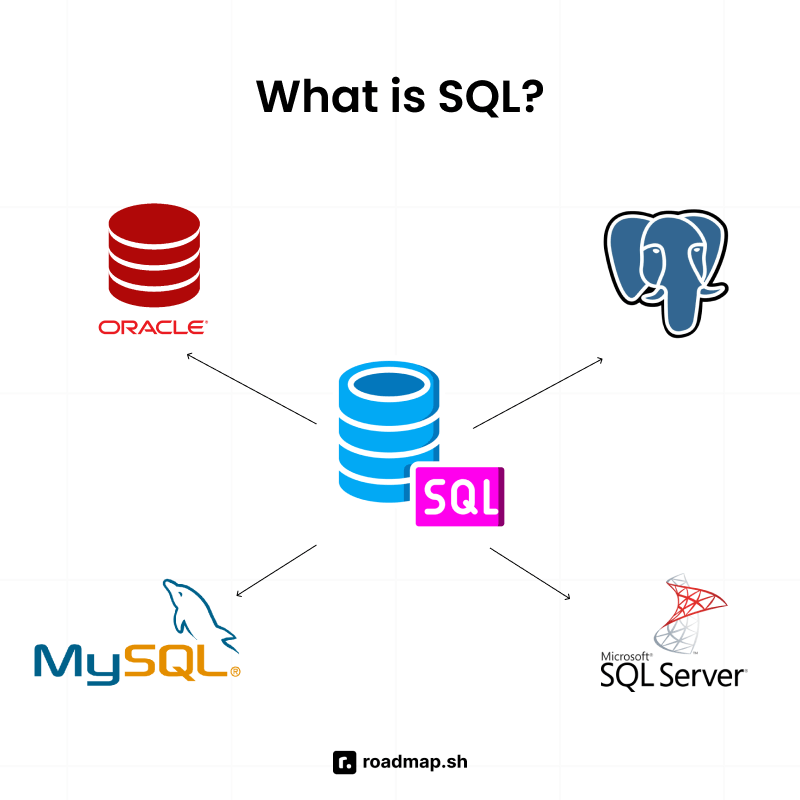
|
||||
|
||||
If you work as a database administrator or a developer, SQL enables you to create, read, update, and delete data also known as CRUD operations. You can also use SQL to maintain and optimize database performance.
|
||||
|
||||
Given a table `Users` with four columns `userid,` `firstname, lastname and age` that looks like this:
|
||||
|
||||

|
||||
|
||||
You can use SQL to fetch all the users from the table using the command below:
|
||||
|
||||
```sql
|
||||
SELECT * FROM Users;
|
||||
```
|
||||
|
||||
The code above is a simple SQL statement that gets all the data from the `Users` table. However, you can also fetch specific columns from the table instead of all the data. The code snippet below shows how to get the `FirstName` and `LastName` of each user in the `Users` table.
|
||||
|
||||
```sql
|
||||
SELECT FirstName, LastName FROM Users;
|
||||
```
|
||||
|
||||
The result of the query looks like this:
|
||||
|
||||

|
||||
|
||||
## Features of SQL
|
||||
|
||||
This section will show you some of SQL's most unique features, which include:
|
||||
|
||||

|
||||
|
||||
- **Easy to understand**: SQL uses familiar English verbs like SELECT, CREATE, and UPDATE, making its syntax intuitive, even for non-developers. Columns and tables usually have meaningful names, and you can read SQL statements as English sentences.
|
||||
|
||||
```sql
|
||||
CREATE TABLE Users (UserId int, FirstName varchar(255), LastName varchar(255));
|
||||
```
|
||||
|
||||
In the code above, even as a non-technical English speaker, you can understand what the SQL statement is doing by just reading it. It creates a table called `Users` with columns `UserId`, `FirstName`, and `LastName`.
|
||||
|
||||
- **High performance**: SQL allows you to insert, modify, and delete data in a short amount of time. You can also use it to retrieve a large amount of data quickly and efficiently.
|
||||
|
||||
- **Portability**: SQL can be used across multiple RDBMS such as MySQL, PostgreSQL, Microsoft SQL Server, etc.
|
||||
|
||||
- **Security**: SQL enables the security of database systems by ensuring that only authorized users can view specific information in a database management system. For example, if you want to prevent a user from accessing a table, you can use the code below:
|
||||
|
||||
```sql
|
||||
REVOKE SELECT ON Salaries FROM 'user123'@'localhost';
|
||||
```
|
||||
|
||||
## What is MySQL?
|
||||
|
||||
MySQL is an open source relational database management system owned by Oracle. It stores and manages data in tables of rows and columns and uses SQL for query execution.
|
||||
|
||||
## Features of MySQL
|
||||
|
||||
The main features of MySQL include:
|
||||
|
||||

|
||||
|
||||
- **Open source**: MySQL is an open source RDBMS. You can use it for free and customize its source code to meet your needs.
|
||||
- **Cross-platform compatibility**: MySQL can run on various platforms, including Linux, Windows, and UNIX operating systems.
|
||||
- **Regular updates and development**: MySQL has a huge developer community that provides fixes and regular updates.
|
||||
- **Tooling**: MySQL workbench offers a GUI for managing databases.
|
||||
|
||||
## How do they show up in real projects?
|
||||
|
||||
When working on a real project, such as creating an e-commerce application and storing the order and user data, you need to choose a database system like MySQL. You will have to connect your backend service with the MySQL database, and either write raw SQL commands or use an Object Relation Mapper (ORM).
|
||||
|
||||
Let's walk through how SQL and MySQL work together in a basic CRUD application built with [Python](https://roadmap.sh/python).
|
||||
|
||||
1. First, you need to set up your environment by installing the required tools. The necessary tools include:
|
||||
|
||||
- [Python](https://www.python.org/downloads/) (version 3.8+)
|
||||
- [MySQL server](https://www.mysql.com/downloads/)
|
||||
- pip (Python package manager)
|
||||
- MySQL driver to access the MySQL database
|
||||
|
||||
To install the MySQL driver, run the command below:
|
||||
|
||||
```bash
|
||||
pip install mysql-connector-python
|
||||
```
|
||||
|
||||
2. Next, create a connection to your MySQL database using the username and password from your database. Then, create a file called `application.py` and paste the code below into it.
|
||||
|
||||
```python
|
||||
import mysql.connector
|
||||
|
||||
db = mysql.connector.connect(
|
||||
host="localhost",
|
||||
user="<username>",
|
||||
password="<password>"
|
||||
)
|
||||
```
|
||||
|
||||
3. Create the database `usersDatabase` using the code below:
|
||||
|
||||
```python
|
||||
cursor = db.cursor()
|
||||
cursor.execute("CREATE DATABASE usersDatabase")
|
||||
```
|
||||
|
||||
The code above shows the SQL command for creating a database, which is executed by the MySQL driver.
|
||||
|
||||
4. Then, create the `Users` table using the SQL command `Create Table`, as shown in the code below.
|
||||
|
||||
```python
|
||||
cursor.execute("CREATE TABLE users (id int, firstName VARCHAR(255), lastName VARCHAR(255))")
|
||||
```
|
||||
|
||||
5. Next, insert a record into the `Users` table:
|
||||
|
||||
```python
|
||||
db = mysql.connector.connect(
|
||||
host="localhost",
|
||||
user="<yourusername>",
|
||||
password="<yourpassword>",
|
||||
database="usersDatabase"
|
||||
)
|
||||
cursor = db.cursor()
|
||||
|
||||
sqlStatement = "INSERT INTO users (id, firstName, lastName) VALUES (%s, %s, %s)"
|
||||
value = (1, "John", "Doe")
|
||||
cursor.execute(sqlStatement, value)
|
||||
db.commit()
|
||||
```
|
||||
|
||||
In the code above, the SQL command that inserts a value into the `Users` table is defined with `INSERT INTO` and executed using `cursor.execute(...)`. The other lines of code are specific to the Python MySQL driver. Finally, `db.commit()` is called to make the changes to the MySQL database; otherwise, data is not written to the database.
|
||||
|
||||
6. Let's read the user data from the `Users` table. To do that, we will use the `SELECT` statement, as seen in the code below:
|
||||
|
||||
```python
|
||||
db = mysql.connector.connect(
|
||||
host="localhost",
|
||||
user="<yourusername>",
|
||||
password="<yourpassword>",
|
||||
database="usersDatabase"
|
||||
)
|
||||
cursor = db.cursor()
|
||||
cursor.execute("SELECT * FROM users")
|
||||
result = cursor.fetchall()
|
||||
print(result)
|
||||
```
|
||||
|
||||
In the code above, we fetch the users using SQL from the `Users` table in the MySQL database and print the result to the console.
|
||||
|
||||
7. We can update the user data using the SQL `UPDATE` statement. The code to do this is shown below:
|
||||
|
||||
```python
|
||||
db = mysql.connector.connect(
|
||||
host="localhost",
|
||||
user="<yourusername>",
|
||||
password="<yourpassword>",
|
||||
database="usersDatabase"
|
||||
)
|
||||
cursor = db.cursor()
|
||||
sql = "UPDATE users SET firstName = 'Jane' WHERE id = 1"
|
||||
cursor.execute(sql)
|
||||
db.commit()
|
||||
```
|
||||
|
||||
The SQL command in the code above is used to update the database using the `UPDATE`, `SET`, and `WHERE` SQL statements.
|
||||
|
||||
8. To delete data, we will use the SQL `DELETE` statement.
|
||||
|
||||
```python
|
||||
db = mysql.connector.connect(
|
||||
host="localhost",
|
||||
user="<yourusername>",
|
||||
password="<yourpassword>",
|
||||
database="usersDatabase"
|
||||
)
|
||||
cursor = db.cursor()
|
||||
sql = "DELETE FROM users WHERE id = 1"
|
||||
cursor.execute(sql)
|
||||
db.commit()
|
||||
```
|
||||
|
||||
You can also use SQL and MySQL in small to large-scale applications such as:
|
||||
|
||||
- A website that stores user data in MySQL database
|
||||
- An e-commerce site that stores orders, inventory, and users in a MySQL database
|
||||
- A logistics application that stores the number of deliveries made daily in a MySQL database
|
||||
|
||||
## Alternatives to MySQL and SQL
|
||||
|
||||
Depending on your project, you may want to use a relational database management systems other than MySQL. Some other popular systems include:
|
||||
|
||||
- **PostgreSQL**: A popular open source RDBMS known for its reliability, scalability, and support for open technical standards.
|
||||
- **Microsoft SQL Server**: A robust and enterprise RDBMS from Microsoft.
|
||||
- **Oracle database**: A powerful database system used for large scale applications. You require a commercial license to use it.
|
||||
- **Amazon Aurora**: A cloud-based database system managed by AWS.
|
||||
- **MariaDB**: An open source relational database that directly replaces MySQL. It was developed by the same developers who created MySQL.
|
||||
- **SQLite**: A lightweight, file-based database suitable for small-scale applications.
|
||||
|
||||
If you're exploring alternatives to SQL-based databases, you can look into NoSQL or graph databases.
|
||||
Some of the common non-relational databases include:
|
||||
|
||||
- [MongoDB](https://roadmap.sh/mongodb): A document database that stores data in JSON formats. It has a flexible schema and does not use SQL for its query operations.
|
||||
- [Redis](https://roadmap.sh/redis): An in-memory store that saves data in key-value pairs. It is often used for caching and real time analytics.
|
||||
- **Neo4j**: A graph database that stores data as nodes, relationships, and properties instead of tables or documents.
|
||||
|
||||
## Choosing the right database systems
|
||||
|
||||
Choosing the right database system depends on what you're building, your team's needs, and the data you are dealing with. The following are factors to consider when choosing the right database system for your project.
|
||||
|
||||
1. **Data structure and type**: As a developer, you should know how your data is structured and the relationship between your entities. If you have many related entities, such as many-to-many or one-to-many relationships, you should consider relational databases, but if you have mostly one-to-one relationships, then a document database is sufficient.
|
||||
|
||||
2. **Query complexity**: If you have complex data and want to merge it using joins or subqueries, you should consider using relational databases. However, if you are performing simple CRUD operations on simple entities or key-based access, you should go for document databases.
|
||||
|
||||
3. **Cost and licensing**: This is an important factor to consider because it helps to manage your resources. It is sufficient for you to use the open-source versions of the database systems if you are working on small to medium sized applications. If you want more features and a higher level of security, then the licensed version is a better option.
|
||||
|
||||
4. **Developer familiarity**: You should also consider how familiar you are with the database systems. When you know SQL, it is easier for you to work with other relational databases. Make sure you are familiar with whatever database system you decide to use
|
||||
|
||||
## What should you learn first: SQL or MySQL?
|
||||
|
||||
You should start with SQL because it is the foundation and once you know it, you will be able to work with any relational database management system. SQL's syntax is approachable for English speakers, which makes it a common first step in learning database management.
|
||||
|
||||
Once you know the basics of SQL, you can move on to learning MySQL. You can transfer your knowledge of MySQL to other relational database systems like PostgreSQL, Microsoft SQL Server, etc.
|
||||
|
||||
## What to do next: Follow a learning path that works
|
||||
|
||||
Learning SQL and MySQL could seem overwhelming at first, but you don't have to master everything at once. You also don't have to choose between SQL and MySQL. You can start with SQL and learn the basic commands, and then MySQL will make sense to you when you pick it up.
|
||||
|
||||
Learning SQL prepares you to work with any relational database management system, including MySQL. You've already seen how SQL and MySQL work together in a real app. Now you can explore more by following the roadmap's [SQL](https://roadmap.sh/sql) track. You can also check out roadmap's [SQL course](https://roadmap.sh/courses/sql) for a comprehensive course on mastering SQL.
|
||||
@@ -0,0 +1,9 @@
|
||||
You should avoid using **SELECT *** as much as possible in your production code for the following reasons:
|
||||
|
||||
- **Increased IO**: Using **SELECT ***, you can return unnecessary data that leads to increased Input/Output cycles at the database level since you will be reading all the data in a table. This effect will be more impactful on a table with a lot of data and even slow down your query.
|
||||
|
||||
- **Increased network traffic**: **SELECT *** returns more data than required to the client, which uses more network bandwidth than needed. The increase in network bandwidth causes data to take longer to reach the client application and impacts the application's performance.
|
||||
|
||||
- **More application memory**: The return of a lot of data would make your application require more memory to hold the unnecessary data which might you might not use and this impacts application performance.
|
||||
|
||||
- **Makes maintenance more difficult**: Using **SELECT *** makes code maintenance more challenging. If the table structure changes by adding, removing, or renaming columns, the queries using **SELECT *** could break unexpectedly. You should explicitly specify the columns from which you want to fetch data to ensure resilience against potential changes in the database schema.
|
||||
@@ -0,0 +1,19 @@
|
||||
A correlated subquery is a subquery that depends on a value from the outer query. This means that the query is evaluated for each row that might be selected in the outer query. Below is an example of a correlated subquery.
|
||||
|
||||
```sql
|
||||
SELECT name, country_id, salary
|
||||
FROM employees em
|
||||
WHERE salary > (
|
||||
SELECT AVG(salary) FROM employees
|
||||
country_id = em.country_id);
|
||||
```
|
||||
|
||||
The code above:
|
||||
|
||||
- Runs the outer query through each row of the table.
|
||||
- Takes the `country_id` from the `employees` table.
|
||||
- Iterates through the other rows and does the same calculation.
|
||||
|
||||
This leads to a degrading performance as the data in the table grows.
|
||||
|
||||
You should use a correlated subquery if you want to perform row-specific operations or cannot achieve an operation using JOIN or other aggregate functions.
|
||||
@@ -0,0 +1,10 @@
|
||||
The difference is that **COUNT(*)** counts all the rows of data, including NULL values, while **COUNT(column_name)** counts only non-NULL values in the specified column. Let's illustrate this using a table named `Users`.
|
||||
|
||||
| userId | firstName | lastName | age | country |
|
||||
| ------ | --------- | -------- | --- | -------- |
|
||||
| 1 | John | Doe | 30 | Portugal |
|
||||
| 2 | Jane | Don | 31 | Belgium |
|
||||
| 3 | Zach | Ridge | 30 | Norway |
|
||||
| 4 | null | Tom | 25 | Denmark |
|
||||
|
||||
If you use **COUNT(*)**, the result will be 4 but if you use **COUNT(firstName)**, it will return 3, omitting the null value.
|
||||
@@ -0,0 +1,29 @@
|
||||
Given a table `Users` that looks like this:
|
||||
|
||||
| userId | firstName | lastName | age | country |
|
||||
| ------ | --------- | -------- | --- | --------- |
|
||||
| 1 | John | Doe | 30 | Portugal |
|
||||
| 2 | Jane | Don | 31 | Belgium |
|
||||
| 3 | Will | Liam | 25 | Argentina |
|
||||
| 4 | Wade | Great | 32 | Denmark |
|
||||
| 5 | Peter | Smith | 27 | USA |
|
||||
| 6 | Rich | Mond | 30 | USA |
|
||||
| 7 | Rach | Mane | 30 | Argentina |
|
||||
| 8 | Zach | Ridge | 30 | Portugal |
|
||||
|
||||
The query to **COUNT** the number of users by country is:
|
||||
|
||||
```sql
|
||||
SELECT country, COUNT(country) FROM users
|
||||
GROUP BY country
|
||||
```
|
||||
|
||||
The query uses the **GROUP BY** clause to group the users by country and then shows the count in the next column. The result of the query looks like this:
|
||||
|
||||
| country | count |
|
||||
| --------- | ----- |
|
||||
| USA | 2 |
|
||||
| Portugal | 2 |
|
||||
| Argentina | 2 |
|
||||
| Belgium | 1 |
|
||||
| Denmark | 1 |
|
||||
@@ -0,0 +1,48 @@
|
||||
You will use the **LAG()** function to detect gaps in a sequence of dates per user. You will compare each date with the previous one and check if the difference is greater than 1.
|
||||
|
||||
Let's use a table `ClockIns` to demonstrate how you detect gaps. The table has two columns, `userId` and `clockInDate`, representing the user identification number and the date the user clocked in with an access card into a facility. The table looks like this:
|
||||
|
||||
| userId | clockInDate |
|
||||
| ------ | ----------- |
|
||||
| 1 | 2025-01-01 |
|
||||
| 1 | 2025-01-02 |
|
||||
| 1 | 2025-01-05 |
|
||||
| 1 | 2025-01-06 |
|
||||
| 2 | 2025-01-06 |
|
||||
| 2 | 2025-01-06 |
|
||||
| 2 | 2025-01-07 |
|
||||
| 3 | 2025-01-02 |
|
||||
| 3 | 2025-01-04 |
|
||||
| 3 | 2025-01-06 |
|
||||
| 3 | 2025-01-07 |
|
||||
|
||||
To query to find gaps per user looks like this:
|
||||
|
||||
```sql
|
||||
WITH clockInGaps AS (
|
||||
SELECT
|
||||
userid,
|
||||
clockInDate,
|
||||
LAG(clockInDate) OVER (PARTITION BY userId ORDER BY clockInDate) AS previousClockInDate
|
||||
FROM
|
||||
clockIns
|
||||
)
|
||||
|
||||
SELECT
|
||||
userId,
|
||||
previousClockInDate AS gapStart,
|
||||
clockInDate AS gapEend,
|
||||
clockInDate - previousClockInDate - 1 AS gapDays
|
||||
FROM clockInGaps
|
||||
WHERE clockInDate - previousClockInDate > 1
|
||||
ORDER BY userId, gapStart;
|
||||
```
|
||||
|
||||
The code above starts with creating an expression `clockInGaps` that queries for each user and their `clockInDate` and uses the `LAG` function to get the previous date for each user. Then, the main query filters each row and finds the gaps between the current date and the previous date. The result of the query looks like this:
|
||||
|
||||
| userId | gapStart | gapEnd | gapDays |
|
||||
| ------ | ---------- | ---------- | ------- |
|
||||
| 1 | 2025-01-02 | 2025-01-05 | 2 |
|
||||
| 2 | 2025-01-07 | 2025-01-10 | 2 |
|
||||
| 3 | 2025-01-02 | 2025-01-04 | 1 |
|
||||
| 3 | 2025-01-04 | 2025-01-06 | 1 |
|
||||
@@ -0,0 +1,29 @@
|
||||
Given an `Employees` table with columns `id`, `name`, and `salary` that looks like this:
|
||||
|
||||
| id | name | salary |
|
||||
| -- | -------- | ------ |
|
||||
| 1 | Irene | 1000 |
|
||||
| 2 | Peter | 1230 |
|
||||
| 3 | Raymond | 1450 |
|
||||
| 4 | Henry | 1790 |
|
||||
| 5 | Naomi | 2350 |
|
||||
| 6 | Bridget | 2000 |
|
||||
| 7 | Emily | 2500 |
|
||||
| 8 | Great | 3000 |
|
||||
| 9 | Mercedes | 2750 |
|
||||
| 10 | Zoe | 2900 |
|
||||
|
||||
The query to find employees earning more than the average salary is:
|
||||
|
||||
```sql
|
||||
SELECT * FROM employees
|
||||
WHERE salary > (SELECT AVG(salary) FROM employees);
|
||||
```
|
||||
|
||||
| id | name | salary |
|
||||
| -- | -------- | ------ |
|
||||
| 5 | Naomi | 2350 |
|
||||
| 7 | Emily | 2500 |
|
||||
| 8 | Great | 3000 |
|
||||
| 9 | Mercedes | 2750 |
|
||||
| 10 | Zoe | 2900 |
|
||||
12
src/data/question-groups/sql-queries/content/exists-vs-in.md
Normal file
12
src/data/question-groups/sql-queries/content/exists-vs-in.md
Normal file
@@ -0,0 +1,12 @@
|
||||
**EXISTS** and **IN** are used in subqueries to filter results, but they perform different functions depending on their usage.
|
||||
|
||||
You should use **EXISTS** in the following situations:
|
||||
|
||||
- When you want to check if a row exists and not the actual values.
|
||||
- When the subquery is a correlated query.
|
||||
- When the subquery returns many rows but you want to get the first match.
|
||||
|
||||
You should use **IN** in the following scenarios:
|
||||
|
||||
- When you are comparing a column to a list of values.
|
||||
- When the subquery returns a small or static list.
|
||||
@@ -0,0 +1,48 @@
|
||||
To find duplicate records, you must first define the criteria for detecting duplicates. Is it a combination of two or more columns where you want to detect the duplicates, or are you searching for duplicates within a single column?
|
||||
|
||||
The following steps will help you find duplicate data in a table.
|
||||
|
||||
- Use the **GROUP BY** clause to group all the rows by the column(s) on which you want to check the duplicate values.
|
||||
- Use the **COUNT** function in the **HAVING** command to check if any groups have more than one entry.
|
||||
|
||||
Let's see how to handle single-column duplicates. In a table `Users`, there are three users who are 30 years of age. Let's use the **GROUP BY** clause and **COUNT** function to find the duplicate values.
|
||||
|
||||
```sql
|
||||
SELECT Age, COUNT(Age)
|
||||
FROM Users
|
||||
GROUP BY Age
|
||||
HAVING COUNT(Age) > 1
|
||||
```
|
||||
|
||||
The result of the query looks like this:
|
||||
|
||||
| age | count |
|
||||
| --- | ----- |
|
||||
| 30 | 3 |
|
||||
|
||||
Handling multi-column (composite) duplicates is similar to handling single-column duplicates.
|
||||
|
||||
```sql
|
||||
SELECT FirstName, LastName, COUNT(*) AS dup_count
|
||||
FROM Users
|
||||
GROUP BY FirstName, LastName
|
||||
HAVING COUNT(*) > 1;
|
||||
```
|
||||
|
||||
After finding duplicates, you might be asked how to delete the duplicates. The query to delete duplicates is shown below using Common Table Expression (CTE) and ROW_NUMBER().
|
||||
|
||||
```sql
|
||||
WITH ranked AS (
|
||||
SELECT *,
|
||||
ROW_NUMBER() OVER (PARTITION BY Age ORDER BY id) AS rn
|
||||
FROM Users
|
||||
)
|
||||
DELETE FROM Users
|
||||
WHERE id IN (
|
||||
SELECT id
|
||||
FROM ranked
|
||||
WHERE rn > 1
|
||||
);
|
||||
```
|
||||
|
||||
The query deletes all the duplicates while retaining the first row of data.
|
||||
@@ -0,0 +1 @@
|
||||
A foreign key is like a bridge between two tables. A foreign key in one table is the primary key in another. It is the connector between the two tables.
|
||||
@@ -0,0 +1,18 @@
|
||||
The common mistakes people encounter when using the **GROUP BY** clause include:
|
||||
|
||||
- **Selecting non-aggregated columns not in the GROUP BY clause:** This is a common mistake made my beginners and experts. An example query of this looks like this:
|
||||
|
||||
```sql
|
||||
SELECT day, amount FROM Sales
|
||||
GROUP BY day
|
||||
```
|
||||
|
||||
In the query above, the `amount` column is not part of the `GROUP BY` clause and will throw an error that it must appear in the `GROUP BY` clause. To fix this, you should add an aggregate function to the amount column.
|
||||
|
||||
```sql
|
||||
SELECT day, MAX(amount) FROM Sales
|
||||
GROUP BY day
|
||||
```
|
||||
|
||||
- **Not using aggregate functions:** It is also a common mistake to use `GROUP BY` without aggregate functions. `GROUP BY` usually goes with aggregate functions like `MAX`, `MIN`, `COUNT`, etc.
|
||||
- **Grouping by multiple columns**: Grouping by multiple columns can make the query meaningless. It is not common to group by many columns, and when this happens, you should check if you really need to group by those columns.
|
||||
@@ -0,0 +1,12 @@
|
||||
If you use the **GROUP BY** clause without an aggregate function, it is equivalent to using the **DISTINCT** command. For example, the command below:
|
||||
|
||||
```sql
|
||||
SELECT phoneNumber FROM phoneNumbers
|
||||
GROUP BY phoneNumber
|
||||
```
|
||||
|
||||
is equivalent to:
|
||||
|
||||
```sql
|
||||
SELECT DISTINCT phoneNumber FROM phoneNumbers
|
||||
```
|
||||
@@ -0,0 +1,10 @@
|
||||
**GROUP BY** is a standard SQL command that groups rows with the same value in the specified column. You should use with aggregate functions such as **COUNT**, **MIN**, **MAX,** etc.
|
||||
|
||||

|
||||
|
||||
The query below illustrates the **GROUP BY** clause:
|
||||
|
||||
```sql
|
||||
SELECT columnName FROM Table
|
||||
GROUP BY columnName
|
||||
```
|
||||
@@ -0,0 +1,13 @@
|
||||
Indexes in databases are like the indexes in books. They increase the speed of data retrieval from a database. When you want to read data from a table, instead of going through all the rows of the table, indexes help to go straight to the row you are looking for.
|
||||
|
||||

|
||||
|
||||
They improve **SELECT** queries, improve performance, and make sorting and filtering faster. They also ensure data integrity. There are different types of indexes, which include:
|
||||
|
||||
- B-Tree index
|
||||
- Composite index
|
||||
- Unique index
|
||||
- Full text index
|
||||
- Bitmap index
|
||||
- Clustered index
|
||||
- Non-clustered index
|
||||
@@ -0,0 +1,74 @@
|
||||
A **JOIN** combines data from two or more tables based on a related column between them. It is useful when you need to retrieve data spread across multiple tables in relational database management systems.
|
||||
|
||||
An **INNER JOIN** returns only rows with a match in both tables based on the specified join condition. If there are no matching rows, there will be no results. The SQL syntax for an **INNER JOIN** is shown in the code snippet below.
|
||||
|
||||

|
||||
|
||||
```sql
|
||||
SELECT table1.column_name1, table1.column_name2, table2.column_name1, table2.column_name2 FROM table1
|
||||
INNER JOIN table2
|
||||
ON table1.column_name = table2.column_name
|
||||
```
|
||||
|
||||
For example, there are two tables `Users` and `Cities` with the following data:
|
||||
|
||||
**Users table**
|
||||
|
||||
| userId | firstName | lastName | age | cityId |
|
||||
| ------ | --------- | -------- | --- | ------ |
|
||||
| 1 | John | Doe | 30 | 1 |
|
||||
| 2 | Jane | Don | 31 | 1 |
|
||||
| 3 | Will | Liam | 25 | 1 |
|
||||
| 4 | Wade | Great | 32 | 1 |
|
||||
| 5 | Peter | Smith | 27 | 2 |
|
||||
| 6 | Rich | Mond | 30 | 2 |
|
||||
| 7 | Rach | Mane | 30 | 2 |
|
||||
| 8 | Zach | Ridge | 30 | 3 |
|
||||
|
||||
**Cities table**
|
||||
|
||||
| id | name |
|
||||
| -- | ---------- |
|
||||
| 1 | London |
|
||||
| 2 | Manchester |
|
||||
|
||||
Let's say you want to retrieve a list of users and their respective city names. You can achieve this using the **INNER JOIN** query.
|
||||
|
||||
```sql
|
||||
SELECT users.firstName, users.lastName, users.age, cities.name as cityName FROM users
|
||||
INNER JOIN cities
|
||||
ON users.cityId = cities.id
|
||||
```
|
||||
|
||||
| firstName | lastName | age | cityName |
|
||||
| --------- | -------- | --- | ---------- |
|
||||
| John | Doe | 30 | London |
|
||||
| Jane | Don | 31 | London |
|
||||
| Will | Liam | 25 | London |
|
||||
| Wade | Great | 32 | London |
|
||||
| Peter | Smith | 27 | Manchester |
|
||||
| Rich | Mond | 30 | Manchester |
|
||||
| Rach | Mane | 30 | Manchester |
|
||||
|
||||
**LEFT JOIN** returns all the rows from the left table (table 1) and the matched rows from the right table (table 2). If no matching rows exist in the right table (table 2), then NULL values are returned. The SQL syntax for a Left join is shown in the code snippet below.
|
||||
|
||||
```sql
|
||||
SELECT table1.column_name1, table1.column_name2, table2.column_name1, table2.column_name2 FROM table1
|
||||
LEFT JOIN table2
|
||||
ON table1.column_name = table2.column_name
|
||||
```
|
||||
|
||||
Let's have a look at a practical example with `Users` and `Cities` tables from before.
|
||||
|
||||
When you execute the **LEFT JOIN** query, you get the table below.
|
||||
|
||||
| firstName | lastName | age | cityName |
|
||||
| --------- | -------- | --- | ---------- |
|
||||
| John | Doe | 30 | London |
|
||||
| Jane | Don | 31 | London |
|
||||
| Will | Liam | 25 | London |
|
||||
| Wade | Great | 32 | London |
|
||||
| Peter | Smith | 27 | Manchester |
|
||||
| Rich | Mond | 30 | Manchester |
|
||||
| Rach | Mane | 30 | Manchester |
|
||||
| Zach | Ridge | 30 | null |
|
||||
@@ -0,0 +1,68 @@
|
||||
**LAG()** and **LEAD()** are window functions used to retrieve data from rows before and after a specified row. You can also refer to them as positional SQL functions.
|
||||
|
||||
**LAG()** allows you to access a value stored in rows before the current row. The row may be directly before or some rows before. Let's take a look at the syntax:
|
||||
|
||||
```sql
|
||||
LAG(column_name, offset, default_value)
|
||||
```
|
||||
|
||||
It takes three arguments.
|
||||
|
||||
- **column_name**: This specifies the column to fetch from the previous row.
|
||||
- **offset**: This is an optional argument and specifies the number of rows behind to look at. The default is 1.
|
||||
- **default_value**: This is the value to assign when no previous row exists. It is optional, and the default is NULL.
|
||||
|
||||
Using the `Sales` table, let's illustrate the **LAG()** function. The query is used to find the previous day sales. LAG() is useful when you want to create reports of past events.
|
||||
|
||||
| id | day | amount |
|
||||
| -- | --------- | ------ |
|
||||
| 1 | Monday | 200 |
|
||||
| 2 | Tuesday | 300 |
|
||||
| 3 | Wednesday | 600 |
|
||||
| 4 | Thursday | 390 |
|
||||
| 5 | Friday | 900 |
|
||||
| 6 | Saturday | 600 |
|
||||
|
||||
```sql
|
||||
SELECT
|
||||
id,
|
||||
day,
|
||||
amount,
|
||||
LAG(amount) OVER (ORDER BY id) AS previous_day_sales
|
||||
FROM
|
||||
sales;
|
||||
```
|
||||
|
||||
The result of the query looks like this:
|
||||
|
||||
| id | day | amount | previous_day_sales |
|
||||
| -- | --------- | ------ | ------------------ |
|
||||
| 1 | Monday | 200 | null |
|
||||
| 2 | Tuesday | 300 | 200 |
|
||||
| 3 | Wednesday | 600 | 300 |
|
||||
| 4 | Thursday | 390 | 600 |
|
||||
| 5 | Friday | 900 | 390 |
|
||||
| 6 | Saturday | 600 | 900 |
|
||||
|
||||
You use the **LEAD()** function to get data from rows after the current row. Its syntax is similar to that of the **LAG()** function. You can use it for forecasting future trends by looking ahead.
|
||||
|
||||
The query using the **LEAD()** function is shown below.
|
||||
|
||||
```sql
|
||||
SELECT
|
||||
id,
|
||||
day,
|
||||
amount,
|
||||
LEAD(amount) OVER (ORDER BY id) AS previous_day_sales
|
||||
FROM
|
||||
sales;
|
||||
```
|
||||
|
||||
| id | day | amount | previous_day_sales |
|
||||
| -- | --------- | ------ | ------------------ |
|
||||
| 1 | Monday | 200 | 300 |
|
||||
| 2 | Tuesday | 300 | 600 |
|
||||
| 3 | Wednesday | 600 | 390 |
|
||||
| 4 | Thursday | 390 | 900 |
|
||||
| 5 | Friday | 900 | 600 |
|
||||
| 6 | Saturday | 600 | null |
|
||||
@@ -0,0 +1,6 @@
|
||||
Missing indexes can affect the performance of queries, especially when the data grows. The major impacts of missing indexes are listed below:
|
||||
|
||||
- **Slow queries**: Without indexes, every read query will go through the whole table to find matching rows. This will get worse as the data in the table grows.
|
||||
- **Locking and concurrency issues**: Scanning a table without indexes takes longer, and locking the table can prevent other queries from running, affecting application performance.
|
||||
- **Inefficient joins**: Joins on tables without indexes on the join keys are extremely slow and result in bad query performance.
|
||||
- **Poor user experience**: Missing indexes can lead to poor user experience in your applications. It can result to slower page loads, application hanging when data is being fetched from the database.
|
||||
@@ -0,0 +1 @@
|
||||
Yes, you can nest subqueries multiple levels deep when you want to perform complex logic. A nested subquery is a subquery inside another subquery, forming layers of subqueries. Many SQL engines allow multiple layers of subqueries, but this causes poor readability and degrades performance.
|
||||
@@ -0,0 +1,19 @@
|
||||
Since NULL is unknown, a `NOT IN` query containing a NULL or NULL in the list of possible values will always return 0 records because of the unknown result introduced by the NULL value. SQL cannot determine for sure whether the value is not in that list.
|
||||
|
||||
Let's illustrate this using a table `Sales` that looks like this:
|
||||
|
||||
| id | day | amount |
|
||||
| -- | --------- | ------ |
|
||||
| 1 | Monday | 200 |
|
||||
| 2 | Tuesday | 300 |
|
||||
| 3 | Wednesday | 600 |
|
||||
| 4 | Thursday | 390 |
|
||||
| 5 | Friday | 900 |
|
||||
| 6 | Saturday | 600 |
|
||||
|
||||
If you run the query below, it will return an empty result because SQL cannot determine if the value is not in the list because nothing equals or doesn't equal NULL.
|
||||
|
||||
```sql
|
||||
SELECT * from sales
|
||||
WHERE amount NOT IN (200, 300, 600, NULL);
|
||||
```
|
||||
@@ -0,0 +1,47 @@
|
||||
**NTILE()** is a window function that divides rows into a pre-defined number of roughly equal groups. It's like breaking your data into different sets based on your defined criteria. For example, let's say you have some student scores from 1 to 100; you can use the **NTILE()** function to categorize the scores into different groups or buckets.
|
||||
|
||||
The syntax of the `NTILE()` function is:
|
||||
|
||||
```sql
|
||||
NTILE(n) OVER (ORDER BY some_column)
|
||||
```
|
||||
|
||||
- n: represents the number of groups you want to divide your rows into.
|
||||
- ORDER BY: defines the order of the rows in each group where the function is applied.
|
||||
|
||||
|
||||
Let's see a practical example using a table `Scores`. The table stores students' scores on a test. We will see how to use the **NTILE()** function.
|
||||
|
||||
| userId | score |
|
||||
| ------ | ----- |
|
||||
| 1 | 78 |
|
||||
| 2 | 70 |
|
||||
| 3 | 90 |
|
||||
| 4 | 98 |
|
||||
| 5 | 60 |
|
||||
| 6 | 88 |
|
||||
| 7 | 100 |
|
||||
| 8 | 66 |
|
||||
|
||||
The query using the **NTILE()** function looks like this:
|
||||
|
||||
```sql
|
||||
SELECT
|
||||
id,
|
||||
score,
|
||||
NTILE(3) OVER (ORDER BY score DESC) AS category
|
||||
FROM scores;
|
||||
```
|
||||
|
||||
| userId | score | category |
|
||||
| ------ | ----- | -------- |
|
||||
| 7 | 100 | 1 |
|
||||
| 4 | 98 | 1 |
|
||||
| 3 | 90 | 1 |
|
||||
| 6 | 88 | 2 |
|
||||
| 1 | 78 | 2 |
|
||||
| 2 | 70 | 2 |
|
||||
| 8 | 66 | 3 |
|
||||
| 5 | 60 | 3 |
|
||||
|
||||
The **NTILE()** function is useful in data analysis because it can detect outliers in a data set and create histograms of data. It can also create percentiles and quartiles for data distribution.
|
||||
@@ -0,0 +1,9 @@
|
||||
To optimize slow-running queries, you need to analyze the query first to know what to optimize. You can perform different optimizations depending on the query. Some of the optimizations include:
|
||||
|
||||
- **Using indexes effectively**: Indexes speed up queries by enabling the database to find entries that fit specific criteria quickly. Indexing is the process of mapping the values of one or more columns to a unique value that makes it easy to search for rows that match a search criteria. You can create indexes on columns used frequently in the **WHERE**, **JOIN**, and **ORDER BY** clauses. However, note that creating too many indexes can slow down inserts, updates, and deletions.
|
||||
|
||||
- **Avoid SELECT *** : Using the **SELECT** ***** statement can slow down your query performance because it returns all the columns in a table including the ones not needed for the query. You should select only the columns that you need for a query for optimal performance. So when you see a query that selects all columns, you should check if all the columns are really needed and used further down the query chain.
|
||||
|
||||
- **Avoid using subqueries**: Subqueries slow down query performance, especially when you use them in the `WHERE` or `HAVING` clauses. You should avoid using subqueries where possible and use JOINs or other techniques instead.
|
||||
|
||||
- **Utilize stored procedures**: Stored procedures are precompiled SQL statements stored in a database, and can be called from an application or directly from a query. Using stored procedures can improve your query performance by reducing the amount of data that is sent between the database and your application, and also saves time required to compile the SQL statements.
|
||||
@@ -0,0 +1,9 @@
|
||||
A primary key is the unique identifier of a row of data in a table. You use it to identify each row uniquely, and no two rows can have the same primary key. A primary key column cannot be null. In the example below, `user_id` is the primary key.
|
||||
|
||||
```sql
|
||||
CREATE TABLE users (
|
||||
user_id INT PRIMARY KEY,
|
||||
name VARCHAR(100),
|
||||
phoneNumber VARCHAR(100)
|
||||
);
|
||||
```
|
||||
@@ -0,0 +1,74 @@
|
||||
The **RANK()** function assigns each row a rank according to an ascending or descending order. If there are matching values, it assigns them the same position and then skips the next number for the next rank. For example, if two rows have equivalent values and are both assigned rank 1, the next rank would be 3 instead of 2.
|
||||
|
||||

|
||||
|
||||
Let's use the `Sales` table from the previous question to illustrate the **RANK()** function. The query to rank in order of the amount looks like this:
|
||||
|
||||
```sql
|
||||
SELECT
|
||||
id,
|
||||
day,
|
||||
amount,
|
||||
RANK() OVER (ORDER BY amount DESC) AS amount_rank
|
||||
FROM
|
||||
sales;
|
||||
```
|
||||
|
||||
The result is shown in the image below. You will observe that the amount 900 takes the first rank and 200 the lowest rank. Also, there is a gap between rank 2 and 4 because two values have the same rank. You can also infer that the most sales were on Friday and the least on Monday.
|
||||
|
||||
| id | day | amount | amount_rank |
|
||||
| -- | --------- | ------ | ----------- |
|
||||
| 5 | Friday | 900 | 1 |
|
||||
| 3 | Wednesday | 600 | 2 |
|
||||
| 6 | Saturday | 600 | 2 |
|
||||
| 4 | Thursday | 390 | 4 |
|
||||
| 2 | Tuesday | 300 | 5 |
|
||||
| 1 | Monday | 200 | 6 |
|
||||
|
||||
**DENSE_RANK()** function is similar to **RANK()** in that it assigns ranks to rows, but the difference is that **DENSE_RANK** does not leave a gap when there are two or more equivalent values. Let's illustrate it with the `Sales` table from above. The query is shown below.
|
||||
|
||||
```sql
|
||||
SELECT
|
||||
id,
|
||||
day,
|
||||
amount,
|
||||
DENSE_RANK() OVER (ORDER BY amount DESC) AS amount_rank
|
||||
FROM
|
||||
sales;
|
||||
```
|
||||
|
||||
The result is shown below. As you will notice, there is no gap between the ranks like in the **RANK** function.
|
||||
|
||||
| id | day | amount | amount_rank |
|
||||
| -- | --------- | ------ | ----------- |
|
||||
| 5 | Friday | 900 | 1 |
|
||||
| 3 | Wednesday | 600 | 2 |
|
||||
| 6 | Saturday | 600 | 2 |
|
||||
| 4 | Thursday | 390 | 3 |
|
||||
| 2 | Tuesday | 300 | 4 |
|
||||
| 1 | Monday | 200 | 5 |
|
||||
|
||||
**ROW_NUMBER** assigns a unique number to each row depending on the order you specify. It does not skip numbers; even though there are equivalent values, it assigns them different numbers, unlike **RANK** and **DENSE_RANK** functions that give them the same rank.
|
||||
|
||||
Let's use the same `Sales` table to illustrate. The query below shows how to use the **ROW_NUMBER** function.
|
||||
|
||||
```sql
|
||||
SELECT
|
||||
id,
|
||||
day,
|
||||
amount,
|
||||
ROW_NUMBER() OVER (ORDER BY amount DESC) AS rowNumber
|
||||
FROM
|
||||
sales;
|
||||
```
|
||||
|
||||
The result is shown in the image below. You will notice that the `rownumber` column increases, and even though there are matching values, it just assigns a unique row number to each.
|
||||
|
||||
| id | day | amount | amount_rank |
|
||||
| -- | --------- | ------ | ----------- |
|
||||
| 5 | Friday | 900 | 1 |
|
||||
| 3 | Wednesday | 600 | 2 |
|
||||
| 6 | Saturday | 600 | 3 |
|
||||
| 4 | Thursday | 390 | 4 |
|
||||
| 2 | Tuesday | 300 | 5 |
|
||||
| 1 | Monday | 200 | 6 |
|
||||
@@ -0,0 +1,33 @@
|
||||
Let's use a table `Sales` as a reference for this query. It has three columns: `id`, `day` which represents the day of the week, and `amount` which is the amount sold in US Dollars. The table looks like this:
|
||||
|
||||
| id | day | amount |
|
||||
| -- | --------- | ------ |
|
||||
| 1 | Monday | 200 |
|
||||
| 2 | Tuesday | 300 |
|
||||
| 3 | Wednesday | 600 |
|
||||
| 4 | Thursday | 390 |
|
||||
| 5 | Friday | 900 |
|
||||
|
||||
The query to calculate the running total is:
|
||||
|
||||
```sql
|
||||
SELECT
|
||||
id,
|
||||
sale_date,
|
||||
amount,
|
||||
SUM(amount) OVER (ORDER BY sale_date) AS running_total
|
||||
FROM
|
||||
sales;
|
||||
```
|
||||
|
||||
The query uses a Window function **OVER** to sum the amount for each row of data and saving the running total. It gets the total for each day and adds it to the previous totals. The result of the query looks like this:
|
||||
|
||||
| id | day | amount | running_total |
|
||||
| -- | --------- | ------ | ------------- |
|
||||
| 1 | Monday | 200 | 200 |
|
||||
| 2 | Tuesday | 300 | 500 |
|
||||
| 4 | Thursday | 390 | 1100 |
|
||||
| 3 | Wednesday | 600 | 1490 |
|
||||
| 5 | Friday | 900 | 2390 |
|
||||
|
||||
You can observe from the image that the last column is `running_total,` which takes the amount for the current day and adds it to its previous value to get its current value.
|
||||
@@ -0,0 +1 @@
|
||||
SARGable stands for Search Argumentable query, which uses indexes and leads to efficient queries. If a query is SARGable, the database engine quickly locates rows using indexes, avoids scanning the whole table, and improves query performance.
|
||||
@@ -0,0 +1,23 @@
|
||||
Given a table `Salaries`,
|
||||
|
||||
| id | salary |
|
||||
| -- | ------ |
|
||||
| 1 | 1000 |
|
||||
| 2 | 2000 |
|
||||
| 3 | 3000 |
|
||||
| 4 | 4000 |
|
||||
|
||||
The query to find the second-highest salary is shown in the code snippet below
|
||||
|
||||
```sql
|
||||
SELECT DISTINCT Salary
|
||||
FROM Salaries
|
||||
ORDER BY Salary DESC
|
||||
LIMIT 1 OFFSET 1
|
||||
```
|
||||
|
||||
The result of the query is shown below
|
||||
|
||||
| | salary |
|
||||
| - | ------ |
|
||||
| 1 | 3000 |
|
||||
@@ -0,0 +1,16 @@
|
||||
If you **SELECT** a column not in the **GROUP BY** clause, it will throw an error stating that the column must be in the **GROUP BY** clause or in an aggregate function. Let's use the table below as an illustration.
|
||||
|
||||
| firstName | lastName | phoneNumber |
|
||||
| --------- | --------- | ----------- |
|
||||
| John | Doe | +23410910 |
|
||||
| Jack | Ray | +23410911 |
|
||||
| Irene | Rotherdam | +23410911 |
|
||||
|
||||
If you run the query below against the database:
|
||||
|
||||
```sql
|
||||
SELECT firstName, phoneNumber FROM phoneNumbers
|
||||
GROUP BY phoneNumber
|
||||
```
|
||||
|
||||
The result will be an error because `firstName` is not in the **GROUP BY** clause and not using an aggregate function.
|
||||
@@ -0,0 +1,7 @@
|
||||
## Wrapping up
|
||||
|
||||
Mastering SQL queries is essential for anyone working with databases, whether you're a beginner just starting out or an experienced developer looking to sharpen your skills. The 30 questions covered in this guide span from foundational concepts like JOINs and WHERE clauses to advanced topics such as window functions and query optimization.
|
||||
|
||||
Remember that SQL proficiency comes with practice. Take time to implement these queries in your own database environment, experiment with different scenarios, and understand how each function behaves with various data sets. The more you practice, the more confident you'll become in handling complex database challenges during interviews and in real-world applications.
|
||||
|
||||
Keep this guide handy as a reference, and don't hesitate to revisit the concepts that challenge you most. Good luck with your SQL journey and upcoming interviews!
|
||||
@@ -0,0 +1,23 @@
|
||||
A subquery is a query that is inside another query. You use it for queries that require complex logic. You should use subqueries when you want to use the result of that subquery for another query. In the example below, the subquery is in brackets.
|
||||
|
||||

|
||||
|
||||
```sql
|
||||
SELECT firstName,
|
||||
(SELECT COUNT(*)
|
||||
FROM cities
|
||||
WHERE cities.id = users.city_id) AS cityCount
|
||||
FROM users;
|
||||
```
|
||||
|
||||
On the other hand, a **JOIN** combines two or more tables based on related columns between them. The related column is usually a foreign key. You should use **JOINS** when you want to pull related data from different tables together. The code below illustrates how to use a **JOIN**.
|
||||
|
||||
```sql
|
||||
SELECT firstName, COUNT(*) FROM users
|
||||
JOIN cities ON users.city_id = cities.id
|
||||
```
|
||||
|
||||
A JOIN is faster than a subquery in the following scenarios:
|
||||
|
||||
- When you are querying data from multiple tables.
|
||||
- When you are filtering or joining on index columns.
|
||||
@@ -0,0 +1 @@
|
||||
UNION is used for removing duplicates while UNION ALL keeps all duplicates. UNION is slower compared to UNION ALL because of de-duplication. You use UNION when you want to obtain unique records and UNION ALL when you want every row even if they are repeated.
|
||||
@@ -0,0 +1,32 @@
|
||||
You use **WHERE** for filtering rows before applying any grouping or aggregation.
|
||||
The code snippet below illustrates the use of **WHERE**. It filters the `Users` table for rows where the `Age` is greater than 18.
|
||||
|
||||
```sql
|
||||
SELECT * FROM Users
|
||||
WHERE Age > 18;
|
||||
```
|
||||
|
||||
The result of the query is similar to the table below.
|
||||
|
||||
| userId | firstName | lastName | age |
|
||||
| ------ | --------- | -------- | --- |
|
||||
| 1 | John | Doe | 30 |
|
||||
| 2 | Jane | Don | 31 |
|
||||
| 3 | Will | Liam | 25 |
|
||||
| 4 | Wade | Great | 32 |
|
||||
| 5 | Peter | Smith | 27 |
|
||||
|
||||
On the other hand, you use **HAVING** to filter groups after performing grouping and aggregation. You apply it to the result of aggregate functions, and it is mostly used with the **GROUP BY** clause.
|
||||
|
||||
```sql
|
||||
SELECT FirstName, Age FROM Users
|
||||
GROUP BY FirstName, Age
|
||||
HAVING Age > 30;
|
||||
```
|
||||
|
||||
The code above selects the `FirstName` and `Age` columns, then groups by the `FirstName` and `Age`, and finally gets entries with age greater than 30. The result of the query looks like this:
|
||||
|
||||
| firstName | age |
|
||||
| --------- | --- |
|
||||
| Wade | 32 |
|
||||
| Jane | 31 |
|
||||
@@ -0,0 +1 @@
|
||||
A window function is a function that allows you to perform operations on a specific set of rows related to the current row. Unlike aggregate functions that perform calculations on an entire data set, window functions can perform operations on a subset of data. These calculations are valid for aggregates, ranking, and cumulative totals without altering the original dataset.
|
||||
164
src/data/question-groups/sql-queries/sql-queries.md
Normal file
164
src/data/question-groups/sql-queries/sql-queries.md
Normal file
@@ -0,0 +1,164 @@
|
||||
---
|
||||
order: 1
|
||||
briefTitle: 'SQL Queries'
|
||||
briefDescription: 'Writing SQL queries on the spot is tough. This guide covers 30 common SQL queries interview questions with examples, code snippets, and explanations.'
|
||||
title: '30 SQL Queries Interview Questions and Answers'
|
||||
description: 'Writing SQL queries on the spot is tough. This guide covers 30 common SQL queries interview questions with examples, code snippets, and explanations.'
|
||||
authorId: 'ekene'
|
||||
ending: 'sql-queries-ending.md'
|
||||
isNew: true
|
||||
date: 2025-06-17
|
||||
seo:
|
||||
title: '30 SQL Queries Interview Questions and Answers'
|
||||
description: 'Writing SQL queries on the spot is tough. This guide covers 30 common SQL queries interview questions with examples, code snippets, and explanations.'
|
||||
ogImageUrl: 'https://assets.roadmap.sh/guest/sql-queries-interview-questions-and-answers-q3qua.jpg'
|
||||
keywords:
|
||||
- 'sql quiz'
|
||||
- 'sql questions'
|
||||
- 'sql interview questions'
|
||||
- 'sql interview'
|
||||
- 'sql test'
|
||||
sitemap:
|
||||
priority: 1
|
||||
changefreq: 'monthly'
|
||||
questions:
|
||||
- question: What is the difference between WHERE and HAVING?
|
||||
answer: where-vs-having.md
|
||||
topics:
|
||||
- 'Foundational SQL Queries'
|
||||
- question: How do you find duplicates in a table?
|
||||
answer: find-duplicates.md
|
||||
topics:
|
||||
- 'Foundational SQL Queries'
|
||||
- question: What is the difference between INNER JOIN and LEFT JOIN?
|
||||
answer: inner-join-vs-left-join.md
|
||||
topics:
|
||||
- 'Foundational SQL Queries'
|
||||
- question: Write a query to find the second highest salary from a table
|
||||
answer: second-highest-salary.md
|
||||
topics:
|
||||
- 'Foundational SQL Queries'
|
||||
- question: What is the difference between UNION and UNION ALL?
|
||||
answer: union-vs-union-all.md
|
||||
topics:
|
||||
- 'Foundational SQL Queries'
|
||||
- question: What are indexes and why are they useful?
|
||||
answer: indexes-usefulness.md
|
||||
topics:
|
||||
- 'Foundational SQL Queries'
|
||||
- question: What is a primary key?
|
||||
answer: primary-key.md
|
||||
topics:
|
||||
- 'Foundational SQL Queries'
|
||||
- question: What is a foreign key?
|
||||
answer: foreign-key.md
|
||||
topics:
|
||||
- 'Foundational SQL Queries'
|
||||
- question: How does GROUP BY work?
|
||||
answer: group-by-work.md
|
||||
topics:
|
||||
- 'Aggregation and grouping'
|
||||
- question: What happens if you SELECT a column not in the GROUP BY clause?
|
||||
answer: select-non-grouped-column.md
|
||||
topics:
|
||||
- 'Aggregation and grouping'
|
||||
- question: Write a query to COUNT the number of users by country
|
||||
answer: count-users-by-country.md
|
||||
topics:
|
||||
- 'Aggregation and grouping'
|
||||
- question: What happens if you use GROUP BY without an aggregate function?
|
||||
answer: group-by-without-aggregate.md
|
||||
topics:
|
||||
- 'Aggregation and grouping'
|
||||
- question: What is the difference between COUNT(\*) and COUNT(column_name)?
|
||||
answer: count-star-vs-count-column.md
|
||||
topics:
|
||||
- 'Aggregation and grouping'
|
||||
- question: What is the difference between a subquery and a JOIN?
|
||||
answer: subquery-vs-join.md
|
||||
topics:
|
||||
- 'Subqueries and nested logic'
|
||||
- question: Write a query to find employees earning more than the average salary
|
||||
answer: employees-above-average-salary.md
|
||||
topics:
|
||||
- 'Subqueries and nested logic'
|
||||
- question: Explain how a correlated subquery works
|
||||
answer: correlated-subquery.md
|
||||
topics:
|
||||
- 'Subqueries and nested logic'
|
||||
- question: When should you use EXISTS instead of IN in a subquery?
|
||||
answer: exists-vs-in.md
|
||||
topics:
|
||||
- 'Subqueries and nested logic'
|
||||
- question: Can you nest subqueries multiple levels deep?
|
||||
answer: nested-subqueries.md
|
||||
topics:
|
||||
- 'Subqueries and nested logic'
|
||||
- question: What is a window function?
|
||||
answer: window-function.md
|
||||
topics:
|
||||
- 'Window functions and advanced queries'
|
||||
- question: Write a query to calculate a running total
|
||||
answer: running-total.md
|
||||
topics:
|
||||
- 'Window functions and advanced queries'
|
||||
- question: What is the difference between RANK(), DENSE_RANK(), and ROW_NUMBER()?
|
||||
answer: rank-dense-rank-row-number.md
|
||||
topics:
|
||||
- 'Window functions and advanced queries'
|
||||
- question: What is LAG() and LEAD() in SQL? Give an example use case
|
||||
answer: lag-lead-functions.md
|
||||
topics:
|
||||
- 'Window functions and advanced queries'
|
||||
- question: How will you detect gaps in a sequence of dates per user?
|
||||
answer: detect-date-gaps.md
|
||||
topics:
|
||||
- 'Window functions and advanced queries'
|
||||
- question: What does the NTILE() function do, and how might it be useful in analyzing data?
|
||||
answer: ntile-function.md
|
||||
topics:
|
||||
- 'Window functions and advanced queries'
|
||||
- question: How would you optimize slow-running queries?
|
||||
answer: optimize-slow-queries.md
|
||||
topics:
|
||||
- 'Optimization and pitfalls'
|
||||
- question: Why should you avoid SELECT \* in production code?
|
||||
answer: avoid-select-star.md
|
||||
topics:
|
||||
- 'Optimization and pitfalls'
|
||||
- question: What is the impact of missing indexes?
|
||||
answer: missing-indexes-impact.md
|
||||
topics:
|
||||
- 'Optimization and pitfalls'
|
||||
- question: What is a SARGable query?
|
||||
answer: sargable-query.md
|
||||
topics:
|
||||
- 'Optimization and pitfalls'
|
||||
- question: What are some common mistakes when using GROUP BY?
|
||||
answer: group-by-mistakes.md
|
||||
topics:
|
||||
- 'Optimization and pitfalls'
|
||||
- question: Why can NOT IN lead to unexpected results with NULLS?
|
||||
answer: not-in-null-issues.md
|
||||
topics:
|
||||
- 'Optimization and pitfalls'
|
||||
---
|
||||
|
||||

|
||||
|
||||
Writing SQL queries during interviews can be tough for beginners and experienced developers. However, with the right preparation and practice, you can ace your next SQL queries interview.
|
||||
|
||||
In this guide, I'll walk you through both basic and advanced SQL queries like SELECT, JOIN, GROUP BY, and window functions. Each answer will be short and clear and include SQL code examples for you to understand the concepts better. By the end of this guide, you'll have everything you need to ace your SQL queries interview and build solid skills you can use beyond it.
|
||||
|
||||
I have included a set of flashcards to help you study and practice more efficiently. If you are just starting out in your career, checkout roadmap.sh's [SQL roadmap](https://roadmap.sh/sql). Also, feel free to research each question in detail to gain more insight.
|
||||
|
||||
## Preparing for your SQL queries interview
|
||||
|
||||
While preparing for your interview, you should remember the following points.
|
||||
|
||||
- Review the basics of SQL. You should know what SQL stands for and what it is used for.
|
||||
- Make sure you have a basic understanding of databases and the different types of databases, such as SQL and NoSQL databases.
|
||||
- Consider reading about the SQL data types and basic database concepts such as indexing, foreign keys, primary keys, etc.
|
||||
- Practice writing SQL queries on local databases or online platforms like [HackerRank](https://www.hackerrank.com/domains/sql).
|
||||
- Get familiar with at least one relational database management system such as [PostgreSQL](https://roadmap.sh/postgresql-dba), Microsoft SQL Server, MySQL, Oracle DB.
|
||||
- On a general note, read up on the company you are interviewing with to know more about what they do, and also prepare some questions beforehand to show you are interested in what they do.
|
||||
@@ -0,0 +1,11 @@
|
||||
```sql
|
||||
SELECT
|
||||
a.appointment_id,
|
||||
a.patient_id,
|
||||
a.appointment_date
|
||||
FROM appointments a
|
||||
LEFT JOIN treatments t ON a.appointment_id = t.appointment_id
|
||||
WHERE t.treatment_id IS NULL AND a.status = 'completed';
|
||||
```
|
||||
|
||||
Say you're using a `LEFT JOIN` to find appointments without a matching treatment. Filtering for `treatment_id IS NULL` isolates those cases. Checking the appointment status keeps the focus on visits that actually happened.
|
||||
@@ -0,0 +1,9 @@
|
||||
```sql
|
||||
SELECT
|
||||
appointment_id,
|
||||
AVG(cost) AS avg_treatment_cost
|
||||
FROM treatments
|
||||
GROUP BY appointment_id;
|
||||
```
|
||||
|
||||
Mention that treatments are tied to appointments, so grouping by `appointment_id` lets you calculate the average cost for each visit. This kind of breakdown could help with billing or identifying unusually expensive sessions.
|
||||
@@ -0,0 +1,14 @@
|
||||
This is a concept that often confuses people, but comes up a lot in interviews. Indexes help your database find data faster (similar to an index in a book).
|
||||
|
||||
- **Clustered index**: Determines the physical order of rows in a table, and only one clustered index can exist per table. It's like having the book's pages arranged by one specific topic.
|
||||
- **Non-clustered index**: Doesn't affect how rows are stored. It's a separate lookup table that points to the actual data. You can have several non-clustered indexes.
|
||||
|
||||
```sql
|
||||
-- Creating a clustered index (usually on the primary key)
|
||||
CREATE CLUSTERED INDEX idx_employees_id ON employees(employee_id);
|
||||
|
||||
-- Creating a non-clustered index
|
||||
CREATE NONCLUSTERED INDEX idx_employees_dept ON employees(department_id);
|
||||
```
|
||||
|
||||
Choosing the right index type depends on how you're querying the data; range queries often benefit from clustered indexes, while exact lookups do well with non-clustered ones.
|
||||
@@ -0,0 +1,3 @@
|
||||
A correlated subquery uses values from the outer query and runs once for each row in the outer query. It can't run on its own because it depends on values outside its scope.
|
||||
|
||||
Use it when comparing each row to a related value, such as finding employees who earn more than the average salary in their department.
|
||||
@@ -0,0 +1,49 @@
|
||||
Normalization is a way to organize your database so you don't repeat data unnecessarily. It helps keep your data clean, avoids update issues, and makes the structure easier to manage as your app grows.
|
||||
|
||||
The main goals:
|
||||
|
||||
- Avoid repeating the same data in different places.
|
||||
- Make updates and insert more reliably.
|
||||
- Keep queries simple and logical.
|
||||
- Make it easier to adjust your schema later.
|
||||
|
||||
Before normalization:
|
||||
|
||||
```sql
|
||||
CREATE TABLE orders_unnormalized (
|
||||
order_id INT,
|
||||
product_name VARCHAR(100),
|
||||
product_category VARCHAR(50),
|
||||
product_price DECIMAL(10,2),
|
||||
customer_name VARCHAR(100),
|
||||
customer_email VARCHAR(100),
|
||||
customer_address VARCHAR(200)
|
||||
);
|
||||
```
|
||||
|
||||
After normalization:
|
||||
|
||||
```sql
|
||||
CREATE TABLE customers (
|
||||
customer_id INT PRIMARY KEY,
|
||||
name VARCHAR(100),
|
||||
email VARCHAR(100),
|
||||
address VARCHAR(200)
|
||||
);
|
||||
|
||||
CREATE TABLE products (
|
||||
product_id INT PRIMARY KEY,
|
||||
name VARCHAR(100),
|
||||
category VARCHAR(50),
|
||||
price DECIMAL(10,2)
|
||||
);
|
||||
|
||||
CREATE TABLE orders (
|
||||
order_id INT PRIMARY KEY,
|
||||
customer_id INT REFERENCES customers(customer_id),
|
||||
product_id INT REFERENCES products(product_id),
|
||||
order_date DATE
|
||||
);
|
||||
```
|
||||
|
||||
While normalization offers many benefits, if you normalize too much, you might end up with too many small tables and lots of joins, which can slow down performance in read-heavy systems.
|
||||
@@ -0,0 +1,26 @@
|
||||
A transaction is a group of actions that should be treated as one. Either everything in the transaction succeeds, or nothing does. This helps keep your data accurate, especially when making multiple changes at once.
|
||||
|
||||
```sql
|
||||
-- Basic transaction syntax
|
||||
BEGIN TRANSACTION;
|
||||
|
||||
UPDATE accounts SET balance = balance - 100 WHERE account_id = 123;
|
||||
UPDATE accounts SET balance = balance + 100 WHERE account_id = 456;
|
||||
|
||||
-- If both updates succeed
|
||||
COMMIT;
|
||||
|
||||
-- If there's a problem
|
||||
ROLLBACK;
|
||||
```
|
||||
|
||||
Transactions follow ACID properties:
|
||||
|
||||

|
||||
|
||||
- **Atomicity**: All steps succeed or none at all.
|
||||
- **Consistency**: The database stays valid before and after.
|
||||
- **Isolation**: Transactions don't interfere with each other.
|
||||
- **Durability**: Once committed, the changes are saved permanently.
|
||||
|
||||
If you're dealing with things like financial transfers or inventory updates, using transactions is a must.
|
||||
12
src/data/question-groups/sql/content/doctor-most-patients.md
Normal file
12
src/data/question-groups/sql/content/doctor-most-patients.md
Normal file
@@ -0,0 +1,12 @@
|
||||
```sql
|
||||
SELECT
|
||||
d.full_name,
|
||||
COUNT(DISTINCT a.patient_id) AS unique_patients
|
||||
FROM doctors d
|
||||
JOIN appointments a ON d.doctor_id = a.doctor_id
|
||||
GROUP BY d.full_name
|
||||
ORDER BY unique_patients DESC
|
||||
LIMIT 1;
|
||||
```
|
||||
|
||||
Explain that `COUNT(DISTINCT patient_id)` helps you avoid counting the same patient twice. Ordering by the count and limiting the result to 1 gives you the doctor who's seen the widest variety of patients.
|
||||
12
src/data/question-groups/sql/content/find-duplicates.md
Normal file
12
src/data/question-groups/sql/content/find-duplicates.md
Normal file
@@ -0,0 +1,12 @@
|
||||
You can find duplicates by grouping by the columns that should be unique, counting how many times each group appears, and filtering out any that appear more than once.
|
||||
|
||||
For example, you can find duplicate emails in a user table by grouping all rows by the email column.
|
||||
|
||||
```sql
|
||||
SELECT email, COUNT(*)
|
||||
FROM users
|
||||
GROUP BY email
|
||||
HAVING COUNT(*) > 1;
|
||||
```
|
||||
|
||||
This is useful during data cleaning or when validating records before import.
|
||||
5
src/data/question-groups/sql/content/foreign-key.md
Normal file
5
src/data/question-groups/sql/content/foreign-key.md
Normal file
@@ -0,0 +1,5 @@
|
||||
A foreign key is a column (or a combination of columns) that references the primary key of another table. It's used to establish a relationship between two tables, helping maintain referential integrity and ensuring data integrity by making sure the linked data stays consistent across both tables.
|
||||
|
||||

|
||||
|
||||
A table with a foreign key constraint helps prevent unmatched records and keeps data consistent across related tables.
|
||||
@@ -0,0 +1,12 @@
|
||||
```sql
|
||||
SELECT
|
||||
diagnosis,
|
||||
COUNT(*) AS diagnosis_count
|
||||
FROM appointments
|
||||
WHERE diagnosis IS NOT NULL
|
||||
GROUP BY diagnosis
|
||||
ORDER BY diagnosis_count DESC
|
||||
LIMIT 1;
|
||||
```
|
||||
|
||||
Mention that you're excluding `NULL` values since they don't represent valid data, then grouping by diagnosis to see which one appears the most. Sorting in descending order and limiting to 1 gives you the most frequent condition.
|
||||
@@ -0,0 +1,13 @@
|
||||
```sql
|
||||
SELECT
|
||||
p.patient_id,
|
||||
p.first_name,
|
||||
p.last_name,
|
||||
COUNT(a.appointment_id) AS total_appointments
|
||||
FROM patients p
|
||||
JOIN appointments a ON p.patient_id = a.patient_id
|
||||
GROUP BY p.patient_id, p.first_name, p.last_name
|
||||
HAVING COUNT(a.appointment_id) > 3;
|
||||
```
|
||||
|
||||
Talk about how you're using a `JOIN` to connect patients to their appointments, then grouping the results to count how many appointments each patient had. Use `HAVING` to filter for those with more than three. This kind of query helps track highly engaged or frequent patients.
|
||||
Some files were not shown because too many files have changed in this diff Show More
Reference in New Issue
Block a user