mirror of
https://github.com/kamranahmedse/developer-roadmap.git
synced 2026-03-14 10:41:57 +08:00
Compare commits
49 Commits
fix/fl-fla
...
dashboard
| Author | SHA1 | Date | |
|---|---|---|---|

|
0c628925ae | ||
|
|
96de50e15b | ||
|
|
f94c11d1ea | ||
|
|
d02f0e5d54 | ||
|
|
53bb1d922a | ||
|
|
8ebc67baa1 | ||
|
|
94231874b0 | ||
|
|
d7f74b34a6 | ||
|
|
e3361f96c1 | ||
|
|
eb0dac034d | ||
|
|
9e352be949 | ||
|
|
452c10a893 | ||
|
|
71c4a7d072 | ||
|
|
1d3a785027 | ||
|
|
c0d4faa385 | ||
|
|
0bd4c0af03 | ||
|
|
6abc5ff916 | ||
|
|
a143b0ec20 | ||
|
|
d9c25d8dff | ||
|
|
3101d8ae5d | ||
|
|
576c307a5f | ||
|
|
393022c826 | ||

|
932b513d98 | ||
|
|
e0ae5dd309 | ||
|
|
70bc2a1038 | ||
|
|
86c1120559 | ||
|
|
c3135e1470 | ||
|
|
23346ec007 | ||
|
|
c92a183ef8 | ||

|
ca7888aa37 | ||

|
33b36a7017 | ||

|
bff98e6448 | ||

|
5dd2bc439f | ||
|
|
24d10d212f | ||
|
|
4127f77aac | ||
|
|
dbebf593fc | ||
|
|
0e0b550f98 | ||
|
|
80741df13b | ||
|
|
14b6aea3b1 | ||
|
|
e0da1e4f0e | ||
|
|
5cc4b834d1 | ||
|
|
314eb5d7d2 | ||
|
|
ad2597f610 | ||
|
|
8d25eabe3a | ||
|
|
6186e12b05 | ||
|
|
158857c928 | ||
|
|
8e6959cc60 | ||
|
|
e351f653a1 | ||

|
83e315aef7 |
@@ -3,6 +3,6 @@
|
||||
"enabled": false
|
||||
},
|
||||
"_variables": {
|
||||
"lastUpdateCheck": 1738019390029
|
||||
"lastUpdateCheck": 1739229597159
|
||||
}
|
||||
}
|
||||
@@ -629,7 +629,7 @@
|
||||
"type": "article"
|
||||
},
|
||||
{
|
||||
"title": "MySQL Full Course for free",
|
||||
"title": "MySQL Complete Course",
|
||||
"url": "https://www.youtube.com/watch?v=5OdVJbNCSso",
|
||||
"type": "video"
|
||||
}
|
||||
|
||||
@@ -38,9 +38,7 @@ export function EmailLoginForm(props: EmailLoginFormProps) {
|
||||
|
||||
const currentLocation = window.location.href;
|
||||
const url = new URL(currentLocation, window.location.origin);
|
||||
if (response?.isNewUser) {
|
||||
url.searchParams.set(FIRST_LOGIN_PARAM, '1');
|
||||
}
|
||||
url.searchParams.set(FIRST_LOGIN_PARAM, response?.isNewUser ? '1' : '0');
|
||||
window.location.href = url.toString();
|
||||
return;
|
||||
}
|
||||
|
||||
@@ -81,9 +81,10 @@ export function GitHubButton(props: GitHubButtonProps) {
|
||||
localStorage.removeItem(GITHUB_LAST_PAGE);
|
||||
setAuthToken(response.token);
|
||||
|
||||
if (response?.isNewUser) {
|
||||
redirectUrl.searchParams.set(FIRST_LOGIN_PARAM, '1');
|
||||
}
|
||||
redirectUrl.searchParams.set(
|
||||
FIRST_LOGIN_PARAM,
|
||||
response?.isNewUser ? '1' : '0',
|
||||
);
|
||||
|
||||
const shouldTriggerPurchase =
|
||||
localStorage.getItem(CHECKOUT_AFTER_LOGIN_KEY) !== '0';
|
||||
|
||||
@@ -81,9 +81,10 @@ export function GoogleButton(props: GoogleButtonProps) {
|
||||
redirectUrl = new URL(authRedirectUrl, window.location.origin);
|
||||
}
|
||||
|
||||
if (response?.isNewUser) {
|
||||
redirectUrl.searchParams.set(FIRST_LOGIN_PARAM, '1');
|
||||
}
|
||||
redirectUrl.searchParams.set(
|
||||
FIRST_LOGIN_PARAM,
|
||||
response?.isNewUser ? '1' : '0',
|
||||
);
|
||||
|
||||
const shouldTriggerPurchase =
|
||||
localStorage.getItem(CHECKOUT_AFTER_LOGIN_KEY) !== '0';
|
||||
|
||||
@@ -81,9 +81,10 @@ export function LinkedInButton(props: LinkedInButtonProps) {
|
||||
redirectUrl = new URL(authRedirectUrl, window.location.origin);
|
||||
}
|
||||
|
||||
if (response?.isNewUser) {
|
||||
redirectUrl.searchParams.set(FIRST_LOGIN_PARAM, '1');
|
||||
}
|
||||
redirectUrl.searchParams.set(
|
||||
FIRST_LOGIN_PARAM,
|
||||
response?.isNewUser ? '1' : '0',
|
||||
);
|
||||
|
||||
const shouldTriggerPurchase =
|
||||
localStorage.getItem(CHECKOUT_AFTER_LOGIN_KEY) !== '0';
|
||||
|
||||
@@ -1,7 +1,11 @@
|
||||
import { useEffect, useState } from 'react';
|
||||
import Cookies from 'js-cookie';
|
||||
import { httpPost } from '../../lib/http';
|
||||
import { FIRST_LOGIN_PARAM, TOKEN_COOKIE_NAME, setAuthToken } from '../../lib/jwt';
|
||||
import {
|
||||
FIRST_LOGIN_PARAM,
|
||||
TOKEN_COOKIE_NAME,
|
||||
setAuthToken,
|
||||
} from '../../lib/jwt';
|
||||
import { Spinner } from '../ReactIcons/Spinner';
|
||||
import { ErrorIcon2 } from '../ReactIcons/ErrorIcon2';
|
||||
import { triggerUtmRegistration } from '../../lib/browser.ts';
|
||||
@@ -32,9 +36,10 @@ export function TriggerVerifyAccount() {
|
||||
setAuthToken(response.token);
|
||||
|
||||
const url = new URL('/', window.location.origin);
|
||||
if (response?.isNewUser) {
|
||||
url.searchParams.set(FIRST_LOGIN_PARAM, '1');
|
||||
}
|
||||
url.searchParams.set(
|
||||
FIRST_LOGIN_PARAM,
|
||||
response?.isNewUser ? '1' : '0',
|
||||
);
|
||||
window.location.href = url.toString();
|
||||
})
|
||||
.catch((err) => {
|
||||
|
||||
@@ -1,20 +1,27 @@
|
||||
import { useEffect, useState } from 'react';
|
||||
import { httpGet } from '../../lib/http';
|
||||
import { useToast } from '../../hooks/use-toast';
|
||||
import { useStore } from '@nanostores/react';
|
||||
import { useEffect, useState } from 'react';
|
||||
import { cn } from '../../../editor/utils/classname';
|
||||
import { useParams } from '../../hooks/use-params';
|
||||
import { useToast } from '../../hooks/use-toast';
|
||||
import { httpGet } from '../../lib/http';
|
||||
import { getUser } from '../../lib/jwt';
|
||||
import { $teamList } from '../../stores/team';
|
||||
import type { TeamListResponse } from '../TeamDropdown/TeamDropdown';
|
||||
import { DashboardTab } from './DashboardTab';
|
||||
import { DashboardTabButton } from './DashboardTabButton';
|
||||
import { PersonalDashboard, type BuiltInRoadmap } from './PersonalDashboard';
|
||||
import { TeamDashboard } from './TeamDashboard';
|
||||
import { getUser } from '../../lib/jwt';
|
||||
import { useParams } from '../../hooks/use-params';
|
||||
import type { QuestionGroupType } from '../../lib/question-group';
|
||||
import type { GuideFileType } from '../../lib/guide';
|
||||
import type { VideoFileType } from '../../lib/video';
|
||||
|
||||
type DashboardPageProps = {
|
||||
builtInRoleRoadmaps?: BuiltInRoadmap[];
|
||||
builtInSkillRoadmaps?: BuiltInRoadmap[];
|
||||
builtInBestPractices?: BuiltInRoadmap[];
|
||||
isTeamPage?: boolean;
|
||||
questionGroups?: QuestionGroupType[];
|
||||
guides?: GuideFileType[];
|
||||
videos?: VideoFileType[];
|
||||
};
|
||||
|
||||
export function DashboardPage(props: DashboardPageProps) {
|
||||
@@ -23,6 +30,9 @@ export function DashboardPage(props: DashboardPageProps) {
|
||||
builtInBestPractices,
|
||||
builtInSkillRoadmaps,
|
||||
isTeamPage = false,
|
||||
questionGroups,
|
||||
guides,
|
||||
videos,
|
||||
} = props;
|
||||
|
||||
const currentUser = getUser();
|
||||
@@ -66,78 +76,80 @@ export function DashboardPage(props: DashboardPageProps) {
|
||||
: '/images/default-avatar.png';
|
||||
|
||||
return (
|
||||
<div className="min-h-screen bg-gray-50 pb-20 pt-8">
|
||||
<div className="container">
|
||||
<div className="mb-6 flex flex-wrap items-center gap-1.5 sm:mb-8">
|
||||
<DashboardTab
|
||||
label="Personal"
|
||||
isActive={!selectedTeamId && !isTeamPage}
|
||||
href="/dashboard"
|
||||
avatar={userAvatar}
|
||||
/>
|
||||
<>
|
||||
<div
|
||||
className={cn('bg-slate-900', {
|
||||
'striped-loader-slate': isLoading,
|
||||
})}
|
||||
>
|
||||
<div className="bg-slate-800/30 py-5">
|
||||
<div className="container flex flex-wrap items-center gap-1.5">
|
||||
<DashboardTabButton
|
||||
label="Personal"
|
||||
isActive={!selectedTeamId && !isTeamPage}
|
||||
href="/dashboard"
|
||||
avatar={userAvatar}
|
||||
/>
|
||||
|
||||
{isLoading && (
|
||||
<>
|
||||
<DashboardTabSkeleton />
|
||||
<DashboardTabSkeleton />
|
||||
</>
|
||||
)}
|
||||
|
||||
{!isLoading && (
|
||||
<>
|
||||
{teamList.map((team) => {
|
||||
const { avatar } = team;
|
||||
const avatarUrl = avatar
|
||||
? `${import.meta.env.PUBLIC_AVATAR_BASE_URL}/${avatar}`
|
||||
: '/images/default-avatar.png';
|
||||
return (
|
||||
<DashboardTab
|
||||
key={team._id}
|
||||
label={team.name}
|
||||
isActive={team._id === selectedTeamId}
|
||||
{...(team.status === 'invited'
|
||||
? {
|
||||
href: `/respond-invite?i=${team.memberId}`,
|
||||
}
|
||||
: {
|
||||
href: `/team?t=${team._id}`,
|
||||
})}
|
||||
avatar={avatarUrl}
|
||||
/>
|
||||
);
|
||||
})}
|
||||
<DashboardTab
|
||||
label="+ Create Team"
|
||||
isActive={false}
|
||||
href="/team/new"
|
||||
className="border border-dashed border-gray-300 bg-transparent px-3 text-[13px] text-sm text-gray-500 hover:border-gray-600 hover:text-black"
|
||||
/>
|
||||
</>
|
||||
)}
|
||||
{!isLoading && (
|
||||
<>
|
||||
{teamList.map((team) => {
|
||||
const { avatar } = team;
|
||||
const avatarUrl = avatar
|
||||
? `${import.meta.env.PUBLIC_AVATAR_BASE_URL}/${avatar}`
|
||||
: '/images/default-avatar.png';
|
||||
return (
|
||||
<DashboardTabButton
|
||||
key={team._id}
|
||||
label={team.name}
|
||||
isActive={team._id === selectedTeamId}
|
||||
{...(team.status === 'invited'
|
||||
? {
|
||||
href: `/respond-invite?i=${team.memberId}`,
|
||||
}
|
||||
: {
|
||||
href: `/team?t=${team._id}`,
|
||||
})}
|
||||
avatar={avatarUrl}
|
||||
/>
|
||||
);
|
||||
})}
|
||||
<DashboardTabButton
|
||||
label="+ Create Team"
|
||||
isActive={false}
|
||||
href="/team/new"
|
||||
className="border border-dashed border-slate-700 bg-transparent px-3 text-[13px] text-sm text-gray-500 hover:border-solid hover:border-slate-700 hover:text-gray-400"
|
||||
/>
|
||||
</>
|
||||
)}
|
||||
</div>
|
||||
</div>
|
||||
</div>
|
||||
|
||||
<div className="">
|
||||
{!selectedTeamId && !isTeamPage && (
|
||||
<PersonalDashboard
|
||||
builtInRoleRoadmaps={builtInRoleRoadmaps}
|
||||
builtInSkillRoadmaps={builtInSkillRoadmaps}
|
||||
builtInBestPractices={builtInBestPractices}
|
||||
/>
|
||||
<div className="bg-slate-900">
|
||||
<PersonalDashboard
|
||||
builtInRoleRoadmaps={builtInRoleRoadmaps}
|
||||
builtInSkillRoadmaps={builtInSkillRoadmaps}
|
||||
builtInBestPractices={builtInBestPractices}
|
||||
questionGroups={questionGroups}
|
||||
guides={guides}
|
||||
videos={videos}
|
||||
/>
|
||||
</div>
|
||||
)}
|
||||
|
||||
{(selectedTeamId || isTeamPage) && (
|
||||
<TeamDashboard
|
||||
builtInRoleRoadmaps={builtInRoleRoadmaps!}
|
||||
builtInSkillRoadmaps={builtInSkillRoadmaps!}
|
||||
teamId={selectedTeamId!}
|
||||
/>
|
||||
<div className="container">
|
||||
<TeamDashboard
|
||||
builtInRoleRoadmaps={builtInRoleRoadmaps!}
|
||||
builtInSkillRoadmaps={builtInSkillRoadmaps!}
|
||||
teamId={selectedTeamId!}
|
||||
/>
|
||||
</div>
|
||||
)}
|
||||
</div>
|
||||
</div>
|
||||
);
|
||||
}
|
||||
|
||||
function DashboardTabSkeleton() {
|
||||
return (
|
||||
<div className="h-[30px] w-[114px] animate-pulse rounded-md border bg-white"></div>
|
||||
</>
|
||||
);
|
||||
}
|
||||
|
||||
@@ -11,7 +11,7 @@ type DashboardTabProps = {
|
||||
icon?: ReactNode;
|
||||
};
|
||||
|
||||
export function DashboardTab(props: DashboardTabProps) {
|
||||
export function DashboardTabButton(props: DashboardTabProps) {
|
||||
const { isActive, onClick, label, className, href, avatar, icon } = props;
|
||||
|
||||
const Slot = href ? 'a' : 'button';
|
||||
@@ -20,8 +20,10 @@ export function DashboardTab(props: DashboardTabProps) {
|
||||
<Slot
|
||||
onClick={onClick}
|
||||
className={cn(
|
||||
'flex h-[30px] shrink-0 items-center gap-1 rounded-md border bg-white p-1.5 px-2 text-sm leading-none text-gray-600',
|
||||
isActive ? 'border-gray-500 bg-gray-200 text-gray-900' : '',
|
||||
'flex h-[30px] shrink-0 items-center gap-1 rounded-md border border-slate-700 bg-slate-800 p-1.5 pl-2 pr-3 text-sm leading-none text-gray-400 transition-colors hover:bg-slate-700',
|
||||
isActive
|
||||
? 'border-slate-200 bg-slate-200 text-gray-900 hover:bg-slate-200'
|
||||
: '',
|
||||
className,
|
||||
)}
|
||||
{...(href ? { href } : {})}
|
||||
@@ -30,7 +32,7 @@ export function DashboardTab(props: DashboardTabProps) {
|
||||
<img
|
||||
src={avatar}
|
||||
alt="avatar"
|
||||
className="h-4 w-4 mr-0.5 rounded-full object-cover"
|
||||
className="mr-0.5 h-4 w-4 rounded-full object-cover"
|
||||
/>
|
||||
)}
|
||||
{icon}
|
||||
@@ -1,23 +1,35 @@
|
||||
import { type JSXElementConstructor, useEffect, useState } from 'react';
|
||||
import { httpGet } from '../../lib/http';
|
||||
import type { UserProgress } from '../TeamProgress/TeamProgressPage';
|
||||
import type { ProjectStatusDocument } from '../Projects/ListProjectSolutions';
|
||||
import type { PageType } from '../CommandMenu/CommandMenu';
|
||||
import { useToast } from '../../hooks/use-toast';
|
||||
import { getCurrentPeriod } from '../../lib/date';
|
||||
import { ListDashboardCustomProgress } from './ListDashboardCustomProgress';
|
||||
import { RecommendedRoadmaps } from './RecommendedRoadmaps';
|
||||
import { ProgressStack } from './ProgressStack';
|
||||
import { useStore } from '@nanostores/react';
|
||||
import { $accountStreak, type StreakResponse } from '../../stores/streak';
|
||||
import { CheckEmoji } from '../ReactIcons/CheckEmoji.tsx';
|
||||
import { ConstructionEmoji } from '../ReactIcons/ConstructionEmoji.tsx';
|
||||
import { BookEmoji } from '../ReactIcons/BookEmoji.tsx';
|
||||
import { DashboardAiRoadmaps } from './DashboardAiRoadmaps.tsx';
|
||||
import {
|
||||
ChartColumn,
|
||||
CheckCircle,
|
||||
CheckSquare,
|
||||
FolderGit2,
|
||||
Pencil,
|
||||
SquarePen,
|
||||
Zap,
|
||||
type LucideIcon,
|
||||
} from 'lucide-react';
|
||||
import { useEffect, useState } from 'react';
|
||||
import type { AllowedProfileVisibility } from '../../api/user.ts';
|
||||
import { PencilIcon, type LucideIcon } from 'lucide-react';
|
||||
import { useToast } from '../../hooks/use-toast';
|
||||
import { cn } from '../../lib/classname.ts';
|
||||
import { httpGet } from '../../lib/http';
|
||||
import type { AllowedRoadmapRenderer } from '../../lib/roadmap.ts';
|
||||
import { $accountStreak, type StreakResponse } from '../../stores/streak';
|
||||
import type { PageType } from '../CommandMenu/CommandMenu';
|
||||
import {
|
||||
FavoriteRoadmaps,
|
||||
type AIRoadmapType,
|
||||
} from '../HeroSection/FavoriteRoadmaps.tsx';
|
||||
import { HeroRoadmap } from '../HeroSection/HeroRoadmap.tsx';
|
||||
import type { ProjectStatusDocument } from '../Projects/ListProjectSolutions';
|
||||
import type { UserProgress } from '../TeamProgress/TeamProgressPage';
|
||||
import { projectGroups } from '../../pages/index.astro';
|
||||
import type { QuestionGroupType } from '../../lib/question-group';
|
||||
import { FeaturedGuideList } from '../FeaturedGuides/FeaturedGuideList';
|
||||
import { FeaturedVideoList } from '../FeaturedVideos/FeaturedVideoList';
|
||||
import type { GuideFileType } from '../../lib/guide';
|
||||
import type { VideoFileType } from '../../lib/video';
|
||||
|
||||
type UserDashboardResponse = {
|
||||
name: string;
|
||||
@@ -28,11 +40,7 @@ type UserDashboardResponse = {
|
||||
profileVisibility: AllowedProfileVisibility;
|
||||
progresses: UserProgress[];
|
||||
projects: ProjectStatusDocument[];
|
||||
aiRoadmaps: {
|
||||
id: string;
|
||||
title: string;
|
||||
slug: string;
|
||||
}[];
|
||||
aiRoadmaps: AIRoadmapType[];
|
||||
topicDoneToday: number;
|
||||
};
|
||||
|
||||
@@ -42,6 +50,7 @@ export type BuiltInRoadmap = {
|
||||
title: string;
|
||||
description: string;
|
||||
isFavorite?: boolean;
|
||||
isNew?: boolean;
|
||||
relatedRoadmapIds?: string[];
|
||||
renderer?: AllowedRoadmapRenderer;
|
||||
metadata?: Record<string, any>;
|
||||
@@ -51,16 +60,162 @@ type PersonalDashboardProps = {
|
||||
builtInRoleRoadmaps?: BuiltInRoadmap[];
|
||||
builtInSkillRoadmaps?: BuiltInRoadmap[];
|
||||
builtInBestPractices?: BuiltInRoadmap[];
|
||||
questionGroups?: QuestionGroupType[];
|
||||
guides?: GuideFileType[];
|
||||
videos?: VideoFileType[];
|
||||
};
|
||||
|
||||
type DashboardStatItemProps = {
|
||||
icon: LucideIcon;
|
||||
iconClassName: string;
|
||||
value: number;
|
||||
label: string;
|
||||
isLoading: boolean;
|
||||
};
|
||||
|
||||
function DashboardStatItem(props: DashboardStatItemProps) {
|
||||
const { icon: Icon, iconClassName, value, label, isLoading } = props;
|
||||
|
||||
return (
|
||||
<div
|
||||
className={cn(
|
||||
'flex items-center gap-1.5 rounded-lg bg-slate-800/50 py-2 pl-3 pr-3',
|
||||
{
|
||||
'striped-loader-slate striped-loader-slate-fast text-transparent':
|
||||
isLoading,
|
||||
},
|
||||
)}
|
||||
>
|
||||
<Icon
|
||||
size={16}
|
||||
className={cn(iconClassName, { 'text-transparent': isLoading })}
|
||||
/>
|
||||
<span>
|
||||
<span className="tabular-nums">{value}</span> {label}
|
||||
</span>
|
||||
</div>
|
||||
);
|
||||
}
|
||||
|
||||
type ProfileButtonProps = {
|
||||
isLoading: boolean;
|
||||
name?: string;
|
||||
username?: string;
|
||||
avatar?: string;
|
||||
};
|
||||
|
||||
function PersonalProfileButton(props: ProfileButtonProps) {
|
||||
const { isLoading, name, username, avatar } = props;
|
||||
|
||||
if (isLoading || !username) {
|
||||
return (
|
||||
<a
|
||||
href="/account/update-profile"
|
||||
className={cn(
|
||||
'flex items-center gap-2 rounded-lg bg-slate-800/50 py-2 pl-3 pr-3 font-medium outline-slate-700 hover:bg-slate-800 hover:outline-slate-400',
|
||||
{
|
||||
'striped-loader-slate striped-loader-slate-fast text-transparent':
|
||||
isLoading,
|
||||
'bg-blue-500/10 text-blue-500 hover:bg-blue-500/20': !isLoading,
|
||||
},
|
||||
)}
|
||||
>
|
||||
<CheckSquare className="h-4 w-4" strokeWidth={2.5} />
|
||||
Set up your profile
|
||||
</a>
|
||||
);
|
||||
}
|
||||
|
||||
return (
|
||||
<div className="flex gap-1.5">
|
||||
<a
|
||||
href={`/u/${username}`}
|
||||
className="flex items-center gap-2 rounded-lg bg-slate-800/50 py-2 pl-3 pr-3 text-slate-300 transition-colors hover:bg-slate-800/70"
|
||||
>
|
||||
<img
|
||||
src={avatar}
|
||||
alt={name || 'Profile'}
|
||||
className="h-5 w-5 rounded-full ring-1 ring-slate-700"
|
||||
/>
|
||||
<span className="font-medium">Visit Profile</span>
|
||||
</a>
|
||||
<a
|
||||
href="/account/update-profile"
|
||||
className="flex items-center gap-2 rounded-lg bg-slate-800/50 py-2 pl-3 pr-3 text-slate-400 transition-colors hover:bg-slate-800/70 hover:text-slate-300"
|
||||
title="Edit Profile"
|
||||
>
|
||||
<SquarePen className="h-4 w-4" />
|
||||
</a>
|
||||
</div>
|
||||
);
|
||||
}
|
||||
|
||||
type DashboardStatsProps = {
|
||||
profile: ProfileButtonProps;
|
||||
accountStreak?: StreakResponse;
|
||||
topicsDoneToday?: number;
|
||||
finishedProjectsCount?: number;
|
||||
isLoading: boolean;
|
||||
};
|
||||
|
||||
function DashboardStats(props: DashboardStatsProps) {
|
||||
const {
|
||||
accountStreak,
|
||||
topicsDoneToday = 0,
|
||||
finishedProjectsCount = 0,
|
||||
isLoading,
|
||||
profile,
|
||||
} = props;
|
||||
|
||||
return (
|
||||
<div className="container mb-3 flex flex-col gap-4 pb-2 pt-6 text-sm text-slate-400 sm:flex-row sm:items-center sm:justify-between">
|
||||
<div className="flex w-full flex-col gap-4 sm:flex-row sm:items-center sm:justify-between">
|
||||
<PersonalProfileButton
|
||||
isLoading={isLoading}
|
||||
name={profile.name}
|
||||
username={profile.username}
|
||||
avatar={profile.avatar}
|
||||
/>
|
||||
<div className="hidden flex-wrap items-center gap-2 md:flex">
|
||||
<DashboardStatItem
|
||||
icon={Zap}
|
||||
iconClassName="text-yellow-500"
|
||||
value={accountStreak?.count || 0}
|
||||
label="day streak"
|
||||
isLoading={isLoading}
|
||||
/>
|
||||
<DashboardStatItem
|
||||
icon={ChartColumn}
|
||||
iconClassName="text-green-500"
|
||||
value={topicsDoneToday}
|
||||
label="learnt today"
|
||||
isLoading={isLoading}
|
||||
/>
|
||||
<DashboardStatItem
|
||||
icon={FolderGit2}
|
||||
iconClassName="text-blue-500"
|
||||
value={finishedProjectsCount}
|
||||
label="projects finished"
|
||||
isLoading={isLoading}
|
||||
/>
|
||||
</div>
|
||||
</div>
|
||||
</div>
|
||||
);
|
||||
}
|
||||
|
||||
export function PersonalDashboard(props: PersonalDashboardProps) {
|
||||
const {
|
||||
builtInRoleRoadmaps = [],
|
||||
builtInBestPractices = [],
|
||||
builtInSkillRoadmaps = [],
|
||||
questionGroups = [],
|
||||
guides = [],
|
||||
videos = [],
|
||||
} = props;
|
||||
|
||||
const toast = useToast();
|
||||
|
||||
const [isLoading, setIsLoading] = useState(true);
|
||||
const [personalDashboardDetails, setPersonalDashboardDetails] =
|
||||
useState<UserDashboardResponse>();
|
||||
@@ -138,7 +293,9 @@ export function PersonalDashboard(props: PersonalDashboardProps) {
|
||||
return () => window.removeEventListener('refresh-favorites', loadProgress);
|
||||
}, []);
|
||||
|
||||
const learningRoadmapsToShow = (personalDashboardDetails?.progresses || [])
|
||||
const learningRoadmapsToShow: UserProgress[] = (
|
||||
personalDashboardDetails?.progresses || []
|
||||
)
|
||||
.filter((progress) => !progress.isCustomResource)
|
||||
.sort((a, b) => {
|
||||
const updatedAtA = new Date(a.updatedAt);
|
||||
@@ -156,7 +313,10 @@ export function PersonalDashboard(props: PersonalDashboardProps) {
|
||||
});
|
||||
|
||||
const aiGeneratedRoadmaps = personalDashboardDetails?.aiRoadmaps || [];
|
||||
const customRoadmaps = (personalDashboardDetails?.progresses || [])
|
||||
|
||||
const customRoadmaps: UserProgress[] = (
|
||||
personalDashboardDetails?.progresses || []
|
||||
)
|
||||
.filter((progress) => progress.isCustomResource)
|
||||
.sort((a, b) => {
|
||||
const updatedAtA = new Date(a.updatedAt);
|
||||
@@ -169,43 +329,6 @@ export function PersonalDashboard(props: PersonalDashboardProps) {
|
||||
? `${import.meta.env.PUBLIC_AVATAR_BASE_URL}/${avatar}`
|
||||
: '/images/default-avatar.png';
|
||||
|
||||
const allRoadmapsAndBestPractices = [
|
||||
...builtInRoleRoadmaps,
|
||||
...builtInSkillRoadmaps,
|
||||
...builtInBestPractices,
|
||||
];
|
||||
|
||||
const relatedRoadmapIds = allRoadmapsAndBestPractices
|
||||
// take the ones that user is learning
|
||||
.filter((roadmap) =>
|
||||
learningRoadmapsToShow?.some(
|
||||
(learningRoadmap) => learningRoadmap.resourceId === roadmap.id,
|
||||
),
|
||||
)
|
||||
.flatMap((roadmap) => roadmap.relatedRoadmapIds)
|
||||
// remove the ones that user is already learning or has bookmarked
|
||||
.filter(
|
||||
(roadmapId) =>
|
||||
!learningRoadmapsToShow.some((lr) => lr.resourceId === roadmapId),
|
||||
);
|
||||
|
||||
const recommendedRoadmapIds = new Set(
|
||||
relatedRoadmapIds.length === 0
|
||||
? [
|
||||
'frontend',
|
||||
'backend',
|
||||
'devops',
|
||||
'ai-data-scientist',
|
||||
'full-stack',
|
||||
'api-design',
|
||||
]
|
||||
: relatedRoadmapIds,
|
||||
);
|
||||
|
||||
const recommendedRoadmaps = allRoadmapsAndBestPractices.filter((roadmap) =>
|
||||
recommendedRoadmapIds.has(roadmap.id),
|
||||
);
|
||||
|
||||
const enrichedProjects = personalDashboardDetails?.projects
|
||||
.map((project) => {
|
||||
const projectDetail = projectDetails.find(
|
||||
@@ -232,165 +355,200 @@ export function PersonalDashboard(props: PersonalDashboardProps) {
|
||||
const { username } = personalDashboardDetails || {};
|
||||
|
||||
return (
|
||||
<section>
|
||||
{isLoading ? (
|
||||
<div className="h-7 w-1/4 animate-pulse rounded-lg bg-gray-200"></div>
|
||||
) : (
|
||||
<div className="flex flex-col items-start justify-between gap-1 sm:flex-row sm:items-center">
|
||||
<h2 className="text-lg font-medium">
|
||||
Hi {name}, good {getCurrentPeriod()}!
|
||||
</h2>
|
||||
<a
|
||||
href="/home"
|
||||
className="rounded-full bg-gray-200 px-2.5 py-1 text-xs font-medium text-gray-700 hover:bg-gray-300 hover:text-black"
|
||||
>
|
||||
Visit Homepage
|
||||
</a>
|
||||
</div>
|
||||
)}
|
||||
|
||||
<div className="mt-4 grid grid-cols-1 gap-2 sm:grid-cols-2 md:grid-cols-4">
|
||||
{isLoading ? (
|
||||
<>
|
||||
<DashboardCardSkeleton />
|
||||
<DashboardCardSkeleton />
|
||||
<DashboardCardSkeleton />
|
||||
<DashboardCardSkeleton />
|
||||
</>
|
||||
) : (
|
||||
<>
|
||||
<DashboardCard
|
||||
imgUrl={avatarLink}
|
||||
title={name!}
|
||||
description={
|
||||
username ? 'View your profile' : 'Setup your profile'
|
||||
}
|
||||
href={username ? `/u/${username}` : '/account/update-profile'}
|
||||
{...(username && {
|
||||
externalLinkIcon: PencilIcon,
|
||||
externalLinkHref: '/account/update-profile',
|
||||
externalLinkText: 'Edit',
|
||||
})}
|
||||
className={
|
||||
!username
|
||||
? 'border-dashed border-gray-500 bg-gray-100 hover:border-gray-500 hover:bg-gray-200'
|
||||
: ''
|
||||
}
|
||||
/>
|
||||
|
||||
<DashboardCard
|
||||
icon={BookEmoji}
|
||||
title="Visit Roadmaps"
|
||||
description="Learn new skills"
|
||||
href="/roadmaps"
|
||||
/>
|
||||
|
||||
<DashboardCard
|
||||
icon={ConstructionEmoji}
|
||||
title="Build Projects"
|
||||
description="Practice what you learn"
|
||||
href="/projects"
|
||||
/>
|
||||
<DashboardCard
|
||||
icon={CheckEmoji}
|
||||
title="Best Practices"
|
||||
description="Do things the right way"
|
||||
href="/best-practices"
|
||||
/>
|
||||
</>
|
||||
)}
|
||||
</div>
|
||||
|
||||
<ProgressStack
|
||||
progresses={learningRoadmapsToShow}
|
||||
projects={enrichedProjects || []}
|
||||
<div>
|
||||
<DashboardStats
|
||||
profile={{
|
||||
name,
|
||||
username,
|
||||
avatar: avatarLink,
|
||||
isLoading,
|
||||
}}
|
||||
isLoading={isLoading}
|
||||
accountStreak={accountStreak}
|
||||
topicDoneToday={personalDashboardDetails?.topicDoneToday || 0}
|
||||
topicsDoneToday={personalDashboardDetails?.topicDoneToday}
|
||||
finishedProjectsCount={
|
||||
enrichedProjects?.filter((p) => p.submittedAt && p.repositoryUrl)
|
||||
.length
|
||||
}
|
||||
/>
|
||||
|
||||
<ListDashboardCustomProgress
|
||||
progresses={customRoadmaps}
|
||||
<FavoriteRoadmaps
|
||||
progress={learningRoadmapsToShow}
|
||||
customRoadmaps={customRoadmaps}
|
||||
aiRoadmaps={aiGeneratedRoadmaps}
|
||||
projects={enrichedProjects || []}
|
||||
isLoading={isLoading}
|
||||
/>
|
||||
|
||||
<DashboardAiRoadmaps
|
||||
roadmaps={aiGeneratedRoadmaps}
|
||||
isLoading={isLoading}
|
||||
/>
|
||||
<div className="bg-gradient-to-b from-slate-900 to-black pb-12">
|
||||
<div className="relative mt-6 border-t border-t-[#1e293c] pt-12">
|
||||
<div className="container">
|
||||
<h2
|
||||
id="role-based-roadmaps"
|
||||
className="text-md font-regular absolute -top-[17px] left-4 flex rounded-lg border border-[#1e293c] bg-slate-900 px-3 py-1 text-slate-400 sm:left-1/2 sm:-translate-x-1/2"
|
||||
>
|
||||
Role Based Roadmaps
|
||||
</h2>
|
||||
|
||||
<RecommendedRoadmaps
|
||||
roadmaps={recommendedRoadmaps}
|
||||
isLoading={isLoading}
|
||||
/>
|
||||
</section>
|
||||
);
|
||||
}
|
||||
<div className="grid grid-cols-1 gap-3 px-2 sm:grid-cols-2 sm:px-0 lg:grid-cols-3">
|
||||
{builtInRoleRoadmaps.map((roadmap) => {
|
||||
const roadmapProgress = learningRoadmapsToShow.find(
|
||||
(lr) => lr.resourceId === roadmap.id,
|
||||
);
|
||||
|
||||
type DashboardCardProps = {
|
||||
icon?: JSXElementConstructor<any>;
|
||||
imgUrl?: string;
|
||||
title: string;
|
||||
description: string;
|
||||
href: string;
|
||||
externalLinkIcon?: LucideIcon;
|
||||
externalLinkText?: string;
|
||||
externalLinkHref?: string;
|
||||
className?: string;
|
||||
};
|
||||
const percentageDone =
|
||||
(((roadmapProgress?.skipped || 0) +
|
||||
(roadmapProgress?.done || 0)) /
|
||||
(roadmapProgress?.total || 1)) *
|
||||
100;
|
||||
|
||||
function DashboardCard(props: DashboardCardProps) {
|
||||
const {
|
||||
icon: Icon,
|
||||
imgUrl,
|
||||
title,
|
||||
description,
|
||||
href,
|
||||
externalLinkHref,
|
||||
externalLinkIcon: ExternalLinkIcon,
|
||||
externalLinkText,
|
||||
className,
|
||||
} = props;
|
||||
|
||||
return (
|
||||
<div className={cn('relative overflow-hidden', className)}>
|
||||
<a
|
||||
href={href}
|
||||
className="flex flex-col rounded-lg border border-gray-300 bg-white hover:border-gray-400 hover:bg-gray-50"
|
||||
>
|
||||
{Icon && (
|
||||
<div className="px-4 pb-3 pt-4">
|
||||
<Icon className="size-6" />
|
||||
return (
|
||||
<HeroRoadmap
|
||||
key={roadmap.id}
|
||||
resourceId={roadmap.id}
|
||||
resourceType="roadmap"
|
||||
resourceTitle={roadmap.title}
|
||||
isFavorite={roadmap.isFavorite}
|
||||
percentageDone={percentageDone}
|
||||
isNew={roadmap.isNew}
|
||||
url={`/${roadmap.id}`}
|
||||
/>
|
||||
);
|
||||
})}
|
||||
</div>
|
||||
</div>
|
||||
)}
|
||||
|
||||
{imgUrl && (
|
||||
<div className="px-4 pb-1.5 pt-3.5">
|
||||
<img src={imgUrl} alt={title} className="size-8 rounded-full" />
|
||||
</div>
|
||||
)}
|
||||
|
||||
<div className="flex grow flex-col justify-center gap-0.5 p-4">
|
||||
<h3 className="truncate font-medium text-black">{title}</h3>
|
||||
<p className="text-xs text-black">{description}</p>
|
||||
</div>
|
||||
</a>
|
||||
|
||||
{externalLinkHref && (
|
||||
<a
|
||||
href={externalLinkHref}
|
||||
className="absolute right-1 top-1 flex items-center gap-1.5 rounded-md bg-gray-200 p-1 px-2 text-xs text-gray-600 hover:bg-gray-300 hover:text-black"
|
||||
>
|
||||
{ExternalLinkIcon && <ExternalLinkIcon className="size-3" />}
|
||||
{externalLinkText}
|
||||
</a>
|
||||
)}
|
||||
<div className="relative mt-12 border-t border-t-[#1e293c] pt-12">
|
||||
<div className="container">
|
||||
<h2 className="text-md font-regular absolute -top-[17px] left-4 flex rounded-lg border border-[#1e293c] bg-slate-900 px-3 py-1 text-slate-400 sm:left-1/2 sm:-translate-x-1/2">
|
||||
Skill Based Roadmaps
|
||||
</h2>
|
||||
|
||||
<div className="grid grid-cols-1 gap-3 px-2 sm:grid-cols-2 sm:px-0 lg:grid-cols-3">
|
||||
{builtInSkillRoadmaps.map((roadmap) => {
|
||||
const roadmapProgress = learningRoadmapsToShow.find(
|
||||
(lr) => lr.resourceId === roadmap.id,
|
||||
);
|
||||
|
||||
const percentageDone =
|
||||
(((roadmapProgress?.skipped || 0) +
|
||||
(roadmapProgress?.done || 0)) /
|
||||
(roadmapProgress?.total || 1)) *
|
||||
100;
|
||||
|
||||
return (
|
||||
<HeroRoadmap
|
||||
key={roadmap.id}
|
||||
resourceId={roadmap.id}
|
||||
resourceType="roadmap"
|
||||
resourceTitle={roadmap.title}
|
||||
isFavorite={roadmap.isFavorite}
|
||||
percentageDone={percentageDone}
|
||||
isNew={roadmap.isNew}
|
||||
url={`/${roadmap.id}`}
|
||||
/>
|
||||
);
|
||||
})}
|
||||
</div>
|
||||
</div>
|
||||
</div>
|
||||
|
||||
<div className="relative mt-12 border-t border-t-[#1e293c] pt-12">
|
||||
<div className="container">
|
||||
<h2 className="text-md font-regular absolute -top-[17px] left-4 flex rounded-lg border border-[#1e293c] bg-slate-900 px-3 py-1 text-slate-400 sm:left-1/2 sm:-translate-x-1/2">
|
||||
Project Ideas
|
||||
</h2>
|
||||
|
||||
<div className="grid grid-cols-1 gap-3 px-2 sm:grid-cols-2 sm:px-0 lg:grid-cols-3">
|
||||
{projectGroups.map((projectGroup) => {
|
||||
return (
|
||||
<HeroRoadmap
|
||||
percentageDone={0}
|
||||
key={projectGroup.id}
|
||||
resourceId={projectGroup.id}
|
||||
resourceType="roadmap"
|
||||
resourceTitle={projectGroup.title}
|
||||
url={`/${projectGroup.id}/projects`}
|
||||
allowFavorite={false}
|
||||
/>
|
||||
);
|
||||
})}
|
||||
</div>
|
||||
</div>
|
||||
</div>
|
||||
|
||||
<div className="relative mt-12 border-t border-t-[#1e293c] pt-12">
|
||||
<div className="container">
|
||||
<h2 className="text-md font-regular absolute -top-[17px] left-4 flex rounded-lg border border-[#1e293c] bg-slate-900 px-3 py-1 text-slate-400 sm:left-1/2 sm:-translate-x-1/2">
|
||||
Best Practices
|
||||
</h2>
|
||||
|
||||
<div className="grid grid-cols-1 gap-3 px-2 sm:grid-cols-2 sm:px-0 lg:grid-cols-3">
|
||||
{builtInBestPractices.map((roadmap) => {
|
||||
const roadmapProgress = learningRoadmapsToShow.find(
|
||||
(lr) => lr.resourceId === roadmap.id,
|
||||
);
|
||||
|
||||
const percentageDone =
|
||||
(((roadmapProgress?.skipped || 0) +
|
||||
(roadmapProgress?.done || 0)) /
|
||||
(roadmapProgress?.total || 1)) *
|
||||
100;
|
||||
|
||||
return (
|
||||
<HeroRoadmap
|
||||
key={roadmap.id}
|
||||
resourceId={roadmap.id}
|
||||
resourceType="best-practice"
|
||||
resourceTitle={roadmap.title}
|
||||
isFavorite={roadmap.isFavorite}
|
||||
percentageDone={percentageDone}
|
||||
isNew={roadmap.isNew}
|
||||
url={`/best-practices/${roadmap.id}`}
|
||||
/>
|
||||
);
|
||||
})}
|
||||
</div>
|
||||
</div>
|
||||
</div>
|
||||
|
||||
<div className="relative mt-12 border-t border-t-[#1e293c] pt-12">
|
||||
<div className="container">
|
||||
<h2 className="text-md font-regular absolute -top-[17px] left-4 flex rounded-lg border border-[#1e293c] bg-slate-900 px-3 py-1 text-slate-400 sm:left-1/2 sm:-translate-x-1/2">
|
||||
Questions
|
||||
</h2>
|
||||
|
||||
<div className="grid grid-cols-1 gap-3 px-2 sm:grid-cols-2 sm:px-0 lg:grid-cols-3">
|
||||
{questionGroups.map((questionGroup) => {
|
||||
return (
|
||||
<HeroRoadmap
|
||||
percentageDone={0}
|
||||
key={questionGroup.id}
|
||||
resourceId={questionGroup.id}
|
||||
resourceType="roadmap"
|
||||
resourceTitle={questionGroup.frontmatter.briefTitle}
|
||||
url={`/questions/${questionGroup.id}`}
|
||||
allowFavorite={false}
|
||||
isNew={questionGroup.frontmatter.isNew}
|
||||
/>
|
||||
);
|
||||
})}
|
||||
</div>
|
||||
</div>
|
||||
</div>
|
||||
</div>
|
||||
|
||||
<div className="grid grid-cols-1 gap-5 bg-gray-50 px-4 py-5 sm:gap-16 sm:px-0 sm:py-16">
|
||||
<FeaturedGuideList
|
||||
heading="Guides"
|
||||
guides={guides}
|
||||
questions={questionGroups
|
||||
.filter((questionGroup) => questionGroup.frontmatter.authorId)
|
||||
.slice(0, 7)}
|
||||
/>
|
||||
<FeaturedVideoList heading="Videos" videos={videos} />
|
||||
</div>
|
||||
</div>
|
||||
);
|
||||
}
|
||||
|
||||
function DashboardCardSkeleton() {
|
||||
return (
|
||||
<div className="h-[128px] animate-pulse rounded-lg border border-gray-300 bg-white"></div>
|
||||
);
|
||||
}
|
||||
|
||||
@@ -6,6 +6,7 @@ import { isMobileScreen } from '../lib/is-mobile.ts';
|
||||
type FeatureAnnouncementProps = {};
|
||||
|
||||
export function FeatureAnnouncement(props: FeatureAnnouncementProps) {
|
||||
return null;
|
||||
return (
|
||||
<>
|
||||
<a
|
||||
@@ -17,7 +18,7 @@ export function FeatureAnnouncement(props: FeatureAnnouncementProps) {
|
||||
Courses
|
||||
</span>{' '}
|
||||
<span className={'hidden sm:inline'}>
|
||||
Our first course about SQL is now live!
|
||||
Our first paid course about SQL is now live!
|
||||
</span>
|
||||
<span className={'inline text-sm sm:hidden'}>
|
||||
Our SQL course is now live!
|
||||
|
||||
@@ -1,47 +0,0 @@
|
||||
---
|
||||
import type { GuideFileType } from '../lib/guide';
|
||||
import GuideListItem from './GuideListItem.astro';
|
||||
import type { QuestionGroupType } from '../lib/question-group';
|
||||
|
||||
export interface Props {
|
||||
heading: string;
|
||||
guides: GuideFileType[];
|
||||
questions: QuestionGroupType[];
|
||||
}
|
||||
|
||||
const { heading, guides, questions = [] } = Astro.props;
|
||||
|
||||
const sortedGuides: (QuestionGroupType | GuideFileType)[] = [
|
||||
...guides,
|
||||
...questions,
|
||||
].sort((a, b) => {
|
||||
const aDate = new Date(a.frontmatter.date as string);
|
||||
const bDate = new Date(b.frontmatter.date as string);
|
||||
|
||||
return bDate.getTime() - aDate.getTime();
|
||||
});
|
||||
---
|
||||
|
||||
<div class='container'>
|
||||
<h2 class='block text-2xl font-bold sm:text-3xl'>{heading}</h2>
|
||||
|
||||
<div class='mt-3 sm:my-5'>
|
||||
{sortedGuides.map((guide) => <GuideListItem guide={guide} />)}
|
||||
</div>
|
||||
|
||||
<a
|
||||
href='/guides'
|
||||
class='hidden rounded-full bg-gradient-to-r from-slate-600 to-black px-3 py-2 text-xs font-medium text-white transition-colors hover:from-blue-600 hover:to-blue-800 sm:inline'
|
||||
>
|
||||
View All Guides →
|
||||
</a>
|
||||
|
||||
<div class='mt-3 block sm:hidden'>
|
||||
<a
|
||||
href='/guides'
|
||||
class='font-regular block rounded-md border border-black p-2 text-center text-sm text-black hover:bg-black hover:text-gray-50'
|
||||
>
|
||||
View All Guides →
|
||||
</a>
|
||||
</div>
|
||||
</div>
|
||||
51
src/components/FeaturedGuides/FeaturedGuideList.tsx
Normal file
51
src/components/FeaturedGuides/FeaturedGuideList.tsx
Normal file
@@ -0,0 +1,51 @@
|
||||
import type { GuideFileType } from '../../lib/guide';
|
||||
import type { QuestionGroupType } from '../../lib/question-group';
|
||||
import { GuideListItem } from './GuideListItem';
|
||||
|
||||
export interface FeaturedGuidesProps {
|
||||
heading: string;
|
||||
guides: GuideFileType[];
|
||||
questions: QuestionGroupType[];
|
||||
}
|
||||
|
||||
export function FeaturedGuideList(props: FeaturedGuidesProps) {
|
||||
const { heading, guides, questions = [] } = props;
|
||||
|
||||
const sortedGuides: (QuestionGroupType | GuideFileType)[] = [
|
||||
...guides,
|
||||
...questions,
|
||||
].sort((a, b) => {
|
||||
const aDate = new Date(a.frontmatter.date as string);
|
||||
const bDate = new Date(b.frontmatter.date as string);
|
||||
|
||||
return bDate.getTime() - aDate.getTime();
|
||||
});
|
||||
|
||||
return (
|
||||
<div className="container">
|
||||
<h2 className="block text-2xl font-bold sm:text-3xl">{heading}</h2>
|
||||
|
||||
<div className="mt-3 sm:my-5">
|
||||
{sortedGuides.map((guide) => (
|
||||
<GuideListItem key={guide.id} guide={guide} />
|
||||
))}
|
||||
</div>
|
||||
|
||||
<a
|
||||
href="/guides"
|
||||
className="hidden rounded-full bg-gradient-to-r from-slate-600 to-black px-3 py-2 text-xs font-medium text-white transition-colors hover:from-blue-600 hover:to-blue-800 sm:inline"
|
||||
>
|
||||
View All Guides →
|
||||
</a>
|
||||
|
||||
<div className="mt-3 block sm:hidden">
|
||||
<a
|
||||
href="/guides"
|
||||
className="font-regular block rounded-md border border-black p-2 text-center text-sm text-black hover:bg-black hover:text-gray-50"
|
||||
>
|
||||
View All Guides →
|
||||
</a>
|
||||
</div>
|
||||
</div>
|
||||
);
|
||||
}
|
||||
57
src/components/FeaturedGuides/GuideListItem.tsx
Normal file
57
src/components/FeaturedGuides/GuideListItem.tsx
Normal file
@@ -0,0 +1,57 @@
|
||||
import type { GuideFileType, GuideFrontmatter } from '../../lib/guide';
|
||||
import { type QuestionGroupType } from '../../lib/question-group';
|
||||
|
||||
export interface GuideListItemProps {
|
||||
guide: GuideFileType | QuestionGroupType;
|
||||
}
|
||||
|
||||
function isQuestionGroupType(
|
||||
guide: GuideFileType | QuestionGroupType,
|
||||
): guide is QuestionGroupType {
|
||||
return (guide as QuestionGroupType).questions !== undefined;
|
||||
}
|
||||
|
||||
export function GuideListItem(props: GuideListItemProps) {
|
||||
const { guide } = props;
|
||||
const { frontmatter, id } = guide;
|
||||
|
||||
let pageUrl = '';
|
||||
let guideType = '';
|
||||
|
||||
if (isQuestionGroupType(guide)) {
|
||||
pageUrl = `/questions/${id}`;
|
||||
guideType = 'Questions';
|
||||
} else {
|
||||
const excludedBySlug = (frontmatter as GuideFrontmatter).excludedBySlug;
|
||||
pageUrl = excludedBySlug ? excludedBySlug : `/guides/${id}`;
|
||||
guideType = (frontmatter as GuideFrontmatter).type;
|
||||
}
|
||||
|
||||
return (
|
||||
<a
|
||||
className="text-md group block flex items-center justify-between border-b py-2 text-gray-600 no-underline hover:text-blue-600"
|
||||
href={pageUrl}
|
||||
>
|
||||
<span className="text-sm transition-transform group-hover:translate-x-2 md:text-base">
|
||||
{frontmatter.title}
|
||||
|
||||
{frontmatter.isNew && (
|
||||
<span className="ml-2.5 rounded-sm bg-green-300 px-1.5 py-0.5 text-xs font-medium uppercase text-green-900">
|
||||
New
|
||||
<span className="hidden sm:inline">
|
||||
·
|
||||
{new Date(frontmatter.date || '').toLocaleString('default', {
|
||||
month: 'long',
|
||||
})}
|
||||
</span>
|
||||
</span>
|
||||
)}
|
||||
</span>
|
||||
<span className="hidden text-xs capitalize text-gray-500 sm:block">
|
||||
{guideType}
|
||||
</span>
|
||||
|
||||
<span className="block text-xs text-gray-400 sm:hidden"> »</span>
|
||||
</a>
|
||||
);
|
||||
}
|
||||
@@ -1,35 +0,0 @@
|
||||
---
|
||||
import type { VideoFileType } from '../lib/video';
|
||||
import VideoListItem from './VideoListItem.astro';
|
||||
|
||||
export interface Props {
|
||||
heading: string;
|
||||
videos: VideoFileType[];
|
||||
}
|
||||
|
||||
const { heading, videos } = Astro.props;
|
||||
---
|
||||
|
||||
<div class='container'>
|
||||
<h2 class='text-2xl sm:text-3xl font-bold block'>{heading}</h2>
|
||||
|
||||
<div class='mt-3 sm:my-5'>
|
||||
{videos.map((video) => <VideoListItem video={video} />)}
|
||||
</div>
|
||||
|
||||
<a
|
||||
href='/videos'
|
||||
class='hidden sm:inline transition-colors py-2 px-3 text-xs font-medium rounded-full bg-gradient-to-r from-slate-600 to-black hover:from-blue-600 hover:to-blue-800 text-white'
|
||||
>
|
||||
View All Videos →
|
||||
</a>
|
||||
|
||||
<div class='block sm:hidden mt-3'>
|
||||
<a
|
||||
href='/videos'
|
||||
class='text-sm font-regular block p-2 border border-black text-black rounded-md text-center hover:bg-black hover:text-gray-50'
|
||||
>
|
||||
View All Videos →
|
||||
</a>
|
||||
</div>
|
||||
</div>
|
||||
39
src/components/FeaturedVideos/FeaturedVideoList.tsx
Normal file
39
src/components/FeaturedVideos/FeaturedVideoList.tsx
Normal file
@@ -0,0 +1,39 @@
|
||||
import type { VideoFileType } from '../../lib/video';
|
||||
import { VideoListItem } from './VideoListItem';
|
||||
|
||||
export interface FeaturedVideoListProps {
|
||||
heading: string;
|
||||
videos: VideoFileType[];
|
||||
}
|
||||
|
||||
export function FeaturedVideoList(props: FeaturedVideoListProps) {
|
||||
const { heading, videos } = props;
|
||||
|
||||
return (
|
||||
<div className="container">
|
||||
<h2 className="block text-2xl font-bold sm:text-3xl">{heading}</h2>
|
||||
|
||||
<div className="mt-3 sm:my-5">
|
||||
{videos.map((video) => (
|
||||
<VideoListItem key={video.id} video={video} />
|
||||
))}
|
||||
</div>
|
||||
|
||||
<a
|
||||
href="/videos"
|
||||
className="hidden rounded-full bg-gradient-to-r from-slate-600 to-black px-3 py-2 text-xs font-medium text-white transition-colors hover:from-blue-600 hover:to-blue-800 sm:inline"
|
||||
>
|
||||
View All Videos →
|
||||
</a>
|
||||
|
||||
<div className="mt-3 block sm:hidden">
|
||||
<a
|
||||
href="/videos"
|
||||
className="font-regular block rounded-md border border-black p-2 text-center text-sm text-black hover:bg-black hover:text-gray-50"
|
||||
>
|
||||
View All Videos →
|
||||
</a>
|
||||
</div>
|
||||
</div>
|
||||
);
|
||||
}
|
||||
38
src/components/FeaturedVideos/VideoListItem.tsx
Normal file
38
src/components/FeaturedVideos/VideoListItem.tsx
Normal file
@@ -0,0 +1,38 @@
|
||||
import type { VideoFileType } from '../../lib/video';
|
||||
|
||||
export interface VideoListItemProps {
|
||||
video: VideoFileType;
|
||||
}
|
||||
|
||||
export function VideoListItem(props: VideoListItemProps) {
|
||||
const { video } = props;
|
||||
const { frontmatter, id } = video;
|
||||
|
||||
return (
|
||||
<a
|
||||
className="block no-underline py-2 group text-md items-center text-gray-600 hover:text-blue-600 flex justify-between border-b"
|
||||
href={`/videos/${id}`}
|
||||
>
|
||||
<span className="group-hover:translate-x-2 transition-transform">
|
||||
{frontmatter.title}
|
||||
|
||||
{frontmatter.isNew && (
|
||||
<span className="bg-green-300 text-green-900 text-xs font-medium px-1.5 py-0.5 rounded-sm uppercase ml-1.5">
|
||||
New
|
||||
<span className="hidden sm:inline">
|
||||
·
|
||||
{new Date(frontmatter.date).toLocaleString('default', {
|
||||
month: 'long',
|
||||
})}
|
||||
</span>
|
||||
</span>
|
||||
)}
|
||||
</span>
|
||||
<span className="capitalize text-gray-500 text-xs hidden sm:block">
|
||||
{frontmatter.duration}
|
||||
</span>
|
||||
|
||||
<span className="text-gray-400 text-xs block sm:hidden"> »</span>
|
||||
</a>
|
||||
);
|
||||
}
|
||||
@@ -1,61 +0,0 @@
|
||||
---
|
||||
import type { GuideFileType, GuideFrontmatter } from '../lib/guide';
|
||||
import { type QuestionGroupType } from '../lib/question-group';
|
||||
|
||||
export interface Props {
|
||||
guide: GuideFileType | QuestionGroupType;
|
||||
}
|
||||
|
||||
function isQuestionGroupType(
|
||||
guide: GuideFileType | QuestionGroupType,
|
||||
): guide is QuestionGroupType {
|
||||
return (guide as QuestionGroupType).questions !== undefined;
|
||||
}
|
||||
|
||||
const { guide } = Astro.props;
|
||||
const { frontmatter, id } = guide;
|
||||
|
||||
let pageUrl = '';
|
||||
let guideType = '';
|
||||
|
||||
if (isQuestionGroupType(guide)) {
|
||||
pageUrl = `/questions/${id}`;
|
||||
guideType = 'Questions';
|
||||
} else {
|
||||
const excludedBySlug = (frontmatter as GuideFrontmatter).excludedBySlug;
|
||||
pageUrl = excludedBySlug ? excludedBySlug : `/guides/${id}`;
|
||||
guideType = (frontmatter as GuideFrontmatter).type;
|
||||
}
|
||||
---
|
||||
|
||||
<a
|
||||
class:list={[
|
||||
'text-md group block flex items-center justify-between border-b py-2 text-gray-600 no-underline hover:text-blue-600',
|
||||
]}
|
||||
href={pageUrl}
|
||||
>
|
||||
<span
|
||||
class='text-sm transition-transform group-hover:translate-x-2 md:text-base'
|
||||
>
|
||||
{frontmatter.title}
|
||||
|
||||
{
|
||||
frontmatter.isNew && (
|
||||
<span class='ml-1.5 rounded-sm bg-green-300 px-1.5 py-0.5 text-xs font-medium uppercase text-green-900'>
|
||||
New
|
||||
<span class='hidden sm:inline'>
|
||||
·
|
||||
{new Date(frontmatter.date || '').toLocaleString('default', {
|
||||
month: 'long',
|
||||
})}
|
||||
</span>
|
||||
</span>
|
||||
)
|
||||
}
|
||||
</span>
|
||||
<span class='hidden text-xs capitalize text-gray-500 sm:block'>
|
||||
{guideType}
|
||||
</span>
|
||||
|
||||
<span class='block text-xs text-gray-400 sm:hidden'> »</span>
|
||||
</a>
|
||||
@@ -1,164 +1,229 @@
|
||||
import { useEffect, useState } from 'react';
|
||||
import { EmptyProgress } from './EmptyProgress';
|
||||
import { httpGet } from '../../lib/http';
|
||||
import { HeroRoadmaps, type HeroTeamRoadmaps } from './HeroRoadmaps';
|
||||
import { isLoggedIn } from '../../lib/jwt';
|
||||
import type { AllowedMemberRoles } from '../ShareOptions/ShareTeamMemberList.tsx';
|
||||
import {
|
||||
FolderKanban,
|
||||
MapIcon,
|
||||
Plus,
|
||||
Sparkle,
|
||||
Eye,
|
||||
EyeOff,
|
||||
Square,
|
||||
SquareCheckBig,
|
||||
} from 'lucide-react';
|
||||
import { useState } from 'react';
|
||||
import type { ProjectStatusDocument } from '../Projects/ListProjectSolutions.tsx';
|
||||
import { CheckIcon } from '../ReactIcons/CheckIcon.tsx';
|
||||
import type { UserProgress } from '../TeamProgress/TeamProgressPage.tsx';
|
||||
import { HeroProject } from './HeroProject';
|
||||
import { HeroRoadmap } from './HeroRoadmap';
|
||||
import { CreateRoadmapButton } from '../CustomRoadmap/CreateRoadmap/CreateRoadmapButton.tsx';
|
||||
import { HeroItemsGroup } from './HeroItemsGroup';
|
||||
import { CreateRoadmapModal } from '../CustomRoadmap/CreateRoadmap/CreateRoadmapModal.tsx';
|
||||
|
||||
export type UserProgressResponse = {
|
||||
resourceId: string;
|
||||
resourceType: 'roadmap' | 'best-practice';
|
||||
resourceTitle: string;
|
||||
isFavorite: boolean;
|
||||
done: number;
|
||||
learning: number;
|
||||
skipped: number;
|
||||
total: number;
|
||||
updatedAt: Date;
|
||||
isCustomResource: boolean;
|
||||
roadmapSlug?: string;
|
||||
team?: {
|
||||
name: string;
|
||||
id: string;
|
||||
role: AllowedMemberRoles;
|
||||
};
|
||||
}[];
|
||||
export type AIRoadmapType = {
|
||||
id: string;
|
||||
title: string;
|
||||
slug: string;
|
||||
};
|
||||
|
||||
function renderProgress(progressList: UserProgressResponse) {
|
||||
progressList.forEach((progress) => {
|
||||
const href =
|
||||
progress.resourceType === 'best-practice'
|
||||
? `/best-practices/${progress.resourceId}`
|
||||
: `/${progress.resourceId}`;
|
||||
const element = document.querySelector(`a[href="${href}"]`);
|
||||
if (!element) {
|
||||
return;
|
||||
}
|
||||
type FavoriteRoadmapsProps = {
|
||||
progress: UserProgress[];
|
||||
projects: (ProjectStatusDocument & {
|
||||
title: string;
|
||||
})[];
|
||||
customRoadmaps: UserProgress[];
|
||||
aiRoadmaps: AIRoadmapType[];
|
||||
isLoading: boolean;
|
||||
};
|
||||
|
||||
window.dispatchEvent(
|
||||
new CustomEvent('mark-favorite', {
|
||||
detail: {
|
||||
resourceId: progress.resourceId,
|
||||
resourceType: progress.resourceType,
|
||||
isFavorite: progress.isFavorite,
|
||||
},
|
||||
}),
|
||||
);
|
||||
export function FavoriteRoadmaps(props: FavoriteRoadmapsProps) {
|
||||
const { progress, isLoading, customRoadmaps, aiRoadmaps, projects } = props;
|
||||
const [showCompleted, setShowCompleted] = useState(false);
|
||||
const [isCreatingCustomRoadmap, setIsCreatingCustomRoadmap] = useState(false);
|
||||
|
||||
const totalDone = progress.done + progress.skipped;
|
||||
const percentageDone = (totalDone / progress.total) * 100;
|
||||
|
||||
const progressBar: HTMLElement | null =
|
||||
element.querySelector('[data-progress]');
|
||||
if (progressBar) {
|
||||
progressBar.style.width = `${percentageDone}%`;
|
||||
}
|
||||
});
|
||||
}
|
||||
|
||||
type ProgressResponse = UserProgressResponse;
|
||||
|
||||
export function FavoriteRoadmaps() {
|
||||
const isAuthenticated = isLoggedIn();
|
||||
if (!isAuthenticated) {
|
||||
return null;
|
||||
}
|
||||
|
||||
const [isPreparing, setIsPreparing] = useState(true);
|
||||
const [isLoading, setIsLoading] = useState(true);
|
||||
const [progress, setProgress] = useState<ProgressResponse>([]);
|
||||
const [containerOpacity, setContainerOpacity] = useState(0);
|
||||
|
||||
function showProgressContainer() {
|
||||
const heroEl = document.getElementById('hero-text')!;
|
||||
if (!heroEl) {
|
||||
return;
|
||||
}
|
||||
|
||||
heroEl.classList.add('opacity-0');
|
||||
setTimeout(() => {
|
||||
heroEl.parentElement?.removeChild(heroEl);
|
||||
setIsPreparing(false);
|
||||
|
||||
setTimeout(() => {
|
||||
setContainerOpacity(100);
|
||||
}, 50);
|
||||
}, 0);
|
||||
}
|
||||
|
||||
async function loadProgress() {
|
||||
setIsLoading(true);
|
||||
|
||||
const { response: progressList, error } = await httpGet<ProgressResponse>(
|
||||
`${import.meta.env.PUBLIC_API_URL}/v1-get-hero-roadmaps`,
|
||||
);
|
||||
|
||||
if (error || !progressList) {
|
||||
return;
|
||||
}
|
||||
|
||||
setProgress(progressList);
|
||||
setIsLoading(false);
|
||||
showProgressContainer();
|
||||
|
||||
// render progress on featured items
|
||||
renderProgress(progressList);
|
||||
}
|
||||
|
||||
useEffect(() => {
|
||||
loadProgress().finally(() => {
|
||||
setIsLoading(false);
|
||||
});
|
||||
}, []);
|
||||
|
||||
useEffect(() => {
|
||||
window.addEventListener('refresh-favorites', loadProgress);
|
||||
return () => window.removeEventListener('refresh-favorites', loadProgress);
|
||||
}, []);
|
||||
|
||||
if (isPreparing) {
|
||||
return null;
|
||||
}
|
||||
|
||||
const hasProgress = progress?.length > 0;
|
||||
const customRoadmaps = progress?.filter(
|
||||
(p) => p.isCustomResource && !p.team?.name,
|
||||
const completedProjects = projects.filter(
|
||||
(project) => project.submittedAt && project.repositoryUrl,
|
||||
);
|
||||
const inProgressProjects = projects.filter(
|
||||
(project) => !project.submittedAt || !project.repositoryUrl,
|
||||
);
|
||||
const defaultRoadmaps = progress?.filter((p) => !p.isCustomResource);
|
||||
const teamRoadmaps: HeroTeamRoadmaps = progress
|
||||
?.filter((p) => p.isCustomResource && p.team?.name)
|
||||
.reduce((acc: HeroTeamRoadmaps, curr) => {
|
||||
const currTeam = curr.team!;
|
||||
if (!acc[currTeam.name]) {
|
||||
acc[currTeam.name] = [];
|
||||
}
|
||||
|
||||
acc[currTeam.name].push(curr);
|
||||
|
||||
return acc;
|
||||
}, {});
|
||||
const projectsToShow = [
|
||||
...inProgressProjects,
|
||||
...(showCompleted ? completedProjects : []),
|
||||
];
|
||||
|
||||
return (
|
||||
<div
|
||||
className={`transition-opacity duration-500 opacity-${containerOpacity}`}
|
||||
>
|
||||
<div
|
||||
className={`flex min-h-[192px] bg-gradient-to-b sm:min-h-[280px] ${
|
||||
hasProgress && `border-t border-t-[#1e293c]`
|
||||
}`}
|
||||
<div className="flex flex-col">
|
||||
{isCreatingCustomRoadmap && (
|
||||
<CreateRoadmapModal
|
||||
onClose={() => {
|
||||
setIsCreatingCustomRoadmap(false);
|
||||
}}
|
||||
/>
|
||||
)}
|
||||
|
||||
<HeroItemsGroup
|
||||
icon={<CheckIcon additionalClasses="mr-1.5 h-[14px] w-[14px]" />}
|
||||
isLoading={isLoading}
|
||||
title="Your progress and bookmarks"
|
||||
isEmpty={!isLoading && progress.length === 0}
|
||||
emptyTitle={
|
||||
<>
|
||||
No bookmars found
|
||||
<a
|
||||
href="#role-based-roadmaps"
|
||||
className="ml-1.5 inline-flex items-center gap-1 font-medium text-blue-500 underline-offset-2 hover:underline"
|
||||
>
|
||||
<SquareCheckBig className="size-3.5" strokeWidth={2.5} />
|
||||
Bookmark a roadmap
|
||||
</a>
|
||||
</>
|
||||
}
|
||||
>
|
||||
<div className="container min-h-full">
|
||||
{!isLoading && progress?.length == 0 && <EmptyProgress />}
|
||||
{hasProgress && (
|
||||
<HeroRoadmaps
|
||||
teamRoadmaps={teamRoadmaps}
|
||||
customRoadmaps={customRoadmaps}
|
||||
progress={defaultRoadmaps}
|
||||
isLoading={isLoading}
|
||||
/>
|
||||
)}
|
||||
</div>
|
||||
</div>
|
||||
{progress.map((resource) => (
|
||||
<HeroRoadmap
|
||||
key={`${resource.resourceType}-${resource.resourceId}`}
|
||||
resourceId={resource.resourceId}
|
||||
resourceType={resource.resourceType}
|
||||
resourceTitle={resource.resourceTitle}
|
||||
isFavorite={resource.isFavorite}
|
||||
percentageDone={
|
||||
((resource.skipped + resource.done) / resource.total) * 100
|
||||
}
|
||||
url={
|
||||
resource.resourceType === 'roadmap'
|
||||
? `/${resource.resourceId}`
|
||||
: `/best-practices/${resource.resourceId}`
|
||||
}
|
||||
/>
|
||||
))}
|
||||
</HeroItemsGroup>
|
||||
|
||||
<HeroItemsGroup
|
||||
icon={<MapIcon className="mr-1.5 h-[14px] w-[14px]" />}
|
||||
isLoading={isLoading}
|
||||
title="Your custom roadmaps"
|
||||
isEmpty={!isLoading && customRoadmaps.length === 0}
|
||||
emptyTitle={
|
||||
<>
|
||||
No custom roadmaps found
|
||||
<button
|
||||
onClick={() => {
|
||||
setIsCreatingCustomRoadmap(true);
|
||||
}}
|
||||
className="ml-1.5 inline-flex items-center gap-1 font-medium text-blue-500 underline-offset-2 hover:underline"
|
||||
>
|
||||
<SquareCheckBig className="size-3.5" strokeWidth={2.5} />
|
||||
Create custom roadmap
|
||||
</button>
|
||||
</>
|
||||
}
|
||||
>
|
||||
{customRoadmaps.map((customRoadmap) => (
|
||||
<HeroRoadmap
|
||||
key={customRoadmap.resourceId}
|
||||
resourceId={customRoadmap.resourceId}
|
||||
resourceType={'roadmap'}
|
||||
resourceTitle={customRoadmap.resourceTitle}
|
||||
percentageDone={
|
||||
((customRoadmap.skipped + customRoadmap.done) /
|
||||
customRoadmap.total) *
|
||||
100
|
||||
}
|
||||
url={`/r/${customRoadmap?.roadmapSlug}`}
|
||||
allowFavorite={false}
|
||||
/>
|
||||
))}
|
||||
<CreateRoadmapButton />
|
||||
</HeroItemsGroup>
|
||||
|
||||
<HeroItemsGroup
|
||||
icon={<Sparkle className="mr-1.5 h-[14px] w-[14px]" />}
|
||||
isLoading={isLoading}
|
||||
title="Your AI roadmaps"
|
||||
isEmpty={!isLoading && aiRoadmaps.length === 0}
|
||||
emptyTitle={
|
||||
<>
|
||||
No AI roadmaps found
|
||||
<a
|
||||
href="/ai"
|
||||
className="ml-1.5 inline-flex items-center gap-1 font-medium text-blue-500 underline-offset-2 hover:underline"
|
||||
>
|
||||
<SquareCheckBig className="size-3.5" strokeWidth={2.5} />
|
||||
Generate AI roadmap
|
||||
</a>
|
||||
</>
|
||||
}
|
||||
>
|
||||
{aiRoadmaps.map((aiRoadmap) => (
|
||||
<HeroRoadmap
|
||||
key={aiRoadmap.id}
|
||||
resourceId={aiRoadmap.id}
|
||||
resourceType={'roadmap'}
|
||||
resourceTitle={aiRoadmap.title}
|
||||
url={`/ai/${aiRoadmap.slug}`}
|
||||
percentageDone={0}
|
||||
allowFavorite={false}
|
||||
isTrackable={false}
|
||||
/>
|
||||
))}
|
||||
|
||||
<a
|
||||
href="/ai"
|
||||
className={
|
||||
'flex h-full w-full items-center justify-center gap-1 overflow-hidden rounded-md border border-dashed border-gray-800 p-3 text-sm text-gray-400 hover:border-gray-600 hover:bg-gray-900 hover:text-gray-300'
|
||||
}
|
||||
>
|
||||
<Plus size={16} />
|
||||
Generate New
|
||||
</a>
|
||||
</HeroItemsGroup>
|
||||
|
||||
<HeroItemsGroup
|
||||
icon={<FolderKanban className="mr-1.5 h-[14px] w-[14px]" />}
|
||||
isLoading={isLoading}
|
||||
title="Your active projects"
|
||||
isEmpty={!isLoading && projectsToShow.length === 0}
|
||||
emptyTitle={
|
||||
<>
|
||||
No active projects found
|
||||
<a
|
||||
href="/projects"
|
||||
className="ml-1.5 inline-flex items-center gap-1 font-medium text-blue-500 underline-offset-2 hover:underline"
|
||||
>
|
||||
<SquareCheckBig className="size-3.5" strokeWidth={2.5} />
|
||||
Start a new project
|
||||
</a>
|
||||
</>
|
||||
}
|
||||
rightContent={
|
||||
completedProjects.length > 0 && (
|
||||
<button
|
||||
onClick={() => setShowCompleted(!showCompleted)}
|
||||
className="hidden items-center gap-2 rounded-md text-xs text-slate-400 hover:text-slate-300 sm:flex"
|
||||
>
|
||||
{showCompleted ? (
|
||||
<EyeOff className="h-3.5 w-3.5" />
|
||||
) : (
|
||||
<Eye className="h-3.5 w-3.5" />
|
||||
)}
|
||||
{completedProjects.length} Completed
|
||||
</button>
|
||||
)
|
||||
}
|
||||
className="border-b-0"
|
||||
>
|
||||
{projectsToShow.map((project) => (
|
||||
<HeroProject key={project._id} project={project} />
|
||||
))}
|
||||
|
||||
<a
|
||||
href="/projects"
|
||||
className="flex min-h-[80px] items-center justify-center gap-2 rounded-md border border-dashed border-slate-800 p-4 text-sm text-slate-400 hover:border-slate-600 hover:bg-slate-900/50 hover:text-slate-300"
|
||||
>
|
||||
<Plus size={16} />
|
||||
Start a new project
|
||||
</a>
|
||||
</HeroItemsGroup>
|
||||
</div>
|
||||
);
|
||||
}
|
||||
|
||||
78
src/components/HeroSection/HeroItemsGroup.tsx
Normal file
78
src/components/HeroSection/HeroItemsGroup.tsx
Normal file
@@ -0,0 +1,78 @@
|
||||
import { useEffect, useRef, useState, type ReactNode } from 'react';
|
||||
import { cn } from '../../lib/classname';
|
||||
import { HeroTitle } from './HeroTitle';
|
||||
|
||||
type HeroItemsGroupProps = {
|
||||
icon: any;
|
||||
isLoading?: boolean;
|
||||
isEmpty?: boolean;
|
||||
emptyTitle?: ReactNode;
|
||||
title: string | ReactNode;
|
||||
rightContent?: ReactNode;
|
||||
children?: ReactNode;
|
||||
className?: string;
|
||||
};
|
||||
|
||||
export function HeroItemsGroup(props: HeroItemsGroupProps) {
|
||||
const {
|
||||
icon,
|
||||
isLoading = false,
|
||||
isEmpty = false,
|
||||
emptyTitle,
|
||||
title,
|
||||
rightContent,
|
||||
children,
|
||||
className,
|
||||
} = props;
|
||||
|
||||
const storageKey = `hero-group-${title}-collapsed`;
|
||||
const [isCollapsed, setIsCollapsed] = useState(true);
|
||||
|
||||
function isCollapsedByStorage() {
|
||||
const stored = localStorage.getItem(storageKey);
|
||||
|
||||
return stored === 'true';
|
||||
}
|
||||
|
||||
useEffect(() => {
|
||||
setIsCollapsed(isCollapsedByStorage());
|
||||
}, [isLoading]);
|
||||
|
||||
const isLoadingOrCollapsedOrEmpty = isLoading || isCollapsed || isEmpty;
|
||||
|
||||
return (
|
||||
<div
|
||||
className={cn(
|
||||
'border-b border-gray-800/50',
|
||||
{
|
||||
'py-4': !isLoadingOrCollapsedOrEmpty,
|
||||
'py-4 ': isLoadingOrCollapsedOrEmpty,
|
||||
'opacity-50 transition-opacity hover:opacity-100':
|
||||
isCollapsed && !isLoading,
|
||||
},
|
||||
className,
|
||||
)}
|
||||
>
|
||||
<div className="container">
|
||||
<HeroTitle
|
||||
icon={icon}
|
||||
isLoading={isLoading}
|
||||
isEmpty={isEmpty}
|
||||
emptyTitle={emptyTitle}
|
||||
title={title}
|
||||
rightContent={rightContent}
|
||||
isCollapsed={isCollapsed}
|
||||
onToggleCollapse={() => {
|
||||
setIsCollapsed(!isCollapsed);
|
||||
localStorage.setItem(storageKey, (!isCollapsed).toString());
|
||||
}}
|
||||
/>
|
||||
{!isLoadingOrCollapsedOrEmpty && (
|
||||
<div className="mt-4 grid grid-cols-1 gap-2.5 sm:grid-cols-2 md:grid-cols-3">
|
||||
{children}
|
||||
</div>
|
||||
)}
|
||||
</div>
|
||||
</div>
|
||||
);
|
||||
}
|
||||
52
src/components/HeroSection/HeroProject.tsx
Normal file
52
src/components/HeroSection/HeroProject.tsx
Normal file
@@ -0,0 +1,52 @@
|
||||
import { ThumbsUp } from 'lucide-react';
|
||||
import { cn } from '../../lib/classname.ts';
|
||||
import { getRelativeTimeString } from '../../lib/date';
|
||||
import type { ProjectStatusDocument } from '../Projects/ListProjectSolutions.tsx';
|
||||
|
||||
type HeroProjectProps = {
|
||||
project: ProjectStatusDocument & {
|
||||
title: string;
|
||||
};
|
||||
};
|
||||
|
||||
export function HeroProject({ project }: HeroProjectProps) {
|
||||
return (
|
||||
<a
|
||||
href={`/projects/${project.projectId}`}
|
||||
className="group relative flex flex-col justify-between gap-2 rounded-md border border-slate-800 bg-slate-900 p-3.5 hover:border-slate-600"
|
||||
>
|
||||
<div className="relative z-10 flex items-start justify-between gap-2">
|
||||
<h3 className="truncate font-medium text-slate-300 group-hover:text-slate-100">
|
||||
{project.title}
|
||||
</h3>
|
||||
<span
|
||||
className={cn(
|
||||
'absolute -right-2 -top-2 flex flex-shrink-0 items-center gap-1 rounded-full text-xs uppercase tracking-wide',
|
||||
{
|
||||
'text-green-600/50': project.submittedAt && project.repositoryUrl,
|
||||
'text-yellow-600': !project.submittedAt || !project.repositoryUrl,
|
||||
},
|
||||
)}
|
||||
>
|
||||
{project.submittedAt && project.repositoryUrl ? 'Done' : ''}
|
||||
</span>
|
||||
</div>
|
||||
<div className="relative z-10 flex items-center gap-2 text-xs text-slate-400">
|
||||
{project.submittedAt && project.repositoryUrl && (
|
||||
<span className="flex items-center gap-1">
|
||||
<ThumbsUp className="h-3 w-3" />
|
||||
{project.upvotes}
|
||||
</span>
|
||||
)}
|
||||
{project.startedAt && (
|
||||
<span>Started {getRelativeTimeString(project.startedAt)}</span>
|
||||
)}
|
||||
</div>
|
||||
|
||||
<div className="absolute inset-0 rounded-md bg-gradient-to-br from-slate-800/50 via-transparent to-transparent" />
|
||||
{project.submittedAt && project.repositoryUrl && (
|
||||
<div className="absolute inset-0 rounded-md bg-gradient-to-br from-green-950/20 via-transparent to-transparent" />
|
||||
)}
|
||||
</a>
|
||||
);
|
||||
}
|
||||
74
src/components/HeroSection/HeroRoadmap.tsx
Normal file
74
src/components/HeroSection/HeroRoadmap.tsx
Normal file
@@ -0,0 +1,74 @@
|
||||
import { cn } from '../../lib/classname.ts';
|
||||
import type { ResourceType } from '../../lib/resource-progress.ts';
|
||||
import { MarkFavorite } from '../FeaturedItems/MarkFavorite.tsx';
|
||||
|
||||
type ProgressRoadmapProps = {
|
||||
url: string;
|
||||
percentageDone: number;
|
||||
allowFavorite?: boolean;
|
||||
|
||||
resourceId: string;
|
||||
resourceType: ResourceType;
|
||||
resourceTitle: string;
|
||||
isFavorite?: boolean;
|
||||
|
||||
isTrackable?: boolean;
|
||||
isNew?: boolean;
|
||||
};
|
||||
|
||||
export function HeroRoadmap(props: ProgressRoadmapProps) {
|
||||
const {
|
||||
url,
|
||||
percentageDone,
|
||||
resourceType,
|
||||
resourceId,
|
||||
resourceTitle,
|
||||
isFavorite,
|
||||
allowFavorite = true,
|
||||
isTrackable = true,
|
||||
isNew = false,
|
||||
} = props;
|
||||
|
||||
return (
|
||||
<a
|
||||
href={url}
|
||||
className={cn(
|
||||
'relative flex flex-col overflow-hidden rounded-md border p-3 text-sm text-slate-400 hover:text-slate-300',
|
||||
{
|
||||
'border-slate-800 bg-slate-900 hover:border-slate-600': isTrackable,
|
||||
'border-slate-700/50 bg-slate-800/50 hover:border-slate-600/70':
|
||||
!isTrackable,
|
||||
},
|
||||
)}
|
||||
>
|
||||
<span title={resourceTitle} className="relative z-20 truncate">
|
||||
{resourceTitle}
|
||||
</span>
|
||||
|
||||
{isTrackable && (
|
||||
<span
|
||||
className="absolute bottom-0 left-0 top-0 z-10 bg-[#172a3a]"
|
||||
style={{ width: `${percentageDone}%` }}
|
||||
></span>
|
||||
)}
|
||||
|
||||
{allowFavorite && (
|
||||
<MarkFavorite
|
||||
resourceId={resourceId}
|
||||
resourceType={resourceType}
|
||||
favorite={isFavorite}
|
||||
/>
|
||||
)}
|
||||
|
||||
{isNew && (
|
||||
<span className="absolute bottom-1.5 right-2 flex items-center rounded-br rounded-tl text-xs font-medium text-purple-300">
|
||||
<span className="mr-1.5 flex h-2 w-2">
|
||||
<span className="absolute inline-flex h-2 w-2 animate-ping rounded-full bg-purple-400 opacity-75" />
|
||||
<span className="relative inline-flex h-2 w-2 rounded-full bg-purple-500" />
|
||||
</span>
|
||||
New
|
||||
</span>
|
||||
)}
|
||||
</a>
|
||||
);
|
||||
}
|
||||
@@ -1,264 +0,0 @@
|
||||
import type { UserProgressResponse } from './FavoriteRoadmaps';
|
||||
import { CheckIcon } from '../ReactIcons/CheckIcon';
|
||||
import { MarkFavorite } from '../FeaturedItems/MarkFavorite';
|
||||
import { Spinner } from '../ReactIcons/Spinner';
|
||||
import type { ResourceType } from '../../lib/resource-progress';
|
||||
import { MapIcon, Users2 } from 'lucide-react';
|
||||
import { CreateRoadmapButton } from '../CustomRoadmap/CreateRoadmap/CreateRoadmapButton';
|
||||
import { CreateRoadmapModal } from '../CustomRoadmap/CreateRoadmap/CreateRoadmapModal';
|
||||
import { type ReactNode, useState } from 'react';
|
||||
import { FeatureAnnouncement } from '../FeatureAnnouncement.tsx';
|
||||
|
||||
type ProgressRoadmapProps = {
|
||||
url: string;
|
||||
percentageDone: number;
|
||||
allowFavorite?: boolean;
|
||||
|
||||
resourceId: string;
|
||||
resourceType: ResourceType;
|
||||
resourceTitle: string;
|
||||
isFavorite?: boolean;
|
||||
};
|
||||
function HeroRoadmap(props: ProgressRoadmapProps) {
|
||||
const {
|
||||
url,
|
||||
percentageDone,
|
||||
resourceType,
|
||||
resourceId,
|
||||
resourceTitle,
|
||||
isFavorite,
|
||||
allowFavorite = true,
|
||||
} = props;
|
||||
|
||||
return (
|
||||
<a
|
||||
href={url}
|
||||
className="relative flex flex-col overflow-hidden rounded-md border border-slate-800 bg-slate-900 p-3 text-sm text-slate-400 hover:border-slate-600 hover:text-slate-300"
|
||||
>
|
||||
<span className="relative z-20">{resourceTitle}</span>
|
||||
|
||||
<span
|
||||
className="absolute bottom-0 left-0 top-0 z-10 bg-[#172a3a]"
|
||||
style={{ width: `${percentageDone}%` }}
|
||||
></span>
|
||||
|
||||
{allowFavorite && (
|
||||
<MarkFavorite
|
||||
resourceId={resourceId}
|
||||
resourceType={resourceType}
|
||||
favorite={isFavorite}
|
||||
/>
|
||||
)}
|
||||
</a>
|
||||
);
|
||||
}
|
||||
|
||||
type ProgressTitleProps = {
|
||||
icon: any;
|
||||
isLoading?: boolean;
|
||||
title: string | ReactNode;
|
||||
};
|
||||
|
||||
export function HeroTitle(props: ProgressTitleProps) {
|
||||
const { isLoading = false, title, icon } = props;
|
||||
|
||||
return (
|
||||
<p className="mb-4 flex items-center text-sm text-gray-400">
|
||||
{!isLoading && icon}
|
||||
{isLoading && (
|
||||
<span className="mr-1.5">
|
||||
<Spinner />
|
||||
</span>
|
||||
)}
|
||||
{title}
|
||||
</p>
|
||||
);
|
||||
}
|
||||
export type HeroTeamRoadmaps = Record<string, UserProgressResponse>;
|
||||
|
||||
type ProgressListProps = {
|
||||
progress: UserProgressResponse;
|
||||
customRoadmaps: UserProgressResponse;
|
||||
teamRoadmaps?: HeroTeamRoadmaps;
|
||||
isLoading?: boolean;
|
||||
};
|
||||
|
||||
export function HeroRoadmaps(props: ProgressListProps) {
|
||||
const {
|
||||
teamRoadmaps = {},
|
||||
progress,
|
||||
isLoading = false,
|
||||
customRoadmaps,
|
||||
} = props;
|
||||
|
||||
const [isCreatingRoadmap, setIsCreatingRoadmap] = useState(false);
|
||||
const [creatingRoadmapTeamId, setCreatingRoadmapTeamId] = useState<string>();
|
||||
|
||||
return (
|
||||
<div className="relative pb-12 pt-4 sm:pt-7">
|
||||
<p className="mb-7 mt-2 text-sm">
|
||||
<FeatureAnnouncement />
|
||||
</p>
|
||||
{isCreatingRoadmap && (
|
||||
<CreateRoadmapModal
|
||||
teamId={creatingRoadmapTeamId}
|
||||
onClose={() => {
|
||||
setIsCreatingRoadmap(false);
|
||||
setCreatingRoadmapTeamId(undefined);
|
||||
}}
|
||||
/>
|
||||
)}
|
||||
{
|
||||
<HeroTitle
|
||||
icon={
|
||||
(<CheckIcon additionalClasses="mr-1.5 h-[14px] w-[14px]" />) as any
|
||||
}
|
||||
isLoading={isLoading}
|
||||
title="Your progress and favorite roadmaps."
|
||||
/>
|
||||
}
|
||||
|
||||
<div className="grid grid-cols-1 gap-2 sm:grid-cols-2 md:grid-cols-3">
|
||||
{progress.map((resource) => (
|
||||
<HeroRoadmap
|
||||
key={`${resource.resourceType}-${resource.resourceId}`}
|
||||
resourceId={resource.resourceId}
|
||||
resourceType={resource.resourceType}
|
||||
resourceTitle={resource.resourceTitle}
|
||||
isFavorite={resource.isFavorite}
|
||||
percentageDone={
|
||||
((resource.skipped + resource.done) / resource.total) * 100
|
||||
}
|
||||
url={
|
||||
resource.resourceType === 'roadmap'
|
||||
? `/${resource.resourceId}`
|
||||
: `/best-practices/${resource.resourceId}`
|
||||
}
|
||||
/>
|
||||
))}
|
||||
</div>
|
||||
|
||||
<div className="mt-5">
|
||||
{
|
||||
<HeroTitle
|
||||
icon={<MapIcon className="mr-1.5 h-[14px] w-[14px]" />}
|
||||
title="Your custom roadmaps"
|
||||
/>
|
||||
}
|
||||
|
||||
{customRoadmaps.length === 0 && (
|
||||
<p className="rounded-md border border-dashed border-gray-800 p-2 text-sm text-gray-600">
|
||||
You haven't created any custom roadmaps yet.{' '}
|
||||
<button
|
||||
className="text-gray-500 underline underline-offset-2 hover:text-gray-400"
|
||||
onClick={() => setIsCreatingRoadmap(true)}
|
||||
>
|
||||
Create one!
|
||||
</button>
|
||||
</p>
|
||||
)}
|
||||
|
||||
{customRoadmaps.length > 0 && (
|
||||
<div className="grid grid-cols-1 gap-2 sm:grid-cols-2 md:grid-cols-3">
|
||||
{customRoadmaps.map((customRoadmap) => {
|
||||
return (
|
||||
<HeroRoadmap
|
||||
key={customRoadmap.resourceId}
|
||||
resourceId={customRoadmap.resourceId}
|
||||
resourceType={'roadmap'}
|
||||
resourceTitle={customRoadmap.resourceTitle}
|
||||
percentageDone={
|
||||
((customRoadmap.skipped + customRoadmap.done) /
|
||||
customRoadmap.total) *
|
||||
100
|
||||
}
|
||||
url={`/r/${customRoadmap?.roadmapSlug}`}
|
||||
allowFavorite={false}
|
||||
/>
|
||||
);
|
||||
})}
|
||||
|
||||
<CreateRoadmapButton />
|
||||
</div>
|
||||
)}
|
||||
</div>
|
||||
|
||||
{Object.keys(teamRoadmaps).map((teamName) => {
|
||||
const currentTeam: UserProgressResponse[0]['team'] =
|
||||
teamRoadmaps?.[teamName]?.[0]?.team;
|
||||
const roadmapsList = teamRoadmaps[teamName].filter(
|
||||
(roadmap) => !!roadmap.resourceTitle,
|
||||
);
|
||||
const canManageTeam = ['admin', 'manager'].includes(currentTeam?.role!);
|
||||
|
||||
return (
|
||||
<div className="mt-5" key={teamName}>
|
||||
{
|
||||
<HeroTitle
|
||||
icon={<Users2 className="mr-1.5 h-[14px] w-[14px]" />}
|
||||
title={
|
||||
<>
|
||||
Team{' '}
|
||||
<a
|
||||
className="mx-1 font-medium underline underline-offset-2 transition-colors hover:text-gray-300"
|
||||
href={`/team/activity?t=${currentTeam?.id}`}
|
||||
>
|
||||
{teamName}
|
||||
</a>
|
||||
Roadmaps
|
||||
</>
|
||||
}
|
||||
/>
|
||||
}
|
||||
|
||||
{roadmapsList.length === 0 && (
|
||||
<p className="rounded-md border border-dashed border-gray-800 p-2 text-sm text-gray-600">
|
||||
Team does not have any roadmaps yet.{' '}
|
||||
{canManageTeam && (
|
||||
<button
|
||||
className="text-gray-500 underline underline-offset-2 hover:text-gray-400"
|
||||
onClick={() => {
|
||||
setCreatingRoadmapTeamId(currentTeam?.id);
|
||||
setIsCreatingRoadmap(true);
|
||||
}}
|
||||
>
|
||||
Create one!
|
||||
</button>
|
||||
)}
|
||||
</p>
|
||||
)}
|
||||
|
||||
{roadmapsList.length > 0 && (
|
||||
<div className="grid grid-cols-1 gap-2 sm:grid-cols-2 md:grid-cols-3">
|
||||
{roadmapsList.map((customRoadmap) => {
|
||||
return (
|
||||
<HeroRoadmap
|
||||
key={customRoadmap.resourceId}
|
||||
resourceId={customRoadmap.resourceId}
|
||||
resourceType={'roadmap'}
|
||||
resourceTitle={customRoadmap.resourceTitle}
|
||||
percentageDone={
|
||||
((customRoadmap.skipped + customRoadmap.done) /
|
||||
customRoadmap.total) *
|
||||
100
|
||||
}
|
||||
url={`/r/${customRoadmap?.roadmapSlug}`}
|
||||
allowFavorite={false}
|
||||
/>
|
||||
);
|
||||
})}
|
||||
|
||||
{canManageTeam && (
|
||||
<CreateRoadmapButton
|
||||
teamId={currentTeam?.id}
|
||||
text="Create Team Roadmap"
|
||||
/>
|
||||
)}
|
||||
</div>
|
||||
)}
|
||||
</div>
|
||||
);
|
||||
})}
|
||||
</div>
|
||||
);
|
||||
}
|
||||
71
src/components/HeroSection/HeroTitle.tsx
Normal file
71
src/components/HeroSection/HeroTitle.tsx
Normal file
@@ -0,0 +1,71 @@
|
||||
import type { ReactNode } from 'react';
|
||||
import { Spinner } from '../ReactIcons/Spinner.tsx';
|
||||
import { ChevronDown, ChevronsDownUp, ChevronsUpDown } from 'lucide-react';
|
||||
import { cn } from '../../lib/classname.ts';
|
||||
|
||||
type HeroTitleProps = {
|
||||
icon: any;
|
||||
isLoading?: boolean;
|
||||
title: string | ReactNode;
|
||||
rightContent?: ReactNode;
|
||||
isCollapsed?: boolean;
|
||||
onToggleCollapse?: () => void;
|
||||
isEmpty?: boolean;
|
||||
emptyTitle?: ReactNode;
|
||||
};
|
||||
|
||||
export function HeroTitle(props: HeroTitleProps) {
|
||||
const {
|
||||
isLoading = false,
|
||||
title,
|
||||
icon,
|
||||
rightContent,
|
||||
isCollapsed = false,
|
||||
onToggleCollapse,
|
||||
isEmpty = false,
|
||||
emptyTitle,
|
||||
} = props;
|
||||
|
||||
return (
|
||||
<div className="flex items-center justify-between">
|
||||
<div className="flex items-center gap-3">
|
||||
<p className="flex items-center gap-0.5 text-sm text-gray-400">
|
||||
{!isLoading && icon}
|
||||
{isLoading && (
|
||||
<span className="mr-1.5">
|
||||
<Spinner />
|
||||
</span>
|
||||
)}
|
||||
{!isEmpty ? title : emptyTitle || title}
|
||||
</p>
|
||||
</div>
|
||||
<div className="flex items-center gap-2">
|
||||
{!isCollapsed && rightContent}
|
||||
|
||||
{!isLoading && !isEmpty && (
|
||||
<button
|
||||
onClick={onToggleCollapse}
|
||||
className={cn(
|
||||
'ml-2 inline-flex items-center gap-1 rounded-md bg-slate-800 py-0.5 pl-1 pr-1.5 text-xs uppercase tracking-wider text-slate-400 hover:bg-slate-700',
|
||||
{
|
||||
'bg-slate-800 text-slate-500 hover:bg-slate-800 hover:text-slate-400':
|
||||
!isCollapsed,
|
||||
},
|
||||
)}
|
||||
>
|
||||
{isCollapsed && (
|
||||
<>
|
||||
<ChevronsUpDown className="h-3.5 w-3.5" /> Expand
|
||||
</>
|
||||
)}
|
||||
{!isCollapsed && (
|
||||
<>
|
||||
<ChevronsDownUp className="h-3.5 w-3.5" /> Collapse
|
||||
</>
|
||||
)}
|
||||
</button>
|
||||
)}
|
||||
</div>
|
||||
</div>
|
||||
);
|
||||
}
|
||||
@@ -4,8 +4,11 @@ import Icon from '../AstroIcon.astro';
|
||||
import { NavigationDropdown } from '../NavigationDropdown';
|
||||
import { RoadmapDropdownMenu } from '../RoadmapDropdownMenu/RoadmapDropdownMenu';
|
||||
import { AccountDropdown } from './AccountDropdown';
|
||||
import { CourseAnnouncement } from '../SQLCourse/CourseAnnouncement';
|
||||
---
|
||||
|
||||
<CourseAnnouncement client:load />
|
||||
|
||||
<div class='bg-slate-900 py-5 text-white sm:py-8'>
|
||||
<nav class='container flex items-center justify-between'>
|
||||
<div class='flex items-center gap-5'>
|
||||
|
||||
@@ -109,7 +109,7 @@ export function NavigationDropdown() {
|
||||
</button>
|
||||
<div
|
||||
className={cn(
|
||||
'pointer-events-none invisible absolute left-0 top-full z-[999] mt-2 w-48 min-w-[320px] -translate-y-1 rounded-lg bg-slate-800 py-2 opacity-0 shadow-xl transition-all duration-100',
|
||||
'pointer-events-none invisible absolute left-0 top-full z-[90] mt-2 w-48 min-w-[320px] -translate-y-1 rounded-lg bg-slate-800 py-2 opacity-0 shadow-xl transition-all duration-100',
|
||||
{
|
||||
'pointer-events-auto visible translate-y-2.5 opacity-100':
|
||||
$navigationDropdownOpen,
|
||||
|
||||
@@ -37,6 +37,9 @@ export function OnboardingNudge(props: OnboardingNudgeProps) {
|
||||
return null;
|
||||
}
|
||||
|
||||
// @TODO put it back once <CourseAnnouncement /> is removed
|
||||
return null;
|
||||
|
||||
return (
|
||||
<div
|
||||
className={cn(
|
||||
|
||||
@@ -16,6 +16,8 @@ import { GitHubIcon } from '../ReactIcons/GitHubIcon.tsx';
|
||||
import { SelectLanguages } from './SelectLanguages.tsx';
|
||||
import type { ProjectFrontmatter } from '../../lib/project.ts';
|
||||
import { ProjectSolutionModal } from './ProjectSolutionModal.tsx';
|
||||
import { SortProjects } from './SortProjects.tsx';
|
||||
import { ProjectSolutionRow } from './ProjectSolutionRow';
|
||||
|
||||
export interface ProjectStatusDocument {
|
||||
_id?: string;
|
||||
@@ -57,11 +59,13 @@ type ListProjectSolutionsResponse = {
|
||||
type QueryParams = {
|
||||
p?: string;
|
||||
l?: string;
|
||||
s?: string;
|
||||
};
|
||||
|
||||
type PageState = {
|
||||
currentPage: number;
|
||||
language: string;
|
||||
sort: string;
|
||||
};
|
||||
|
||||
type ListProjectSolutionsProps = {
|
||||
@@ -69,30 +73,6 @@ type ListProjectSolutionsProps = {
|
||||
projectId: string;
|
||||
};
|
||||
|
||||
export const submittedAlternatives = [
|
||||
'submitted their solution',
|
||||
'got it done',
|
||||
'submitted their take',
|
||||
'finished the project',
|
||||
'submitted their work',
|
||||
'completed the project',
|
||||
'got it done',
|
||||
'delivered their project',
|
||||
'handed in their solution',
|
||||
'provided their deliverables',
|
||||
'submitted their approach',
|
||||
'sent in their project',
|
||||
'presented their take',
|
||||
'shared their completed task',
|
||||
'submitted their approach',
|
||||
'completed it',
|
||||
'finalized their solution',
|
||||
'delivered their approach',
|
||||
'turned in their project',
|
||||
'submitted their final draft',
|
||||
'delivered their solution',
|
||||
];
|
||||
|
||||
export function ListProjectSolutions(props: ListProjectSolutionsProps) {
|
||||
const { projectId, project: projectData } = props;
|
||||
|
||||
@@ -100,6 +80,7 @@ export function ListProjectSolutions(props: ListProjectSolutionsProps) {
|
||||
const [pageState, setPageState] = useState<PageState>({
|
||||
currentPage: 0,
|
||||
language: '',
|
||||
sort: 'rating',
|
||||
});
|
||||
|
||||
const [isLoading, setIsLoading] = useState(true);
|
||||
@@ -108,12 +89,17 @@ export function ListProjectSolutions(props: ListProjectSolutionsProps) {
|
||||
ListProjectSolutionsResponse['data'][number] | null
|
||||
>(null);
|
||||
|
||||
const loadSolutions = async (page = 1, language: string = '') => {
|
||||
const loadSolutions = async (
|
||||
page = 1,
|
||||
language: string = '',
|
||||
sort: string = 'rating',
|
||||
) => {
|
||||
const { response, error } = await httpGet<ListProjectSolutionsResponse>(
|
||||
`${import.meta.env.PUBLIC_API_URL}/v1-list-project-solutions/${projectId}`,
|
||||
{
|
||||
currPage: page,
|
||||
...(language ? { languages: language } : {}),
|
||||
sort,
|
||||
},
|
||||
);
|
||||
|
||||
@@ -178,6 +164,7 @@ export function ListProjectSolutions(props: ListProjectSolutionsProps) {
|
||||
setPageState({
|
||||
currentPage: +(queryParams.p || '1'),
|
||||
language: queryParams.l || '',
|
||||
sort: queryParams.s || 'rating',
|
||||
});
|
||||
}, []);
|
||||
|
||||
@@ -187,17 +174,27 @@ export function ListProjectSolutions(props: ListProjectSolutionsProps) {
|
||||
return;
|
||||
}
|
||||
|
||||
if (pageState.currentPage !== 1 || pageState.language !== '') {
|
||||
if (
|
||||
pageState.currentPage !== 1 ||
|
||||
pageState.language !== '' ||
|
||||
pageState.sort !== 'rating'
|
||||
) {
|
||||
setUrlParams({
|
||||
p: String(pageState.currentPage),
|
||||
l: pageState.language,
|
||||
s: pageState.sort,
|
||||
});
|
||||
} else {
|
||||
deleteUrlParam('p');
|
||||
deleteUrlParam('l');
|
||||
deleteUrlParam('s');
|
||||
}
|
||||
|
||||
loadSolutions(pageState.currentPage, pageState.language).finally(() => {
|
||||
loadSolutions(
|
||||
pageState.currentPage,
|
||||
pageState.language,
|
||||
pageState.sort,
|
||||
).finally(() => {
|
||||
setIsLoading(false);
|
||||
});
|
||||
}, [pageState]);
|
||||
@@ -216,6 +213,13 @@ export function ListProjectSolutions(props: ListProjectSolutionsProps) {
|
||||
|
||||
const selectedLanguage = pageState.language;
|
||||
|
||||
const setSelectedLanguage = (language: string) => {
|
||||
setPageState((prev) => ({
|
||||
...prev,
|
||||
language: prev.language === language ? '' : language,
|
||||
}));
|
||||
};
|
||||
|
||||
return (
|
||||
<div className="mb-4 overflow-hidden rounded-lg border bg-white p-3 sm:p-5">
|
||||
{leavingRoadmapModal}
|
||||
@@ -224,19 +228,32 @@ export function ListProjectSolutions(props: ListProjectSolutionsProps) {
|
||||
<h1 className="mb-1 text-xl font-semibold">
|
||||
{projectData.title} Solutions
|
||||
</h1>
|
||||
<p className="text-sm text-gray-500">{projectData.description}</p>
|
||||
<p className="text-sm text-gray-500">
|
||||
Solutions submitted by the community
|
||||
</p>
|
||||
</div>
|
||||
{!isLoading && (
|
||||
<SelectLanguages
|
||||
projectId={projectId}
|
||||
selectedLanguage={selectedLanguage}
|
||||
onSelectLanguage={(language) => {
|
||||
setPageState((prev) => ({
|
||||
...prev,
|
||||
language: prev.language === language ? '' : language,
|
||||
}));
|
||||
}}
|
||||
/>
|
||||
<div className="flex flex-shrink-0 items-center gap-2">
|
||||
<SortProjects
|
||||
selectedSort={pageState.sort}
|
||||
onSelectSort={(sort) => {
|
||||
setPageState((prev) => ({
|
||||
...prev,
|
||||
sort,
|
||||
}));
|
||||
}}
|
||||
/>
|
||||
<SelectLanguages
|
||||
projectId={projectId}
|
||||
selectedLanguage={selectedLanguage}
|
||||
onSelectLanguage={(language) => {
|
||||
setPageState((prev) => ({
|
||||
...prev,
|
||||
language: prev.language === language ? '' : language,
|
||||
}));
|
||||
}}
|
||||
/>
|
||||
</div>
|
||||
)}
|
||||
</div>
|
||||
|
||||
@@ -245,73 +262,16 @@ export function ListProjectSolutions(props: ListProjectSolutionsProps) {
|
||||
) : (
|
||||
<>
|
||||
<div className="flex min-h-[500px] flex-col divide-y divide-gray-100">
|
||||
{solutions?.data.map((solution, counter) => {
|
||||
const avatar = solution.user.avatar || '';
|
||||
return (
|
||||
<div
|
||||
key={solution._id}
|
||||
className="flex flex-col gap-2 py-2 text-sm text-gray-500"
|
||||
>
|
||||
<div className="flex flex-col justify-between gap-2 text-sm text-gray-500 sm:flex-row sm:items-center sm:gap-0">
|
||||
<div className="flex items-center gap-1.5">
|
||||
<img
|
||||
src={
|
||||
avatar
|
||||
? `${import.meta.env.PUBLIC_AVATAR_BASE_URL}/${avatar}`
|
||||
: '/images/default-avatar.png'
|
||||
}
|
||||
alt={solution.user.name}
|
||||
className="mr-0.5 h-7 w-7 rounded-full"
|
||||
/>
|
||||
<span className="font-medium text-black">
|
||||
{solution.user.name}
|
||||
</span>
|
||||
<span className="hidden sm:inline">
|
||||
{submittedAlternatives[
|
||||
counter % submittedAlternatives.length
|
||||
] || 'submitted their solution'}
|
||||
</span>{' '}
|
||||
<span className="flex-grow text-right text-gray-400 sm:flex-grow-0 sm:text-left sm:font-medium sm:text-black">
|
||||
{getRelativeTimeString(solution?.submittedAt!)}
|
||||
</span>
|
||||
</div>
|
||||
|
||||
<div className="flex items-center justify-end gap-1">
|
||||
<span className="flex shrink-0 overflow-hidden rounded-full border">
|
||||
<VoteButton
|
||||
icon={ThumbsUp}
|
||||
isActive={solution?.voteType === 'upvote'}
|
||||
count={solution.upvotes || 0}
|
||||
onClick={() => {
|
||||
handleSubmitVote(solution._id!, 'upvote');
|
||||
}}
|
||||
/>
|
||||
|
||||
<VoteButton
|
||||
icon={ThumbsDown}
|
||||
isActive={solution?.voteType === 'downvote'}
|
||||
count={solution.downvotes || 0}
|
||||
hideCount={true}
|
||||
onClick={() => {
|
||||
handleSubmitVote(solution._id!, 'downvote');
|
||||
}}
|
||||
/>
|
||||
</span>
|
||||
|
||||
<button
|
||||
className="ml-1 flex items-center gap-1 rounded-full border px-2 py-1 text-xs text-black transition-colors hover:border-black hover:bg-black hover:text-white"
|
||||
onClick={() => {
|
||||
setShowLeavingRoadmapModal(solution);
|
||||
}}
|
||||
>
|
||||
<GitHubIcon className="h-4 w-4 text-current" />
|
||||
Visit Solution
|
||||
</button>
|
||||
</div>
|
||||
</div>
|
||||
</div>
|
||||
);
|
||||
})}
|
||||
{solutions?.data.map((solution, counter) => (
|
||||
<ProjectSolutionRow
|
||||
key={solution._id}
|
||||
solution={solution}
|
||||
counter={counter}
|
||||
onVote={handleSubmitVote}
|
||||
onVisitSolution={setShowLeavingRoadmapModal}
|
||||
onLanguageClick={setSelectedLanguage}
|
||||
/>
|
||||
))}
|
||||
</div>
|
||||
|
||||
{(solutions?.totalPages || 0) > 1 && (
|
||||
|
||||
@@ -1,20 +1,17 @@
|
||||
import { ArrowUpRight, ThumbsDown, ThumbsUp } from 'lucide-react';
|
||||
import { useEffect, useState } from 'react';
|
||||
import { useToast } from '../../hooks/use-toast';
|
||||
import { deleteUrlParam, getUrlParams } from '../../lib/browser';
|
||||
import { ModalLoader } from '../UserProgress/ModalLoader';
|
||||
import { Modal } from '../Modal';
|
||||
import { httpGet, httpPost } from '../../lib/http';
|
||||
import {
|
||||
submittedAlternatives,
|
||||
type AllowedVoteType,
|
||||
} from './ListProjectSolutions';
|
||||
import { getRelativeTimeString } from '../../lib/date';
|
||||
import { ArrowUpRight, ThumbsDown, ThumbsUp, Trophy } from 'lucide-react';
|
||||
import { VoteButton } from './VoteButton';
|
||||
import { GitHubIcon } from '../ReactIcons/GitHubIcon';
|
||||
import { httpGet, httpPost } from '../../lib/http';
|
||||
import { isLoggedIn } from '../../lib/jwt';
|
||||
import { showLoginPopup } from '../../lib/popup';
|
||||
import { pageProgressMessage } from '../../stores/page';
|
||||
import { useToast } from '../../hooks/use-toast';
|
||||
import { Modal } from '../Modal';
|
||||
import { GitHubIcon } from '../ReactIcons/GitHubIcon';
|
||||
import { ModalLoader } from '../UserProgress/ModalLoader';
|
||||
import { type AllowedVoteType } from './ListProjectSolutions';
|
||||
import { VoteButton } from './VoteButton';
|
||||
|
||||
type UserProjectSolutionResponse = {
|
||||
id?: string;
|
||||
@@ -135,8 +132,12 @@ export function ProjectSolutionModal(props: ProjectSolutionModalProps) {
|
||||
bodyClassName={'h-auto'}
|
||||
>
|
||||
<div className="relative p-6">
|
||||
<h1 className="text-2xl text-balance mb-1 font-bold text-gray-900">{projectTitle}</h1>
|
||||
<p className="text-sm text-balance text-gray-600">{projectDescription}</p>
|
||||
<h1 className="mb-1 text-balance text-2xl font-bold text-gray-900">
|
||||
{projectTitle}
|
||||
</h1>
|
||||
<p className="text-balance text-sm text-gray-600">
|
||||
{projectDescription}
|
||||
</p>
|
||||
|
||||
<div className="my-5 rounded-lg bg-gray-100 p-4">
|
||||
<div className="flex items-center gap-3">
|
||||
@@ -150,7 +151,9 @@ export function ProjectSolutionModal(props: ProjectSolutionModalProps) {
|
||||
className="h-12 w-12 rounded-full border-2 border-white shadow-md"
|
||||
/>
|
||||
<div>
|
||||
<h2 className="text-lg font-semibold text-gray-900">{solution?.user.name}'s Solution</h2>
|
||||
<h2 className="text-lg font-semibold text-gray-900">
|
||||
{solution?.user.name}'s Solution
|
||||
</h2>
|
||||
<p className="text-sm text-gray-600">
|
||||
Submitted their solution{' '}
|
||||
{getRelativeTimeString(solution?.submittedAt!)}
|
||||
|
||||
137
src/components/Projects/ProjectSolutionRow.tsx
Normal file
137
src/components/Projects/ProjectSolutionRow.tsx
Normal file
@@ -0,0 +1,137 @@
|
||||
import { ThumbsDown, ThumbsUp } from 'lucide-react';
|
||||
import { getRelativeTimeString } from '../../lib/date';
|
||||
import { VoteButton } from './VoteButton';
|
||||
import { GitHubIcon } from '../ReactIcons/GitHubIcon';
|
||||
import type {
|
||||
AllowedVoteType,
|
||||
ProjectStatusDocument,
|
||||
} from './ListProjectSolutions';
|
||||
|
||||
export const submittedAlternatives = [
|
||||
'submitted their solution',
|
||||
'got it done',
|
||||
'submitted their take',
|
||||
'finished the project',
|
||||
'submitted their work',
|
||||
'completed the project',
|
||||
'got it done',
|
||||
'delivered their project',
|
||||
'handed in their solution',
|
||||
'provided their deliverables',
|
||||
'submitted their approach',
|
||||
'sent in their project',
|
||||
'presented their take',
|
||||
'shared their completed task',
|
||||
'submitted their approach',
|
||||
'completed it',
|
||||
'finalized their solution',
|
||||
'delivered their approach',
|
||||
'turned in their project',
|
||||
'submitted their final draft',
|
||||
'delivered their solution',
|
||||
];
|
||||
|
||||
type ProjectSolutionRowProps = {
|
||||
solution: ProjectStatusDocument & {
|
||||
user: {
|
||||
id: string;
|
||||
name: string;
|
||||
avatar: string;
|
||||
};
|
||||
voteType?: AllowedVoteType | 'none';
|
||||
};
|
||||
counter: number;
|
||||
onVote: (solutionId: string, voteType: AllowedVoteType) => void;
|
||||
onVisitSolution: (solution: ProjectSolutionRowProps['solution']) => void;
|
||||
onLanguageClick?: (language: string) => void;
|
||||
};
|
||||
|
||||
export function ProjectSolutionRow(props: ProjectSolutionRowProps) {
|
||||
const { solution, counter, onVote, onVisitSolution, onLanguageClick } = props;
|
||||
|
||||
const avatar = solution.user.avatar || '';
|
||||
|
||||
return (
|
||||
<div className="group flex flex-col border-gray-100 px-3 py-2.5 text-sm hover:bg-gray-50/50 sm:flex-row sm:justify-between">
|
||||
<div className="flex min-w-0 items-start gap-3">
|
||||
<img
|
||||
src={
|
||||
avatar
|
||||
? `${import.meta.env.PUBLIC_AVATAR_BASE_URL}/${avatar}`
|
||||
: '/images/default-avatar.png'
|
||||
}
|
||||
alt={solution.user.name}
|
||||
className="h-7 w-7 flex-shrink-0 rounded-full sm:h-8 sm:w-8"
|
||||
/>
|
||||
<div className="min-w-0 flex-auto">
|
||||
<div className="flex flex-wrap items-baseline gap-x-1.5 gap-y-0.5">
|
||||
<span className="max-w-[150px] truncate font-medium text-gray-900 sm:max-w-[180px]">
|
||||
{solution.user.name}
|
||||
</span>
|
||||
<span className="hidden truncate text-xs text-gray-500 sm:block sm:text-sm">
|
||||
{submittedAlternatives[counter % submittedAlternatives.length] ||
|
||||
'submitted their solution'}
|
||||
</span>
|
||||
<span
|
||||
className="text-xs text-gray-400"
|
||||
title={new Date(solution?.submittedAt!).toLocaleString()}
|
||||
>
|
||||
· {getRelativeTimeString(solution?.submittedAt!)}
|
||||
</span>
|
||||
</div>
|
||||
|
||||
<div className="mt-2.5 flex gap-1.5">
|
||||
<div className="flex gap-1">
|
||||
<span className="flex shrink-0 overflow-hidden rounded-full border">
|
||||
<VoteButton
|
||||
icon={ThumbsUp}
|
||||
isActive={solution?.voteType === 'upvote'}
|
||||
count={solution.upvotes || 0}
|
||||
onClick={() => {
|
||||
onVote(solution._id!, 'upvote');
|
||||
}}
|
||||
/>
|
||||
|
||||
<VoteButton
|
||||
icon={ThumbsDown}
|
||||
isActive={solution?.voteType === 'downvote'}
|
||||
count={solution.downvotes || 0}
|
||||
hideCount={true}
|
||||
onClick={() => {
|
||||
onVote(solution._id!, 'downvote');
|
||||
}}
|
||||
/>
|
||||
</span>
|
||||
</div>
|
||||
|
||||
<button
|
||||
className="flex items-center gap-1 rounded-full border px-2 py-1 text-xs text-black transition-colors hover:border-black hover:bg-black hover:text-white"
|
||||
onClick={() => {
|
||||
onVisitSolution(solution);
|
||||
}}
|
||||
>
|
||||
<GitHubIcon className="h-3.5 w-3.5 text-current" />
|
||||
<span>Visit Solution</span>
|
||||
</button>
|
||||
</div>
|
||||
</div>
|
||||
</div>
|
||||
|
||||
<div className="mt-2.5 hidden sm:mt-0 sm:block sm:pl-4">
|
||||
{solution.languages && solution.languages.length > 0 && (
|
||||
<div className="flex flex-wrap items-center gap-1.5">
|
||||
{solution.languages.slice(0, 2).map((lang) => (
|
||||
<button
|
||||
key={lang}
|
||||
onClick={() => onLanguageClick?.(lang)}
|
||||
className="inline-flex items-center rounded-md border border-gray-200 bg-white px-2 py-0.5 text-xs font-medium text-gray-700 transition-colors hover:border-gray-300 hover:bg-gray-50 hover:text-gray-900"
|
||||
>
|
||||
{lang}
|
||||
</button>
|
||||
))}
|
||||
</div>
|
||||
)}
|
||||
</div>
|
||||
</div>
|
||||
);
|
||||
}
|
||||
@@ -2,7 +2,7 @@ import { useEffect, useRef, useState } from 'react';
|
||||
import { useOutsideClick } from '../../hooks/use-outside-click';
|
||||
import { httpGet } from '../../lib/http';
|
||||
import { useToast } from '../../hooks/use-toast';
|
||||
import { ChevronDown, X } from 'lucide-react';
|
||||
import { ChevronDown, Search, X } from 'lucide-react';
|
||||
|
||||
type SelectLanguagesProps = {
|
||||
projectId: string;
|
||||
@@ -14,10 +14,44 @@ export function SelectLanguages(props: SelectLanguagesProps) {
|
||||
const { projectId, onSelectLanguage, selectedLanguage } = props;
|
||||
|
||||
const dropdownRef = useRef<HTMLDivElement>(null);
|
||||
const searchInputRef = useRef<HTMLInputElement>(null);
|
||||
const optionsRef = useRef<HTMLDivElement>(null);
|
||||
const toast = useToast();
|
||||
|
||||
const [distinctLanguages, setDistinctLanguages] = useState<string[]>([]);
|
||||
const [isOpen, setIsOpen] = useState(false);
|
||||
const [searchQuery, setSearchQuery] = useState('');
|
||||
const [highlightedIndex, setHighlightedIndex] = useState(0);
|
||||
|
||||
const filteredLanguages = distinctLanguages.filter((language) =>
|
||||
language.toLowerCase().includes(searchQuery.toLowerCase()),
|
||||
);
|
||||
|
||||
// Handle scrolling of highlighted option into view
|
||||
useEffect(() => {
|
||||
if (!isOpen || !optionsRef.current) {
|
||||
return;
|
||||
}
|
||||
|
||||
const options = optionsRef.current.getElementsByTagName('button');
|
||||
const highlightedOption = options[highlightedIndex];
|
||||
if (!highlightedOption) {
|
||||
return;
|
||||
}
|
||||
|
||||
const containerRect = optionsRef.current.getBoundingClientRect();
|
||||
const optionRect = highlightedOption.getBoundingClientRect();
|
||||
|
||||
const isAbove = optionRect.top < containerRect.top;
|
||||
const isBelow = optionRect.bottom > containerRect.bottom;
|
||||
|
||||
if (isAbove || isBelow) {
|
||||
highlightedOption.scrollIntoView({
|
||||
block: 'nearest',
|
||||
behavior: 'instant',
|
||||
});
|
||||
}
|
||||
}, [highlightedIndex, isOpen]);
|
||||
|
||||
const loadDistinctLanguages = async () => {
|
||||
const { response, error } = await httpGet<string[]>(
|
||||
@@ -34,53 +68,124 @@ export function SelectLanguages(props: SelectLanguagesProps) {
|
||||
|
||||
useOutsideClick(dropdownRef, () => {
|
||||
setIsOpen(false);
|
||||
setSearchQuery('');
|
||||
setHighlightedIndex(0);
|
||||
});
|
||||
|
||||
useEffect(() => {
|
||||
loadDistinctLanguages().finally(() => {});
|
||||
}, []);
|
||||
|
||||
return (
|
||||
<div className="relative flex">
|
||||
<button
|
||||
className="flex items-center gap-1 rounded-md border border-gray-300 py-1.5 pl-3 pr-2 text-xs font-medium text-gray-900"
|
||||
onClick={() => setIsOpen(!isOpen)}
|
||||
>
|
||||
{selectedLanguage || 'Select Language'}
|
||||
useEffect(() => {
|
||||
if (isOpen && searchInputRef.current) {
|
||||
searchInputRef.current.focus();
|
||||
}
|
||||
}, [isOpen]);
|
||||
|
||||
<ChevronDown className="ml-1 h-4 w-4" />
|
||||
</button>
|
||||
{selectedLanguage && (
|
||||
const handleKeyDown = (e: React.KeyboardEvent) => {
|
||||
switch (e.key) {
|
||||
case 'ArrowDown':
|
||||
e.preventDefault();
|
||||
setHighlightedIndex((prev) =>
|
||||
prev >= filteredLanguages.length - 1 ? 0 : prev + 1,
|
||||
);
|
||||
break;
|
||||
case 'ArrowUp':
|
||||
e.preventDefault();
|
||||
setHighlightedIndex((prev) =>
|
||||
prev <= 0 ? filteredLanguages.length - 1 : prev - 1,
|
||||
);
|
||||
break;
|
||||
case 'Enter':
|
||||
e.preventDefault();
|
||||
if (filteredLanguages[highlightedIndex]) {
|
||||
onSelectLanguage(filteredLanguages[highlightedIndex]);
|
||||
setIsOpen(false);
|
||||
setSearchQuery('');
|
||||
setHighlightedIndex(0);
|
||||
}
|
||||
break;
|
||||
case 'Escape':
|
||||
setIsOpen(false);
|
||||
setSearchQuery('');
|
||||
setHighlightedIndex(0);
|
||||
break;
|
||||
}
|
||||
};
|
||||
|
||||
return (
|
||||
<div className="relative flex flex-shrink-0">
|
||||
<div className="relative">
|
||||
<button
|
||||
className="ml-1 text-red-500 text-xs border border-red-500 rounded-md px-2 py-1"
|
||||
onClick={() => onSelectLanguage('')}
|
||||
className="flex items-center gap-1 rounded-md border border-gray-300 py-1.5 pl-3 pr-2 text-xs font-medium text-gray-900"
|
||||
onClick={() => setIsOpen(!isOpen)}
|
||||
>
|
||||
Clear
|
||||
{selectedLanguage || 'Select Language'}
|
||||
<ChevronDown className="ml-1 h-4 w-4" />
|
||||
</button>
|
||||
)}
|
||||
{selectedLanguage && (
|
||||
<button
|
||||
className="absolute -right-1.5 -top-1.5 flex h-4 w-4 items-center justify-center rounded-full bg-red-500 text-white hover:bg-red-600"
|
||||
onClick={(e) => {
|
||||
e.stopPropagation();
|
||||
onSelectLanguage('');
|
||||
}}
|
||||
>
|
||||
<X className="size-3" strokeWidth={2.5} />
|
||||
<span className="sr-only">Clear selection</span>
|
||||
</button>
|
||||
)}
|
||||
</div>
|
||||
|
||||
{isOpen && (
|
||||
<div
|
||||
className="absolute right-0 top-full z-10 w-full min-w-[200px] max-w-[200px] translate-y-1.5 overflow-hidden rounded-md border border-gray-300 bg-white p-1 shadow-lg"
|
||||
ref={dropdownRef}
|
||||
onKeyDown={handleKeyDown}
|
||||
>
|
||||
{distinctLanguages.map((language) => {
|
||||
const isSelected = selectedLanguage === language;
|
||||
<div className="relative mb-1 px-1">
|
||||
<Search className="absolute left-3 top-1/2 h-4 w-4 -translate-y-1/2 text-gray-400" />
|
||||
<input
|
||||
ref={searchInputRef}
|
||||
type="text"
|
||||
className="w-full rounded-md border border-gray-200 py-1.5 pl-9 pr-3 text-sm focus:border-gray-300 focus:outline-none"
|
||||
placeholder="Search languages..."
|
||||
value={searchQuery}
|
||||
onChange={(e) => {
|
||||
setSearchQuery(e.target.value);
|
||||
setHighlightedIndex(0);
|
||||
}}
|
||||
/>
|
||||
</div>
|
||||
<div ref={optionsRef} className="max-h-[200px] overflow-y-auto">
|
||||
{filteredLanguages.map((language, index) => {
|
||||
const isSelected = selectedLanguage === language;
|
||||
const isHighlighted = index === highlightedIndex;
|
||||
|
||||
return (
|
||||
<button
|
||||
key={language}
|
||||
className="flex w-full items-center rounded-md px-4 py-1.5 text-left text-sm text-gray-700 hover:bg-gray-100 aria-selected:bg-gray-100"
|
||||
onClick={() => {
|
||||
onSelectLanguage(language);
|
||||
setIsOpen(false);
|
||||
}}
|
||||
aria-selected={isSelected}
|
||||
>
|
||||
{language}
|
||||
</button>
|
||||
);
|
||||
})}
|
||||
return (
|
||||
<button
|
||||
key={language}
|
||||
className={`flex w-full items-center rounded-md px-4 py-1.5 text-left text-sm text-gray-700 hover:bg-gray-100 aria-selected:bg-gray-100 ${
|
||||
isHighlighted ? 'bg-gray-100' : ''
|
||||
}`}
|
||||
onClick={() => {
|
||||
onSelectLanguage(language);
|
||||
setIsOpen(false);
|
||||
setSearchQuery('');
|
||||
setHighlightedIndex(0);
|
||||
}}
|
||||
aria-selected={isSelected}
|
||||
>
|
||||
{language}
|
||||
</button>
|
||||
);
|
||||
})}
|
||||
{filteredLanguages.length === 0 && (
|
||||
<div className="px-4 py-2 text-sm text-gray-500">
|
||||
No languages found
|
||||
</div>
|
||||
)}
|
||||
</div>
|
||||
</div>
|
||||
)}
|
||||
</div>
|
||||
|
||||
66
src/components/Projects/SortProjects.tsx
Normal file
66
src/components/Projects/SortProjects.tsx
Normal file
@@ -0,0 +1,66 @@
|
||||
import { useRef, useState } from 'react';
|
||||
import { useOutsideClick } from '../../hooks/use-outside-click';
|
||||
import { ChevronDown } from 'lucide-react';
|
||||
|
||||
type SortOption = {
|
||||
label: string;
|
||||
value: string;
|
||||
};
|
||||
|
||||
const sortOptions: SortOption[] = [
|
||||
{ label: 'Latest First', value: 'latest' },
|
||||
{ label: 'Oldest First', value: 'oldest' },
|
||||
{ label: 'Highest Rating', value: 'rating' },
|
||||
];
|
||||
|
||||
type SortProjectsProps = {
|
||||
selectedSort: string;
|
||||
onSelectSort: (sort: string) => void;
|
||||
};
|
||||
|
||||
export function SortProjects(props: SortProjectsProps) {
|
||||
const { selectedSort, onSelectSort } = props;
|
||||
const [isOpen, setIsOpen] = useState(false);
|
||||
const dropdownRef = useRef<HTMLDivElement>(null);
|
||||
|
||||
useOutsideClick(dropdownRef, () => {
|
||||
setIsOpen(false);
|
||||
});
|
||||
|
||||
const selectedOption =
|
||||
sortOptions.find((option) => option.value === selectedSort) ||
|
||||
sortOptions[0];
|
||||
|
||||
return (
|
||||
<div className="relative flex-shrink-0" ref={dropdownRef}>
|
||||
<button
|
||||
className="flex items-center gap-1 rounded-md border border-gray-300 py-1.5 pl-3 pr-2 text-xs font-medium text-gray-900"
|
||||
onClick={() => setIsOpen(!isOpen)}
|
||||
>
|
||||
{selectedOption.label}
|
||||
<ChevronDown className="ml-1 h-4 w-4" />
|
||||
</button>
|
||||
|
||||
{isOpen && (
|
||||
<div className="absolute right-0 top-full z-10 mt-1.5 min-w-[150px] overflow-hidden rounded-md border border-gray-300 bg-white shadow-lg">
|
||||
<div className="py-1">
|
||||
{sortOptions.map((option) => (
|
||||
<button
|
||||
key={option.value}
|
||||
className={`flex w-full items-center px-4 py-1.5 text-left text-sm text-gray-700 hover:bg-gray-100 ${
|
||||
selectedSort === option.value ? 'bg-gray-100' : ''
|
||||
}`}
|
||||
onClick={() => {
|
||||
onSelectSort(option.value);
|
||||
setIsOpen(false);
|
||||
}}
|
||||
>
|
||||
{option.label}
|
||||
</button>
|
||||
))}
|
||||
</div>
|
||||
</div>
|
||||
)}
|
||||
</div>
|
||||
);
|
||||
}
|
||||
@@ -287,28 +287,32 @@ export function ProjectStepper(props: ProjectStepperProps) {
|
||||
number={2}
|
||||
/>
|
||||
|
||||
<span className="text-gray-600 sm:hidden">·</span>
|
||||
<button
|
||||
className={cn(
|
||||
'flex items-center gap-2 text-sm sm:hidden',
|
||||
isCopied ? 'text-green-500' : 'text-gray-600',
|
||||
)}
|
||||
onClick={() => {
|
||||
copyText(projectSolutionUrl);
|
||||
}}
|
||||
>
|
||||
{isCopied ? (
|
||||
<>
|
||||
<CheckIcon additionalClasses="h-3 w-3" />
|
||||
URL Copied
|
||||
</>
|
||||
) : (
|
||||
<>
|
||||
<Share className="h-3 w-3 stroke-[2.5px]" />
|
||||
Share your Solution
|
||||
</>
|
||||
)}
|
||||
</button>
|
||||
{activeStep > 1 && (
|
||||
<>
|
||||
<span className="text-gray-600 sm:hidden">·</span>
|
||||
<button
|
||||
className={cn(
|
||||
'flex items-center gap-2 text-sm sm:hidden',
|
||||
isCopied ? 'text-green-500' : 'text-gray-600',
|
||||
)}
|
||||
onClick={() => {
|
||||
copyText(projectSolutionUrl);
|
||||
}}
|
||||
>
|
||||
{isCopied ? (
|
||||
<>
|
||||
<CheckIcon additionalClasses="h-3 w-3" />
|
||||
URL Copied
|
||||
</>
|
||||
) : (
|
||||
<>
|
||||
<Share className="h-3 w-3 stroke-[2.5px]" />
|
||||
Share your Solution
|
||||
</>
|
||||
)}
|
||||
</button>
|
||||
</>
|
||||
)}
|
||||
</div>
|
||||
<StepperStepSeparator isActive={activeStep > 1} />
|
||||
<MilestoneStep
|
||||
|
||||
@@ -1,8 +1,8 @@
|
||||
import { httpGet } from '../../lib/http';
|
||||
import { useEffect, useState } from 'react';
|
||||
import { pageProgressMessage } from '../../stores/page';
|
||||
import type { UserProgressResponse } from '../HeroSection/FavoriteRoadmaps';
|
||||
import { SelectionButton } from './SelectionButton';
|
||||
import type { UserProgressResponse } from '../Roadmaps/RoadmapsPage';
|
||||
|
||||
type RoadmapSelectProps = {
|
||||
selectedRoadmaps: string[];
|
||||
|
||||
@@ -64,7 +64,7 @@ export function RoadmapDropdownMenu() {
|
||||
</button>
|
||||
<div
|
||||
className={cn(
|
||||
'pointer-events-none invisible absolute left-0 top-full z-[999] mt-2 w-48 min-w-[320px] -translate-y-1 rounded-lg bg-slate-800 py-2 opacity-0 shadow-2xl transition-all duration-100',
|
||||
'pointer-events-none invisible absolute left-0 top-full z-[90] mt-2 w-48 min-w-[320px] -translate-y-1 rounded-lg bg-slate-800 py-2 opacity-0 shadow-2xl transition-all duration-100',
|
||||
{
|
||||
'pointer-events-auto visible translate-y-2.5 opacity-100':
|
||||
$roadmapsDropdownOpen,
|
||||
|
||||
@@ -13,7 +13,7 @@ import { MarkFavorite } from './FeaturedItems/MarkFavorite';
|
||||
import { type RoadmapFrontmatter } from '../lib/roadmap';
|
||||
import { ShareRoadmapButton } from './ShareRoadmapButton';
|
||||
import { DownloadRoadmapButton } from './DownloadRoadmapButton';
|
||||
|
||||
import { CourseAnnouncement } from './SQLCourse/CourseAnnouncement';
|
||||
export interface Props {
|
||||
title: string;
|
||||
description: string;
|
||||
|
||||
@@ -10,8 +10,27 @@ import {
|
||||
} from '../../lib/browser.ts';
|
||||
import { RoadmapCard } from './RoadmapCard.tsx';
|
||||
import { httpGet } from '../../lib/http.ts';
|
||||
import type { UserProgressResponse } from '../HeroSection/FavoriteRoadmaps.tsx';
|
||||
import { isLoggedIn } from '../../lib/jwt.ts';
|
||||
import type { AllowedMemberRoles } from '../ShareOptions/ShareTeamMemberList.tsx';
|
||||
|
||||
export type UserProgressResponse = {
|
||||
resourceId: string;
|
||||
resourceType: 'roadmap' | 'best-practice';
|
||||
resourceTitle: string;
|
||||
isFavorite: boolean;
|
||||
done: number;
|
||||
learning: number;
|
||||
skipped: number;
|
||||
total: number;
|
||||
updatedAt: Date;
|
||||
isCustomResource: boolean;
|
||||
roadmapSlug?: string;
|
||||
team?: {
|
||||
name: string;
|
||||
id: string;
|
||||
role: AllowedMemberRoles;
|
||||
};
|
||||
}[];
|
||||
|
||||
const groupNames = [
|
||||
'Absolute Beginners',
|
||||
|
||||
40
src/components/SQLCourse/AuthorQuoteMessage.tsx
Normal file
40
src/components/SQLCourse/AuthorQuoteMessage.tsx
Normal file
@@ -0,0 +1,40 @@
|
||||
import { QuoteIcon } from 'lucide-react';
|
||||
|
||||
export function AuthorQuoteMessage() {
|
||||
return (
|
||||
<div className="mx-auto mt-14 max-w-2xl sm:mt-20">
|
||||
<div className="relative overflow-hidden rounded-2xl bg-gradient-to-br from-yellow-500/10 via-yellow-400/5 to-yellow-300/10 p-6 sm:p-10">
|
||||
<div className="relative">
|
||||
<p className="mb-6 text-base sm:text-xl leading-relaxed text-zinc-200">
|
||||
"As someone who has worked extensively with databases throughout my
|
||||
career, I know firsthand how crucial SQL skills are. I've created
|
||||
this course to share the practical knowledge that has helped me
|
||||
build and scale data systems at various companies."
|
||||
</p>
|
||||
|
||||
<div className="flex items-center gap-4 border-t border-yellow-500/20 pt-6">
|
||||
<img
|
||||
src="https://assets.roadmap.sh/guest/kamran-lqjta.jpeg"
|
||||
alt="Kamran Ahmed"
|
||||
className="size-14 rounded-full ring-2 ring-yellow-500/20"
|
||||
/>
|
||||
<div>
|
||||
<h3 className="font-medium text-yellow-500">Kamran Ahmed</h3>
|
||||
<p className="text-sm text-zinc-400">
|
||||
Founder roadmap.sh <span className="mx-1 sm:inline hidden">·</span>
|
||||
<a
|
||||
href="https://twitter.com/kamrify"
|
||||
target="_blank"
|
||||
rel="noopener noreferrer"
|
||||
className="ml-0.5 text-yellow-500/80 underline underline-offset-4 hover:text-yellow-500"
|
||||
>
|
||||
@kamrify
|
||||
</a>
|
||||
</p>
|
||||
</div>
|
||||
</div>
|
||||
</div>
|
||||
</div>
|
||||
</div>
|
||||
);
|
||||
}
|
||||
@@ -199,7 +199,7 @@ export function BuyButton(props: BuyButtonProps) {
|
||||
)}
|
||||
</button>
|
||||
|
||||
{!isLoadingPricing && !isAlreadyEnrolled && (
|
||||
{!isLoadingPricing && (
|
||||
<span className="absolute top-full translate-y-2.5 text-sm text-yellow-400">
|
||||
Lifetime access <span className="mx-1">·</span> Free updates
|
||||
</span>
|
||||
|
||||
43
src/components/SQLCourse/CourseAnnouncement.tsx
Normal file
43
src/components/SQLCourse/CourseAnnouncement.tsx
Normal file
@@ -0,0 +1,43 @@
|
||||
import { Database, X } from 'lucide-react';
|
||||
import { useEffect, useState } from 'react';
|
||||
|
||||
export function CourseAnnouncement() {
|
||||
const [isVisible, setIsVisible] = useState(true);
|
||||
|
||||
if (!isVisible) {
|
||||
return null;
|
||||
}
|
||||
|
||||
return (
|
||||
<div className="sticky top-0 z-[91]">
|
||||
<a
|
||||
href="/courses/sql"
|
||||
className="flex items-center bg-yellow-400 py-1.5"
|
||||
>
|
||||
<span className="container mx-auto flex items-center justify-start sm:justify-center gap-2 text-center sm:gap-4">
|
||||
<span className="flex items-center gap-1.5 text-xs font-medium text-black md:text-base">
|
||||
<Database className="hidden h-4 w-4 flex-shrink-0 text-black sm:block" />
|
||||
<span className="hidden sm:block">
|
||||
Master SQL with our new paid course
|
||||
</span>
|
||||
<span className="block sm:hidden">Announcing our SQL course</span>
|
||||
</span>
|
||||
<span className="items-center gap-1.5 rounded-full bg-black px-2 py-0.5 text-sm text-xs font-medium uppercase tracking-wide text-white hover:bg-zinc-800 sm:px-3 sm:py-1">
|
||||
<span className="mr-1.5 hidden sm:inline">Start Learning</span>
|
||||
<span className="mr-1.5 inline sm:hidden">Visit</span>
|
||||
<span className="">→</span>
|
||||
</span>
|
||||
</span>
|
||||
</a>
|
||||
<button
|
||||
type="button"
|
||||
className="absolute right-3.5 top-1/2 -translate-y-1/2 rounded-lg px-1.5 py-1.5 text-gray-500 hover:bg-yellow-500 hover:text-gray-700"
|
||||
onClick={(e) => {
|
||||
setIsVisible(false);
|
||||
}}
|
||||
>
|
||||
<X className="h-4 w-4" />
|
||||
</button>
|
||||
</div>
|
||||
);
|
||||
}
|
||||
@@ -3,8 +3,9 @@ export function CourseAuthor() {
|
||||
<div className="mt-8 w-full max-w-3xl space-y-4">
|
||||
<div className="flex flex-row items-center gap-5">
|
||||
<img
|
||||
src="https://github.com/kamranahmedse.png"
|
||||
src="https://assets.roadmap.sh/guest/kamran-lqjta.jpeg"
|
||||
className="size-12 rounded-full bg-yellow-500/10 md:size-16"
|
||||
alt="Kamran Ahmed"
|
||||
/>
|
||||
<a
|
||||
href="https://twitter.com/kamrify"
|
||||
|
||||
@@ -33,7 +33,7 @@ export function PlatformDemo() {
|
||||
src="https://assets.roadmap.sh/guest/course-environment-87jg8.png"
|
||||
alt="Course Environment"
|
||||
onClick={() => setIsZoomed(true)}
|
||||
className="mt-20 w-full max-w-5xl rounded-xl cursor-zoom-in"
|
||||
className="mt-12 sm:mt-20 w-full max-w-5xl rounded-xl cursor-zoom-in"
|
||||
/>
|
||||
</>
|
||||
);
|
||||
|
||||
@@ -26,7 +26,7 @@ import { BuyButton } from './BuyButton';
|
||||
import { AccountButton } from './AccountButton';
|
||||
import { RoadmapLogoIcon } from '../ReactIcons/RoadmapLogo';
|
||||
import { PlatformDemo } from './PlatformDemo';
|
||||
|
||||
import { AuthorQuoteMessage } from './AuthorQuoteMessage';
|
||||
type ChapterData = {
|
||||
icon: React.ReactNode;
|
||||
title: string;
|
||||
@@ -243,7 +243,7 @@ export function SQLCoursePage() {
|
||||
];
|
||||
|
||||
return (
|
||||
<div className="flex flex-grow flex-col items-center bg-gradient-to-b from-zinc-900 to-zinc-950 px-4 pb-52 pt-3 text-zinc-400 md:px-10 md:pt-8">
|
||||
<div className="relative flex flex-grow flex-col items-center bg-gradient-to-b from-zinc-900 to-zinc-950 px-4 pb-52 pt-3 text-zinc-400 md:px-10 md:pt-8">
|
||||
<div className="flex w-full items-center justify-between">
|
||||
<a
|
||||
href="https://roadmap.sh"
|
||||
@@ -299,6 +299,8 @@ export function SQLCoursePage() {
|
||||
</div>
|
||||
</div>
|
||||
|
||||
<AuthorQuoteMessage />
|
||||
|
||||
<PlatformDemo />
|
||||
|
||||
<SectionHeader
|
||||
|
||||
@@ -1,16 +1,15 @@
|
||||
import { useStore } from '@nanostores/react';
|
||||
import { useEffect, useState } from 'react';
|
||||
import { useAuth } from '../../hooks/use-auth';
|
||||
import { useToast } from '../../hooks/use-toast';
|
||||
import { getUrlParams, setUrlParams } from '../../lib/browser';
|
||||
import { httpGet } from '../../lib/http';
|
||||
import { pageProgressMessage } from '../../stores/page';
|
||||
import { MemberProgressItem } from './MemberProgressItem';
|
||||
import { useToast } from '../../hooks/use-toast';
|
||||
import { useStore } from '@nanostores/react';
|
||||
import { $currentTeam } from '../../stores/team';
|
||||
import { GroupRoadmapItem } from './GroupRoadmapItem';
|
||||
import { getUrlParams, setUrlParams } from '../../lib/browser';
|
||||
import { useAuth } from '../../hooks/use-auth';
|
||||
import { MemberProgressModal } from './MemberProgressModal';
|
||||
import { MemberCustomProgressModal } from './MemberCustomProgressModal';
|
||||
import { canManageCurrentRoadmap } from '../../stores/roadmap.ts';
|
||||
import { MemberProgressItem } from './MemberProgressItem';
|
||||
import { MemberProgressModal } from './MemberProgressModal';
|
||||
|
||||
export type UserProgress = {
|
||||
resourceTitle: string;
|
||||
|
||||
@@ -1,40 +0,0 @@
|
||||
---
|
||||
import type { VideoFileType } from '../lib/video';
|
||||
|
||||
export interface Props {
|
||||
video: VideoFileType;
|
||||
}
|
||||
|
||||
const { video } = Astro.props;
|
||||
const { frontmatter, id } = video;
|
||||
---
|
||||
|
||||
<a
|
||||
class:list={[
|
||||
'block no-underline py-2 group text-md items-center text-gray-600 hover:text-blue-600 flex justify-between border-b',
|
||||
]}
|
||||
href={`/videos/${id}`}
|
||||
>
|
||||
<span class='group-hover:translate-x-2 transition-transform'>
|
||||
{frontmatter.title}
|
||||
|
||||
{
|
||||
frontmatter.isNew && (
|
||||
<span class='bg-green-300 text-green-900 text-xs font-medium px-1.5 py-0.5 rounded-sm uppercase ml-1.5'>
|
||||
New
|
||||
<span class='hidden sm:inline'>
|
||||
·
|
||||
{new Date(frontmatter.date).toLocaleString('default', {
|
||||
month: 'long',
|
||||
})}
|
||||
</span>
|
||||
</span>
|
||||
)
|
||||
}
|
||||
</span>
|
||||
<span class='capitalize text-gray-500 text-xs hidden sm:block'>
|
||||
{frontmatter.duration}
|
||||
</span>
|
||||
|
||||
<span class='text-gray-400 text-xs block sm:hidden'> »</span>
|
||||
</a>
|
||||
@@ -4,7 +4,7 @@ pdfUrl: '/pdfs/best-practices/backend-performance.pdf'
|
||||
order: 1
|
||||
briefTitle: 'Backend Performance'
|
||||
briefDescription: 'Backend Performance Best Practices'
|
||||
isNew: true
|
||||
isNew: false
|
||||
isUpcoming: false
|
||||
title: 'Backend Performance Best Practices'
|
||||
description: 'Detailed list of best practices to improve your backend performance'
|
||||
|
||||
19
src/data/changelogs/sql-course.md
Normal file
19
src/data/changelogs/sql-course.md
Normal file
@@ -0,0 +1,19 @@
|
||||
---
|
||||
title: "Our first paid course about SQL is live"
|
||||
description: 'We just launched our first paid SQL course'
|
||||
images:
|
||||
"SQL Course": "https://assets.roadmap.sh/guest/course-environment-87jg8.png"
|
||||
"Course Creator Platform": "https://assets.roadmap.sh/guest/course-creator-platform.png"
|
||||
seo:
|
||||
title: 'SQL Course is Live'
|
||||
description: ''
|
||||
date: 2025-02-04
|
||||
---
|
||||
|
||||
After months of work, I am excited to announce our [brand-new SQL course](/courses/sql) designed to help you master SQL with a hands-on, practical approach!
|
||||
|
||||
For the past few months, we have been working on building a course platform that would not only help us deliver high-quality educational content but also sustain the development of roadmap.sh. This SQL course is our first step in that direction.
|
||||
|
||||
The course has been designed with a focus on practical learning. Each topic is accompanied by hands-on exercises, real-world examples, and an integrated coding environment where you can practice what you learn. The AI integration provides personalized learning assistance, helping you grasp concepts better and faster.
|
||||
|
||||
Check out the course at [roadmap.sh/courses/sql](https://roadmap.sh/courses/sql)
|
||||
166
src/data/guides/ai-data-scientist-vs-computer-science.md
Normal file
166
src/data/guides/ai-data-scientist-vs-computer-science.md
Normal file
@@ -0,0 +1,166 @@
|
||||
---
|
||||
title: 'Data Science vs. Computer Science: Which Path to Choose'
|
||||
description: 'Data science or computer science? Learn the tools, roles, and paths in each field to decide which fits your strengths and career goals.'
|
||||
authorId: ekene
|
||||
excludedBySlug: '/ai-data-scientist/vs-computer-science'
|
||||
seo:
|
||||
title: 'Data Science vs. Computer Science: Which Path to Choose'
|
||||
description: 'Data science or computer science? Learn the tools, roles, and paths in each field to decide which fits your strengths and career goals.'
|
||||
ogImageUrl: 'https://assets.roadmap.sh/guest/data-science-vs-computer-science-rudoc.jpg'
|
||||
isNew: true
|
||||
type: 'textual'
|
||||
date: 2025-02-06
|
||||
sitemap:
|
||||
priority: 0.7
|
||||
changefreq: 'weekly'
|
||||
tags:
|
||||
- 'guide'
|
||||
- 'textual-guide'
|
||||
- 'guide-sitemap'
|
||||
---
|
||||
|
||||

|
||||
|
||||
If you love uncovering patterns in data and using those insights to solve real-world problems, [data science](https://roadmap.sh/ai-data-scientist) might be the right fit for you. On the other hand, if you're drawn to creating systems, writing code, and building the tools that power today's technology, [computer science](https://roadmap.sh/computer-science) could be your path.
|
||||
|
||||
From my experience working on projects in both fields, I've seen how they overlap and where they differ. As a data scientist, you'll focus on analyzing complex data using math, programming, and problem-solving skills. Your work might include building models to extract meaningful insights from data, enabling you to identify patterns, predict trends, detect fraud, or improve recommendations.
|
||||
|
||||
Computer science, in contrast, focuses on understanding how computing systems work. You'll write code, design algorithms, and develop programs to solve problems. You might create web applications and software tools or even dive into artificial intelligence and cybersecurity.
|
||||
|
||||
Although these fields overlap in areas like programming, they cater to different interests and career goals. In this guide, I'll walk you through what each field involves, the skills you need, and the opportunities they offer. By the end, you'll have the clarity to make an informed choice about your future based on which path suits you best.
|
||||
|
||||
## Data science vs. computer science: What are the key differences?
|
||||
|
||||
First, let's look at this table that summarizes the differences. Then, we'll discuss each one in more detail.
|
||||
|
||||
| Characteristics | Data science | Computer science |
|
||||
| ----------------------------- | -------------------------------------------------------------------------- | -------------------------------------------------------------------------- |
|
||||
| Primary focus | Extracting insights from data | Building computer systems to perform tasks |
|
||||
| Industries | Finance, healthcare, marketing, e-commerce | cybersecurity, gaming, education |
|
||||
| Career paths | Data analysts, data scientists, machine learning engineers, data engineers | Software engineers, computer scientists, cybersecurity analyst |
|
||||
| Key areas and specializations | Machine learning, data mining, data visualization, statistical analysis | Data structures, software development, artificial intelligence |
|
||||
| Tools and technologies | Python (Pandas, NumPy), R, SQL, TensorFlow | Python, Java, C++, JavaScript, Git, Vs code, databases (MySQL and MongoDB) |
|
||||
| Educational background | Mathematics, economics, computer science, data science, physics | computer science, mathematics, electrical engineering |
|
||||
|
||||
**Your primary focus**
|
||||
The big difference between data science and computer science is their primary focus. If you choose data science, your role will involve extracting insights and helpful information from datasets. You'll use different tools and techniques to interpret and analyze data. The aim is to help businesses make data-driven decisions. Netflix, for example, uses machine learning and data science to learn your viewing history. Data scientists then analyze data to predict what shows you'll like and suggest movies.
|
||||
|
||||
In contrast, if you choose computer science, you'll focus on building computer systems to perform tasks. You'll create tools that make computers, web apps, data analysis, etc, work better. For example, a company like Google uses computer science to create algorithms that make search engines work. Computer scientists then create software systems and algorithms that will give you accurate results when you search online.
|
||||
|
||||
**Your career path**
|
||||
Computer science and data science have very different career paths. As a data science professional, you'll use data to help make decisions and solve business problems. You'll work in various industries, like finance and healthcare, and take on roles such as:
|
||||
|
||||
- **Data analyst**: Collect and analyze data to help businesses make intelligent decisions. For example, as a data analyst in healthcare, you would use data analysis to know which treatments work best for a specific illness.
|
||||
- **Data scientists**: Build predictive models to predict outcomes. As a data scientist in finance, you'll use data analysis to forecast how the stock market might go.
|
||||
- **Data engineers**: Build and maintain data systems that enable data analysis.
|
||||
- **Machine learning engineer**: Design and build machine learning models to solve everyday problems. As a machine learning engineer at a robotic car company, you'll create models to spot people, roads, traffic lights, and other cars. You'll be responsible for designing machine learning algorithms to help the car make fast decisions.
|
||||
|
||||

|
||||
|
||||
In contrast, as a computer science professional, you'll build the tools data engineers use to get work done. You'll also work in different industries, such as cybersecurity and gaming, and take on roles like:
|
||||
|
||||
- **Software engineers**: Build and maintain software systems, including gaming platforms like Steam.
|
||||
- **Computer scientists:** Study computer systems' theoretical and practical aspects to create applications.
|
||||
- **Cybersecurity analyst**: Monitor and address possible security threats like data breaches.
|
||||
|
||||
**Your key areas** **of** **specialization**
|
||||
Data science focuses on machine learning, data mining, statistical analysis, and more**.** As a data scientist, you'll use these specializations to understand trends and make better decisions.
|
||||
|
||||
In contrast, computer science focuses on artificial intelligence, [data structures](https://roadmap.sh/datastructures-and-algorithms), and software development. As a computer scientist, you'll study these fields to create the tools that data scientists use.
|
||||
|
||||
**The** **tools and technologies** **you'll** **use**
|
||||
Choosing data science requires using different tools and technologies to manipulate data. These tools include machine learning libraries **(TensorFlow)** and languages like [**Python**](https://roadmap.sh/python) **and R**. Python libraries like Pandas will help you with data manipulation and NumPy for math calculations. As a data scientist, you'll also use big data technologies like Hadoop to work with huge amounts of data.
|
||||
|
||||
On the other hand, computer science focuses on software development. As a computer scientist, you'll use programming languages like [Python](https://roadmap.sh/python), [C++](https://roadmap.sh/cpp), and [JavaScript](https://roadmap.sh/javascript) to create different web applications. You'll also use tools like [React](https://roadmap.sh/react), [Git](https://roadmap.sh/git-github), databases **(MySQL and** [**MongoDB**](https://roadmap.sh/mongodb)**)**, and IDEs **(VS code)** to write and test codes.
|
||||
|
||||
## What education do you need for computer and data science careers?
|
||||
|
||||
Getting a computer science degree gives you a solid foundation for software development. It will help you understand computer science principles and how to code and solve issues. Examples of these principles include programming languages, data structures, and operating systems. As a computer science graduate, you'll have a strong foundation that will help you land various tech jobs.
|
||||
|
||||

|
||||
|
||||
Many universities offer specializations in data science within their computer science programs. Others treat data science as a separate program, recognizing it as a field in its own right. They teach you all about machine learning, data visualization, statistics, and more. These data science programs combine ideas from computer science, mathematics, and other fields. At the end of the program, you'll get a data science degree and the necessary skills to get a tech job.
|
||||
|
||||
Studying at a university is not the only way to get a data and computer science education. Many computer science students and aspiring data scientists attend boot camps and learn via certifications or online tutorials. For instance, you can find many [data science courses](https://roadmap.sh/ai-data-scientist) on [roadmap.sh](http://roadmap.sh) and learn at your own pace.
|
||||
|
||||
Learning this way is more flexible and can work with all kinds of schedules and ways of learning. For instance, you can juggle work and study at the same time, which is much harder to do when you study at a university. If you go for a traditional degree like a data science degree, you'll need to invest more time, but you'll get a broad education.
|
||||
|
||||
With these educational paths in mind, a common question arises: **D\*\***o you need a computer science degree to pursue a career in data science?\*\* The answer is a simple no.
|
||||
|
||||
A computer science degree is not always required for computer and data science positions. It can help you start your career in data science, for example, by giving you a solid programming foundation. However, you can study other fields like mathematics, physics, and economics and still be a successful data scientist. You can also go through boot camps and online tutorials on data analysis, machine learning, and data visualization to gain the necessary skills.
|
||||
|
||||
Also, having some practical skills and constant practicing will give you more experience. When practicing, work on personal and open-source projects and build your portfolio to increase your chances of getting a job. Create time to attend meetups and [join online communities](https://discord.com/invite/cJpEt5Qbwa) to chat with other professionals.
|
||||
|
||||
## What are the essential skills you'll need?
|
||||
|
||||
Computer science and data science have a broad range of specialized skill sets. Some of these skills are relevant in both fields, and others are unique.
|
||||
|
||||

|
||||
|
||||
Even though computer science and data science are not the same, they do have some skills in common. These shared skills make it easy to switch between the two fields. Yes, it's true; you can transition from computer to data science and vice versa. The following are some examples of these shared skills:
|
||||
|
||||
- **Programming skills**: Programming skills are a crucial common ground for both fields. Knowing how to code to solve problems as a computer or data scientist is important. The process involves learning programming languages like [Python](https://roadmap.sh/python), having a deep understanding of data structures, and more. It lets you do software development **(computer science)** or data manipulation **(data science)**. However, it is worth noting that some tasks, like data visualization, do not require coding.
|
||||
- **Solving problems:** As a computer or data scientist, it is important to be able to solve problems. This helps you to create software, fix errors, and understand data.
|
||||
- **Mathematics and statistics**: Knowledge of mathematics and statistics will help you to solve problems in both fields. Computer science uses math principles in areas like algorithms and data structures. They will help you as a computer scientist make fast and better software and solve coding issues. As a data scientist, you use statistics to analyze data and machine learning.
|
||||
|
||||
### What skills do you need for computer science?
|
||||
|
||||
- **Programming languages:** Computer scientists use programming languages to give instructions to computers**.** Knowing one or more of these programming languages **(JavaScript, Java, etc.)** will help you to be successful in this field.
|
||||
- **System architecture:** Knowledge of system architecture will help you build reliable computer systems**.**
|
||||
- **Software development methodologies:** Software methodologies help you to plan and manage software projects. These methodologies **(agile, scrum, etc.)** will help you collaborate better with others when creating software.
|
||||
|
||||
### What skills do you need for data science?
|
||||
|
||||
- **Machine learning techniques**: Machine learning techniques are important skills in data science. A deep understanding of machine learning techniques will help you build prediction models. Among the many examples of these techniques are clustering and decision trees. They allow computers to make predictions and recognize patterns without instructions from anyone.
|
||||
- **Data analytics:** To get into the data science field, you must know data analytics. It is the starting point for many data science tasks, e.g., building machine learning models. Data analytics allows you to understand data, find patterns, and draw conclusions.
|
||||
- **Data visualization techniques**: These help present data results in clear visual stories. As a data scientist, they allow you to show patterns that might be hard to see in raw numbers in pictures or graphs. You do this using tools like Tableau, Matplotlib, or Power BI. Some examples of these techniques include bar charts, histograms, and scatter plots.
|
||||
|
||||
## How to choose between data science and computer science
|
||||
|
||||
Let's get into the details to help you decide which field fits you best. Choosing between both fields involves understanding your strengths, interests, and the job market.
|
||||
|
||||

|
||||
|
||||
**Your strengths and educational background**
|
||||
The path you choose boils down to what you're into, what you're good at, and your educational background. Computer science might be a good fit if you're into how computers work and creating software systems. An academic background in computer science or engineering also makes you a good fit.
|
||||
|
||||
If you like finding hidden patterns in data and solving problems, then data science could be for you. You'll also be a good fit if you've studied mathematics, economics, or computer science.
|
||||
|
||||
**Earning potential and industry demand**
|
||||
Many people ask: **Which pays more, data science or computer science?** Well, both fields pay high salaries and are in high demand in the industry.
|
||||
|
||||
Data scientists are in high demand across various sectors, like healthcare and finance. [According to Indeed](https://www.indeed.com/career/data-scientist/salaries?from=top_sb), the average salary for a data scientist in the United States (USA) across all industries is **$123,141.**
|
||||
|
||||

|
||||
|
||||
Computer science professionals like software engineers and software developers are also in demand. [According to Indeed](https://www.indeed.com/career/computer-scientist/salaries?from=top_sb), computer scientists in the USA make around $121,452 a year on average.
|
||||
|
||||

|
||||
|
||||
How much money you earn can depend on where you live, your field, and your skills. roadmap.sh provides [computer](https://roadmap.sh/computer-science) and [data science](https://roadmap.sh/ai-data-scientist) resources to help you improve in both fields.
|
||||
|
||||
## FAQ: Data science or computer science?
|
||||
|
||||
The following are answers to common questions to help you start your career as a computer and data scientist.
|
||||
|
||||
|
||||
|
||||
**Is data science harder than computer science?**
|
||||
Data science and computer science are challenging fields in their different ways. So, it is difficult to say one field is harder than another. The difficulty level varies based on personal viewpoints, interests, and capabilities.
|
||||
|
||||
**Is data science still in demand in 2025?**
|
||||
Yes, data science is still in demand in 2025. [The US Bureau of Labor Statistics](https://www.bls.gov/ooh/math/data-scientists.htm#:~:text=in%20May%202023.-,Job%20Outlook,on%20average%2C%20over%20the%20decade.) predicts a 36% increase in data science jobs from 2023 to 2033.
|
||||
|
||||
**How long does it take to complete most computer science programs?**
|
||||
Computer science programs like a bachelor's degree often take four years to complete. Master's programs take one to three years, depending on your pace or the school. Bootcamps and online certifications, however, may take less time.
|
||||
|
||||
**Is data science more focused on mathematics or computer science?**
|
||||
Both fields are important parts of data science—you can't have one without the other! It uses statistics and mathematical concepts to analyze data and computer science for handling data and building models. The balance may vary depending on the specific role, project, or focus within data science.
|
||||
|
||||
## What Next?
|
||||
|
||||
Deciding between data science and computer science does not need to be a difficult task. Figure out what works best for you by thinking about what you like, what you're good at, and what you want to achieve.
|
||||
|
||||
Also, you don't have to limit yourself to just one field. Many people use data and computer science skills to solve problems daily. So, it is very normal to be good in both fields.
|
||||
|
||||
However, if you're a beginner, focus on improving at one before learning another. [roadmap.sh](http://roadmap.sh) provides roadmap guides for you to learn [computer](https://roadmap.sh/computer-science) and [data science](https://roadmap.sh/ai-data-scientist). Both roadmaps contain resources and everything you need to get started.
|
||||
174
src/data/guides/ai-data-scientist-vs-data-analytics.md
Normal file
174
src/data/guides/ai-data-scientist-vs-data-analytics.md
Normal file
@@ -0,0 +1,174 @@
|
||||
---
|
||||
title: 'Data Science vs. Data Analytics: Which is Right for You?'
|
||||
description: 'Data science vs. Data analytics? This guide breaks down roles, tools, and growth opportunities for aspiring data professionals.'
|
||||
authorId: william
|
||||
excludedBySlug: '/ai-data-scientist/vs-data-analytics'
|
||||
seo:
|
||||
title: 'Data Science vs. Data Analytics: Which is Right for You?'
|
||||
description: 'Data science vs. Data analytics? This guide breaks down roles, tools, and growth opportunities for aspiring data professionals.'
|
||||
ogImageUrl: 'https://assets.roadmap.sh/guest/data-science-vs-data-analytics-3ol7o.jpg'
|
||||
isNew: true
|
||||
type: 'textual'
|
||||
date: 2025-02-06
|
||||
sitemap:
|
||||
priority: 0.7
|
||||
changefreq: 'weekly'
|
||||
tags:
|
||||
- 'guide'
|
||||
- 'textual-guide'
|
||||
- 'guide-sitemap'
|
||||
---
|
||||
|
||||

|
||||
|
||||
If you enjoy spotting patterns, analyzing trends, and driving business strategies, a career in [data analytics](https://roadmap.sh/data-analyst) might be your ideal fit. On the other hand, if algorithms, coding, and diving into uncharted territory excite you, a career in [data science](https://roadmap.sh/ai-data-scientist) could be the better path.
|
||||
|
||||
As someone whose work spans both fields and involves managing data to solve business challenges, I've seen how both data science and analytics shape business success.
|
||||
|
||||
Businesses rely heavily on insights, whether streamlining operations, predicting future trends, or crafting innovative strategies. Both data analytics and data science are pivotal to this process, but they approach problems differently.
|
||||
|
||||
As a data analyst, you'll focus on making sense of data through trends, visualizations, and actionable insights. As a data scientist, you'll work on building predictive data models and solving complex problems using advanced machine learning techniques.
|
||||
|
||||
But the big question is: Which path aligns with your goals?
|
||||
|
||||
The answer lies in your interests, strengths, and career aspirations. In this guide, I'll take you through the key differences between data science and data analytics and show you how they complement each other. You'll learn which skills are needed in each role and what career paths and opportunities they offer. By the end, you'll clearly know which role fits you best and how to start building your future.
|
||||
|
||||
The table below summarizes the key differences between data science and data analytics.
|
||||
|
||||
| | **Data Science** | **Data Analytics** |
|
||||
|---------------------|----------------------------------------------------------------------------------------------------------------------------------------|---------------------------------------------------------------------------------------------------------------------------------------------------|
|
||||
| **Key Role** | Uses statistical analysis and computational methods to gain insights from complex, structured and unstructured data. | Analyzes data collected from different sources, generates insights, and makes smart data-driven decisions. |
|
||||
| **Skills** | Machine learning, reinforcement learning techniques, data wrangling, big data technologies, cloud computing, and predictive analytics. | Proficient in data collection, SQL, knowledge of advanced Excel functions, data visualization, critical thinking, and create visual presentations. |
|
||||
| **Tools** | TensorFlow, PyTorch, Jupyter Notebooks, and GitHub/Git. | SQL, Excel, Tableau, Power BI, OpenRefine or Google Analytics |
|
||||
| **Career Paths** | Data Scientist > Machine Learning Engineer > AI Specialist | Data Analyst > Business Intelligence Manager > Chief Data Officer (CDO) |
|
||||
| **Salary Range** | For data scientist job positions, salary ranges from $119,040 to $158,747 per year. | For data analysis job positions, salary ranges from $82,000 to $86,200 per year. |
|
||||
|
||||
## What are data science and data analytics?
|
||||
|
||||
Data science and data analytics are two multidisciplinary fields that share the goal of helping organizations make smarter decisions, but they achieve this in different ways.
|
||||
|
||||
Data science uses advanced tools like machine learning and AI to extract insights from large, complex data sets. As a data scientist, your role is to uncover patterns and build predictive models that solve problems like fraud detection, ad optimization, and trend forecasting. Tools like [Python](https://roadmap.sh/python), Apache Spark, and [SQL](https://roadmap.sh/sql) are key to this work.
|
||||
|
||||
Data analytics, meanwhile, focuses on interpreting existing data to uncover trends and deliver actionable insights. As a data analyst, you'll use data analytics tools like Excel, Tableau, and Power BI to identify patterns, forecast sales, analyze customer behavior, and guide strategy. This work is grounded in understanding what has already happened to influence future business decisions.
|
||||
|
||||
By understanding the distinct purposes of these roles, we can examine how they interact to drive meaningful results.
|
||||
|
||||
## How do data science and data analytics complement each other?
|
||||
|
||||
For example, consider an ecommerce business whose sales have declined over the past quarter. A data analyst would start by examining historical sales data using tools like Excel or SQL to identify patterns and uncover potential causes, such as price changes or shifting customer demographics. These findings would then inform the data science team.
|
||||
|
||||
The data scientists would take this further by building predictive models to analyze future sales trends. They might incorporate additional features, like customer feedback or competitor pricing, to provide proactive recommendations that could reverse the decline, such as adjusting pricing strategies or launching targeted campaigns.
|
||||
|
||||
Therefore, data analytics helps you answer the "**what**,** why**, and **where**" questions. For example, you can use it to ask, "what caused past sales?" or "why did customer churn go up in Q1?" or "where is our main revenue coming from?" By looking at historical data, data analytics gives you the answers you need to improve and build better strategies.
|
||||
|
||||
The data science process takes it a step further by answering the "**why**" and **"how**" questions, like why sales went down and how to fix it. Data science leverages machine learning algorithms and predictive techniques to provide you with the right solutions to move forward.
|
||||
|
||||
Next, explore the specific job roles and responsibilities in data science and data analytics.
|
||||
|
||||
## **Data science vs. data analytics:** **Job role and responsibilities**
|
||||
|
||||
Here are the primary responsibilities that define the role of a data analyst and how they contribute to enabling data-informed business decisions.
|
||||
|
||||

|
||||
|
||||
**Key responsibilities of data scientist**
|
||||
As a data scientist, you'll work on complex tasks, such as building models, designing algorithms, and experimenting with data to uncover unknown outcomes. For example, to predict which customers are likely to cancel their subscriptions, you will analyze past customer behavior using predictive models to identify patterns.
|
||||
|
||||
Here is a quick overview of your key responsibilities as a data scientist:
|
||||
|
||||
- **Data collection and management:** Collect data from many sources, often dealing with structured and unstructured data. Your focus will be on getting the data for analysis, which can be simple to very complex, depending on the problem.
|
||||
- **Build predictive models:** Apply machine learning techniques to predict future behaviors, such as customer churn or sales demand.
|
||||
- **Design algorithms:** Develop new algorithms to optimize business operations, such as fraud detection systems or creating personalized recommendations for customers.
|
||||
- **Data experimentation:** Identify hidden patterns and extract meaningful insights from large and unstructured data sets.
|
||||
|
||||
**Key responsibilities of data analyst**
|
||||
As a data analyst, you focus on understanding structured data to answer specific business queries and make smart decisions. For example, to identify sales trends over the past year, you will perform the following tasks:
|
||||
|
||||
- **Data collection and processing:** Gather information from different sources and remove inaccuracies or unnecessary data. Use data-cleaning method to maintain accuracy and prepare data for analysis.
|
||||
- **Data analysis:** Interpret formatted and cleaned data using statistical tools and advanced modeling techniques.
|
||||
- **Data reporting:** Create clear and concise reports to share with business.
|
||||
- **Business recommendations:** Provide recommendations based on what you found to improve sales, efficiency, and performance.
|
||||
|
||||
Let's dig into the tools and skills needed for your selected job role.
|
||||
|
||||
## **Data science vs. data analytics: Skills and** **tools**
|
||||
|
||||
When you choose between becoming a data analyst or a data scientist, understanding the essential skills and tools for each role is crucial. Both positions demand analytical proficiency, but their technical requirements and focus areas differ significantly.
|
||||
|
||||
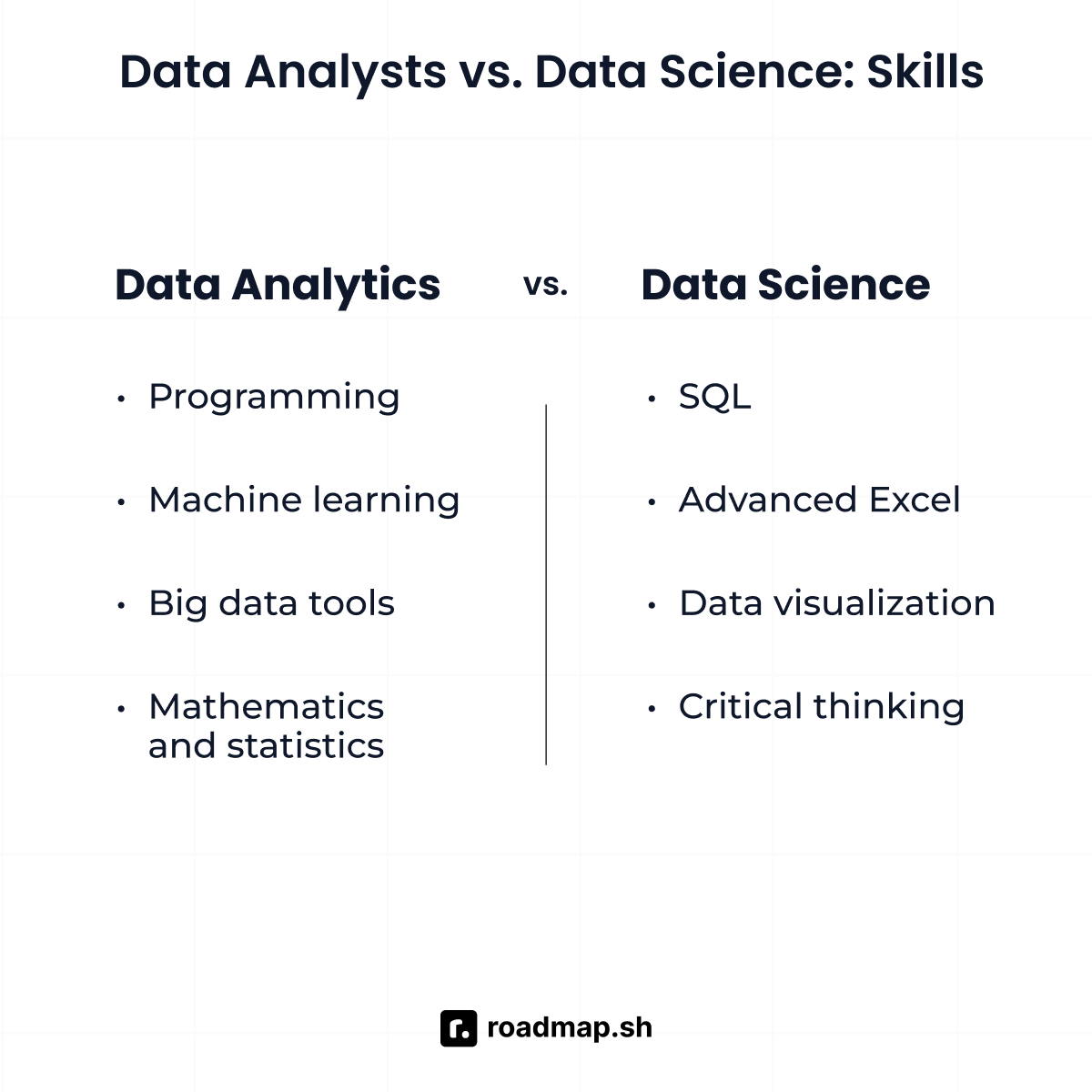
|
||||
|
||||
Let's explore the key skills and tools to help you make the right decision.
|
||||
|
||||
**Data scientist skills and tools**
|
||||
As a data scientist, you'll have technical, analytical, and problem-solving skills to handle large and complex datasets. Some of the main skills and tools that interviewers look for are:
|
||||
|
||||
- **Programming skills:** Mastery of Python and R is essential for data science tasks, including statistical analysis and machine learning model development.
|
||||
- **Machine learning expertise:** Knowledge of supervision and reinforcement learning techniques. Additionally, you should have an understanding of algorithms and clustering methods.
|
||||
- **Big data tools:** Hadoop and Apache Spark are a must for distributed storage and big data analysis.
|
||||
- **Mathematics and statistics**: Advanced knowledge of mathematics and statistics is essential for building models and deriving insights.
|
||||
|
||||
You should also focus on mastering tools like [TensorFlow](https://roadmap.sh/cpp/libraries/tensorflow), PyTorch, Jupyter Notebooks, [GitHub/Git](https://roadmap.sh/git-github), SQL, Apache Spark, Hadoop, [Docker](https://roadmap.sh/docker), [Kubernetes](https://roadmap.sh/kubernetes), and Tableau. Data visualization, Scikit-learn, and version control systems are also important for data science.
|
||||
|
||||
**Data analyst skills and tools**
|
||||
As a data analyst, your role focuses on data interpretation for business decisions. Some of the main skills and tool proficiencies you'll need to excel in this role are:
|
||||
|
||||
- **SQL (Structured Query Language):** Knowledge of SQL is necessary for querying, managing and retrieving data from databases.
|
||||
- **Advanced Excel skills:** Strong Excel skills, including pivot tables, VLOOKUP, and data analysis functions, are necessary to organize and analyze data.
|
||||
- **Data visualization:** Ability to create good-looking charts and dashboards using tools like Tableau and Power BI is a must for presenting insights in a clear and effective way.
|
||||
- **Critical thinking:** Strong analytical and critical thinking skills to identify trends and derive meaning from data.
|
||||
|
||||
Check out the [Data Scientist](https://roadmap.sh/ai-data-scientist) and [Data Analyst](https://roadmap.sh/data-analyst) roadmaps for a structured approach. These will help you decide what to learn and where to focus. By following them, you can prioritize what to learn, focus on high-demand areas, and not feel overwhelmed. Also, join local or online meetups to connect with professionals and participate in hackathons to get hands-on experience and add to your portfolio.
|
||||
|
||||
Let's move forward to understand different career trajectories that fall under data science and data analysis. Also, check out the salary ranges for each job profile.
|
||||
|
||||
## **Data science vs. data analytics: Career paths and salary insights**
|
||||
|
||||
If you're looking into data science or data analytics careers, you're entering a field with huge growth. Both have their own focus, but there's a lot of overlap in skills, tools, and methodologies, so it's easier to move between roles or expand your skills across both domains.
|
||||
|
||||

|
||||
|
||||
Here is a quick overview of role transitions, salary ranges, and the steps you can take to advance your career as a data scientist and data analyst.
|
||||
|
||||
**Data science career paths and salary insights**
|
||||
As a data scientist engineer, these are the roles that are typically available to you throughout your career:
|
||||
|
||||
- Data scientist
|
||||
- Machine learning engineer
|
||||
- AI specialist
|
||||
|
||||
**Data scientist:** As a data scientist, you will analyze large datasets, develop predictive data models, and implement algorithms to extract insights. Additionally, you must have knowledge of machine learning basics, structured data, statistical modeling, and communication skills.
|
||||
|
||||
In 2024, the [average salary](https://www.datacamp.com/blog/data-science-salaries) for a data scientist is $123,069 per year in the United States.
|
||||
|
||||
**Machine learning engineer:** In this role, you'll focus on developing and deploying machine learning models in production environments. This role requires technical expertise in software engineering, computer science, big data technologies, and scalable systems. You must have knowledge of advanced machine learning, computer science, cloud computing, and software development lifecycle (SDLC) knowledge.
|
||||
|
||||
According to [Indeed](https://www.indeed.com/career/machine-learning-engineer/salaries), the average salary for a machine learning engineer in the United States is $161,715 per year.
|
||||
|
||||
**AI specialist:** You'll focus on designing cutting-edge AI solutions, managing teams of data professionals, and driving strategic artificial intelligence initiatives for organizations. You even perform research on emerging spot trends and implement AI frameworks.
|
||||
|
||||
According to [Glassdoor,](https://www.glassdoor.co.in/Salaries/us-ai-specialist-salary-SRCH_IL.0,2_IN1_KO3,16.htm) the estimated salary of an AI specialist job profile in the US is $129,337 per year, with an average salary of $105,981 per year.
|
||||
|
||||
**Data analytics career paths and salary insights**
|
||||
If you're leaning towards data analytics, here are some common job titles for you, along with salary details for each role:
|
||||
|
||||
- Data analyst
|
||||
- Business intelligence manager
|
||||
- Chief data officer
|
||||
|
||||
**Data analyst:** This role involves collecting, cleaning, and analyzing data to generate actionable insights. You'll work on dashboards, reporting, and descriptive analytics using tools like Excel and Tableau. Additionally, you must have basic programming knowledge, data visualization, and data mining skills.
|
||||
|
||||
In 2024, the estimated [average salary](https://www.indeed.com/career/data-analyst/salaries) of a data analyst ranges around $80,811 per year depending on experience, location, and specific skills in demand.
|
||||
|
||||
**Business intelligence manager:** As a business intelligence manager, you'll lead data reporting and visualization strategies, manage data accuracy, and design scalable solutions. Communication skills and proficiency in business intelligence tools are key to this role.
|
||||
|
||||
[ZipRecruiter](https://www.ziprecruiter.com/Salaries/Business-Intelligence-Manager-Salary) reported that the salary of a business intelligence manager in the US ranges from $29,500 to $158,500.
|
||||
|
||||
**Chief data officer (CDO):** Responsible for an organization's data strategy, data governance, and data leveraging for competitive advantage. For this job role, you must have the necessary skills, such as data governance, data strategy, data engineering, and management of complex architecture.
|
||||
|
||||
In 2024, the estimated total pay for a chief [data officer](https://www.glassdoor.co.in/Salaries/us-chief-data-officer-salary-SRCH_IL.0,2_IN1_KO3,21.htm) is $373,952 per year in the US.
|
||||
|
||||
## **What** **Next**
|
||||
|
||||
Once you've decided to pursue a career in data science or data analytics, the next step is figuring out where to start. Our [AI-Data Scientist](https://roadmap.sh/ai-data-scientist) and [Data Analyst roadmap](https://roadmap.sh/data-analyst) are designed to help you with that by breaking down the skills, tools and concepts into smaller steps. Whether you are drawn to the complexity of algorithms or analyzing trends, both paths offer rewarding opportunities for personal and professional growth, these roadmaps will give you a clear structure to build a solid foundation and move forward with confidence.
|
||||
|
||||
Remember, the key to success in both fields is a commitment to continuous learning. For detailed overview of any specific role, join the [Discord community](https://roadmap.sh/discord) and stay informed!
|
||||
181
src/data/guides/ai-data-scientist-vs-machine-learning.md
Normal file
181
src/data/guides/ai-data-scientist-vs-machine-learning.md
Normal file
@@ -0,0 +1,181 @@
|
||||
---
|
||||
title: 'Data Science vs Machine Learning: How are they different?'
|
||||
description: 'Excited about a career in data science or machine learning? Learn the differences, key skills, tools, and how to choose the role that aligns with your ambitions'
|
||||
authorId: ekene
|
||||
excludedBySlug: '/ai-data-scientist/vs-machine-learning'
|
||||
seo:
|
||||
title: 'Data Science vs Machine Learning: How are they different?'
|
||||
description: 'Excited about a career in data science or machine learning? Learn the differences, key skills, tools, and how to choose the role that aligns with your ambitions.'
|
||||
ogImageUrl: 'https://assets.roadmap.sh/guest/data-science-vs-machine-learning-gaa7s.jpg'
|
||||
isNew: true
|
||||
type: 'textual'
|
||||
date: 2025-02-06
|
||||
sitemap:
|
||||
priority: 0.7
|
||||
changefreq: 'weekly'
|
||||
tags:
|
||||
- 'guide'
|
||||
- 'textual-guide'
|
||||
- 'guide-sitemap'
|
||||
---
|
||||
|
||||

|
||||
|
||||
If you're excited by the idea of extracting insights from data to guide decisions, a career in [data science](https://roadmap.sh/ai-data-scientist) might be for you. On the other hand, if you're drawn to creating the algorithms behind AI systems and building intelligent applications, machine learning could be your ideal path.
|
||||
|
||||
Both fields are at the forefront of innovation, driving transformative technologies like ChatGPT, DALL-E, and Gemini. These advancements, used across industries like healthcare, finance, and tech, owe their success to the growing collaboration between data science and machine learning. As AI becomes more accessible with tools from companies like OpenAI and AWS, the demand for experts in these fields is only increasing.
|
||||
|
||||
So, how do you choose between these high-demand, rewarding careers? As an ML Engineer with experience on projects that span across data science and machine learning, I have gained a deep understanding of the overlaps and differences between these fields. In this guide, I will explain the responsibilities of each role, highlight their key differences, and outline the essential skills for success. By the end, you'll be better equipped to pick the path that matches your interests, strengths, and career goals.
|
||||
|
||||
The table below summarizes the key differences between data science and machine learning you should consider to help you evaluate which one best fits your career goals:
|
||||
|
||||
| **Aspect** | **Data science** | **Machine learning** |
|
||||
| ------------------------------------- | ----------------------------------------------------------------------------------------------- | -------------------------------------------------------------------------------------------------- |
|
||||
| **Ideal for you** **i\*\***f\***\*…** | You enjoy exploring and analyzing data to extract insights and inform decisions. | You are passionate about creating algorithms and systems that learn and improve automatically. |
|
||||
| **Educational background** | Strong foundation in statistics, data analysis, and visualization tools. | Strong foundation in mathematics, programming, and AI techniques. |
|
||||
| **Career opportunities** | Data scientist, [Data Analyst](https://roadmap.sh/data-analyst), Business Intelligence Analyst. | Machine learning Engineer, AI Researcher, Deep Learning Specialist. |
|
||||
| **Industries** | Healthcare, finance, marketing, e-commerce, and government sectors. | Technology, autonomous systems, robotics, fintech, and R&D labs. |
|
||||
| **Skills you'll need** | Data cleaning, exploratory analysis, storytelling, and domain expertise. | Proficiency in machine learning libraries, algorithm design, and optimization. |
|
||||
| **Growth potential** | Strong demand across industries as companies seek to become more data-driven. | High demand in tech-driven fields as AI adoption accelerates. |
|
||||
| **Creativity vs. technical** | Balances creativity in visualizations with technical skills in data processing. | Heavily focused on technical and mathematical skills for problem-solving and predictive analytics. |
|
||||
| **Long-term vision** | Perfect if you want to lead data-driven strategy or explore business analytics. | Ideal if you aim to innovate in AI, robotics, or advanced tech solutions. |
|
||||
|
||||
Before looking at these features in detail, let's take a closer look at these two fields.
|
||||
|
||||
## What is data science?
|
||||
|
||||
Data science is a field that combines techniques from statistics, domain knowledge, computer science, and data analysis to gain insights from structured and unstructured data. As a data scientist, you'll use tools, machine learning models, and algorithms to understand data and drive decision-making. You'll use these insights to help businesses increase profits, create innovative products and services, improve systems, and solve problems across various industries.
|
||||
|
||||
**Key Components of Data Science**
|
||||
The key components of data science involve the following processes:
|
||||
|
||||

|
||||
|
||||
1. **Data collection**: The first step is to gather raw data from various sources such as APIs, sensors, databases, and web scraping.
|
||||
2. **Data cleaning and preparation**: After collecting the raw data, it must be cleaned by removing inaccuracies, handling missing values, and formatting it for analysis.
|
||||
3. **Exploratory Data Analysis (EDA)**: Use statistical methods and visualization techniques to explore the data, identify trends, patterns, and anomalies, and gain a better understanding of the dataset.
|
||||
4. **Data modeling and machine learning**: Apply machine learning algorithms to build models that can identify patterns, predict outcomes, and automate processes.
|
||||
5. **Data visualization**: Use tools like charts, graphs, and dashboards to present insights and communicate findings clearly to stakeholders.
|
||||
6. **Deployment and monitoring**: Implement data models in real-world applications and continuously monitor their performance to ensure they remain accurate and effective.
|
||||
|
||||
### Essential Skills and Tools You Need for a Successful Data Science Career
|
||||
|
||||
To build a successful career in data science, knowledge of a programming language like [Python](https://roadmap.sh/python) is essential. Beyond that, as a data scientist, you'll need to develop expertise in the following skills and tools:
|
||||
|
||||
- **Programming languages**: You'll need proficiency in [SQL](https://roadmap.sh/sql), R, SAS, and others to collect, manipulate, and manage both structured and unstructured data.
|
||||
- **Mathematics, statistics, and probability**: A strong grasp of these concepts will enable you to build accurate models and make data-driven decisions with confidence.
|
||||
- **Data wrangling and visualization**: You'll be responsible for cleaning, transforming, and visualizing data using tools like Matplotlib, Seaborn, Power BI, and Tableau to present insights effectively.
|
||||
- **Machine learning and predictive modeling**: Knowledge of machine learning algorithms and techniques for building models that can make predictions and automate decision-making processes.
|
||||
- **Data analysis tools**: Familiarity with tools like Jupyter Notebooks, Pandas, NumPy, Apache Spark, and Scikit-learn will help you analyze and process data with ease.
|
||||
- **Cloud platforms**: Experience with cloud platforms such as [AWS](https://roadmap.sh/aws), Azure, and Google Cloud will enable you to leverage cloud resources for scalable computing and efficient model deployment.
|
||||
|
||||
## What is machine learning?
|
||||
|
||||
Machine learning is a branch of Artificial Intelligence (AI) that enables computers to learn from data and make predictions without being explicitly programmed. Rather than manually coding rules for every scenario, machine learning models learn from available data to perform tasks such as fraud detection, recommendation systems, natural language processing, and image recognition. It can be broadly categorized into the following types:
|
||||
|
||||

|
||||
|
||||
- **Supervised learning**: In supervised learning, you train a model labeled data to predict outcomes and identify patterns. For example, you can use a dataset with details like location, square footage, and other factors to teach the model how to predict house prices.
|
||||
- **Unsupervised learning**: In unsupervised learning, the model is trained on unlabeled data and discovers patterns or groupings on its own. For example, you can use it to segment customers based on their purchasing habits without specifying predefined categories.
|
||||
- **Reinforcement learning**: In reinforcement learning, you train a model through a trial-and-error process to achieve the best outcomes. For instance, self-driving cars use reinforcement learning by continuously learning to recognize obstacles, road signs, and blockages through repeated experiences.
|
||||
|
||||
### Key Components of Machine Learning
|
||||
|
||||
The key components of machine learning involve the following processes:
|
||||
|
||||
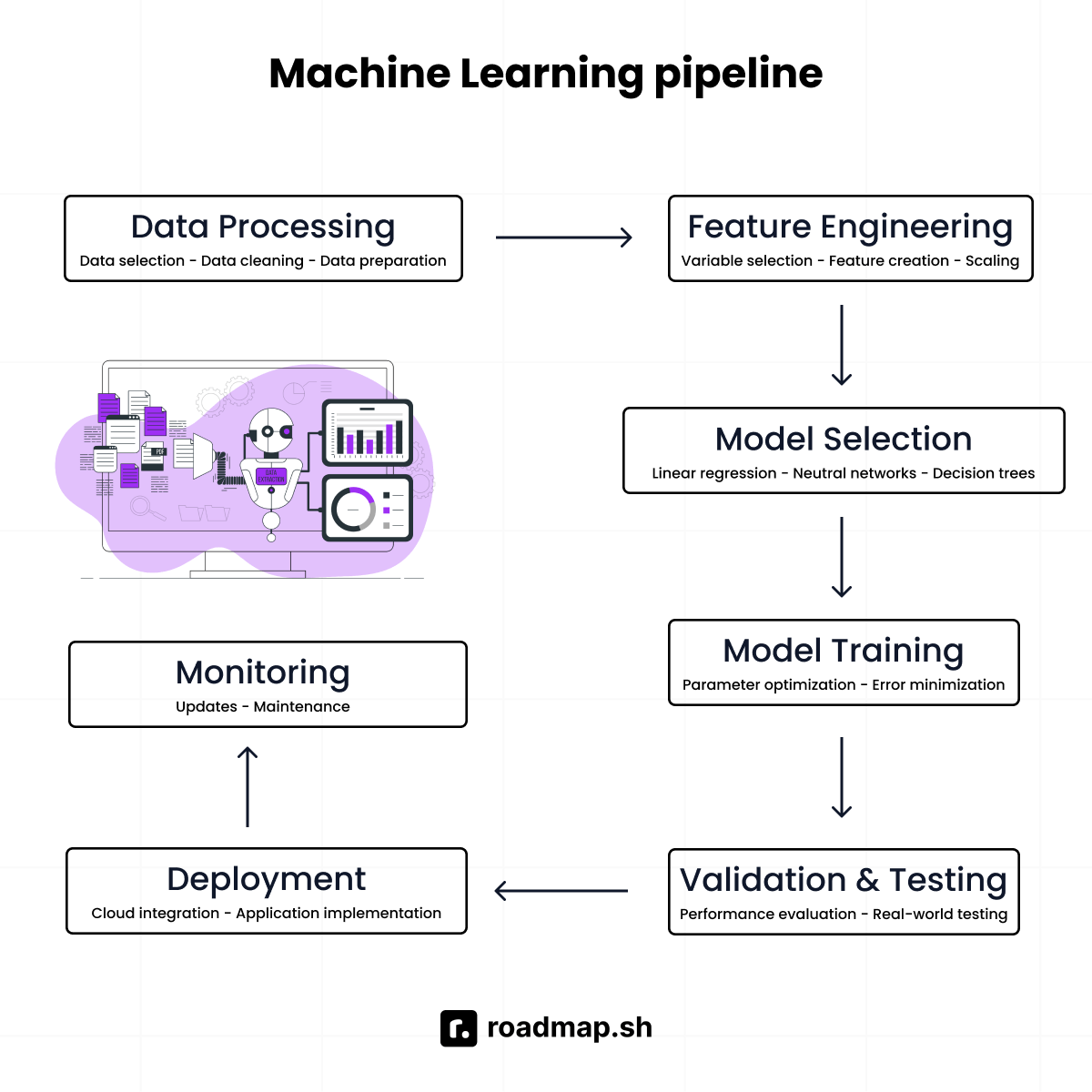
|
||||
|
||||
1. **Data processing**: The foundation of any machine learning system is data. For the model to work effectively, it requires selecting and preparing the right data for training.
|
||||
2. **Feature engineering**: This step involves selecting the right variables (features) that the model can use to make accurate predictions. For example, a housing price prediction model would need features like the number of bedrooms, square footage, and location to make reliable predictions.
|
||||
3. **Model selection**: Choosing the appropriate model for a specific task is crucial. For instance, a **Linear Regression** model is suitable for predicting continuous values, while **Neural Networks** are better suited for tasks like image recognition.
|
||||
4. **Model training**: In this process, the selected model is fed with training data to help it learn patterns. The model's internal parameters are adjusted to minimize prediction errors.
|
||||
5. **Validation and testing**: After training, the model's performance is evaluated using a separate validation dataset. A final test dataset is used to ensure the model performs well in real-world scenarios.
|
||||
6. **Deployment**: Once the model is ready, it is integrated into real-world applications or deployed on cloud platforms to be accessed by third party users.
|
||||
7. **Model monitoring and maintenance**: After deployment, the model must be regularly monitored and updated to maintain accuracy and adapt to changes over time.
|
||||
|
||||
### Essential Skills and Tools You Need for a Successful Machine Learning Career
|
||||
|
||||
To build a successful career in machine learning, you'll need to develop the following essential skills and become familiar with key tools:
|
||||
|
||||
- **Strong understanding of mathematics and statistics**: You'll need a solid understanding of linear algebra, calculus, probability, and statistics to grasp how machine learning algorithms function.
|
||||
- **Proficiency in programming languages**: Python and R are must-haves for implementing machine learning models and handling data efficiently.
|
||||
- **Data handling and preprocessing skills**: You need a solid understanding of how to clean, preprocess, and transform raw data into a format suitable for training models.
|
||||
- **Knowledge of machine learning algorithms**: Understanding algorithms like Linear Regression, Q-learning, and K-means and knowing when to apply them will help you tackle diverse challenges.
|
||||
- **Model evaluation and tuning**: You need to master techniques to evaluate model performance (e.g., accuracy, precision, recall) and fine-tune hyperparameters to improve results.
|
||||
- **Familiarity with libraries and frameworks**: Hands-on experience with Scikit-learn, TensorFlow, Keras, and other popular libraries and frameworks will help you build and deploy machine learning models efficiently.
|
||||
- **Cloud Platforms for Infrastructure**: Familiarity with cloud platforms like AWS, Google Cloud, and Azure will let you manage the infrastructure needed for large-scale machine learning projects.
|
||||
|
||||
While data science and machine learning share common skills, tools, and workflows, they differ significantly in their approaches, methodologies, and focus areas. The table below summarizes the key differences between machine learning and data science:
|
||||
|
||||
| **Category** | **Data science** | **Machine learning** |
|
||||
| ------------------------------ | ---------------------------------------------------------------------------------- | ------------------------------------------------------------------------------------------------------------------------ |
|
||||
| **Mathematics and statistics** | Strong knowledge of statistics, probability, and linear algebra. | Deep understanding of calculus, linear algebra, and optimization techniques. |
|
||||
| **Programming languages** | Python, R, and SQL for data manipulation, statistical analysis, and visualization. | Python, [C++](https://roadmap.sh/cpp), and [Java](https://roadmap.sh/java) for implementing machine learning algorithms. |
|
||||
| **Data handling** | Data wrangling, data cleaning, and data visualization. | Data preprocessing, feature engineering, and handling large datasets. |
|
||||
| **Machine learning basics** | Basic understanding of supervised, unsupervised learning, and regression. | Advanced knowledge of machine learning algorithms, including deep learning. |
|
||||
| **Business acumen** | Ability to translate business problems into data solutions. | Focus on technical problem-solving without a primary business context. |
|
||||
| **Tools and frameworks** | Tableau, Excel, Hadoop, Pandas, Matplotlib, and Scikit-learn. | TensorFlow, PyTorch, Scikit-learn, Keras, and XGBoost. |
|
||||
| **Data visualization** | Building dashboards, reports, and storytelling through data. | Creating visualizations primarily for model performance evaluation. |
|
||||
| **Communication skills** | Strong emphasis on presenting insights to non-technical stakeholders. | Less focus on communication; more technical documentation. |
|
||||
| **Problem-solving approach** | Emphasis on interpreting data to guide decisions. | Emphasis on building models to automate decision-making. |
|
||||
| **Domain knowledge** | Domain expertise in industries like healthcare, finance, marketing, etc. | Less reliance on specific domain knowledge; more generalizable algorithms. |
|
||||
| **Software engineering** | Less focus on software engineering practices. | Strong focus on scalable system design and code optimization. |
|
||||
| **Algorithm understanding** | Basic knowledge of algorithms for data analysis. | Deep understanding of algorithms, including neural networks and gradient descent. |
|
||||
|
||||
Now that we've covered data science and machine learning regarding processes, tools, similarities, and differences, let's explore the key points you should consider to make the right career decision.
|
||||
|
||||
## Data science vs. machine learning: Which career path fits your background?
|
||||
|
||||
If you have a background in statistics, data analysis, and business intelligence, data science could be the perfect match for you. Data science is all about turning raw data into valuable insights that businesses can act on. Your familiarity with working with data makes it easier to spot patterns and trends, which is a key part of what data scientists do. It's a role that requires both creative problem-solving and analytical thinking.
|
||||
|
||||
Machine learning, on the other hand, is better suited for you if you have a strong foundation in mathematics, programming, and computer science. A machine learning expert builds algorithms that can learn from data without explicitly programming them. It requires a solid grasp of concepts like linear algebra, calculus, probability, and algorithm design. If these are skills you already have, this path is a natural fit for you.
|
||||
|
||||
## Data science vs. machine learning: Which path pays off in the long run?
|
||||
|
||||
Both machine learning and data science offer exciting and rewarding career paths, especially with the growing demand for AI across industries.
|
||||
|
||||
In data science, you typically start your career with entry-level positions like Data Analyst or Business Intelligence Analyst and can evolve into leadership roles like Chief Data Officer. This career path is appealing because it allows you to collaborate with both technical teams and business stakeholders, solving real-world problems with data-driven insights.
|
||||
|
||||
A typical career progression in data science involves:
|
||||
|
||||
- Data Analyst
|
||||
- Data Scientist
|
||||
- Senior Data Scientist
|
||||
- Analytics Manager
|
||||
- Chief Data Officer
|
||||
|
||||

|
||||
|
||||
Machine learning careers tend to offer slightly higher salaries due to the specialized skills in programming and algorithm design. A machine learning professional typically starts as a machine learning engineer and can progress to advanced roles like Head of AI/ML, focusing on developing intelligent systems and cutting-edge AI solutions.
|
||||
|
||||
A typical career progression in machine learning involves:
|
||||
|
||||
- Machine Learning Engineer
|
||||
- AI Specialist
|
||||
- Deep Learning Engineer
|
||||
- AI Research Scientist
|
||||
- Head of AI/ML
|
||||
|
||||

|
||||
|
||||
Both paths provide excellent growth opportunities, but your choice should align with your background and long-term career goals.
|
||||
|
||||
## Data science vs. machine learning: Which opportunities are available for you?
|
||||
|
||||
In terms of opportunities, data scientist are in higher demand across various industries that need data-driven insight to make decisions and improve their processes. These include companies within healthcare, finance, marketing, retail, and e-commerce. So, if your goal is to work in diverse industries that rely on data insights, then data science is an ideal choice.
|
||||
|
||||
Machine learning, on the other hand, is more likely to work in technology-focused sectors where prediction, automation, and intelligence systems are at the core of their operation. These include industries like robotics, research and development labs, and autonomous vehicles. As a result, opportunities in machine learning may be harder to come by compared to data science, as machine learning professionals often work in more specialized and focused environments. However, if you're drawn to tech-driven fields involving autonomous systems or AI research, machine learning could be an ideal path for you.
|
||||
|
||||
## Machine learning vs. data science: Which balances creativity and tech better?
|
||||
|
||||
Data science strikes a balance between technical expertise and creativity. It's all about taking complex data and transforming it into meaningful insights that non-technical stakeholders can easily understand. If you enjoy solving problems creatively and telling compelling stories with data, data science would be a great fit for you.
|
||||
|
||||
Machine learning, on the other hand, is more technical and involves developing algorithms. It involves designing, training, and optimizing models that enable machines to learn and make predictions. If you love tackling technical challenges like developing algorithms and building AI models from the ground up, then a career in machine learning would be ideal for you.
|
||||
|
||||
As a rule of thumb, use the decision tree table to choose between data science and machine learning:
|
||||
|
||||

|
||||
|
||||
Choosing between data science and machine learning ultimately depends on your interests and career goals. Both fields offer rewarding opportunities and career growth. The key is to understand what excites you most: extracting meaning from data or building intelligent systems.
|
||||
|
||||
If you're considering starting a career as a data scientist, explore our comprehensive [data science roadmap](https://roadmap.sh/ai-data-scientist) for actionable steps and valuable resources to get started.
|
||||
@@ -1,7 +1,7 @@
|
||||
---
|
||||
title: '5 Free Resources to Master LLMs'
|
||||
description: 'Dive into the world of LLMs with these free resources'
|
||||
authorId: 'kamran'
|
||||
authorId: william
|
||||
seo:
|
||||
title: '5 Free Resources to Master Language Models (LLMs) - roadmap.sh'
|
||||
description: 'Looking to dive into the fascinating world of Language Models (LLMs)? Discover the top 5 free resources that will help you learn and excel in understanding LLMs. From comprehensive tutorials to interactive courses, this blog post provides you with the ultimate guide to sharpen your skills and unravel the potential of language models. Start your journey today and become a pro in LLMs without spending a dime!'
|
||||
|
||||
299
src/data/guides/full-stack-how-to-become.md
Normal file
299
src/data/guides/full-stack-how-to-become.md
Normal file
@@ -0,0 +1,299 @@
|
||||
---
|
||||
title: 'How to Become a Full Stack Developer: Career Guide'
|
||||
description: 'Want to become a full stack developer? Discover essential skills, tools, and practical steps to kickstart your career in web development.'
|
||||
authorId: ekene
|
||||
excludedBySlug: '/full-stack/how-to-become'
|
||||
seo:
|
||||
title: 'How to Become a Full Stack Developer: Career Guide'
|
||||
description: 'Want to become a full stack developer? Discover essential skills, tools, and practical steps to kickstart your career in web development.'
|
||||
ogImageUrl: 'https://assets.roadmap.sh/guest/become-a-full-stack-developer-54s51.jpg'
|
||||
relatedTitle: 'Other Guides'
|
||||
relatedGuidesId: full-stack
|
||||
isNew: true
|
||||
type: 'textual'
|
||||
date: 2025-02-04
|
||||
sitemap:
|
||||
priority: 0.7
|
||||
changefreq: 'weekly'
|
||||
tags:
|
||||
- 'guide'
|
||||
- 'textual-guide'
|
||||
- 'guide-sitemap'
|
||||
---
|
||||
|
||||

|
||||
|
||||
To become a full stack developer, you must learn HTML, CSS, and JavaScript to build interactive interfaces, then move on to backend skills like Node.js and databases like MySQL. Build real projects, use Git for version control, learn deployment tools like AWS, and create a portfolio that showcases your skills.
|
||||
|
||||
A full stack developer is a generalist in software engineering. They are good at both the frontend and backend development of web projects. This dual skill set means they have a strong foundation in all areas of the web development process.
|
||||
|
||||
However, becoming a full stack developer is not always as easy as expected. It involves a lot of coding practice and effort to learn all the needed tools. You will run into roadblocks, get annoyed, and sometimes question yourself. But, with dedication and the right resources, anyone can become a full stack developer.
|
||||
|
||||
**TL;DR: A step-by-step guide on how to become a full stack developer.**
|
||||
|
||||
- **Step 1**: Learn the basics of frontend development.
|
||||
- **Step 2**: Learn frontend web development frameworks and libraries.
|
||||
- **Step 3:** Understand version control systems.
|
||||
- **Step 4**: Learn backend web development.
|
||||
- **Step 5**: Learn DevOps and deployment basics.
|
||||
- **Step 6:** Network and consistently learn more.
|
||||
- **Step 7:** Build a portfolio and apply for jobs.
|
||||
|
||||
Following the above steps will help you become a successful full stack developer. In this guide, I will take you through the step-by-step process of becoming a full Stack developer. I will also cover the basics of web development, frontend and backend frameworks, and more.
|
||||
|
||||
## A step-by-step guide on how to become a full stack developer
|
||||
|
||||
Learning full stack development can be a lot to handle. There is so much material—tutorials, blogs, videos—that it can be hard to find where to begin and what resources to rely on. Thankfully, you can make use of the step-by-step [full stack development](https://roadmap.sh/full-stack) roadmap to learn and track your progress.
|
||||
|
||||
The full stack development guide provides clear explanations of all the necessary concepts. The steps below present a concise explanation of the full stack developer roadmap.
|
||||
|
||||

|
||||
|
||||
**Step 1: Learn the basics of frontend development.**
|
||||
[Learning frontend development](https://roadmap.sh/frontend) basics is important to becoming a successful full stack developer. Frontend development involves making a website look good, responsive, and user-friendly. It is the client side of web development, focusing on how web elements (forms, buttons, etc.) appear on a screen.
|
||||
|
||||
Frontend developers depend on three important languages to create interactive websites and applications:
|
||||
|
||||
- Hypertext markup languages **(HTML)**.
|
||||
- Cascading style sheets **(CSS)**.
|
||||
- JavaScript.
|
||||
|
||||
HTML and CSS go hand in hand when it comes to web development. HTML serves as the foundation for building web pages. It helps structure and organize the web elements of websites and applications. Examples of these web elements include images, headings, texts, links, and videos. CSS improves the visual appeal of the web elements. It allows you to control the user interface, add colors and spaces, and more using CSS selectors and IDs.
|
||||
|
||||
If you want to improve at HTML and CSS, use them to build projects. Do not only focus on studying; build and practice simultaneously. This approach will help you understand
|
||||
HTML and CSS well. Some project ideas include:
|
||||
|
||||
- Create and design a resume that shows off your work experience.
|
||||
- Create a responsive landing page for any product.
|
||||
- Create a personal website or a blog.
|
||||
|
||||
[**JavaScript**](https://roadmap.sh/javascript) is a programming language used to make your website functional and interactive. It makes web elements like buttons, forms, and animations on your website work. To practice JavaScript, try building:
|
||||
|
||||
- A simple calculator.
|
||||
- An interactive quiz application.
|
||||
- A to-do list application.
|
||||
|
||||
Learning HTML, CSS, and JavaScript is important to becoming a full stack developer. They work together to create static, interactive web pages that users engage with.
|
||||
|
||||
**Step 2: Learn frontend web development frameworks and libraries.**
|
||||
Learning frameworks and libraries are the next step to becoming a full stack developer. Frontend web frameworks and libraries make it easier to create web interfaces.
|
||||
|
||||
[Frontend frameworks](https://roadmap.sh/frontend/frameworks) allow users to create websites and applications in a structured manner. They offer pre-written codes and templates to make the development process easier. This way, you won't have to start from scratch and can focus on making your application stand out. [Angular](https://roadmap.sh/angular), Tailwind CSS, Svelte, and [Vue.js](https://roadmap.sh/vue) are a few examples of popular frontend web frameworks.
|
||||
|
||||
In contrast, frontend libraries are pre-written codes that perform specific functionalities. They help expand on what frameworks can do, or you can use them alone for particular tasks. Some examples of these tasks include form validation, animation, and data visualization. Animate.css, Chart.js, and [React](https://roadmap.sh/react) are a few examples of popular frontend libraries.
|
||||
|
||||
Frameworks and libraries work together to make development easier in different ways. For example, the **Tailwind CSS** framework helps with responsive web design and layout. But if you want to spice things up with fancy animations, you can use a library like **Animate.css**. They work together to help you make web designs that are useful and look good at the same time.
|
||||
|
||||
Try building your own projects to understand how these frameworks and libraries work. It doesn't matter how simple these projects are; study and build projects. Some examples of projects to build include:
|
||||
|
||||
- Single-page applications **(SPAs)** like game applications.
|
||||
- Responsive personal portfolio website.
|
||||
|
||||
These projects will help you understand and get better at different concepts. You must practice often and work on real projects to get good at using frameworks.
|
||||
|
||||
**Step 3: Understand version control systems**
|
||||
The knowledge of version control systems **(VCS)** is important for full stack developers. VCS records every change made to your codebase, so you know who changed what, when, and why. Being able to do this is vital when working with experienced developers on the same project.
|
||||
|
||||
Some popular examples of VCS include Git **(GitHub, GitLab, and Bitbucket)**. [GitHub](https://roadmap.sh/git-github) lets you collaborate, store, and share your code using Git repositories. VCS has many advantages:
|
||||
|
||||
- It helps full stack developers collaborate without facing difficulties.
|
||||
- It helps full stack developers try new ideas without fear of ruining the code.
|
||||
- It saves a copy of your code so you can return to an earlier version if you have to.
|
||||
- It provides access control and authentication. You can control who can edit, review, or manage your code. It keeps your code safe and tidy when working with other professional developers.
|
||||
|
||||
Knowing how to use VCS is important to become a full stack developer. It improves collaboration and helps organize difficult projects. This documentation contains everything you need to know about [**Git**](https://github.com/git-guides).
|
||||
|
||||
**Step 4: Learn backend web development**
|
||||
Now that you know frontend concepts, it is time to [learn backend web development](https://roadmap.sh/backend). Backend development is the process of building the server side of web applications. It is where the behind-the-scenes operations that make the frontend interface work happen. This part of server-side development focuses on:
|
||||
|
||||
- Management of databases.
|
||||
- Application programming interfaces **(APIs)** development.
|
||||
- Server-side logic and more.
|
||||
|
||||
Backend developers create applications using different backend programming languages and frameworks like:
|
||||
|
||||
- [Node.js](https://roadmap.sh/nodejs)
|
||||
- [Python](https://roadmap.sh/python)
|
||||
- C#
|
||||
- Ruby
|
||||
- [Java](https://roadmap.sh/java)
|
||||
|
||||
These backend programming languages have specific strengths and weaknesses. Choosing a language comes down to what the project needs, what your team is good at, and what you like.
|
||||
|
||||
If you are looking to start backend development, I recommend learning Node.js. Node.js runs on JavaScript, which is the primary language for backend development. Since you already know JavaScript from the frontend, it will be easy to learn. Node.js allows you to build dynamic backend applications using JavaScript. So, you can work across the whole tech stack **(both the frontend and backend)** using one language.
|
||||
|
||||
Node.js has many cool packages and libraries; you can get them through the Node Package Manager **(NPM)**. These resources provide existing solutions like authentication with OAuth for everyday tasks. You can also use Node.js on any operating system, such as Windows, macOS, and Linux.
|
||||
|
||||
It is important to practice as you learn to understand how it works better. Think about working on projects that combine your frontend abilities with backend features. Practice Node.js by building basic CRUD **(Create, Read, Update, Delete)** applications, like:
|
||||
|
||||
- Social media applications, e.g., Twitter.
|
||||
- Project management applications, e.g., Jira.
|
||||
- Online shopping websites, e.g., Amazon.
|
||||
|
||||
Building CRUD applications will teach you how to handle and work with databases. As you continue learning, build more complex applications that combine different functionalities. For example, you can create a project with user authentication to log in and sign up for an application.
|
||||
|
||||
The following are some of the most important concepts to focus on when learning Node.js:
|
||||
|
||||
- **Database interactions**: [MongoDB](https://roadmap.sh/mongodb), PostgreSQL, MySQL, CRUD operations.
|
||||
- **File and module system**: Reading and writing files, local vs. global modules, NPM.
|
||||
- **Asynchronous programming**: Callbacks, Promises, Async/Await syntax, event emitters, etc.
|
||||
- **Event loop**: Task queues, event listeners, handling of I/O operations.
|
||||
- **Express.js framework**: routing, middleware, HTTP methods (GET, POST, PUT, DELETE), RESTful APIs.
|
||||
- **Authentication and security**: JSON Web Tokens (JWT), OAuth implementation, Security best practices, etc.
|
||||
|
||||
After learning Node.js and its ecosystem, you can move on to [**Java**](https://roadmap.sh/java), [**Python**](https://roadmap.sh/python), C#, [**Go**](https://roadmap.sh/golang), Ruby or [**Rust**](https://roadmap.sh/rust)**.** Understanding the differences between these languages will help you choose the best tool.
|
||||
|
||||
**Note**: As you keep learning more tools, you will realize there is too much to learn, and you can never know everything. I advise you to get very good at using one tool **(such as Node.js)** and have a basic understanding of others. Keep improving using that one tool, and you will be good to go.
|
||||
|
||||
**Step 5: Learn DevOps and deployment basics**
|
||||
To be a skilled full stack developer, you must know your way around DevOps and deployment. DevOps combines software development and IT operations to improve software delivery. It makes developing, managing, and deploying applications a whole lot easier.
|
||||
|
||||
The first step in [learning DevOps](https://roadmap.sh/devops) is to learn about Linux basics, cloud services, and CI/CD pipelines. These skills are important for deploying and managing software applications. The following are areas you should focus on when learning:
|
||||
|
||||
- **Linux basics**: Learn Linux, file systems, networking, and security.
|
||||
- **Version control systems**: Learn to use [Git](https://roadmap.sh/git-github) to manage code and collaborate.
|
||||
- **Cloud services**: Learn about [AWS](https://roadmap.sh/aws), Azure, or Google Cloud.
|
||||
- **CI/CD pipelines**: Learn testing and deployment using tools like Jenkins and GitLab CI/CD.
|
||||
- **Infrastructure as Code (IaC)**: Learn tools like Terraform for infrastructure automation.
|
||||
|
||||
As soon as you have an understanding of these basics, it's time to put your new skills into practice. First, try deploying your full stack applications to cloud platforms like [AWS](https://roadmap.sh/aws) or Heroku. This will help you get real experience managing and maintaining live applications. You can start with easy applications and work up to harder ones.
|
||||
|
||||
Next, you will learn about automation and monitoring when working on your projects. GitHub Actions and Ansible are useful tools for this purpose. They assist in automating development, deployment, and configuration tasks. Knowing these DevOps concepts will help you handle the demands of full stack development.
|
||||
|
||||
**Step 6: Network and consistently learn more.**
|
||||
Building your full stack developer skills requires consistent learning and networking. It involves spending time self-learning, building friendships, and growing skill sets. The tips below will help you learn and network better:
|
||||
|
||||
- Take online courses and watch online tutorials to understand full stack development concepts better.
|
||||
- Read books and articles about web development, programming languages, and software engineering.
|
||||
- Contribute to open-source projects to gain experience and develop relationships with full stack professionals.
|
||||
- Join communities like the [roadmap community](https://discord.com/invite/cJpEt5Qbwa) to learn from other professional developers.
|
||||
- Attend conferences, meetups, and online forums to learn from industry professionals.
|
||||
- Take part in coding challenges and hackathons to practice and learn.
|
||||
|
||||
Consistent learning and networking will help you become a better full stack developer. It will help you succeed, keep up with the latest technologies, and solve coding problems.
|
||||
|
||||
**Step 7: Build a portfolio and apply for jobs**
|
||||
As a developer, you work on projects to improve your skill set and get a full stack developer job. But to show off these projects to a hiring manager, you must have them all in one place. For this reason, it is important to have a portfolio if you want to become a full stack developer.
|
||||
|
||||
Portfolios are compilations of your best work that showcase your skills and experiences. It is like a resume, but instead of bullet points listing your coding skills, it shows you pictures and more work details. Among the many benefits of owning a portfolio are:
|
||||
|
||||
- It shows a hiring manager that you can do the job, not just talk about it.
|
||||
- It shows your full stack developer skills across both old and new technologies.
|
||||
- It sets you apart from other developers who have similar qualifications.
|
||||
|
||||
When creating your portfolio, include projects that show your skills with different tools. The following are some project ideas to add to your portfolio:
|
||||
|
||||
- **Personal projects**: Examples of these applications can be budgeting or recipe applications.
|
||||
- **Open-source contributions**: Add links to your open-source contributions.
|
||||
- **Full** **\*\***stack applications\*\*: Create applications that show off your frontend and backend development skills. An example of this application is an online shopping website with user authentication.
|
||||
- **API development**: Build and include RESTFUL APIs in your portfolio. It will show off your skills in the back-end, working with Node.js and other programming languages.
|
||||
|
||||
After you have built a portfolio, it is time to start job hunting for full stack development jobs. This involves creating a resume and cover letter and prepping for interviews.
|
||||
|
||||
**Note:** To become a full stack developer, you must create the habit of always learning. So, if you get the job or not, it doesn't matter; you have to keep learning and improving your coding skills.
|
||||
|
||||
While a portfolio is not always required when applying for full stack development jobs, it's a good idea to start building one. However, when you first start applying for jobs, a GitHub profile with your key projects may be enough; you can use pinned repositories to display your best work. With time, you can create your full stack developer portfolio to display your projects.
|
||||
|
||||
## Responsibilities of a full stack developer
|
||||
|
||||
As a full stack developer, you must be able to solve problems, think outside the box, and have good tech skills. Doing this means you will be in charge of a range of responsibilities, like:
|
||||
|
||||
- Designing and creating frontend and backend elements.
|
||||
- Collaborating with different teams.
|
||||
- Writing clean, efficient, and well-documented code.
|
||||
- Troubleshooting and debugging issues.
|
||||
|
||||

|
||||
|
||||
**Design and create frontend and backend elements**
|
||||
Creating and designing frontend and backend elements are important duties of full stack development. This involves combining different skill sets to make cool applications.
|
||||
|
||||
The responsibilities of full stack developers when creating these elements include the following:
|
||||
|
||||
- Creating easy-to-use user interfaces with tools like HTML, CSS, and JavaScript.
|
||||
- Creating layouts that look good and are responsive on all devices, e.g., mobile phones, computers, etc.
|
||||
- Writing back-end code in programming languages like Node.js, Java, or Python.
|
||||
- Building RESTful APIs to make communication easier for the frontend and backend.
|
||||
|
||||
**Collaborate with different teams**
|
||||
Full stack development demands a wide array of skills to complete a project. A full stack developer can work on a project's frontend and backend. But, completing the project alone is often not the norm. It requires teamwork, with everyone pitching in to get the job done. As a full stack web developer, you will work with different teams, such as:
|
||||
|
||||
- UI/UX designers to make interfaces easy for people to use.
|
||||
- Product managers to understand the goals and objectives of the project.
|
||||
- QA **(Quality assurance)** team to fix issues and make sure the application works well.
|
||||
- DevOps team to fix any deployment issues.
|
||||
- Business stakeholders to ensure the project meets the business needs.
|
||||
|
||||
**Write clean, efficient, and well-documented code**
|
||||
Full stack developers are responsible for writing clean, efficient, and well-documented code. It involves following best practices to write easy-to-read, maintain, and scalable codes so everyone on the team can understand the code and help with the project when needed.
|
||||
|
||||
Full stack developers follow these best practices to do this:
|
||||
|
||||
- Using consistent naming conventions to make the code readable and understandable.
|
||||
- Breaking codes into smaller reusable elements. It helps to make the code easier to find and fix errors when testing.
|
||||
- Improving performance by cutting out any unnecessary operations. It helps the application run quicker and does not use up much resources.
|
||||
- Writing easy-to-understand comments that explain the logic of the code.
|
||||
|
||||
Writing clean, efficient, well-documented code leads to good teamwork and a successful project. It helps new developers get up to speed quicker and reduces the time spent on future updates or fixing bugs.
|
||||
|
||||
**Troubleshoot and debug issues**
|
||||
As a full stack developer, your job is not just to build applications but also to make sure they work well. This involves finding and fixing errors that arise before or after creating applications.
|
||||
|
||||
The following are tips full stack developers use to troubleshoot and debug issues:
|
||||
|
||||
- Identifying issues through user feedback and more.
|
||||
- Studying the code using debugging tools like Chrome DevTools.
|
||||
- Testing fixes in different systems to make sure they work. Examples of these tests can be unit or integration tests.
|
||||
- Collaborating with other team members, like the QA engineer, to fix difficult issues.
|
||||
- Documenting how you fixed the problem so you can refer back to it next time it happens.
|
||||
|
||||
## Essential skills for a full stack developer
|
||||
|
||||
The following are some of the important full stack developer skills:
|
||||
|
||||
- Solid foundation in basic web technologies like HTML, CSS, and JavaScript.
|
||||
- Practical experience with frontend frameworks and libraries like React, Angular, or Vue.js.
|
||||
- Strong foundation in back-end technologies like Node.js, Python, and Java.
|
||||
- Experience in database management systems like MongoDB, MySQL, or [PostgreSQL](https://roadmap.sh/postgresql-dba).
|
||||
- Knowledge of required skills such as designing and building RESTful APIs.
|
||||
- A good understanding of server management, Linux commands, and CI/CD pipelines.
|
||||
- Hands-on experience with version controls like Git for managing code.
|
||||
- Knowledge of testing strategies like unit, integration, and end-to-end testing.
|
||||
- Good soft skills like teamwork, communication, and time management.
|
||||
|
||||

|
||||
|
||||
## Frequently asked questions (FAQ): How to become a full stack developer
|
||||
|
||||
Becoming a full stack developer might make you wonder about a few things. The following are some answers to common questions to make the process easier for you:
|
||||
|
||||

|
||||
|
||||
**Is a bachelor's degree in Computer Science necessary to become a full stack developer?**
|
||||
No! You do not need a computer science or computer engineering bachelor's degree. A computer science degree can give you a strong start in topics like data structures, but that is not the only way to become a full stack developer. You can learn via online resources, coding boot camps, and more. The key is to have a good understanding of coding concepts and be very good at building projects.
|
||||
|
||||
**Do I need any prior knowledge to start learning full stack development?**
|
||||
No! You do not have to know anything about programming to learn full stack development. Having basic computer skills and knowing how to browse the web is good but unnecessary. **roadmap.sh** provides a [full stack developer roadmap](https://roadmap.sh/full-stack) to help you get started. It covers everything you need to know about learning programming languages and more.
|
||||
|
||||
**Can I learn full stack development in 3 months?**
|
||||
Learning the basics of full stack development in just three months is possible. But, it is unlikely for you to become a good full stack developer or be ready for a job in that short amount of time.
|
||||
|
||||
**How long does it take to become a full stack developer?**
|
||||
How long it takes to become a full stack developer depends on the person. A lot depends on how dedicated you are to learning and practicing and how fast you learn. If you practice often, you will pick up the basics in a few months and master the more advanced skills in a few years.
|
||||
|
||||
**What are the advantages of becoming a full stack developer?**
|
||||
The advantages of becoming a full stack developer are endless. Working on both ends of the web development process makes them useful for any team. They help small businesses save money by eliminating the need to hire separate frontend and backend developers.
|
||||
|
||||
Also, you get to do what you love and get paid well—earning an average salary between $80,000 and over $200,000, depending on your experience, company size, and location.
|
||||
|
||||
**What can I expect during a full stack development interview?**
|
||||
Expect a combination of behavioral and technical questions on frontend and backend topics. The behavioral interview will test your ability to solve problems and work experience. The technical portion often covers your understanding of full stack development concepts.
|
||||
|
||||
**What is the difference between MERN and full stack?**
|
||||
The MERN stack is a part of full stack development. It is a specialized toolset that includes MongoDB, Express.js, React, and Node.js for building apps. Full stack is a broader term that includes various technologies beyond the MERN stack. It is a more complete toolset that handles both backend and frontend development. So, all MERN developers are full stack developers. Not all full stack developers focus on MERN development.
|
||||
|
||||
## What next?
|
||||
|
||||
Using the steps in this guide will put you on the right track to becoming a good full stack developer. Take your time to get to know the full stack concepts instead of trying to speed through them. Remember, the key to becoming a full stack developer is always to practice!
|
||||
|
||||
[roadmap.sh](http://roadmap.sh) offers a detailed [full stack development guide](https://roadmap.sh/full-stack) to help you get started. Also, it provides beginner and advanced project ideas in its full stack projects guide. To start, visit the full stack roadmap page, sign up, and study. You can also share this roadmap with your study developer friends.
|
||||
224
src/data/guides/go-vs-java.md
Normal file
224
src/data/guides/go-vs-java.md
Normal file
@@ -0,0 +1,224 @@
|
||||
---
|
||||
title: 'Go vs Java: Choosing the Right Language for Your Projects'
|
||||
description: 'Comparing Go vs Java for your projects? Explore features like concurrency, memory management, and learning curves to find the right fit for your needs.'
|
||||
authorId: ekene
|
||||
excludedBySlug: '/golang/vs-java'
|
||||
seo:
|
||||
title: 'Go vs Java: Choosing the Right Language for Your Projects'
|
||||
description: 'Comparing Go vs Java for your projects? Explore features like concurrency, memory management, and learning curves to find the right fit for your needs.'
|
||||
ogImageUrl: 'https://assets.roadmap.sh/guest/go-vs-java-fo08l.jpg'
|
||||
relatedGuidesTitle: 'Other Guides'
|
||||
isNew: true
|
||||
type: 'textual'
|
||||
date: 2025-02-04
|
||||
sitemap:
|
||||
priority: 0.7
|
||||
changefreq: 'weekly'
|
||||
tags:
|
||||
- 'guide'
|
||||
- 'textual-guide'
|
||||
- 'guide-sitemap'
|
||||
---
|
||||
|
||||

|
||||
|
||||
Which is better for enterprise-grade systems, Go or Java? Which technology accelerates productivity in large-scale development? Which frameworks provide the most adaptability when tackling modern software challenges? These are the questions developers and tech leads often wrestle with, drawing on personal experiences, industry trends, and the need to keep up with ever-changing application demands.
|
||||
|
||||
As someone with experience building high-performance systems and working extensively with both [Go](https://roadmap.sh/golang) and [Java](https://roadmap.sh/java), I understand the debate developers often face when choosing between these two powerful languages. Java has long been the go-to choice for robust, enterprise-level applications, and it is known for its maturity and extensive ecosystem. Meanwhile, Go has steadily risen in popularity and is celebrated for its simplicity, speed, and ability to handle scalable, high-performance systems easily.
|
||||
|
||||
In this guide, I'll walk you through the key features of both Go and Java, including their performance, memory management, and adoption rates. I'll also offer guidance on when to choose Go or Java for your next project.
|
||||
|
||||
The table below summarizes the key features of Go and Java:
|
||||
|
||||
| **Feature** | **Go** | **Java** |
|
||||
| ------------------------- | ------------------------------------------------------------ | --------------------------------------------------------------- |
|
||||
| **Type** | Compiled language to native code | Compiled to bytecode, runs on the JVM |
|
||||
| **Concurrency Model** | Goroutines (lightweight threads, managed by Go runtime) | Threads (OS-level, managed by JVM) |
|
||||
| **Memory Management** | Garbage collection, with manual memory management options | Automatic garbage collection (JVM) |
|
||||
| **Syntax** | Simple, concise, inspired by C | Verbose, object oriented language |
|
||||
| **Performance** | High due to direct compilation to machine code | Good, but can be slower due to the JVM layer |
|
||||
| **Cross-Platform** | Compiles to native binaries, runs on multiple platforms | JVM provides cross-platform compatibility |
|
||||
| **Error Handling** | Explicit error handling via return values | Exceptions (try-catch mechanism) |
|
||||
| **Learning Curve** | Lower due to simpler syntax and fewer features | Steeper, especially for new developers due to verbosity |
|
||||
| **Use Cases** | System programming, microservices, cloud-native apps, DevOps | Enterprise applications, Android development, large-scale apps |
|
||||
| **Community & Libraries** | Growing, especially for cloud-native and system tools | Mature, large ecosystem with extensive libraries and frameworks |
|
||||
| **Scalability** | Excellent for highly concurrent and lightweight applications | Scalable, but can be more resource-intensive |
|
||||
|
||||
Before looking at these features in detail, let's take a closer look at these two programming languages.
|
||||
|
||||
## Go
|
||||
|
||||
[Go](https://go.dev/), also known as Golang, is an open-source programming language developed by Google. Since its release in 2009, Go has gained massive adoption in building REST APIs, system programming, cloud computing, and microservices architecture, thanks to its focus on simplicity, efficiency, and reliability.
|
||||
|
||||
As a statically typed language, Go allows you to catch errors early and build software faster. It also has a garbage collector that automatically manages memory allocation and deallocation.
|
||||
|
||||
Go comes with extensive tools and libraries for building small to large-scale applications.
|
||||
|
||||
## Java
|
||||
|
||||
[Java](https://www.java.com/en/) is a high-level, object-oriented programming language owned and maintained by the Oracle Corporation. It is known for scalability, extensibility, and portability, which has made it a leading choice for building enterprise-grade applications, Android app development, and web applications.
|
||||
|
||||
James Gosling first developed Java at Sun Microsystems in the 1990s, and it introduced the "Write Once, Run Anywhere" (WORA) principle. This means Java code can be compiled and run on any device with a Java Virtual Machine (JVM) installed, irrespective of the underlying operating system.
|
||||
|
||||
Java also has robust tools and libraries that make writing code easy and help you build small to large-scale applications.
|
||||
|
||||
Both Go and Java are server-side programming languages for building high-performance applications. You may wonder which language is superior and what considerations should guide your choice. Let's dive deep into the side-by-side comparison of these two languages.
|
||||
|
||||
## Performance
|
||||
|
||||
Golang outperforms Java and is often compared to high-performance programming languages like C or C++ because it compiles into native machine code. For high-intensive operations like I/O bound and CPU-heavy tasks, Go outperforms Java because it doesn't have the JVM overhead.
|
||||
|
||||
Java's performance has also improved over the years when used in mission-critical applications and can be competitive with Go, but the major drawback is the JVM layer. It uses more memory, which can impact performance when used in a constrained environment like containers and microservices.
|
||||
|
||||
## Cross-platform development
|
||||
|
||||
Go compiles binary files separately for each platform, which means you can run it directly on platforms like Linux and macOS without requiring additional software. Java is also platform-independent because any application written in Java can run on any system with JVM installed and supports bytecode portability.
|
||||
|
||||
While both Go and Java enable cross-compilation and can run on multiple platforms, Java offers more comprehensive coverage. Java has massive support on desktop (Windows, macOS, Linux), mobile (Android and iOS via frameworks), servers, and embedded systems via Java ME. Go, on the other hand, has limited compatibility with mobile and embedded systems.
|
||||
|
||||

|
||||
|
||||
## Community and ecosystem
|
||||
|
||||
Java has a more mature and established community with many tools, libraries, and frameworks. It powers a significant portion of enterprise applications and has battle-tested frameworks like Spring, Apache Kafka, and much more.
|
||||
|
||||
In comparison, Go's community is relatively young but also growing. It has made significant progress in the cloud-native space with projects like [Docker](https://roadmap.sh/docker), [Kubernetes](https://roadmap.sh/kubernetes), and [Terrafoam](https://roadmap.sh/terraform) powering enterprise applications.
|
||||
|
||||

|
||||
|
||||
## Memory management
|
||||
|
||||
One of the unique features of Go is not just the in-built garbage collection (GC) that automatically frees up unused memory. Additionally, Go provides more control by allowing developers to manually manage memory allocation and deallocation. However, manual memory management comes at a cost, as you have to take care of edge cases and handle potential memory leaks.
|
||||
|
||||
Java on the other hand, also has automatic GC without the option of manually managing memory. The GC in Java has seen massive improvement, especially for large enterprise systems, but it can still show some lags when building low-latency systems like trading platforms.
|
||||
|
||||
## Type and compilation
|
||||
|
||||
Go and Java are statically typed languages, which means their data types are determined at compile time before the program executes. So, when you develop your application in either of these languages, you detect errors early and improve code readability and reliability.
|
||||
|
||||
Go compiles directly into machine code that can be executed by the operating system, which makes it faster as there's no intermediate layer. In contrast, Java compiles to bytecode that uses a JVM as an intermediary, which introduces an overhead, as compared to Go's native compilation.
|
||||
|
||||
## Error handling
|
||||
|
||||
Go and Java are powerful languages with distinct approaches to handling errors. Go favors explicit error handling, where you have to think about error handling at each step, which can be verbose, repetitive, and missing some benefits of a structured approach to error handling.
|
||||
|
||||
```go
|
||||
func divide(a, b int) (int, error) {
|
||||
if b == 0 {
|
||||
return 0, errors.New("division by zero")
|
||||
}
|
||||
return a / b, nil
|
||||
}
|
||||
|
||||
// Usage
|
||||
result, err := divide(10, 0)
|
||||
if err != nil {
|
||||
log.Fatal(err)
|
||||
}
|
||||
```
|
||||
|
||||
In contrast, Java handles errors through the try-catch and exception mechanism, which centralizes error management. While Java's error handling can be powerful and help you build robust products, you have to be careful of performance issues.
|
||||
|
||||
```java
|
||||
public int divide(int a, int b) throws ArithmeticException {
|
||||
if (b == 0) {
|
||||
throw new ArithmeticException("division by zero");
|
||||
}
|
||||
return a / b;
|
||||
}
|
||||
|
||||
// Usage
|
||||
try {
|
||||
int result = divide(10, 0);
|
||||
} catch (ArithmeticException e) {
|
||||
System.err.println(e.getMessage());
|
||||
}
|
||||
```
|
||||
|
||||
## Learning curve
|
||||
|
||||
Go has a relatively low learning curve compared to Java due to its simple syntax, standard library, and fewer language features. It is easy for beginners to pick up due to the language's conciseness and limited ways to perform tasks. However, Go lacks some robust features like operator overloading and inheritance found in other languages, which can limit your expressiveness when building applications.
|
||||
|
||||
Java, on the other hand, has a steeper learning curve. It can be difficult for beginners to pick up because of its verbosity and comprehensive features. While Java's syntax is evolving and introducing improvements (like Lambda and functional paradigm) to address some of the concerns, beginners still need to learn design principles like object-oriented programming (OOP) and many more.
|
||||
|
||||
## Use cases
|
||||
|
||||
Go's efficiency, simplicity, and concurrent pattern make it an ideal choice for building cloud-native applications, network programming, and DevOps tools (like automation scripts and command line tools). Some notable companies actively using Go include:
|
||||
|
||||
- Google uses Go extensively for [infrastructure](https://cloud.google.com/go), data processing, and various internal projects.
|
||||
- Docker uses Go to build its containerization platform.
|
||||
- Dropbox uses Go to build its infrastructure and [file synchronization feature.](https://dropbox.tech/infrastructure/open-sourcing-our-go-libraries)
|
||||
|
||||
Java is also widely used for developing enterprise applications, Android development, data processing, and large-scale web applications. Its stable and mature ecosystem makes it an ideal choice for enterprise solutions. Some notable companies actively using Java include:
|
||||
|
||||
- Netflix uses Java for its [streaming platform](https://www.infoq.com/presentations/netflix-java/).
|
||||
- Airbnb leverages Java for its core platform and data processing platforms.
|
||||
- Spotify builds its [microservices with Java](https://spotify.github.io/apollo/#:~:text=Apollo%20is%20a%20set%20of,work%20to%20release%20version%201.0.).
|
||||
|
||||
While the points above cover some notable features of both Go and Java, highlighting the strengths and weaknesses of each language, you may still be wondering which one to choose for your next project. Not to worry, that question will be addressed in the next section.
|
||||
|
||||
## Which one should you choose?
|
||||
|
||||
Well, as any diplomatic developer might say, 'It depends.' Both Go and Java are excellent programming languages, and your choice between them depends on the type of project you want to build, ecosystem support, and other important factors. Let's explore these factors in detail.
|
||||
|
||||
**Project Requirements**
|
||||
|
||||
Go is a great choice for projects that handle multiple users or require background tasks without interrupting the user experience. Its high concurrency and performance make it ideal for such scenarios. However, if your project needs complex functionalities and a broad ecosystem of tools, Java may be a better option.
|
||||
|
||||
**Career and Opportunity**
|
||||
|
||||
It's important to carefully evaluate your end goal. If you aim to build a project to demonstrate proof of work, showcase your experience, or secure a job, consider the industry you're targeting and decide based on the opportunities there. For example, if you want to work in corporate sectors like fintech, insurance, or banking, Java might be an ideal choice because of its capability to build enterprise-grade applications. However, if you're aiming for industries focused on cloud infrastructure, Go is often a better choice than Java.
|
||||
|
||||

|
||||
|
||||
**Target Platform**
|
||||
|
||||
If you're building for mobile and web platforms, Java offers strong support for applications ranging from small-scale projects to large enterprise solutions, thanks to its proven tools, libraries, and frameworks that you can easily leverage. However, if your target platform is cloud and cloud-native environments, Go might be a better choice due to its extensive ecosystem and robust features.
|
||||
|
||||
Choosing between Go and Java largely depends on the factors mentioned above. However, you might also wonder if there are similarities between these languages and whether there's an intersection where using both could be beneficial. Well, you guessed right. Let's explore that next.
|
||||
|
||||
## When to use both Go and Java
|
||||
|
||||
Both Java and Go are popular programming languages that share similarities like static typing, concurrent handling, GC, platform independence, strong ecosystems, and standard libraries, which make them powerful languages that can be combined for building applications. Below are some scenarios where you can combine the strengths of both Go and Java to build applications:
|
||||
|
||||
- Microservices architecture.
|
||||
- Web development with high-performance requirements.
|
||||
- Data processing pipelines.
|
||||
- Cloud-native applications with diverse microservices.
|
||||
- Cross-platform mobile and desktop full stack applications.
|
||||
|
||||

|
||||
|
||||
**Microservices architecture**
|
||||
|
||||
If you're building a high-performance microservices system for an e-commerce platform, you can leverage Java's maturity and enterprise-grade ecosystem to build the core backend processes handling complex business logic, such as payment transactions, inventory management, and order processing.
|
||||
|
||||
Then, use Go to build services that require high performance and fast execution, like a real-time recommendation system, caching mechanism, and notifications.
|
||||
|
||||
**Web development with high-performance requirements**
|
||||
|
||||
A real-time social media analytic platform and a stock exchange trading platform are examples of web applications that require high performance because they handle a massive amount of data. You can use Go for real-time data collection and event-driven activities that capture user engagement data, shares, and likes.
|
||||
|
||||
Then, Java can be used to manage the backend workflow, such as storing and aggregating data.
|
||||
|
||||
**Data processing pipelines**
|
||||
|
||||
If you're building a real-time analytic platform that involves processing and analyzing large volumes of data, then you can use Go to process data ingestion and transformation. Go's goroutines make it an ideal language for data ingestion and preprocessing.
|
||||
|
||||
Use Java-based data-intensive frameworks like Apache Hadoop or Apache Spark for data processing and analytics.
|
||||
|
||||
**Cloud-native applications with diverse microservices**
|
||||
|
||||
If you're building a Software as a Service (SaaS) cloud monitoring tool for cloud infrastructure, you can use Go to build your application microservices that handle real-time monitoring, metric collection, and data scraping from different cloud services. Java, on the other hand, can be used to power the backend features like billing, user management, and data reporting.
|
||||
|
||||
**Cross-platform mobile and desktop full stack application**
|
||||
|
||||
An example of cross-platform mobile and desktop full stack application is a platform for visualizing financial data with a backend analytic engine. In such cases, you can use Java to build the desktop and mobile application logic and user interface due to its cross-platform capabilities.
|
||||
|
||||
Use Go to build the backend analytic engine with real-time data processing and expose the services using REST APIs to the Java mobile and desktop client.
|
||||
|
||||
## Next steps
|
||||
|
||||
Go is an excellent choice for building high-performance, lightweight applications that require concurrency, such as cloud-native applications and microservices. Java, on the other hand, has a mature ecosystem with battle-tested tools, libraries, and frameworks, which makes it a powerful option for building large-scale enterprise applications where scalability and robustness are essential.
|
||||
|
||||
Choosing between Go and Java depends on the type of project you want to build, the platform you're targeting, and the ecosystem you want to adopt for your project. Regardless of your choice, you can use the [Go roadmap](https://roadmap.sh/golang) and [Java roadmap](https://roadmap.sh/java) to stay up to date with the latest changes in each language.
|
||||
@@ -1,7 +1,7 @@
|
||||
---
|
||||
title: 'How to Become a Front-End Developer in 7 Steps'
|
||||
description: 'Learn how to become a front-end developer in 7 clear steps. Start your coding journey with practical tips and resources today!'
|
||||
authorId: kamran
|
||||
authorId: william
|
||||
excludedBySlug: '/frontend/how-to-become-frontend-developer'
|
||||
seo:
|
||||
title: 'How to become a Front-End Developer in 7 Steps'
|
||||
|
||||
@@ -8,5 +8,5 @@ Visit the following resources to learn more:
|
||||
- [@article@W3Schools - MySQL Tutorial](https://www.w3schools.com/mySQl/default.asp)
|
||||
- [@article@MySQL for Developers](https://planetscale.com/courses/mysql-for-developers/introduction/course-introduction)
|
||||
- [@article@MySQL Tutorial](https://www.mysqltutorial.org/)
|
||||
- [@video@MySQL Full Course for free](https://www.youtube.com/watch?v=5OdVJbNCSso)
|
||||
- [@video@MySQL Complete Course](https://www.youtube.com/watch?v=5OdVJbNCSso)
|
||||
- [@feed@Explore top posts about MySQL](https://app.daily.dev/tags/mysql?ref=roadmapsh)
|
||||
|
||||
@@ -1,6 +1,6 @@
|
||||
# Ephemeral FS
|
||||
|
||||
By default, the storage within a Docker container is ephemeral, meaning that any data changes or modifications made inside a container will only persist as long as the container is running. Once the container is stopped and removed, all the associated data will be lost. This is because Docker containers are designed to be stateless by nature. This temporary or short-lived storage is called the "ephemeral container file system". It is an essential feature of Docker, as it enables fast and consistent deployment of applications across different environments without worrying about the state of a container.
|
||||
By default, the storage within a Docker container is ephemeral, meaning that any data changes or modifications made inside a container will only persist until the container is stopped and removed. Once the container is stopped and removed, all the associated data will be lost. This is because Docker containers are designed to be stateless by nature. This temporary or short-lived storage is called the "ephemeral container file system". It is an essential feature of Docker, as it enables fast and consistent deployment of applications across different environments without worrying about the state of a container.
|
||||
|
||||
Visit the following resources to learn more:
|
||||
|
||||
|
||||
@@ -0,0 +1,9 @@
|
||||
# Bubbletea
|
||||
|
||||
Bubbletea is a powerful and flexible framework for building terminal user interfaces (TUIs) in Go, based on The Elm Architecture.
|
||||
|
||||
Visit the following resources to learn more:
|
||||
|
||||
- [@opensource@Bubbletea](https://github.com/charmbracelet/bubbletea)
|
||||
- [@article@Bubbletea Tutorial](https://github.com/charmbracelet/bubbletea/tree/master/tutorials)
|
||||
- [@video@Building Terminal Wizard in Go](https://www.youtube.com/watch?v=Gl31diSVP8M)
|
||||
@@ -5,3 +5,4 @@ Rust is a modern system programming language focused on performance, safety, and
|
||||
- [@official@Rust by Example](https://doc.rust-lang.org/stable/rust-by-example/index.html)
|
||||
- [@official@Official Website](https://www.rust-lang.org/)
|
||||
- [@opensource@Rust Book](https://edu.anarcho-copy.org/Programming%20Languages/Rust/rust-programming-language-steve-klabnik.pdf)
|
||||
- [@opensource@Rust Book Interactive](https://rust-book.cs.brown.edu/experiment-intro.html)
|
||||
|
||||
@@ -3,7 +3,7 @@ import slugify from 'slugify';
|
||||
import { getAllAuthors, type AuthorFileType } from './author.ts';
|
||||
import { getAllGuides } from './guide.ts';
|
||||
|
||||
interface RawQuestionGroupFrontmatter {
|
||||
export interface RawQuestionGroupFrontmatter {
|
||||
order: number;
|
||||
briefTitle: string;
|
||||
briefDescription: string;
|
||||
|
||||
30
src/pages/ai-data-scientist/vs-computer-science.astro
Normal file
30
src/pages/ai-data-scientist/vs-computer-science.astro
Normal file
@@ -0,0 +1,30 @@
|
||||
---
|
||||
import GuideContent from '../../components/Guide/GuideContent.astro';
|
||||
import BaseLayout from '../../layouts/BaseLayout.astro';
|
||||
import { getGuideById } from '../../lib/guide';
|
||||
import { getOpenGraphImageUrl } from '../../lib/open-graph';
|
||||
import { replaceVariables } from '../../lib/markdown';
|
||||
|
||||
const guideId = 'ai-data-scientist-vs-computer-science';
|
||||
const guide = await getGuideById(guideId);
|
||||
|
||||
const { frontmatter: guideData } = guide!;
|
||||
|
||||
const ogImageUrl =
|
||||
guideData.seo.ogImageUrl ||
|
||||
getOpenGraphImageUrl({
|
||||
group: 'guide',
|
||||
resourceId: guideId,
|
||||
});
|
||||
---
|
||||
|
||||
<BaseLayout
|
||||
title={guideData.seo.title}
|
||||
description={guideData.seo.description}
|
||||
permalink={`/ai-data-scientist/vs-computer-science`}
|
||||
canonicalUrl={guideData.canonicalUrl}
|
||||
ogImageUrl={ogImageUrl}
|
||||
>
|
||||
<GuideContent guide={guide!} />
|
||||
<div slot='changelog-banner'></div>
|
||||
</BaseLayout>
|
||||
30
src/pages/ai-data-scientist/vs-data-analytics.astro
Normal file
30
src/pages/ai-data-scientist/vs-data-analytics.astro
Normal file
@@ -0,0 +1,30 @@
|
||||
---
|
||||
import GuideContent from '../../components/Guide/GuideContent.astro';
|
||||
import BaseLayout from '../../layouts/BaseLayout.astro';
|
||||
import { getGuideById } from '../../lib/guide';
|
||||
import { getOpenGraphImageUrl } from '../../lib/open-graph';
|
||||
import { replaceVariables } from '../../lib/markdown';
|
||||
|
||||
const guideId = 'ai-data-scientist-vs-data-analytics';
|
||||
const guide = await getGuideById(guideId);
|
||||
|
||||
const { frontmatter: guideData } = guide!;
|
||||
|
||||
const ogImageUrl =
|
||||
guideData.seo.ogImageUrl ||
|
||||
getOpenGraphImageUrl({
|
||||
group: 'guide',
|
||||
resourceId: guideId,
|
||||
});
|
||||
---
|
||||
|
||||
<BaseLayout
|
||||
title={guideData.seo.title}
|
||||
description={guideData.seo.description}
|
||||
permalink={`/ai-data-scientist/vs-data-analytics`}
|
||||
canonicalUrl={guideData.canonicalUrl}
|
||||
ogImageUrl={ogImageUrl}
|
||||
>
|
||||
<GuideContent guide={guide!} />
|
||||
<div slot='changelog-banner'></div>
|
||||
</BaseLayout>
|
||||
30
src/pages/ai-data-scientist/vs-machine-learning.astro
Normal file
30
src/pages/ai-data-scientist/vs-machine-learning.astro
Normal file
@@ -0,0 +1,30 @@
|
||||
---
|
||||
import GuideContent from '../../components/Guide/GuideContent.astro';
|
||||
import BaseLayout from '../../layouts/BaseLayout.astro';
|
||||
import { getGuideById } from '../../lib/guide';
|
||||
import { getOpenGraphImageUrl } from '../../lib/open-graph';
|
||||
import { replaceVariables } from '../../lib/markdown';
|
||||
|
||||
const guideId = 'ai-data-scientist-vs-machine-learning';
|
||||
const guide = await getGuideById(guideId);
|
||||
|
||||
const { frontmatter: guideData } = guide!;
|
||||
|
||||
const ogImageUrl =
|
||||
guideData.seo.ogImageUrl ||
|
||||
getOpenGraphImageUrl({
|
||||
group: 'guide',
|
||||
resourceId: guideId,
|
||||
});
|
||||
---
|
||||
|
||||
<BaseLayout
|
||||
title={guideData.seo.title}
|
||||
description={guideData.seo.description}
|
||||
permalink={`/ai-data-scientist/vs-machine-learning`}
|
||||
canonicalUrl={guideData.canonicalUrl}
|
||||
ogImageUrl={ogImageUrl}
|
||||
>
|
||||
<GuideContent guide={guide!} />
|
||||
<div slot='changelog-banner'></div>
|
||||
</BaseLayout>
|
||||
@@ -1,12 +1,12 @@
|
||||
---
|
||||
import BaseLayout from '../../layouts/BaseLayout.astro';
|
||||
import AstroIcon from '../../components/AstroIcon.astro';
|
||||
import { getGuidesByAuthor } from '../../lib/guide';
|
||||
import { getVideosByAuthor } from '../../lib/video';
|
||||
import GuideListItem from '../../components/GuideListItem.astro';
|
||||
import { GuideListItem } from '../../components/FeaturedGuides/GuideListItem';
|
||||
import { VideoListItem } from '../../components/FeaturedVideos/VideoListItem';
|
||||
import BaseLayout from '../../layouts/BaseLayout.astro';
|
||||
import { getAuthorById, getAuthorIds } from '../../lib/author';
|
||||
import VideoListItem from '../../components/VideoListItem.astro';
|
||||
import { getGuidesByAuthor } from '../../lib/guide';
|
||||
import { getAllQuestionGroups } from '../../lib/question-group';
|
||||
import { getVideosByAuthor } from '../../lib/video';
|
||||
|
||||
interface Params extends Record<string, string | undefined> {}
|
||||
|
||||
@@ -136,9 +136,12 @@ const videos = await getVideosByAuthor(authorId);
|
||||
{
|
||||
[...guides, ...questionGuides]
|
||||
.sort((a, b) => {
|
||||
const aDate = a.frontmatter.date || a.frontmatter.publishedAt;
|
||||
const bDate = b.frontmatter.date || b.frontmatter.publishedAt;
|
||||
return new Date(bDate) - new Date(aDate);
|
||||
const aFrontmatter = a.frontmatter as any;
|
||||
const bFrontmatter = b.frontmatter as any;
|
||||
|
||||
const aDate = aFrontmatter.date || aFrontmatter.publishedAt;
|
||||
const bDate = bFrontmatter.date || bFrontmatter.publishedAt;
|
||||
return new Date(bDate).getTime() - new Date(aDate).getTime();
|
||||
})
|
||||
.map((guide) => <GuideListItem guide={guide} />)
|
||||
}
|
||||
|
||||
@@ -2,11 +2,17 @@
|
||||
import { DashboardPage } from '../components/Dashboard/DashboardPage';
|
||||
import BaseLayout from '../layouts/BaseLayout.astro';
|
||||
import { getAllBestPractices } from '../lib/best-practice';
|
||||
import { getAllQuestionGroups } from '../lib/question-group';
|
||||
import { getRoadmapsByTag } from '../lib/roadmap';
|
||||
import { getAllGuides } from '../lib/guide';
|
||||
import { getAllVideos } from '../lib/video';
|
||||
|
||||
const roleRoadmaps = await getRoadmapsByTag('role-roadmap');
|
||||
const skillRoadmaps = await getRoadmapsByTag('skill-roadmap');
|
||||
const bestPractices = await getAllBestPractices();
|
||||
const questionGroups = await getAllQuestionGroups();
|
||||
const guides = await getAllGuides();
|
||||
const videos = await getAllVideos();
|
||||
|
||||
const enrichedRoleRoadmaps = roleRoadmaps
|
||||
.filter((roadmapItem) => !roadmapItem.frontmatter.isHidden)
|
||||
@@ -20,6 +26,7 @@ const enrichedRoleRoadmaps = roleRoadmaps
|
||||
description: frontmatter.briefDescription,
|
||||
relatedRoadmapIds: frontmatter.relatedRoadmaps,
|
||||
renderer: frontmatter.renderer,
|
||||
isNew: frontmatter.isNew,
|
||||
metadata: {
|
||||
tags: frontmatter.tags,
|
||||
},
|
||||
@@ -38,6 +45,7 @@ const enrichedSkillRoadmaps = skillRoadmaps
|
||||
description: frontmatter.briefDescription,
|
||||
relatedRoadmapIds: frontmatter.relatedRoadmaps,
|
||||
renderer: frontmatter.renderer,
|
||||
isNew: frontmatter.isNew,
|
||||
metadata: {
|
||||
tags: frontmatter.tags,
|
||||
},
|
||||
@@ -56,13 +64,16 @@ const enrichedBestPractices = bestPractices.map((bestPractice) => {
|
||||
});
|
||||
---
|
||||
|
||||
<BaseLayout title='Dashboard' noIndex={true} permalink="/dashboard">
|
||||
<BaseLayout title='Dashboard' noIndex={true} permalink='/dashboard'>
|
||||
<DashboardPage
|
||||
builtInRoleRoadmaps={enrichedRoleRoadmaps}
|
||||
builtInSkillRoadmaps={enrichedSkillRoadmaps}
|
||||
builtInBestPractices={enrichedBestPractices}
|
||||
questionGroups={questionGroups}
|
||||
guides={guides.slice(0, 7)}
|
||||
videos={videos.slice(0, 7)}
|
||||
client:load
|
||||
/>
|
||||
<div slot='open-source-banner'></div>
|
||||
<div slot="changelog-banner" />
|
||||
<div slot='changelog-banner'></div>
|
||||
</BaseLayout>
|
||||
|
||||
30
src/pages/full-stack/how-to-become.astro
Normal file
30
src/pages/full-stack/how-to-become.astro
Normal file
@@ -0,0 +1,30 @@
|
||||
---
|
||||
import GuideContent from '../../components/Guide/GuideContent.astro';
|
||||
import BaseLayout from '../../layouts/BaseLayout.astro';
|
||||
import { getGuideById } from '../../lib/guide';
|
||||
import { getOpenGraphImageUrl } from '../../lib/open-graph';
|
||||
import { replaceVariables } from '../../lib/markdown';
|
||||
|
||||
const guideId = 'full-stack-how-to-become';
|
||||
const guide = await getGuideById(guideId);
|
||||
|
||||
const { frontmatter: guideData } = guide!;
|
||||
|
||||
const ogImageUrl =
|
||||
guideData.seo.ogImageUrl ||
|
||||
getOpenGraphImageUrl({
|
||||
group: 'guide',
|
||||
resourceId: guideId,
|
||||
});
|
||||
---
|
||||
|
||||
<BaseLayout
|
||||
title={guideData.seo.title}
|
||||
description={guideData.seo.description}
|
||||
permalink={guideData.excludedBySlug}
|
||||
canonicalUrl={guideData.canonicalUrl}
|
||||
ogImageUrl={ogImageUrl}
|
||||
>
|
||||
<GuideContent guide={guide!} />
|
||||
<div slot='changelog-banner'></div>
|
||||
</BaseLayout>
|
||||
29
src/pages/golang/vs-java.astro
Normal file
29
src/pages/golang/vs-java.astro
Normal file
@@ -0,0 +1,29 @@
|
||||
---
|
||||
import GuideContent from '../../components/Guide/GuideContent.astro';
|
||||
import BaseLayout from '../../layouts/BaseLayout.astro';
|
||||
import { getGuideById } from '../../lib/guide';
|
||||
import { getOpenGraphImageUrl } from '../../lib/open-graph';
|
||||
|
||||
const guideId = 'go-vs-java';
|
||||
const guide = await getGuideById(guideId);
|
||||
|
||||
const { frontmatter: guideData } = guide!;
|
||||
|
||||
const ogImageUrl =
|
||||
guideData.seo.ogImageUrl ||
|
||||
getOpenGraphImageUrl({
|
||||
group: 'guide',
|
||||
resourceId: guideId,
|
||||
});
|
||||
---
|
||||
|
||||
<BaseLayout
|
||||
title={guideData.seo.title}
|
||||
description={guideData.seo.description}
|
||||
permalink={guideData.excludedBySlug}
|
||||
canonicalUrl={guideData.canonicalUrl}
|
||||
ogImageUrl={ogImageUrl}
|
||||
>
|
||||
<GuideContent guide={guide!} />
|
||||
<div slot='changelog-banner'></div>
|
||||
</BaseLayout>
|
||||
@@ -1,5 +1,5 @@
|
||||
---
|
||||
import GuideListItem from '../../components/GuideListItem.astro';
|
||||
import { GuideListItem } from '../../components/FeaturedGuides/GuideListItem';
|
||||
import SimplePageHeader from '../../components/SimplePageHeader.astro';
|
||||
import BaseLayout from '../../layouts/BaseLayout.astro';
|
||||
import { getAllGuides } from '../../lib/guide';
|
||||
@@ -12,8 +12,8 @@ const questionGuides = (await getAllQuestionGroups()).filter(
|
||||
|
||||
const allGuides = [...guides, ...questionGuides];
|
||||
const sortedGuides = allGuides.sort((a, b) => {
|
||||
const aDate = new Date(a.frontmatter.date);
|
||||
const bDate = new Date(b.frontmatter.date);
|
||||
const aDate = new Date(a.frontmatter.date as string);
|
||||
const bDate = new Date(b.frontmatter.date as string);
|
||||
|
||||
return bDate.getTime() - aDate.getTime();
|
||||
});
|
||||
@@ -36,5 +36,5 @@ const sortedGuides = allGuides.sort((a, b) => {
|
||||
</div>
|
||||
</div>
|
||||
</div>
|
||||
<div slot="changelog-banner" />
|
||||
<div slot='changelog-banner'></div>
|
||||
</BaseLayout>
|
||||
|
||||
@@ -1,21 +1,22 @@
|
||||
---
|
||||
import FeaturedVideos from '../components/FeaturedVideos.astro';
|
||||
import FeaturedGuides from '../components/FeaturedGuides.astro';
|
||||
import ChangelogBanner from '../components/ChangelogBanner.astro';
|
||||
import { FeaturedGuideList } from '../components/FeaturedGuides/FeaturedGuideList';
|
||||
import FeaturedItems from '../components/FeaturedItems/FeaturedItems.astro';
|
||||
import { FeaturedVideoList } from '../components/FeaturedVideos/FeaturedVideoList';
|
||||
import HeroSection from '../components/HeroSection/HeroSection.astro';
|
||||
import BaseLayout from '../layouts/BaseLayout.astro';
|
||||
import { getAllBestPractices } from '../lib/best-practice';
|
||||
import { getAllGuides } from '../lib/guide';
|
||||
import { getAllQuestionGroups } from '../lib/question-group';
|
||||
import { getRoadmapsByTag } from '../lib/roadmap';
|
||||
import { getAllVideos } from '../lib/video';
|
||||
import { getAllQuestionGroups } from '../lib/question-group';
|
||||
import ChangelogBanner from '../components/ChangelogBanner.astro';
|
||||
|
||||
const roleRoadmaps = await getRoadmapsByTag('role-roadmap');
|
||||
const skillRoadmaps = await getRoadmapsByTag('skill-roadmap');
|
||||
const bestPractices = await getAllBestPractices();
|
||||
const questionGroups = await getAllQuestionGroups();
|
||||
const projectGroups = [
|
||||
|
||||
export const projectGroups = [
|
||||
{
|
||||
title: 'Frontend',
|
||||
id: 'frontend',
|
||||
@@ -24,6 +25,10 @@ const projectGroups = [
|
||||
title: 'Backend',
|
||||
id: 'backend',
|
||||
},
|
||||
{
|
||||
title: 'DevOps',
|
||||
id: 'devops',
|
||||
},
|
||||
];
|
||||
|
||||
const guides = await getAllGuides();
|
||||
@@ -100,12 +105,12 @@ const videos = await getAllVideos();
|
||||
/>
|
||||
|
||||
<div class='grid grid-cols-1 gap-7 bg-gray-50 py-7 sm:gap-16 sm:py-16'>
|
||||
<FeaturedGuides
|
||||
<FeaturedGuideList
|
||||
heading='Guides'
|
||||
guides={guides.slice(0, 7)}
|
||||
questions={questionGuides.slice(0, 7)}
|
||||
/>
|
||||
<FeaturedVideos heading='Videos' videos={videos.slice(0, 7)} />
|
||||
<FeaturedVideoList heading='Videos' videos={videos.slice(0, 7)} />
|
||||
</div>
|
||||
</div>
|
||||
<ChangelogBanner slot='changelog-banner' />
|
||||
|
||||
@@ -1,6 +1,6 @@
|
||||
---
|
||||
import VideoListItem from '../../components/VideoListItem.astro';
|
||||
import SimplePageHeader from '../../components/SimplePageHeader.astro';
|
||||
import { VideoListItem } from '../../components/FeaturedVideos/VideoListItem';
|
||||
import BaseLayout from '../../layouts/BaseLayout.astro';
|
||||
import { getAllVideos } from '../../lib/video';
|
||||
|
||||
|
||||
@@ -128,8 +128,24 @@ a > code:before {
|
||||
animation: barberpole 15s linear infinite;
|
||||
}
|
||||
|
||||
.striped-loader-slate {
|
||||
background-image: repeating-linear-gradient(
|
||||
-45deg,
|
||||
transparent,
|
||||
transparent 5px,
|
||||
hsla(0, 0%, 0%, 0.1) 5px,
|
||||
hsla(0, 0%, 0%, 0.1) 10px
|
||||
);
|
||||
background-size: 200% 200%;
|
||||
animation: barberpole 30s linear infinite;
|
||||
}
|
||||
|
||||
.striped-loader-slate-fast {
|
||||
animation: barberpole 10s linear infinite;
|
||||
}
|
||||
|
||||
@keyframes barberpole {
|
||||
100% {
|
||||
background-position: 100% 100%;
|
||||
}
|
||||
}
|
||||
}
|
||||
|
||||
Reference in New Issue
Block a user